Immutable. This exact content is served forever at /api/v1/blob/7b3190da065e6755.
# Google Developer Documentation Style Guide
> Markdown mirror of Google's developer documentation style guide, reproduced
> verbatim from <https://developers.google.com/style/>—work
> [created and shared by Google](https://developers.google.com/readme/policies), used
> under the [Creative Commons 4.0 Attribution License](https://creativecommons.org/licenses/by/4.0/);
> code samples under the [Apache 2.0 License](https://www.apache.org/licenses/LICENSE-2.0).
> Not affiliated with, sponsored by, or endorsed by Google.
---
# About this guide
Source: <https://developers.google.com/style>
This style guide provides editorial guidelines for writing clear and consistent technical
documentation for an audience of software developers and other technical practitioners.
If you're new to the guide and looking for introductory topics about our style, then start with
[Highlights](https://developers.google.com/style/highlights), [Voice and tone](https://developers.google.com/style/tone), and
[Text-formatting summary](https://developers.google.com/style/text-formatting). Otherwise, use the guide as
a reference document for specific questions. For example, you can look up terms in the
[word list](https://developers.google.com/style/word-list).
## Editorial resources
We recommend using the following editorial resources.
### Reference hierarchy
Use the following references, including this guide, in this order:
1. **Project-specific style**. Follow style guidance specific to your project or product, such as necessary exceptions to this guide or terms that are relevant only to your product.
2. **This style guide**. If project-specific style guidelines don't provide explicit
guidance, then follow this guide.
3. **Third-party references** . If the preceding references don't provide explicit guidance, then see these third-party references, depending on the nature of your question:
| Type of question | Third-party reference |
|---|---|
| Spelling | Follow [Merriam-Webster.com](https://www.merriam-webster.com/). See also [Spelling](https://developers.google.com/style/spelling). |
| Nontechnical style | Follow [*The Chicago Manual of Style*, 17th edition](https://www.chicagomanualofstyle.org/home.html) (subscription required). |
| Technical style | See the [Microsoft Writing Style Guide](https://docs.microsoft.com/style-guide/welcome/). But consider whether Microsoft's guidance applies; some of it might apply only to Microsoft products and interfaces. |
At multiple stages of this hierarchy, it can be helpful to look to established usage. For
example, search your organization's documentation, or check a broad language corpus such
as [Google Ngram Viewer](https://books.google.com/ngrams/).
### Other editorial resources
You can use additional resources to research and inform your thinking, but don't consider them
part of Google developer documentation style.
Here are some other style guides from the tech community:
- [Apple Style Guide](https://help.apple.com/applestyleguide/)
- [Red Hat supplementary style guide for product documentation](https://redhat-documentation.github.io/supplementary-style-guide/)
## Annotations used in this guide
For guidance that applies only to Android or Google Cloud documentation, look for the following
logos:
- precedes terms and guidelines specific to Android documentation.
- precedes terms and guidelines specific to Google Cloud documentation.
## Break the rules
> *Break any of these rules sooner than say anything outright barbarous.*
>
> ---George Orwell,
> "[Politics and the English Language](https://www.orwellfoundation.com/the-orwell-foundation/orwell/essays-and-other-works/politics-and-the-english-language/)"
This guide contains guidelines, not rules. Depart from it when doing so improves your
content.
For example, if we recommend spelling a term as one word, and you determine that the
hyphenated version of a term in your domain is more appropriate for your readers, then
it's fine to use that instead. We acknowledge that sometimes there are competing forms
of the same word in wide use, especially as new terms emerge, and you might have good
reasons for departing from our guidance.
When you depart from this guide, be consistent throughout your document.
---
# Highlights
Source: <https://developers.google.com/style/highlights>
The style guide covers a lot of material, so the following page provides an overview of its most
important points. For more information about topics on the page, follow the links.
## Tone and content
- [Be conversational and friendly](https://developers.google.com/style/tone) without being frivolous.
- [Don't pre-announce anything](https://developers.google.com/style/future) in documentation.
- [Use descriptive link text](https://developers.google.com/style/cross-references#descriptive-link-text).
- [Write accessibly](https://developers.google.com/style/accessibility).
- [Write for a global audience](https://developers.google.com/style/translation).
## Language and grammar
- [Use second person](https://developers.google.com/style/person): "you" rather than "we."
- [Use active voice](https://developers.google.com/style/voice): make clear who's performing the action.
- [Use standard American spelling](https://developers.google.com/style/spelling) and punctuation.
- [Put conditions before instructions](https://developers.google.com/style/sentence-structure), not after.
- [For usage and spelling of specific words, see
the word list](https://developers.google.com/style/wordlist).
## Formatting, punctuation, and organization
- [Use sentence case](https://developers.google.com/style/capitalization) for document titles and section headings.
- [Use numbered lists](https://developers.google.com/style/lists#types-of-lists) for sequences.
- [Use bulleted lists](https://developers.google.com/style/lists#types-of-lists) for most other lists.
- [Use description lists](https://developers.google.com/style/lists#types-of-lists) for pairs of related pieces of data.
- [Use serial commas](https://developers.google.com/style/commas-serial).
- [Put code-related text in code font](https://developers.google.com/style/code-in-text).
- [Put UI elements in bold](https://developers.google.com/style/ui-elements).
- [Use unambiguous date formatting](https://developers.google.com/style/dates-times).
## Images
- [Provide alt
text](https://developers.google.com/style/images#text-associated-with-images).
- [Provide high-resolution or vector
images](https://developers.google.com/style/images#high-resolution-images) when practical.
---
# Philosophy of this style guide
Source: <https://developers.google.com/style/philosophy>
This document discusses some of the principles and philosophy behind this
style guide.
## Intended purpose
This style guide codifies and records our style decisions and describes our
house style. The guide doesn't claim to be objectively correct.
This guide is *not* intended to do the following:
- Provide an industry documentation standard.
- Compete with other well-known style guides.
- Replace another style guide that you already follow.
- Provide a complete set of basic writing guidelines.
- Provide legal advice. For legal advice, consult a lawyer.
> [!NOTE]
> **Note**: Two disclaimers:
>
> - The guidance in this style guide doesn't limit the changes that Google can make to its documentation.
> - If you don't read a given guideline, then you are still responsible for behaving ethically and lawfully with regard to documentation.
## Explanation of reasons for guidelines
We generally don't explain the reasoning behind most of our guidelines. We
have a couple of reasons for that:
- Many of our decisions are driven by accessibility, localization, globalization, and ease of understanding. Giving those reasons as explanations everywhere they apply would be repetitive.
- Often, a given guideline is one good option among several; in those cases, we sometimes just chose one option for consistency.
- Too much explanation can clutter up a page. Readers most often want a brief answer to a specific question, rather than a detailed explanation.
That said, we recognize that it's sometimes useful to know why we made a
given choice, so we've started to include occasional explanations in the [What's new](https://developers.google.com/style/whats-new) page.
---
# Word list
Source: <https://developers.google.com/style/word-list>
> [!NOTE]
> **Note**: This document includes references to potentially disrespectful or offensive terms. These terms are listed here to provide usage guidance and alternative terms.
This word list covers style and usage guidelines that are specific to developer documentation.
If the term that you're looking for isn't on this list, check our other
[editorial resources](https://developers.google.com/style#editorial-resources), including our preferred
dictionary,
[Merriam-Webster](https://www.merriam-webster.com/). If there are multiple spellings in
the Merriam-Webster word entry, use the first form listed, which is the most common spelling. For
example, in the
[entry for *cancel*](https://www.merriam-webster.com/dictionary/canceled),
the first form listed for the past tense is *canceled*, indicating that it's more common than
*cancelled*.
If you're looking for a technical definition, then it's often a good idea to check the
authoritative documentation on the topic.
Terminology decisions, including how and when to define or contextualize
terms, often require judgments based on factors like your product area,
your audience, and prevailing convention. Here are some other pages of this
guide that can help you make those types of judgments:
- [Jargon](https://developers.google.com/style/jargon)
- [Inclusive language](https://developers.google.com/style/inclusive-documentation)
- [Write for a global audience](https://developers.google.com/style/translation)
- [Hyphens](https://developers.google.com/style/hyphens)
- [Capitalization](https://developers.google.com/style/capitalization)
As always, it's fine to deviate from our guidance if that serves your readers
better. For more information, see [Break the rules](https://developers.google.com/style#rules).
## Word list
All word list entries have a link
icon next to them. To link directly to an entry, you can right-click and
copy the link address, or click and copy the URL from your address bar.
Some word list entries include guidance to *avoid* or *don't use* a
term. Apply this guidance as follows:
- **Use with caution** . A recommendation to avoid using the term *when possible*, or to use the term with caution. The term might be ambiguous or obscure, so we provide alternative term suggestions or suggest that you use a more specific term. However, you can use the term if needed. Where appropriate, define the term or use it only once, as explained on the [Jargon](https://developers.google.com/style/jargon) page.
- **Don't use** . In all cases, we prefer to *not use the term*. The term might be particularly ambiguous or it might have an offensive or non-inclusive association. If such a term appears in code, we recommend that you [replace or write around the term](https://developers.google.com/style/inclusive-documentation#replace-or-write-around-non-inclusive-terms).
- **Android**. Applies only to Android documentation.
- **Google Cloud**. Applies only to Google Cloud documentation.
- **Google Workspace**. Applies only to Google Workspace documentation.
### Numbers and Symbols
+ [](https://developers.google.com/style/word-list#+)
:
OK to use *+* with numbers in text, such as *customer records with 300+ demographic attributes*, except in formal contexts.
\& (ampersand)
[](https://developers.google.com/style/word-list#ampersand)
:
Don't use *\&* instead of *and* in headings, text, navigation, or
tables of contents.
:
It's OK to use *\&* when referencing UI elements that use *\&*, or
in table headings and diagram labels where space constraints require
abbreviation.
: It's OK to use `&` for technical purposes in code.
2-Step Verification
[](https://developers.google.com/style/word-list#2-step-verification)
:
When referring to Google's
[2-Step Verification](https://www.google.com/landing/2step/),
use initial caps.
:
When referring to
[generic 2-step verification](http://searchsecurity.techtarget.com/definition/two-step-verification),
use lowercase.
### A
a and an [](https://developers.google.com/style/word-list#a-an)
:
Use *a* when the next word starts with a consonant *sound* ,
regardless of what letter it starts with. For more information, see [Articles (a, an, the)](https://developers.google.com/style/articles).
A/B testing [](https://developers.google.com/style/word-list#ab)
: Capitalize and use slash notation for *A/B*.
abnormal [](https://developers.google.com/style/word-list#abnormal)
: Don't use to refer to a person.
: OK to use to refer to a condition of a computer system.
abort [](https://developers.google.com/style/word-list#abort)
:
Avoid in general usage. Instead, use words like *stop*, *exit*,
*cancel*, or *end*. In Linux, *abort* refers to a type of
signal that terminates an abnormal process.
about versus on [](https://developers.google.com/style/word-list#about-on)
:
When a cross-reference includes information that describes what the
cross-reference links to, use *about* instead of *on*.
:
Recommended: For more information
about indexes, see [Managing indexes](https://cloud.google.com/firestore/docs/query-data/indexing).
:
Not recommended: For more information
on indexes, see [Managing
indexes](https://cloud.google.com/firestore/docs/query-data/indexing).
above [](https://developers.google.com/style/word-list#above)
:
Don't use for a range of version numbers. Instead, use
[*later*](https://developers.google.com/style/word-list#later).
:
Don't use to refer to a position in a document. Instead, use
*earlier* or *preceding*.
:
Don't use to refer to a position in the UI. Instead, write instructions
that avoid directional language. For more information,
see [Writing accessible documentation](https://developers.google.com/style/accessibility).
:
It's OK to use *above* in a non-directional way, such as when describing a hierarchy.
access (verb) [](https://developers.google.com/style/word-list#access)
:
Avoid when you can. Instead, use friendlier words like *see*,
*edit*, *find*, *use*, or *view*.
access token [](https://developers.google.com/style/word-list#access-token)
: Lowercase except at the beginning of a sentence,
heading, or list item.
account name [](https://developers.google.com/style/word-list#account-name)
: Don't use. Instead, use [*username*](https://developers.google.com/style/word-list#username).
actionable [](https://developers.google.com/style/word-list#actionable)
:
Avoid unless it's the clearest and simplest phrasing for your audience.
Instead, leave it out or replace it with a phrase like *that you can act on* or *useful*.
:
Don't use *actionable* in the legal sense without consulting a
lawyer.
action bar
[](https://developers.google.com/style/word-list#action-bar)
:
In Android documentation, don't use. Instead, use
[*app bar*](https://developers.google.com/style/word-list#app-bar).
ad tech [](https://developers.google.com/style/word-list#ad-tech)
:
Write out on first mention: *advertising technology (ad tech)*.
: Don't use *adtech* or *ad-tech*.
address bar [](https://developers.google.com/style/word-list#address-bar)
:
Use to refer to the URL bar or the combined URL bar and search box in a
browser.
: Don't use *omnibox*.
ad hoc [](https://developers.google.com/style/word-list#ad-hoc)
:
OK to use in database and analytics contexts to mean "free-form" or
"user-written" (for example, *ad hoc queries* or *an ad hoc chart*). For other contexts, try to find a more specific English
equivalent.
:
Don't hyphenate or italicize the term.
admin [](https://developers.google.com/style/word-list#admin)
:
Write out *administrator* unless it's the name of a UI label or other
element.
:
It's OK to use *admin* in Android
documentation.
administrator
[](https://developers.google.com/style/word-list#administrator)
: In Android documentation, don't use. Instead, use *admin*.
advertised route priority [](https://developers.google.com/style/word-list#advertised-route-priority)
:
OK to also use *base advertised route priority* when discussing
region-to-region costs.
: Don't shorten or use variations of these terms.
agnostic [](https://developers.google.com/style/word-list#agnostic)
:
Don't use. Instead, use a more precise term like
*platform-independent*.
AI [](https://developers.google.com/style/word-list#ai)
:
In general, you can use *AI* without spelling out *artificial intelligence*.
:
Most readers are familiar with the abbreviation *AI*. If you think your audience isn't
familiar with the term, spell it out on first use.
aka [](https://developers.google.com/style/word-list#aka)
:
Don't use. Instead, write out *also known as*, or present an
alternative term using parentheses or the word *or*. You can also
write out a definition.
:
Recommended:
Geographic data, also known as geospatial data, is ...
:
Recommended: Geographic data
(geospatial data) is ...
:
Recommended: Geographic data, or
geospatial data, is ...
all apps screen
[](https://developers.google.com/style/word-list#all-apps-screen)
: In Android documentation: Lowercase except at the beginning of a sentence,
heading, or list item.
allowlist (verb), allowlisted, allowlisting
[](https://developers.google.com/style/word-list#allowlist)
: Don't use as a verb. Instead, rewrite to improve clarity.
: OK to use *allowlist* as a noun.
: For more information, see [blacklist](https://developers.google.com/style/word-list#blacklist).
allows you to [](https://developers.google.com/style/word-list#allows-you-to)
:
Don't use. Instead, use *lets you*. For more information, see [enable](https://developers.google.com/style/word-list#enable).
alpha [](https://developers.google.com/style/word-list#alpha)
: Lowercase except when part of a product name.
:
Recommended: <var translate="no">PRODUCT_NAME</var>
Alpha
:
Recommended: <var translate="no">PRODUCT_NAME</var>
is in alpha.
America, American [](https://developers.google.com/style/word-list#america)
:
Use only to refer to the *Americas* or the *American continent*.
:
Don't use to refer to the United States. Instead, use a more precise term
like *the US* or *the United States*, and *people in the US*. For more information, see [US](https://developers.google.com/style/word-list#us).
among [](https://developers.google.com/style/word-list#among)
: See [between versus among](https://developers.google.com/style/word-list#between).
AM, PM [](https://developers.google.com/style/word-list#am-pm)
:
To be consistent with [Material Design](https://material.io/design/communication/data-formats.html#date-and-time),
use all caps, no periods, and a space before.
:
Recommended: 9:00 AM
:
Recommended: 10:30 PM
and/or [](https://developers.google.com/style/word-list#and-or)
:
Don't use unless space is limited, such as in a table. For more
information, see [Slashes](https://developers.google.com/style/slashes#and-or).
Android [](https://developers.google.com/style/word-list#android)
: When referring to the operating system, capitalize *Android*.
Android-powered device
[](https://developers.google.com/style/word-list#android-powered)
: Not *Android device*.
and so on [](https://developers.google.com/style/word-list#and-so-on)
:
Avoid using *and so on* whenever possible. For more information,
see [etc.](https://developers.google.com/style/word-list#etc)
anti\* [](https://developers.google.com/style/word-list#anti)
: See [guidance about hyphens with prefixes](https://developers.google.com/style/hyphens#prefixes).
anti-pattern [](https://developers.google.com/style/word-list#anti-pattern)
:
Avoid using *anti-pattern*, particularly as a standalone heading.
Instead, consider using a more specific and broadly understood term.
:
Recommended: Avoid these five SQL
errors.
:
Recommended: Avoid these five
programming practices that make SQL queries inefficient.
:
Not recommended: Avoid these five SQL
anti-patterns.
API [](https://developers.google.com/style/word-list#api)
:
Use *API* to refer to either a web API or a language-specific API.
:
Don't use *API* when referring to a method or a class. For example,
don't write *This resource has one API* to mean "This resource has
one method."
API Console, APIs console,
developer console, dev console, or Google API Console
[](https://developers.google.com/style/word-list#api-console)
:
Don't use. Instead, refer to the *Google APIs Explorer* or to the
*Google Cloud console*. For more information, see
[console](https://developers.google.com/style/word-list#console).
API Console key [](https://developers.google.com/style/word-list#api-console-key)
:
In most contexts, use *API key* instead of *API Console key*.
:
In Apps admin APIs, it's OK to use *API Console key* to distinguish
from other API keys.
API key [](https://developers.google.com/style/word-list#api-key)
: Not *developer key* or *dev key*.
APIs Explorer [](https://developers.google.com/style/word-list#apis-explorer)
: Not *API explorer* or other variants.
app [](https://developers.google.com/style/word-list#app)
:
In general, use *app* instead of *application* when referring to
programs for end users, especially in the context of mobile or web
software.
:
In some contexts, such as enterprise software, it's OK to use
*application* to convey a sense of greater complexity.
:
Use *application* in standard phrases such as *application programming interface*.
app bar [](https://developers.google.com/style/word-list#app-bar)
: In Android contexts, formerly *action bar*.
appendix [](https://developers.google.com/style/word-list#appendix)
: Use the plural *appendixes*, not *appendices*.
application [](https://developers.google.com/style/word-list#application)
: See [app](https://developers.google.com/style/word-list#app).
as [](https://developers.google.com/style/word-list#as)
:
If you mean *because*, then use *because* instead of
*as*. *As* is ambiguous; it can refer to the passage of time.
*Because* refers to causation or the reason for something.
as of this writing
[](https://developers.google.com/style/word-list#as-of-this-writing)
:
Avoid because this phrase is implied. The phrase can also prematurely
disclose product or feature strategy or inappropriately imply that a
product or feature might change.
:
See also [currently](https://developers.google.com/style/word-list#currently) and [presently](https://developers.google.com/style/word-list#presently).
:
Recommended: BigQuery doesn't support
that function.
:
Not recommended: As of this writing,
BigQuery doesn't support that function.
:
For more information, see [Timeless
documentation](https://developers.google.com/style/timeless-documentation).
authentication and authorization
[](https://developers.google.com/style/word-list#authentication-and-authorization)
:
In general, use the word *authenticated* only to refer to users,
and use *authorized* only to refer to requests that are sent by a
client app on behalf of an authenticated user.
A user *authenticates* their identity by entering their password
(or giving some other proof of identity). The *authenticated
user* then *authorizes* the client app to send an
*authorized request* to the server on the user's behalf.
:
When you want to use a preposition with *authenticate*, use
*against*.
authN, authZ [](https://developers.google.com/style/word-list#authn-authz)
:
Don't use. Instead, use *authentication* or *authorization*.
auto\* [](https://developers.google.com/style/word-list#auto)
: See [guidance about hyphens with prefixes](https://developers.google.com/style/hyphens#prefixes).
autohealing [](https://developers.google.com/style/word-list#autohealing)
: Not *auto-healing*.
auto mode VPC network [](https://developers.google.com/style/word-list#auto-mode-vpc)
: Not *auto mode network*.
autopopulate [](https://developers.google.com/style/word-list#autopopulate)
: Not *auto populate* or *auto-populate*.
autoscaling [](https://developers.google.com/style/word-list#autoscaling)
: Not *auto-scaling*.
autotagging [](https://developers.google.com/style/word-list#autotagging)
: Not *auto-tagging*.
autoupdate [](https://developers.google.com/style/word-list#autoupdate)
: Don't use. Instead, use *automatically update*.
-aware [](https://developers.google.com/style/word-list#aware)
: Avoid using as a compound modifier, as in *healthcare-aware*.
:
OK to use when it's part of a product name, such as *Identity-Aware Proxy*.
### B
backend [](https://developers.google.com/style/word-list#backend)
: Not *back-end* or *back end*.
bar [](https://developers.google.com/style/word-list#bar)
:
Avoid when possible. For more information, see [foo](https://developers.google.com/style/word-list#foo).
bare metal [](https://developers.google.com/style/word-list#bare-metal)
: Lowercase except at the beginning of a sentence,
heading, or list item.
:
Hyphenate when used as a compound modifier, such as *bare-metal server*.
base64 [](https://developers.google.com/style/word-list#base64)
:
Lowercase except at the beginning of a sentence,
heading, or list item. Otherwise, capitalize *Base64* only if it's part of a
formal name.
:
Write *base64* in code font *only* if it's a string literal or
otherwise quoted from code.
baz [](https://developers.google.com/style/word-list#baz)
:
Avoid when possible. For more information, see [foo](https://developers.google.com/style/word-list#foo).
below [](https://developers.google.com/style/word-list#below)
:
Don't use for a range of version numbers. Instead, use
[*earlier*](https://developers.google.com/style/word-list#earlier).
:
Don't use to refer to a position in a document. Instead, use *later*
or *following*.
:
Don't use to refer to a position in the UI. Instead, write instructions
that avoid directional language. For more information, see
[Writing accessible documentation](https://developers.google.com/style/accessibility).
:
It's OK to use *below* in set phrases such as *below (the) average*, *below the mean*, *below zero*.
:
It's OK to use *below* in a non-directional way, such as when describing a hierarchy.
best effort [](https://developers.google.com/style/word-list#best-effort)
:
Avoid where possible. Instead, use more specific wording. After providing
a description, you can add a phrase like "sometimes referred to as *best effort*."
beta [](https://developers.google.com/style/word-list#beta)
: Lowercase except when part of a product name.
:
Recommended: <var translate="no">PRODUCT_NAME</var>
Beta
:
Recommended: <var translate="no">PRODUCT_NAME</var>
is currently in beta.
between versus among [](https://developers.google.com/style/word-list#between)
:
It's fine to use *between* when talking about more than two things;
however, *between* isn't interchangeable with *among*.
: Use *between* when you're talking about two or more distinct
things:
:
Recommended: JavaScript introduces
dependencies between the DOM, the CSSOM, and JavaScript execution.
:
Use *among* when you're talking about things that are part of a group
or things that aren't distinct:
:
Recommended: ... a conventional SQL
database that can be shared among multiple apps.
: More examples:
:
Recommended: Because screen
dimensions vary widely among devices (for example, between phones and
tablets, and even among different phones), you should configure the
viewport so that your pages render correctly on many different devices.
:
Not recommended: Because screen
dimensions vary widely between devices (for example, between phones and
tablets, and even between different phones), you should configure the
viewport so that your pages render correctly on many different devices.
:
Recommended: You can share services
among multiple clients.
:
Not recommended: You can share
services between multiple clients.
:
See also [Grammar Girl's
discussion of *between* and *among*](http://www.quickanddirtytips.com/education/grammar/between-versus-among).
big-endian [](https://developers.google.com/style/word-list#big-endian)
: Hyphenate. Lowercase except at the beginning of a sentence,
heading, or list item.
:
Recommended: The codebase assumes
big-endian byte ordering.
:
Not recommended: The codebase assumes
Big Endian byte ordering.
:
Not recommended: The codebase assumes
Big-endian byte ordering.
:
Not recommended: The codebase assumes big
endian byte ordering.
billing charges [](https://developers.google.com/style/word-list#billing-charges)
:
Don't use *billing charges* to mean charges that appear on a bill.
Instead, use *billed charges*.
:
Use *billing charges* to describe the cost of creating the bill.
black-box [](https://developers.google.com/style/word-list#black-box)
:
Avoid using *black-box*, *blackbox*, or *black box* to
describe monitoring and testing. Consider using a more precise term for
clarity.
- For monitoring, use *synthetic monitoring*.
- For testing, use *opaque-box testing*.
Black Friday [](https://developers.google.com/style/word-list#black-friday)
:
Avoid unless explicitly referring to an event in the US. Instead use
*peak scale event*.
blackhat, black hat, black-hat
[](https://developers.google.com/style/word-list#blackhat)
:
Don't use. Instead, use precise terms for the kind of violation or
practice, such as *illegal*, *unethical*, or *in violation of rules*.
blackhole (verb), blackholed (adjective)
[](https://developers.google.com/style/word-list#blackhole)
:
Don't use. Instead, use a more descriptive term or phrase, such as
*dropped without notification*.
blacklist, black list, black-list
[](https://developers.google.com/style/word-list#blacklist)
:
Don't use *blacklist*, *whitelist*, and *graylist*.
Instead, use more precise terms that are appropriate for your domain.
:
- For the noun *blacklist*, consider using a replacement such as *denylist*, *excludelist*, or *blocklist*.
- For the noun *whitelist*, consider using a replacement such as *allowlist*, *trustlist*, or *safelist*.
- For the noun *graylist* (*greylist*), consider using a replacement such as *provisional list*.
:
In all of these cases, consider that there might not actually be a list
involved. When replacing problematic terms, be sure to be technically
accurate for the specific context.
:
For the verb forms of these words, a simple word-for-word replacement
typically isn't the best solution. Instead, replace verbs such as
*blacklisted* with phrases that accurately convey the relevant
action. For example:
:
Recommended: To deny requests from
an IP address, add it to the `dos.yaml` file.
:
Not recommended: To denylist an IP
address, add it to the `dos.yaml` file.
:
Don't use: To blacklist an IP
address, add it to the `dos.yaml` file.
:
If the command or code that you're documenting uses one of these words,
then use the words only in direct reference to the code items
([formatted as code](https://developers.google.com/style/code-in-text)), and make it clear
what you're referring to.
:
Recommended: Add a user to the
allowlist (`whitelist`) by entering the following:
`whitelist adduser EMAIL_ADDRESS`.
:
Not recommended: Add a user to the
whitelist by entering the following: `whitelist adduser
EMAIL_ADDRESS`.
:
For more information, see the
[inclusive documentation](https://developers.google.com/style/inclusive-documentation) page.
blacklisted, black listed, black-listed
[](https://developers.google.com/style/word-list#blacklisted)
: Don't use. See [blacklist](https://developers.google.com/style/word-list#blacklist).
blacklisting, black listing, black-listing
[](https://developers.google.com/style/word-list#blacklisting)
: Don't use. See [blacklist](https://developers.google.com/style/word-list#blacklist).
blast radius [](https://developers.google.com/style/word-list#blast-radius)
:
Don't use. Instead, use a more precise term like *affected area* or
*spatial impact*.
blind [](https://developers.google.com/style/word-list#blind)
:
Avoid using *blind to* or *blind eye to*. Instead, use more
precise terms like *ignore*, *unaware of*, *disregard*,
*avoid*, or *reject*.
:
Avoid using *blind writes*. Instead, use a more precise phrase, such
as *a write operation without a read operation*.
:
Avoid using *blind change* or *change blindly*. Instead, use a
more precise phrase such as *change without first confirming the value*.
:
When referring to people, use terms like *person who is blind*,
*screen reader user* (if applicable), *person who is visually impaired*, *person who is low-vision*, *magnification user*
(if applicable).
blue-green [](https://developers.google.com/style/word-list#blue-green)
: Not *blue/green* or *blue green*.
boolean [](https://developers.google.com/style/word-list#boolean)
:
In most contexts, *boolean* refers to a specific data type in a
specific programming language. In such cases, use code font and the exact
spelling and capitalization of the programming keyword.
: When referring to the abstract data type, use lowercase.
:
If you refer to *Boolean mathematics* or *Boolean logic*, use
uppercase.
branding information [](https://developers.google.com/style/word-list#branding-information)
:
In the Google Cloud console, the phrase *branding information* refers
to the information that Google shows to users when the client asks them to
authorize access: specifically, the project's name and logo, and the
developer's Google Account. This information is set in the **Consent
screen** page.
break-glass [](https://developers.google.com/style/word-list#break-glass)
: Don't use. Instead, use a more precise term depending on context:
- To describe a general emergency or procedure that grants emergency access, use *emergency access*.
- To describe a fallback procedure, use *manual fallback* or *preplanned procedure*.
brown bag, brown-bag [](https://developers.google.com/style/word-list#brown-bag)
:
Don't use. Instead, use a more precise term like *learning session*,
*lunch and learn*, *lunchtime learning session*,
*casual training*, or *informal training*.
build cop, build sheriff
[](https://developers.google.com/style/word-list#build-cop)
:
Don't use. Instead, use a more precise term like *build monitor*.
button [](https://developers.google.com/style/word-list#button)
:
In a UI, a link isn't the same as a button; don't use the term
*button* to refer to a link.
:
Use *button* to refer to mechanical buttons (like the volume control
buttons on the side of a phone) and capacitive touch buttons on a phone
(like the Home button). You *press* mechanical buttons, and
*tap* capacitive and on-screen buttons.
### C
can [](https://developers.google.com/style/word-list#can)
: Use *can* in the following ways:
- To convey permission or ability (for example, "You can access the server").
- To refer to an optional action (for example, "You can also view logs with the Log Viewer").
- To describe a possible outcome (for example, "The process can take 30 minutes").
:
See also [could](https://developers.google.com/style/word-list#could), [may](https://developers.google.com/style/word-list#may),
[might](https://developers.google.com/style/word-list#might), [must](https://developers.google.com/style/word-list#must),
[should](https://developers.google.com/style/word-list#should), and [would](https://developers.google.com/style/word-list#would).
:
For information about clarifying who's performing an action, see
[Active voice](https://developers.google.com/style/voice).
canary [](https://developers.google.com/style/word-list#canary)
: Don't use *canary* as a verb, and don't use *canarying*.
:
When possible, avoid [jargon](https://developers.google.com/style/jargon) like *canary* and
*canary testing*. If you use one of these phrases, define it on first
use or provide a link to the definition, and use it consistently
throughout the document.
cell phone, cellphone
[](https://developers.google.com/style/word-list#cell-phone)
:
Don't use. Instead, use *mobile phone*, or if you're talking about
more than phones, then use *mobile device*.
:
It's OK to use *phone* (without *mobile*) when the context is
clear.
:
cellular data [](https://developers.google.com/style/word-list#cellular-data)
: Don't use. Instead, use *mobile data*.
cellular network [](https://developers.google.com/style/word-list#cellular-network)
: Don't use. Instead, use *mobile network*.
chapter [](https://developers.google.com/style/word-list#chapter)
:
When referring to documentation that isn't in the form of a book, don't
use the term *chapter*. Instead, refer to documents, pages, or
sections.
check [](https://developers.google.com/style/word-list#check)
:
Don't use to refer to marking a checkbox. Instead, use *select*.
:
Recommended: Select **Automatically
check for updates**.
:
Not recommended: Check **Automatically
check for updates**.
checkbox [](https://developers.google.com/style/word-list#checkbox)
: Not *check box*.
choose [](https://developers.google.com/style/word-list#choose)
: *Choose* is fine to use for generic contexts. For UI elements, use
[select](https://developers.google.com/style/word-list#select).
chubby [](https://developers.google.com/style/word-list#chubby)
:
Don't use. Instead, use a word that clearly explains what you mean, such
as *unused* or *overextended*.
clear [](https://developers.google.com/style/word-list#clear)
: Use (as a verb) to refer to clearing a check mark from a checkbox.
:
Recommended: Clear **Automatically
check for updates**.
:
Not recommended: Uncheck
**Automatically check for updates**.
:
Not recommended: Deselect
**Automatically check for updates**.
CLI [](https://developers.google.com/style/word-list#cli)
:
Don't use *CLI* generically to refer to a command-line interface.
Instead, refer to the specific command-line interface, such as the
[Google Cloud CLI](https://developers.google.com/style/word-list#gcloud).
click [](https://developers.google.com/style/word-list#click)
:
When the environment is a desktop with a mouse, use *click* for most
targets, such as buttons, links, list items, and radio buttons. Don't use
*click on*.
:
Recommended: Click **OK**.
:
Not recommended: Click on **OK**.
:
Hyphenate *right-click*, *left-click*, and *double-click*.
:
When a click or tap action reveals a collapsed list, you can write
*click to expand* or simply *expand*.
:
It's OK to write *click in* when referring to a region that needs
focus (for example: *click in the window*), but not when referring to
a control or a link.
:
For Android apps, don't use
*click*. Instead, use [tap](https://developers.google.com/style/word-list#tap).
click here [](https://developers.google.com/style/word-list#click-here)
:
Don't use. For information and alternatives, see
[Avoid vague link text](https://developers.google.com/style/cross-references#vague-link-text).
clickthrough (noun), click through (verb) [](https://developers.google.com/style/word-list#clickthrough)
client [](https://developers.google.com/style/word-list#client)
:
In REST and RPC API documentation, *client* is short for *client app*---that is, the app that the developer is writing.
:
Don't use *client* as an abbreviation for *client library*;
instead, use *library*.
client ID [](https://developers.google.com/style/word-list#client-id)
: Lowercase except at the beginning of a sentence,
heading, or list item.
client secret [](https://developers.google.com/style/word-list#client-secret)
: Lowercase except at the beginning of a sentence,
heading, or list item.
Cloud
[](https://developers.google.com/style/word-list#cloud)
: Don't use as short for *Google Cloud*.
:
For generic references such as *the cloud* or *hybrid cloud*,
use lowercase.
Cloud
console
[](https://developers.google.com/style/word-list#gcp-console)
:
Don't use. Instead, refer to the full name *Google Cloud console*.
:
If you aren't discussing any other console (such as the Google Admin
console), you can abbreviate to *the console* after first mention.
:
Use *the* before the tool name. For more information, see
[console](https://developers.google.com/style/word-list#console).
Cloud SDK [](https://developers.google.com/style/word-list#cloud-sdk)
: Not *Google Cloud SDK*.
co\* [](https://developers.google.com/style/word-list#co)
: See [guidance about hyphens with prefixes](https://developers.google.com/style/hyphens#prefixes).
codebase [](https://developers.google.com/style/word-list#codebase)
: Not *code base*.
codelab [](https://developers.google.com/style/word-list#codelab)
:
Not *code lab* or *code-lab*. For more information, see
[documentation](https://developers.google.com/style/word-list#documentation).
cold [](https://developers.google.com/style/word-list#cold)
:
When possible, avoid [jargon](https://developers.google.com/style/jargon) like *cold failover*, *cold standby*, and *cold spare*. If you use one
of these phrases, define it on first use and use it consistently
throughout the document.
colocate [](https://developers.google.com/style/word-list#colocate)
: Not *co-locate* or *colo*.
compliant, compliance [](https://developers.google.com/style/word-list#compliant)
:
Use with caution. A claim that a product or its output is *compliant*
with a standard is a strong statement.
comprise [](https://developers.google.com/style/word-list#comprise)
:
Don't use. Instead, use *consist of*, *contain*, or
*include*.
config [](https://developers.google.com/style/word-list#config)
:
Avoid when possible. Instead, spell out the full word when it's used in a
non-code sense: *configuration* or *configuring*. Use the
verbatim code item name when referring to, for example, a data structure
or a file with that name.
confidential [](https://developers.google.com/style/word-list#confidential)
:
*Confidential* data is data that is protected to prevent unauthorized access. See
[sensitive](https://developers.google.com/style/word-list#sensitive).
cons [](https://developers.google.com/style/word-list#cons)
:
Don't use. Instead, use a more precise term, such as *disadvantages*.
console [](https://developers.google.com/style/word-list#console)
:
Don't use in isolation. Instead, use the name of the specific console,
such as the [Google Cloud
console](https://console.cloud.google.com/) or the Google Admin console.
: Use *the* before the name of a console.
:
After giving the full name of a console, you can use a shortened version
of the name, such as the *Admin console*.
:
If you're only discussing the Google Cloud console, after giving the full
name you can refer to *the console*.
: To refer to a sub-page of a console, use the term *page*.
:
If a specific term for a browser-based interface is unavailable, use
*web interface*.
content type [](https://developers.google.com/style/word-list#content-type)
:
Be as specific as possible when writing about a content type, and use the term only when applicable.
For example, you can use this term if you're referring to the value of the `Content-Type` HTTP header.
Also see [media type](https://developers.google.com/style/word-list#media-type).
Control+S, Command+S, and other keyboard commands [](https://developers.google.com/style/word-list#control-keys)
:
To refer to a <kbd>Control</kbd> character, use
<kbd>Control</kbd>+<var translate="no">CHARACTER</var>.
: Don't use *Ctl-S*, *Cmd-S*, or *Cloverleaf-S*.
: In most cases, use an uppercase letter for <var translate="no">CHARACTER</var>.
:
In macOS, many keyboard commands use the <kbd>Command</kbd> key instead of
the <kbd>Control</kbd> key, and there's an <kbd>Option</kbd> key instead
of an <kbd>Alt</kbd> key. If your audience includes macOS users and
Windows or Linux users, then mention both keyboard commands.
:
Recommended: <kbd>Control+S</kbd>
(<kbd>Command+S</kbd> on macOS)
Copy and paste [](https://developers.google.com/style/word-list#copy-paste)
:
Avoid using. Instead, explain what to enter into a field and not how.
:
Recommended: In the
**Query** field, enter the output from the previous step.
:
Not recommended: Copy the output from
the previous step and paste into the **Query** field.
could [](https://developers.google.com/style/word-list#could)
: Avoid using. Instead, use *can* where possible.
:
See also [can](https://developers.google.com/style/word-list#can), [may](https://developers.google.com/style/word-list#may),
[might](https://developers.google.com/style/word-list#might), [must](https://developers.google.com/style/word-list#must),
[should](https://developers.google.com/style/word-list#should) and [would](https://developers.google.com/style/word-list#would).
:
For information about clarifying who's performing an action, see
[Active voice](https://developers.google.com/style/voice).
:
For information about tenses, see [Present
tense](https://developers.google.com/style/tense).
CPU [](https://developers.google.com/style/word-list#cpu)
: All caps. No need to expand the abbreviation on first mention.
crazy, bonkers, mad, lunatic, insane,
loony
[](https://developers.google.com/style/word-list#crazy)
:
Don't use. Instead, use *complicated*, *complex*,
*baffling*, *strange*, or *unexpected*, and only for
inanimate objects.
Create a new ... [](https://developers.google.com/style/word-list#create-new)
:
Avoid using unless you need to distinguish the item from another recently
created item. Instead, use *Create a ...*
:
Recommended: Create a project.
:
Not recommended: Create a new project.
cripple [](https://developers.google.com/style/word-list#cripple)
:
Don't use. Instead, use more precise language. For example, instead of
*it crippled the server*, write *it slowed the server down*.
:
When referring to people, use terms that specifically describe a physical
impairment, such as *person with a motor disability*; *person with a mobility impairment* (refers to walking or moving about); *person with dexterity impairment* (refers to using a standard mouse or
keyboard); *person who uses a wheelchair, walker, or cane*;
*wheelchair user*; *person with restricted or limited mobility*.
cross-site request forgery [](https://developers.google.com/style/word-list#cross-site-request-forgery)
: Lowercase except at the beginning of a sentence,
heading, or list item.
curated roles [](https://developers.google.com/style/word-list#curated-roles)
: Don't use. Instead, use *predefined roles*.
currently [](https://developers.google.com/style/word-list#currently)
:
Avoid because this word is implied. The word can also prematurely disclose
product or feature strategy or inappropriately imply that a product or
feature might change.
:
See also
[as of this writing](https://developers.google.com/style/word-list#as-of-this-writing) and
[presently](https://developers.google.com/style/word-list#presently).
:
Recommended: Windows isn't supported.
:
Not recommended: Windows isn't
currently supported.
:
For more information, see
[Timeless documentation](https://developers.google.com/style/timeless-documentation).
custom mode VPC network [](https://developers.google.com/style/word-list#custom-mode-vpc-network)
: Not *custom mode network*.
curl [](https://developers.google.com/style/word-list#curl)
: Not *cURL*.
: For information about when to use code format, see
[Items that are sometimes in code font](https://developers.google.com/style/code-in-text#items-that-are-sometimes-in-code-font).
Cyber Monday [](https://developers.google.com/style/word-list#cyber-monday)
: Avoid unless explicitly referring to an event in the US. Instead use
*peak scale event*.
### D
dash [](https://developers.google.com/style/word-list#dash)
:
A dash (`---`) isn't the same character as a hyphen
(`-`). The characters are used for different purposes.
Therefore, don't use the word *dash* to refer to a hyphen.
dashboard [](https://developers.google.com/style/word-list#dashboard)
:
Don't use to refer to the Google Cloud console. For more information, see
[console](https://developers.google.com/style/word-list#console).
:
Use *dashboard* not *Dashboard* unless it's officially part of a
product name.
data [](https://developers.google.com/style/word-list#data)
:
Use *data* as singular, not plural; *the data is*, not
*the data are*.
:
Use data as a mass noun, not a count noun; *less data*, not
*fewer data*.
data center [](https://developers.google.com/style/word-list#data-center)
: Not *datacenter*.
data center campus [](https://developers.google.com/style/word-list#data-center-campus)
:
Use when referring to an entire physical location, which can encompass one
or more data centers.
data cleaning [](https://developers.google.com/style/word-list#data-cleaning)
: Not *data cleansing*.
data flow (noun); dataflow (noun) [](https://developers.google.com/style/word-list#dataflow)
:
If it's possible to replace with the phrase *flow of data*, then use
two words: *data flow*.
:
If that replacement doesn't work, such as when referring to something like
stream processing or reactive programming, then use one word:
*dataflow*.
data source [](https://developers.google.com/style/word-list#data-source)
: Not *datasource*.
datastore [](https://developers.google.com/style/word-list#datastore)
: Not *data store*.
data type [](https://developers.google.com/style/word-list#data-type)
: Not *datatype*.
dead-letter queue, dead letter [](https://developers.google.com/style/word-list#dead-letter)
:
Define on first use, for example *dead-letter queue (unprocessed messages queue)*.
deep linking [](https://developers.google.com/style/word-list#deep-linking)
:
Not *deep-linking*. However, if you can replace with
*linking*, then do so.
deficient [](https://developers.google.com/style/word-list#deficient)
: Don't use to refer to a person.
: OK to use to refer to a condition of a computer system.
deformed [](https://developers.google.com/style/word-list#deformed)
: Don't use to refer to a person.
:
OK to use to refer to a condition of a computer system or
inanimate object.
demilitarized zone (DMZ) [](https://developers.google.com/style/word-list#dmz)
:
Don't use. Instead, use a more precise term like *perimeter network*.
denigrate [](https://developers.google.com/style/word-list#denigrate)
: Don't use. Instead, use *disparage*.
denylist (verb), denylisted, denylisting
[](https://developers.google.com/style/word-list#denylisted)
: Don't use as a verb. Instead, rewrite to improve clarity.
: OK to use *denylist* as a noun.
: For more information, see [blacklist](https://developers.google.com/style/word-list#blacklist).
deprecate [](https://developers.google.com/style/word-list#deprecate)
:
To *deprecate* an item is to recommend against the item's use,
typically as a warning that the item will soon be unavailable or
unsupported. Don't use *deprecated* to mean *removed*,
*deleted*, *shut down*, or *turned down*.
deselect [](https://developers.google.com/style/word-list#deselect)
:
Don't use to refer to clearing a check mark from a checkbox. Instead, use
*clear*.
:
Recommended: Clear **Automatically
check for updates**.
:
Not recommended: Deselect
**Automatically check for updates**.
:
Not recommended: Uncheck
**Automatically check for updates**.
desire, desired [](https://developers.google.com/style/word-list#desire)
: Don't use. Instead, use a word like *want* or *need*.
:
Recommended: Set the value to the
size that you want.
:
Not recommended: Set the value to
the size that you desire.
:
Not recommended: Set the value to
the desired size.
Developers Console
[](https://developers.google.com/style/word-list#developers-console)
:
Don't use. For more information, see [console](https://developers.google.com/style/word-list#console).
DevOps [](https://developers.google.com/style/word-list#devops)
:
Short for *development operations*. No need to spell out on first
mention unless the audience requires it. For more information, see [DevOps](https://wikipedia.org/wiki/DevOps).
dialog [](https://developers.google.com/style/word-list#dialog)
:
Use *dialog* for the UI element sometimes called a [dialog box](http://wikipedia.org/wiki/Dialog_box).
:
Use *dialogue* only for verbal interaction between people.
directory, folder [](https://developers.google.com/style/word-list#directory)
:
If the context that you're documenting (such as an IDE's GUI) uses one
term or the other, use that term. If not, then use *directory* in a
command-line context, and *folder* in a GUI context. When in doubt,
default to *directory*.
disable [](https://developers.google.com/style/word-list#disable)
:
Don't use *disable* or *disabled* to describe something that's
broken.
:
When describing a user action or the state of a UI element, use a more
precise term where possible. You can use *inactive*,
*unavailable*, *deactivate*, *turn off*, or
*deselect*, depending on the context. Use the same term consistently throughout your
document.
See also [enable](https://developers.google.com/style/word-list#enable).
disclosure triangle, disclosure widget
[](https://developers.google.com/style/word-list#disclosure-triangle)
: Don't use. Instead, use *expander arrow*.
display (verb) [](https://developers.google.com/style/word-list#display)
:
Don't use as an intransitive verb. *Display* is a transitive verb;
therefore, it requires an object. It is often misused in technical
documentation, as demonstrated by the following example:
:
Recommended: The Output Directories
area appears.
:
Recommended: The Output Directories
area is displayed.
:
Not recommended: The Output
Directories area displays.
:
The following example demonstrates correct usage of the verb
*display* but means something quite different from the preceding
examples.
:
Recommended: The Output Directories
area displays the vector image.
distributed denial-of-service (DDoS) [](https://developers.google.com/style/word-list#ddos)
: Hyphenate as shown. On subsequent mention, use *DDoS*.
DNS server policy [](https://developers.google.com/style/word-list#dns-server-policy)
: Lowercase *server policy*.
DNSKEY [](https://developers.google.com/style/word-list#dnskey)
: One word, all capital letters.
documentation or document or documents [](https://developers.google.com/style/word-list#documentation)
: To refer specifically to the text on a page that explains a product, feature, or service,
use *this document*, and not *this article*, *this topic*, *this doc*, or
*this page*. It's OK to use *this tutorial*, *this quickstart*, or *this codelab* for those specific documentation types.
Always spell out *documentation* except in cases where space is limited, such as in
tabs and URLs.
See also
[page](https://developers.google.com/style/word-list#page).
:
Recommended: You can find many
examples in this document.
:
Not recommended: You can find many
examples in this article.
:
Recommended: This document provides
guidance about creating tables.
:
Not recommended: This page provides
guidance about creating tables.
documentation set [](https://developers.google.com/style/word-list#docset)
: Not *doc set* or *docset*.
does not yet [](https://developers.google.com/style/word-list#does-not-yet)
:
Avoid in timeless documentation because this phrase can become outdated.
The phrase can also prematurely disclose product or feature strategy or
inappropriately imply that a product or feature might change.
:
Recommended: The Google Cloud console
doesn't support this IAM role.
:
Not recommended: The Google Cloud
console does not yet support this IAM role.
:
For more information, see
[Timeless documentation](https://developers.google.com/style/timeless-documentation).
dojo [](https://developers.google.com/style/word-list#dojo)
:
Don't use. Instead, use a precise term that is accurate for the context,
such as *training* or *workshop*.
domain name registrar [](https://developers.google.com/style/word-list#domain-name-registrar)
: Lowercase except at the beginning of a sentence,
heading, or list item.
Domain Name System Security Extensions (DNSSEC) [](https://developers.google.com/style/word-list#dnssec)
:
Write out and capitalize each word on first use. OK to abbreviate as
*DNSSEC* after first use.
double-tap [](https://developers.google.com/style/word-list#double-tap)
: Hyphenate. Lowercase except at the beginning of a sentence,
heading, or list item.
downscope [](https://developers.google.com/style/word-list#downscope)
:
Consider using a more descriptive term like *constrain scope* or
*reduce scope*. Because *downscope* might not be broadly
understood, if you use the term, make sure to define it on first use.
:
: Don't use *down scope* or *down-scope*
:
Recommended: Reducing the scope of a
token helps you follow the principle of least privilege.
:
Recommended (first use): The IAM
recommender helps you *downscope* (reduce) the permissions that are
available to your users.
drag [](https://developers.google.com/style/word-list#drag)
:
Use *drag*, not *click and drag* and not *drag and drop*.
: OK to use *drag-and-drop* as an adjective.
:
Recommended: Drag the <var translate="no">USER</var>
to the **Authorized** box.
drop-down [](https://developers.google.com/style/word-list#drop-down)
:
In most cases, you can omit *drop-down* from phrases like *drop-down list* or
*drop-down menu*, and just use *list* or *menu*. Include *drop-down* as a
modifier only if the omission would cause ambiguity. Don't use *drop-down* as a
standalone noun.
dumb down [](https://developers.google.com/style/word-list#dumb-down)
:
Don't use. Instead, use a word or phrase what's happening, such as
*simplify* or *remove technical jargon*.
dummy variable [](https://developers.google.com/style/word-list#dummy-variable)
:
Don't use to refer to placeholders. Instead, use *placeholder*.
:
Also don't use if referring to the concept in statistics known as a
[dummy variable](https://en.wikipedia.org/wiki/Dummy_variable_(statistics)).
Instead, use alternate terms such as
*indicator variable*, *design variable*, *one-hot encoding*, *Boolean indicator*, *binary variable*, or
*qualitative variable*.
### E
each [](https://developers.google.com/style/word-list#each)
:
*Each* refers to every individual item taken individually, not to a
group of items taken collectively. In other words, *each* isn't a
synonym for *all*. For example, *a list of each item* is
ambiguous; *a list of all the items* or *a list of the items* is
generally clearer.
earlier [](https://developers.google.com/style/word-list#earlier)
: Use for a range of version numbers, not *lower*.
:
Recommended: Use version 2.2 or
earlier.
:
Not recommended: Use version 2.2 or
lower.
:
In Android documentation, don't use
*earlier* for a range of version numbers. Instead, use *lower*.
:
When referring to a position in a document, use *earlier* or
*preceding*, not *higher*.
easy, easily [](https://developers.google.com/style/word-list#easy)
:
What might be easy for you might not be easy for others. Try eliminating
this word from the sentence because usually the same meaning can be conveyed
without it.
ecommerce [](https://developers.google.com/style/word-list#ecommerce)
: Not *e-commerce*.
edge availability domain [](https://developers.google.com/style/word-list#edge-availability-domain)
:
Don't use *edge availability zone*, *metro availability domain*,
or *metro availability zone*. Don't shorten to *EAD*.
e.g. [](https://developers.google.com/style/word-list#eg)
:
Don't use. Instead, use phrases like *for example* or *such as*.
Many people confuse *e.g.* and *i.e.*
egress [](https://developers.google.com/style/word-list#egress)
: When referring to the networking term, use lowercase.
either [](https://developers.google.com/style/word-list#either)
: When using *either*, use parallel syntax.
:
Recommended: Do either option 1 or
option 2.
:
Recommended: Either do option 1 or
do option 2.
:
Not recommended: Either do option 1
or option 2.
:
In general, use *either* only for a choice between two things, not
for a choice among multiple things. Writing *either A or B or C* will
distract some readers, but if it's the best phrasing for your situation,
then use it.
element [](https://developers.google.com/style/word-list#element)
:
In HTML and XML, a tag is a component of an element that indicates
the start or end of the element. (For example, the
`<i>` start tag indicates the beginning of the
`<i>example</i>` element.) In general, don't use
the term *tag* to refer to an entire element.
email [](https://developers.google.com/style/word-list#email)
: Not *e-mail*, *Email*, or *E-mail*.
: Don't use as a verb.
:
Use a specific verb in front of the word. For example, *send email*.
This construction is better for translation and a
[global audience](https://developers.google.com/style/translation).
emoji [](https://developers.google.com/style/word-list#emoji)
:
Use *emoji* for both singular and plural forms. See [Don't
know the difference between emoji and emoticons? Let me explain](https://www.theguardian.com/technology/2015/feb/06/difference-between-emoji-and-emoticons-explained) and [What's the Plural of Emoji?](http://www.theatlantic.com/technology/archive/2016/01/whats-the-plural-of-emoji-emojis/422763/)
enable [](https://developers.google.com/style/word-list#enable)
:
In procedures, use the appropriate label and action for the
[UI element](https://developers.google.com/style/ui-elements) that the user interacts with. When describing a
user action or the state of a UI element, use a more precise term where possible. It's OK to
use *enable* when not referring to a person.
:
For turning on or activating an option or feature, use *enable* or
*[turn on](https://developers.google.com/style/word-list#turn-on)* consistently:
- Use the same term in introductory text as described in the procedure.
- Use the same term throughout the document unless there's a difference in the UI elements for different procedures.
:
Recommended: To enable the API,
click the toggle.
:
Recommended: Enable the API for your
project.
: For making it feasible to do something, use *lets you*.
:
Recommended: The API lets you detect
features in images.
:
Not recommended: The API enables you
to detect features in images.
:
Not recommended: The API allows you
to detect features in images.
: In Google Workspace documentation, if possible, use
*turn on* or *on* instead. If referring to the state of a UI element, use
*available*.
endpoint [](https://developers.google.com/style/word-list#endpoint)
: Not *end point*.
enter [](https://developers.google.com/style/word-list#enter)
:
Use *enter* to refer to the user entering text. If it's important to
not press <kbd>Enter</kbd>, explicitly say so. See also
[*type*](https://developers.google.com/style/word-list#type).
:
Recommended: In the **Owner** box,
enter your name.
:
Recommended: In the **Size** box,
type a font size.
ephemeral external IP address [](https://developers.google.com/style/word-list#ephemeral-external-ip-address)
:
Don't use *ephemeral IP address* or *external IP address* to
refer to ephemeral external IP addresses.
error-prone (adjective) [](https://developers.google.com/style/word-list#error-prone)
: Hyphenate. Lowercase except at the beginning of a sentence,
heading, or list item.
etc. [](https://developers.google.com/style/word-list#etc)
:
Avoid using *etc.*, *and so forth*, and *and so on*
wherever possible. If you really need to use one, use *etc.*
Always include the period, even if a comma follows immediately after.
:
Recommended: Your app might experience
problems such as instability or high latency.
:
Recommended: Your app might experience
problems, including instability or high latency.
:
Not recommended: Your app might
experience instability, high latency, and so on.
:
Not recommended: Your app might
experience instability, high latency, etc.
:
Not recommended: If your app
experiences instability, high latency, etc., follow these steps:
eventually [](https://developers.google.com/style/word-list#eventually)
:
Avoid in timeless documentation because this word can become outdated. The
word can also prematurely disclose product or feature strategy or
inappropriately imply that a product or feature might change.
:
See also
[future](https://developers.google.com/style/word-list#future) and [soon](https://developers.google.com/style/word-list#soon).
:
Recommended: This version of the SDK
is deprecated.
:
Not recommended: This version of the
SDK is deprecated and eventually will be no longer supported.
:
For more information, see
[Timeless documentation](https://developers.google.com/style/timeless-documentation).
execute [](https://developers.google.com/style/word-list#execute)
:
Verb commonly used to refer to function calls, SQL queries, and other processes. When the meaning
is the same, use the simpler word *run* instead. If you need to use a more precise term
for your context, use that term.
expander arrow [](https://developers.google.com/style/word-list#expander-arrow)
:
The UI element used to expand or collapse a section of navigation or
content. If you describe this element, use the terms *expander arrow*
and *expandable section*
: Don't use terms like *expando* or *zippy*.
exploit [](https://developers.google.com/style/word-list#exploit)
: Don't use *exploit* to mean "use."
:
Only use *exploit* in the negative sense, such as to describe
*exploiting a security vulnerability*.
external VPN gateway [](https://developers.google.com/style/word-list#external-vpn-gateway)
:
Write *external* and *gateway* all lowercase except at the
beginning of a sentence, heading or list item.
extract [](https://developers.google.com/style/word-list#extract)
: Use instead of *unarchive*, *uncompress*, *untar*, or *unzip*.
### F
fail over (verb), failover (noun, adjective) [](https://developers.google.com/style/word-list#failover)
fat [](https://developers.google.com/style/word-list#fat)
:
Don't use. Instead, use a precise modifier that conveys the appropriate
meaning. For example, use *high-capacity network connection* instead
of *fat connection* or *full-featured client* instead of *fat client*.
:
Instead of using fat in a negative sense, such as *trim the fat*,
refer in a more concrete manner to the *removal of unused items*.
:
OK to use as an acronym when referring to file allocation table (FAT).
female adapter [](https://developers.google.com/style/word-list#female-adapter)
: Don't use. Instead, use a genderless word like *socket*.
Fast Healthcare Interoperability Resources (FHIR) [](https://developers.google.com/style/word-list#fhir)
: Refer to *a FHIR* (pronounced "a fire," as in "a FHIR store"), not *an FHIR*.
For more information, see
[Indefinite articles before abbreviations](https://developers.google.com/style/abbreviations#articles).
filename [](https://developers.google.com/style/word-list#filename)
: Not *file name*
file system [](https://developers.google.com/style/word-list#file-system)
: Not *filesystem*.
fill in; fill out [](https://developers.google.com/style/word-list#fill-in)
:
Use *fill in* when referring to entering information in individual
fields.
: Use *fill out* when referring to completing an entire form.
:
:
Recommended: Fill out the
questionnaire. Be sure to fill in the required fields.
final solution [](https://developers.google.com/style/word-list#final-solution)
:
Don't use. Instead, use *solution* as a standalone term or, depending
on the context, *definitive*, *optimal*, *best*, or *last solution*.
fintech [](https://developers.google.com/style/word-list#fintech)
:
Write out on first mention: *financial technology (fintech)*. Don't
use *FinTech* or *fin-tech*.
firewalls [](https://developers.google.com/style/word-list#firewalls)
:
Don't use in Compute Engine or networking documentation. Instead, use
*firewall rules*.
:
Exception: If you're explaining how firewall rules work, you can explain
that every network has an implied virtual distributed firewall.
:
Outside of Compute Engine or networking documentation, the term
*firewalls* is acceptable.
first class, first-class, first-class citizen
[](https://developers.google.com/style/word-list#first-class)
:
Don't use *first class* or *first-class citizen*. Instead, use
another term that's appropriate for the context, such as *higher-order*,
*anonymous*, or *nested*, or loosely describe the specific
characteristics or features of the entity, resource, language, or framework.
:
Recommended: These widgets have full access to the event system and lifecycle hooks.
:
Not recommended: The widgets are first-class components in the UI framework.
:
Recommended: Virtual machines are higher-order resources that can participate in resource groups and are integrated in a variety of identity, networking, and storage services.
:
Not recommended: Virtual machines are treated as first-class resources across the identity, networking, and storage services.
:
For more information, see
[Write inclusive documentation](https://developers.google.com/style/inclusive-documentation).
following [](https://developers.google.com/style/word-list#following)
:
It's not necessary to use a noun after *following* unless it helps
provide clarity and enables accessibility. See [Tables](https://developers.google.com/style/tables#table-placement).
:
Recommended: ... in the following
code sample ...
:
Recommended: ... in the following
table ...
:
Recommended: ... do the following:
...
foo [](https://developers.google.com/style/word-list#foo)
:
Avoid when possible even though it's a common term in the developer
community. Instead, use a clearer and more meaningful placeholder name.
for example [](https://developers.google.com/style/word-list#for-example)
:
When you introduce an example using the phrase *for example*, follow the phrase by a comma. For clarity, when
introducing an example, separate the example using dashes, commas, or parentheses from the
rest of the sentence as appropriate, or introduce the example in a separate sentence.
:
Recommended: Enter a name for the instance---for example, `my-instance-99`.
:
Recommended: Enter a six-digit hex number (for example, `228B22`), and then click **OK**.
:
Recommended: Enter a six-digit hex number, and then click **OK** . For example, if you want the color forest
green, enter `228B22`.
:
For more information, see [Format examples](https://developers.google.com/style/format-examples).
for instance [](https://developers.google.com/style/word-list#for-instance)
:
Don't use the phrase *for instance* to introduce examples to avoid confusion with the
noun *instance*. Instead, use *for example*, *like*, or *such as*. For
more information, see [for example](https://developers.google.com/style/word-list#for-example).
frontend [](https://developers.google.com/style/word-list#frontend)
: Not *front-end* or *front end*.
functionality [](https://developers.google.com/style/word-list#functionality)
:
Use with caution. With respect to hardware or software,
*functionality* refers to a set of associated functions or
capabilities and how they work. However, the word is sometimes overused,
especially when the intended meaning is *capabilities* or
*features*.
future, in the future [](https://developers.google.com/style/word-list#future)
:
Avoid in timeless documentation because this word or phrase can become
outdated.
:
See also [eventually](https://developers.google.com/style/word-list#eventually) and [soon](https://developers.google.com/style/word-list#soon). For more
information, see [Timeless
documentation](https://developers.google.com/style/timeless-documentation).
### G
GBps [](https://developers.google.com/style/word-list#gigabytes-per-second)
:
Short for *gigabytes per second*. By convention, we don't use
*GB/s*. For more information, see [Units of measurement](https://developers.google.com/style/units-of-measure).
Gbps [](https://developers.google.com/style/word-list#gbps)
:
Short for *gigabits per second*. By convention, we don't use
*Gb/s*. For more information, see [Units of measurement](https://developers.google.com/style/units-of-measure).
`gcloud` CLI [](https://developers.google.com/style/word-list#gcloud)
:
Use the full name *Google Cloud CLI* the first time that you mention
the product on a page.
gender-neutral he, him, or his (or she or
her)
[](https://developers.google.com/style/word-list#gender)
:
Don't use. Instead, use the singular *they* (see [Jane Austen and other famous authors violate what everyone learned in
their English class](http://www.pemberley.com/janeinfo/austheir.html)). Don't use *he/she* or *(s)he* or other
such punctuational approaches. For more information, see
[Pronouns](https://developers.google.com/style/pronouns).
generative AI [](https://developers.google.com/style/word-list#generative-ai)
:
Spell out *generative*. Use sentence case.
:
Don't use *gen AI* or *Gen AI*.
:
Don't hyphenate *generative AI* as an adjective unless you must do
so for clarity. See also [AI](https://developers.google.com/style/word-list#ai).
ghetto [](https://developers.google.com/style/word-list#ghetto)
:
Don't use. Instead use more precise terms like *clumsy*,
*workaround*, or *inelegant* to refer to code that isn't in a
production-ready state.
gimp, gimpy [](https://developers.google.com/style/word-list#gimp)
:
Don't use. Instead, use precise, non-figurative language to refer to a
deficiency in a component.
:
OK to use in reference to companies, tools, software packages, and other
entities that use the term in their names.
GKE node [](https://developers.google.com/style/word-list#gke-node)
:
Use when first introducing GKE nodes on a given page. For subsequent
mentions, you can use *node*. A GKE node is a worker machine that
runs containerized applications and other workloads. The machine is a
Compute Engine VM that GKE creates during cluster creation. See also [virtual machine (VM) instance](https://developers.google.com/style/word-list#virtual-machine-instance).
Google, Googling [](https://developers.google.com/style/word-list#google)
:
Don't use as a verb or gerund. Instead, use *search with Google*.
Google Account, Google Accounts [](https://developers.google.com/style/word-list#google-account)
: Capitalize *Account*.
Google API Client Library for <var translate="no">LANGUAGE</var> (Java, .NET, etc.)
[](https://developers.google.com/style/word-list#google-api-client-library)
:
On second and subsequent use, you can abbreviate to
*<var translate="no">LANGUAGE</var> client library*.
Google API Console, Google APIs Console
[](https://developers.google.com/style/word-list#google-api-console)
:
Don't use. For more information, see [console](https://developers.google.com/style/word-list#console).
Google Cloud [](https://developers.google.com/style/word-list#gcp)
: Not *GCP*, *Cloud Platform*, or *Cloud*.
Google Cloud console [](https://developers.google.com/style/word-list#google-cloud-platform-console)
:
If you're only discussing the Google Cloud console, it's OK to shorten to
*the console* after first use on a given page.
:
Use *the* before the console name. For more information, see [console](https://developers.google.com/style/word-list#console).
Google Cloud project ID [](https://developers.google.com/style/word-list#gcp-project-id)
:
Not *Cloud project ID* or *GCP project ID*. You can also
shorten to *project ID*, but be aware that that term is ambiguous in
some contexts.
Google Developers Console
[](https://developers.google.com/style/word-list#google-developers-console)
:
Don't use. For more information, see [console](https://developers.google.com/style/word-list#console).
Google I/O [](https://developers.google.com/style/word-list#google-io)
: Not *I-O* or *IO*.
Google Play services [](https://developers.google.com/style/word-list#google-play-services)
: Write *services* in lowercase.
Google Play services SDK [](https://developers.google.com/style/word-list#google-play-services-SDK)
: Write *services* in lowercase.
grandfather clause, grand-father clause,
grand father clause
[](https://developers.google.com/style/word-list#grandfather-clause)
: Don't use. See [grandfathered](https://developers.google.com/style/word-list#grandfathered).
grandfathered [](https://developers.google.com/style/word-list#grandfathered)
:
Don't use to refer to something that is allowed to violate a rule because
it predates the rule. Instead, use an adjective like *legacy* or
*exempt* or a verb like *made an exception*.
:
Recommended: The app is exempt because
it was released before the new requirements were announced.
:
Not recommended: The app is
grandfathered in because it was released before the new requirements were
announced.
gray-box, grey-box [](https://developers.google.com/style/word-list#gray-box)
:
Avoid using *gray-box*, *graybox*, or *gray box* to
describe testing.
:
To refer to testing that's a combination of clear and opaque testing
methods, describe exactly what it's doing.
:
If you need to refer to this type of testing after you describe it,
consider using a more precise term for clarity, such as *translucent-box testing*.
grayed-out, greyed-out, gray out, grey out
[](https://developers.google.com/style/word-list#grayed-out)
: Don't use. Instead, use *unavailable*.
grayhat, greyhat, gray hat, grey hat
[](https://developers.google.com/style/word-list#grayhat)
:
Don't use. Follow the guidance for [black hat](https://developers.google.com/style/word-list#blackhat) when
referring to someone violating rules or laws.
graylist, greylist, gray list, grey list,
gray-list, grey-list
[](https://developers.google.com/style/word-list#graylist)
: Don't use. See [blacklist](https://developers.google.com/style/word-list#blacklist).
graylisted, greylisted, gray listed, grey
listed, gray-listed, grey-listed
[](https://developers.google.com/style/word-list#graylisted)
: Don't use. See [blacklist](https://developers.google.com/style/word-list#blacklist).
graylisting, greylisting, gray listing,
grey listing, gray-listing, grey-listing
[](https://developers.google.com/style/word-list#graylisting)
: Don't use. See [blacklist](https://developers.google.com/style/word-list#blacklist).
`gsutil` [](https://developers.google.com/style/word-list#gsutil)
:
In the Google Cloud context, use code font for both the name of the
command-line utility and the command.
guru [](https://developers.google.com/style/word-list#guru)
:
If possible, use a more precise term. For example, if you mean
*expert* or *teacher*, use those terms.
guys, you guys [](https://developers.google.com/style/word-list#guys)
:
When referring to a group of people use non-gendered language, such as
*everyone* or *folks*.
gypsy [](https://developers.google.com/style/word-list#gypsy)
:
Don't use. To refer to the people, use *Romani*, *Roma*, or
*Traveller*, as appropriate for the specific group you're referring
to. In place of metaphorical uses of the term, use more precise phrases.
### H
hamburger, hamburger menu
[](https://developers.google.com/style/word-list#hamburger)
:
Don't use. Instead use the `aria-label` for that particular
icon. For example, **Menu** .
For more information, see
[Buttons and icons](https://developers.google.com/style/ui-elements#buttons).
hands off, hands-off [](https://developers.google.com/style/word-list#hands-off)
:
Use a less figurative phrase, such as *automated*. If you're
referring to a group that doesn't do anything during a process, write a
description.
hands on, hands-on [](https://developers.google.com/style/word-list#hands-on)
:
Use a less figurative phrase, such as *customizable*, or write a
description of the activity.
hang, hung [](https://developers.google.com/style/word-list#hang)
:
Don't use to refer to a computer or system that is not responding.
Instead, use *stop responding* or *not responding*. For more
information, see [Avoid figurative
language](https://developers.google.com/style/inclusive-documentation#figurative-language).
happiness and satisfaction [](https://developers.google.com/style/word-list#happiness)
:
Use *happiness* when referring to a customer's perception of a
site's reliability. Use *satisfaction* when referring to whether the
site meets the customer's needs.
:
Site reliability engineering (SRE) content generally refers to
measuring *customer happiness* instead of *customer satisfaction*. The two phrases are not equivalent.
:
The distinction the SRE documentation makes is between satisfying a need
(a dispassionate act) and establishing an emotional response (creating
happiness). Although it is difficult to measure happiness precisely, SRE
uses [service level indicators
(SLIs)](https://developers.google.com/style/word-list#service-level-indicator) to quantify user perception. For example, a customer might feel
a "need" to watch a show on TV. If the show is available, the customer's
need is satisfied. But if playback is slow or choppy, the customer might
not be happy.
:
For more information about SRE and measuring reliability, see [The Happiness Test](https://www.coursera.org/lecture/site-reliability-engineering-slos/the-happiness-test-ELmSr).
hardcode (verb), hardcoded (adjective) [](https://developers.google.com/style/word-list#hardcode)
:
Don't hyphenate.
he, him, his [](https://developers.google.com/style/word-list#he)
:
Don't use a gendered pronoun except for a specific individual of known
gender. Use *they* and *their* for the general singular pronoun.
healthcare [](https://developers.google.com/style/word-list#healthcare)
: Not *health care* or *health-care*.
health check [](https://developers.google.com/style/word-list#health-check)
:
Use with caution. When describing an action taken for a computer system,
only use the term *health check* if this is the term that appears in
the interface. Be certain to remove any ambiguity regarding whether the
term refers to health in the medical sense.
:
Use detailed, non-figurative language as much as possible, such as
referring to a node *being responsive* instead of referring to a node
being healthy.
healthy [](https://developers.google.com/style/word-list#healthy)
: Don't use. See [health check](https://developers.google.com/style/word-list#health-check).
high availability (noun), high-availability (adjective)
[](https://developers.google.com/style/word-list#high-availability)
:
Spell as *high availability* when used as a noun and as *high-availability* when
used as an adjective. See also [load balancing (noun), load-balancing (adjective)](https://developers.google.com/style/word-list#load-balancing).
:
Lowercase except when part of a product name, but OK to abbreviate as
*HA* after first use.
higher [](https://developers.google.com/style/word-list#higher)
:
Don't use for a range of version numbers. Instead, use [*later*](https://developers.google.com/style/word-list#later).
:
Don't use to refer to a position in a document. Use *earlier* or
*preceding*.
:
Don't use to refer to a position in the UI. Instead, write instructions
that avoid directional language. For more information, see [Writing accessible documentation](https://developers.google.com/style/accessibility).
:
In Android documentation, use
*higher* for a range of version numbers, not *later*.
:
A release with the highest version number might not be the latest version.
For example, if version 2.0 of an operating system receives a bug-fix
update after version 3.0 has been released, then version 2.0.1 might be
the latest version, even though its version number is lower than 3.0.
high performance computing (HPC) [](https://developers.google.com/style/word-list#high-performance-computing)
: Don't hyphenate. Lowercase except at the beginning of a sentence,
heading, or list item.
hit [](https://developers.google.com/style/word-list#hit)
:
Don't use as a synonym for *click*, *press*, or *type*.
hold the pointer over [](https://developers.google.com/style/word-list#hold-the-pointer-over)
: Only use this verb phrase in the following cases:
- When the user needs to hold their mouse over a UI element, but not click the UI element. This action involves waiting for the UI to react---for example, waiting for a tooltip to open or waiting for a submenu to open.
- When the duration of time is important.
The phrase *point to* is more common.
: See also [point to](https://developers.google.com/style/word-list#point-to).
:
Recommended: In the **Admin**
menu, hold the pointer over **File** , and then click **New**.
:
Not recommended: In the **Admin**
menu, hover over **File** , and then click **New**.
holiday, the holidays
[](https://developers.google.com/style/word-list#holiday)
:
Don't use to refer to the end of the year. Instead, refer to specific
quarters or months.
home screen [](https://developers.google.com/style/word-list#home-screen)
:
Two words in Android contexts; not *homescreen* or
*home-screen*.
hostname [](https://developers.google.com/style/word-list#hostname)
: Not *host name*.
hot [](https://developers.google.com/style/word-list#hot)
:
When possible, avoid [jargon](https://developers.google.com/style/jargon) like *hot failover*,
*hot standby*, and *hot spare*. If you use one of these phrases,
define it on first use and use it consistently throughout the document. However, see
[hotspot](https://developers.google.com/style/word-list#hotspot).
hotspot[](https://developers.google.com/style/word-list#hotspot)
:
In databases, *hotspots* occur when a small number of nearby rows are
accessed frequently in a short period of time, causing CPU spikes and
affecting performance. Use *hotspot* and *hotspots* as nouns.
Don't use verb and gerund forms such as *hotspotting*, because they
translate less consistently.
:
When you use *hotspot*, define it the first time that you use it on
a page as you normally do with jargon.
:
Recommended: Hotspots in one table
can affect the performance of other tables.
:
Not recommended: Hotspotting in one
table can affect the performance of other tables.
housekeeping, house keeping, house-keeping
[](https://developers.google.com/style/word-list#housekeeping)
:
Don't use. Instead, use less figurative and more precise terms, such as
*maintenance* and *cleanup*.
hover [](https://developers.google.com/style/word-list#hover)
:
Don't use. Instead use [*hold the pointer over*](https://developers.google.com/style/word-list#hold-the-pointer-over).
HTTPS [](https://developers.google.com/style/word-list#https)
: Not *HTTPs*.
### I
IaaS [](https://developers.google.com/style/word-list#iaas)
:
Write out on first mention: *infrastructure as a service (IaaS)*.
IAM [](https://developers.google.com/style/word-list#iam)
:
When referring to the Google Cloud product, spell it out on first use:
*Identity and Access Management (IAM)*.
:
When referring to UI text, write this term the way it's written in the UI.
:
When referring to the general practice of identity and access management,
spell it out in lowercase on first use and include a parenthetical
comment:
:
Recommended: Identity and access
management (generally referred to as *IAM*) is the practice of
granting the right individuals access to the right resources for the
right reasons.
ID [](https://developers.google.com/style/word-list#id)
: Not *Id* or *id,* except in string literals or enums.
:
In some contexts, it's best to spell out as *identifier* or
*identification*.
i.e. [](https://developers.google.com/style/word-list#ie)
:
Don't use. Instead, use phrases like *that is*. Many people confuse
*e.g.* and *i.e.*
if [](https://developers.google.com/style/word-list#if)
:
Wondering whether to use *if* or *whether*? See [whether](https://developers.google.com/style/word-list#whether).
:
Although it is common in casual usage to omit the word *then* in *if...then*
statements, you should include helper words like *then* in technical documentation. For
more information, see
[Use clear, precise, and unambiguous language](https://developers.google.com/style/translation#clear-language).
image [](https://developers.google.com/style/word-list#image)
:
*Image* by itself doesn't localize well because of its many meanings. Consider adding
context---for example, *disk image* or *container image*.
impact [](https://developers.google.com/style/word-list#impact)
:
Use only as a noun. Instead of writing that something *has an impact*, use the word *affect*.
:
Recommended: This issue affects
user experience.
:
Acceptable: This issue has an impact
on user experience.
:
Not recommended: This issue impacts
user experience.
index [](https://developers.google.com/style/word-list#index)
:
Use the plural *indexes* unless there is a domain-specific reason
(for example, a mathematical or financial context) to use *indices*.
ingest [](https://developers.google.com/style/word-list#ingest)
:
Use *import*, *load*, or *copy* when referring to simple movement of data. Use
*ingest* only when referring to such operations that also involve significant processing
of the data.
ingress [](https://developers.google.com/style/word-list#ingress)
:
When referring to the networking term, use lowercase. When referring
to the GKE term or API, capitalize *Ingress*.
in order to [](https://developers.google.com/style/word-list#in-order-to)
: Avoid *in order to*; instead, use *to*.
:
Use *in order to* when needed to clarify meaning or to make
something easier to read.
:
Recommended: You can use
monitoring to help identify issues.
:
Not recommended: You can use
monitoring in order to help identify issues.
:
Recommended: The infrastructure is
required in order to support search.
:
Not recommended: The infrastructure
is required to support search.
inline [](https://developers.google.com/style/word-list#inline)
:
One word as an adjective, *inline*, not *in line* or
*in-line*.
instance group [](https://developers.google.com/style/word-list#instance-group)
:
Don't abbreviate to *IG*. See also [managed instance
group](https://developers.google.com/style/word-list#mig).
intercluster [](https://developers.google.com/style/word-list#intercluster)
: Use unhyphenated *intercluster*, not *inter-cluster*.
interconnectAttachment [](https://developers.google.com/style/word-list#interconnect-attachment)
:
Use when referring to the API. Otherwise, use [*VLAN attachment*](https://developers.google.com/style/word-list#vlan).
Interconnect connection [](https://developers.google.com/style/word-list#interconnect-connection)
:
Only use *Interconnect connection* relative to a product as follows:
- CDN Interconnect connection
- Cloud Interconnect connection
- Dedicated Interconnect connection
- Partner Interconnect connection
OK to use *connection* on subsequent mentions.
:
When you're referring to a Google Cloud product, always specify the
product name. Don't use *Interconnect* or *interconnect* as
standalone terms, and don't use generic terms like *cloud interconnect connection* or *cross-connect*.
Interconnect connection location
[](https://developers.google.com/style/word-list#interconnect-connection-location)
:
Only refer to an *Interconnect connection location* in context of a
specific product, for example *CDN Interconnect*.
: OK to also use *colocation facility*.
interconnect type
[](https://developers.google.com/style/word-list#interconnect-type)
:
Don't use. Instead, use *connection type*. Examples of connection
types are a *dedicated connection* or a *connection provided by a service provider*.
interface [](https://developers.google.com/style/word-list#interface)
: OK to use as a noun.
:
Don't use as a verb. Instead, use *interact*, *talk*,
*speak*, *communicate*, or other similar terms.
internal DNS [](https://developers.google.com/style/word-list#internal-dns)
:
Write *internal* all lowercase except at the beginning of a
sentence, heading, or list item.
Internationalized Domain Name (IDN) [](https://developers.google.com/style/word-list#idn)
:
Write out and capitalize each word on first use. OK to abbreviate as
*IDN* after first use.
internet [](https://developers.google.com/style/word-list#internet)
: Lowercase except at the beginning of a sentence,
heading, or list item.
Internet Key Exchange (IKE) [](https://developers.google.com/style/word-list#ike)
:
Write out and capitalize each word on first use. OK to abbreviate
*IKE* after first use.
I/O (see also [Google I/O](https://developers.google.com/style/word-list#google-io)) [](https://developers.google.com/style/word-list#io)
: Not *I-O* or *IO*.
IoT [](https://developers.google.com/style/word-list#iot)
:
OK to use as an abbreviation for *Internet of Things*. Note
the lowercase *o*.
IPsec [](https://developers.google.com/style/word-list#ipsec)
: Not *IPSec* or *IPSECShort*.
:
Short for *Internet Protocol Security*. No need to spell out on
first mention.
### J
jank, janky [](https://developers.google.com/style/word-list#jank)
:
Use only to refer to a glitch or problem with graphics that is caused by a loss of data or
inadequate refresh rate. Don't use otherwise. Use a less figurative term to refer to something
of poor or unreliable quality.
just [](https://developers.google.com/style/word-list#just)
:
Avoid. Usually, *just* is a filler word that you can delete without
affecting your meaning.
:
Recommended: BigQuery skips the row.
:
Not recommended: BigQuery just skips
the row.
:
If your meaning is unclear without *just*, then use a more specific
term such as *only*, *instead*, or *previously*, or revise
your language to be more specific. (Even if one of these replacement
terms fits, you often don't need it.)
:
Recommended: You can run DML
statements in the same way that you'd run a `SELECT`
statement.
:
Not recommended: You can run DML
statements just as you'd run a `SELECT` statement.
:
Recommended: Let a user query only
the table without full dataset access.
:
Recommended: Let a user query the
table without full dataset access.
:
Not recommended: Let a user query
just the table without full dataset access.
:
Sometimes, *just* is useful for conveying that one approach is
simpler than another. In those cases, use *just* instead of
[*simply*](https://developers.google.com/style/word-list#simple).
:
Recommended: Use the namespace ID
`namespace:example-kind` or just `example-kind`.
### K
k8s [](https://developers.google.com/style/word-list#k8s)
: Don't use. Instead, use *Kubernetes*.
KBps [](https://developers.google.com/style/word-list#kilobytes-per-second)
:
Short for *kilobytes per second*. By convention, we don't use
*KB/s*. For more information, see [Units of measurement](https://developers.google.com/style/units-of-measure).
Kbps [](https://developers.google.com/style/word-list#kbps)
:
Short for *kilobits per second*. By convention, we don't use
*Kb/s*. For more information, see [Units of measurement](https://developers.google.com/style/units-of-measure).
kebab, kabob, kebab menu, kabob menu
[](https://developers.google.com/style/word-list#kebab)
:
Don't use. Instead use the `aria-label` for that particular
icon. For example,
**More** . For more information, see
[Buttons and icons](https://developers.google.com/style/ui-elements#buttons).
kebab case, kabob case, kebab-case,
kabob-case
[](https://developers.google.com/style/word-list#kebab-case)
: Don't use. Instead, use *dash-case*.
key [](https://developers.google.com/style/word-list#key)
:
Don't use as an adjective in the sense of *crucial* or
*important*.
:
If you use *key* as a noun, specify which kind of key you're
referring to on first mention, because there are many kinds of
keys in technical contexts.
key pair [](https://developers.google.com/style/word-list#key-pair)
:
A pair of keys, such as a public key and a private key. Contrast with
*key-value pair*, which refers to a pairing that specifies a value
for a variable (as in configuration files).
key ring [](https://developers.google.com/style/word-list#key-ring)
:
Use instead of *keyring* (without the space) when referring to a
grouping of Cloud KMS keys.
key-value pair [](https://developers.google.com/style/word-list#key-value)
: Use instead of *key/value pair* or *key value pair*.
kill [](https://developers.google.com/style/word-list#kill)
:
Avoid when possible. Instead, use words like *stop*, *exit*,
*cancel*, or *end*. For exceptions to this rule, see
[Documenting command-line
syntax](https://developers.google.com/style/code-syntax#linux-signals).
### L
lame [](https://developers.google.com/style/word-list#lame)
:
Don't use. Instead, use precise, non-figurative language to refer to a
deficiency in a component.
later [](https://developers.google.com/style/word-list#later)
: Use for a range of version numbers, not *higher*.
:
Recommended: Use version 2.2 or
later.
:
Not recommended: Use version 2.2 or
higher.
:
Not recommended: Use version 2.2+.
:
A release with the highest version number might not be the latest version.
For example, if version 2.0 of an operating system receives a bug-fix
update after version 3.0 has been released, then version 2.0.1 might be
the latest version, even though its version number is lower than 3.0.
:
In Android documentation, don't use
*later* for a range of version numbers. Instead, use *higher*.
:
When referring to a position in a document, use *later* or
*following*, not *below*.
latest [](https://developers.google.com/style/word-list#latest)
:
Avoid in timeless documentation because this word can become outdated.
:
If you must use *latest*, give the reader a reference
point---for example, a version number or release date.
:
Recommended: To help keep your
system secure, install the latest version of the tools.
:
Recommended: The June 2021 release
includes the latest tools that help secure your system.
:
Not recommended: The product includes
the latest tools that help secure your system.
:
For more information, see
[Timeless documentation](https://developers.google.com/style/timeless-documentation).
learnings [](https://developers.google.com/style/word-list#learnings)
:
Don't use. Instead, refer to *knowledge* or *things that you learned*.
left-nav, right-nav [](https://developers.google.com/style/word-list#left-nav)
: Don't use directional language. For more information, see
[Writing accessible documentation](https://developers.google.com/style/accessibility).
:
If referring to applications, use *[navigation menu](https://developers.google.com/style/ui-elements#term-navigation-menu)*.
:
If referring to navigational elements for documentation, use *content navigation menu*.
legacy [](https://developers.google.com/style/word-list#legacy)
:
If possible, use a more precise term. If you do use *legacy*,
include or point to a definition to clarify what you mean in the current
context. Don't use *legacy* with any sort of pejorative
connotation.
let's (as a contraction of *let us*)
[](https://developers.google.com/style/word-list#lets)
: Don't use if at all possible.
:
Not recommended: Let's click the
**OK** button now.
Letter of Authorization and Connecting Facility Assignment (LOA-CFA)
[](https://developers.google.com/style/word-list#loa-cfa)
:
Write out and capitalize each word on first use. OK to abbreviate as
*LOA-CFA* after first use.
leverage [](https://developers.google.com/style/word-list#leverage)
:
Avoid using if you mean *use*. If possible, use a more precise term.
For example, *use*, *build on*, or *take advantage of*.
lifecycle [](https://developers.google.com/style/word-list#lifecycle)
: Not *life cycle* or *life-cycle*.
lift and shift [](https://developers.google.com/style/word-list#lift-and-shift)
:
See [rehost](https://developers.google.com/style/word-list#rehost).
like [](https://developers.google.com/style/word-list#like)
:
It's OK to use *like* for either drawing comparisons (in the sense of *similar to*)
or introducing examples (in the sense of *such as*).
:
Recommended: Common I/O operations, like reading files or
making network requests, can be asynchronous.
:
Recommended: The new compression algorithm works like a
dictionary encoder, replacing repeated strings with shorter codes.
:
See also [such as](https://developers.google.com/style/word-list#such-as). For more information, see [Format examples](https://developers.google.com/style/format-examples).
limits [](https://developers.google.com/style/word-list#limits)
:
In an API context, *limit* often refers to usage limits (number of
queries allowed per second or per day). Where possible, specify the kind
of limit that you mean, such as *usage limit* or *service limit*; the word *limit* can refer to many different kinds of
limits, including rules about acceptable use. See also [quota](https://developers.google.com/style/word-list#quota).
lint [](https://developers.google.com/style/word-list#lint)
:
Write both command-line tool name and command in lowercase. Use code font
except where inappropriate.
little-endian [](https://developers.google.com/style/word-list#little-endian)
: Hyphenate. Lowercase except at the beginning of a sentence,
heading, or list item.
:
Recommended: The codebase assumes
little-endian byte ordering.
:
Not recommended: The codebase assumes
Little Endian byte ordering.
:
Not recommended: The codebase assumes
Little-endian byte ordering.
:
Not recommended: The codebase assumes
little endian byte ordering.
livestream [](https://developers.google.com/style/word-list#livestream)
: Not *live stream*.
load balancing (noun), load-balancing (adjective) [](https://developers.google.com/style/word-list#load-balancing)
:
Spell as *load balancing* when used as a noun and as *load-balancing* when
used as an adjective. See also [high availability (noun),
high-availability (adjective)](https://developers.google.com/style/word-list#high-availability).
lock screen [](https://developers.google.com/style/word-list#lock-screen)
:
Two words in Android contexts; not *lockscreen* or
*lock-screen*.
login (noun or adjective), log in (verb) [](https://developers.google.com/style/word-list#login)
: For the verb form, *sign in* is generally better.
:
If you're documenting a tool that uses the term *log in*, then use
that term.
long press
[](https://developers.google.com/style/word-list#long-press)
:
In Android documentation, don't use. Instead, use *touch \& hold*.
(Not *touch and hold*.)
long-running operation [](https://developers.google.com/style/word-list#lro)
: Not *long running operation*.
: OK to abbreviate as *LRO* after the first use.
lower [](https://developers.google.com/style/word-list#lower)
:
Don't use for a range of version numbers. Instead, use [*earlier*](https://developers.google.com/style/word-list#earlier).
:
Don't use to refer to a position in a document. Instead, use *later*
or *following*.
:
Don't use to refer to a position in the UI. Instead, write instructions
that avoid directional language. For more information, see [Writing accessible documentation](https://developers.google.com/style/accessibility).
:
In Android documentation, use
*lower* for a range of version numbers, not *earlier*.
### M
male adapter [](https://developers.google.com/style/word-list#male-adapter)
: Don't use. Instead, use a genderless word like *plug*.
man hours, manhours, man-hours
[](https://developers.google.com/style/word-list#man-hours)
:
Avoid using gendered terms. Instead use terms like *person hours*.
man-in-the-middle (MITM) [](https://developers.google.com/style/word-list#mitm)
:
Avoid using gendered terms. Instead use terms like *on-path attacker* or *person-in-the-middle (PITM)*.
managed instance group (MIG) [](https://developers.google.com/style/word-list#mig)
:
OK to abbreviate to *MIG* on subsequent mention. See also
[instance group](https://developers.google.com/style/word-list#instance-group).
manmade, man made [](https://developers.google.com/style/word-list#manmade)
:
Avoid using gendered terms. Instead use a word like *artificial*,
*manufactured*, or *synthetic*.
manned [](https://developers.google.com/style/word-list#manned)
:
Avoid using gendered terms. Instead use terms like *staffed* or
*crewed*.
manpower, man power, man-power
[](https://developers.google.com/style/word-list#manpower)
:
Avoid using gendered terms. Instead use terms like *staff* or
*workforce*.
Markdown [](https://developers.google.com/style/word-list#markdown)
:
Always capitalized, even when you're referring to a nonstandard version.
master [](https://developers.google.com/style/word-list#master)
:
Use with caution. Never use in conjunction with *slave*. Where
possible, replace *master* with a specific term that is accurate for
the context, such as *primary*, *main*, *original*,
*parent*, *initiator*, *driver*, *controller*,
*manager*, *mixer*, *aggregator*, *publisher*,
*leader*, or *active*.
| Guidance | Recommended | Not recommended |
|---|---|---|
| Don't use *master* in conjunction with *slave* in any context. | Cloud SQL primary/replica | Cloud SQL master/slave |
| Avoid using *master* where possible. | - GKE control plane - Jenkins controller - root key (in security) - primary key (in databases) | - GKE master plane - Jenkins master - master key (in security) - master key (in databases) |
:
If the command or code that you're documenting uses the literal word
*master*, then use this word only in direct reference to the code
item ([formatted as code](https://developers.google.com/style/code-in-text)), make it clear
what you're referring to, and use the new term thereafter.
: See also [*slave*](https://developers.google.com/style/word-list#slave).
Material Design [](https://developers.google.com/style/word-list#material-design)
: Capitalize each word in *Material Design*.
matrix [](https://developers.google.com/style/word-list#matrix)
:
Use the plural *matrixes* unless there is a domain-specific reason
(for example, a mathematical context) to use *matrices*.
may [](https://developers.google.com/style/word-list#may)
: In general, reserve for official policy or legal considerations.
:
To convey *possibility* , use *can* or *might*
instead.
:
To convey *permission* , use *can* instead.
:
See also [can](https://developers.google.com/style/word-list#can), [could](https://developers.google.com/style/word-list#could),
[might](https://developers.google.com/style/word-list#might), [must](https://developers.google.com/style/word-list#must),
[should](https://developers.google.com/style/word-list#should), and [would](https://developers.google.com/style/word-list#would).
:
For information about clarifying who's performing an action, see
[Active voice](https://developers.google.com/style/voice).
MBps [](https://developers.google.com/style/word-list#megabytes-per-second)
:
Short for *megabytes per second*. By convention, we don't use
*MB/s*. For more information, see
[Units of measurement](https://developers.google.com/style/units-of-measure).
Mbps [](https://developers.google.com/style/word-list#mbps)
:
Short for *megabits per second*. By convention, we don't use
*Mb/s*. For more information, see
[Units of measurement](https://developers.google.com/style/units-of-measure).
media type [](https://developers.google.com/style/word-list#media-type)
:
In general, use the term [*media type*](https://www.iana.org/assignments/media-types/media-types.xhtml).
In contexts where you need to refer to a *content type*---For example, if you mention
the `Content-Type` HTTP header---it's okay to use *content type* instead, to avoid
confusion. Don't use *MIME type*.
meta\* [](https://developers.google.com/style/word-list#meta)
: See [guidance about hyphens with prefixes](https://developers.google.com/style/hyphens#prefixes).
metafeed [](https://developers.google.com/style/word-list#metafeed)
: Not *meta-feed*.
metageneration [](https://developers.google.com/style/word-list#metageneration)
: Not *meta-generation*.
method [](https://developers.google.com/style/word-list#method)
:
In programming contexts where *method* refers to a member of a class
(as in Java), avoid also using the word generically to mean "approach" or
"manner."
metropolitan area (metro) [](https://developers.google.com/style/word-list#metro)
:
In networking, a *metro* is a city where a colocation facility is
located.
microservices [](https://developers.google.com/style/word-list#microservices)
: Not *Microservices* or *micro-services*.
might [](https://developers.google.com/style/word-list#might)
:
Use to convey possibility or an uncertain outcome (for example, "You
might be prompted to enter your credentials").
:
See also [can](https://developers.google.com/style/word-list#can), [could](https://developers.google.com/style/word-list#could),
[may](https://developers.google.com/style/word-list#may), [must](https://developers.google.com/style/word-list#must),
[should](https://developers.google.com/style/word-list#should), and [would](https://developers.google.com/style/word-list#would).
:
For information about clarifying who's performing an action, see
[Active voice](https://developers.google.com/style/voice).
MIME type [](https://developers.google.com/style/word-list#mime-type)
:
*MIME* stands for "Multipurpose Internet Mail Extensions," and was originally used to
refer to email standards.
Don't use *MIME* when you mean [*media type*](https://www.iana.org/assignments/media-types/media-types.xhtml).
If you feel that might be ambiguous to an audience familiar with the term *MIME*,
then you can write *media (MIME) type* for clarity.
mobile [](https://developers.google.com/style/word-list#mobile)
:
Don't use *mobile* as a standalone noun. Instead, specify
*mobile phone*, or if you're talking about more than phones, then use
*mobile device*.
mobile data [](https://developers.google.com/style/word-list#mobile-data)
: Use instead of *cellular data*.
mobile device [](https://developers.google.com/style/word-list#mobile-device)
:
Use *mobile device* when you're referring to more than phones (for
example, tablets and phones). It's OK to use *phone* (without
*mobile*) when the context is clear.
mobile network [](https://developers.google.com/style/word-list#mobile-network)
: Use instead of *cellular network*.
mobile phone [](https://developers.google.com/style/word-list#mobile-phone)
:
If you're talking about more than phones, then use *mobile device*.
It's OK to use *phone* (without *mobile*) when the context is
clear.
mom test [](https://developers.google.com/style/word-list#mom-test)
:
Don't use *mom test*, *grandmother test*, *grandma test*,
or *girlfriend test*. Instead, use terms like *beginner user test* or *novice user test*.
monkey, monkey test [](https://developers.google.com/style/word-list#monkey)
:
Don't use *monkey* to refer to people. When referring to tests, refer
to the specific function. For example: *automated, random tests*.
multi\* [](https://developers.google.com/style/word-list#multi)
: See [guidance about hyphens with prefixes](https://developers.google.com/style/hyphens#prefixes).
multi-cluster [](https://developers.google.com/style/word-list#multi-cluster)
:
Hyphenate. We generally prefer to close prefixed words, but this is an
exception because it's an established term.
multi-region, multi-regional [](https://developers.google.com/style/word-list#multi-region)
:
Hyphenate when referring to a Google Cloud location that consists of more
than one region.
:
You can use *multi-regional* as an adjective in the context of
multi-regions, but consider *multi-region* as
an attributive noun instead, such as in "The dataset is in the EU
multi-region location." Use *multiregional* in other contexts.
multi-service [](https://developers.google.com/style/word-list#multi-service)
:
Hyphenate. We generally prefer to close prefixed words, but this is
an exception because it's an established term.
multi-tenancy [](https://developers.google.com/style/word-list#multi-tenancy)
:
Hyphenate. We generally prefer to close prefixed words, but this is
an exception because it's an established term.
must [](https://developers.google.com/style/word-list#must)
:
Use to describe a required action or state (for example, "You must have
the Editor role"). You can also write *you need* in order to convey a
requirement.
:
See also [can](https://developers.google.com/style/word-list#can), [could](https://developers.google.com/style/word-list#could),
[may](https://developers.google.com/style/word-list#may), [might](https://developers.google.com/style/word-list#might),
[should](https://developers.google.com/style/word-list#should), and [would](https://developers.google.com/style/word-list#would).
:
For information about clarifying who's performing an action, see
[Active voice](https://developers.google.com/style/voice).
### N
N/A [](https://developers.google.com/style/word-list#na)
:
Not *NA*. Spell out as *not available* or *not applicable*
on first reference.
name server [](https://developers.google.com/style/word-list#name-server)
: Not *nameserver*.
namespace [](https://developers.google.com/style/word-list#namespace)
: Not *name space*.
native [](https://developers.google.com/style/word-list#native)
: Avoid using *native* to refer to people.
:
When referring to software products, try to use a more precise
term---for example, use *built-in* to describe a feature that's
part of a product.
:
The term *native* isn't necessarily clear---for example,
*cloud-native* could mean that something was written for the cloud,
or that it's built in to a cloud platform, or that it currently exists in
a cloud platform.
:
Alternatives to a term like *cloud-native* could include:
*modern cloud*, *born in the cloud*, *cloud first*, and
*cloud-born*.
navigation bar [](https://developers.google.com/style/word-list#navigation-bar)
:
Don't use to refer to a *navigation menu*. For more information, see
[Navigation menu](https://developers.google.com/style/ui-elements#term-navigation-menu).
neither [](https://developers.google.com/style/word-list#neither)
: Write *neither A nor B*, not *neither A or B*.
network IP address
[](https://developers.google.com/style/word-list#network-ip-address)
: Don't use. Instead, use *internal IP address*.
new, newer [](https://developers.google.com/style/word-list#new)
:
Avoid in timeless documentation because this word can become outdated.
:
*New* also implies that the reader knows the older product and that
labeling something as *new* is therefore meaningful.
:
If you must use *new*, give the reader a reference point---for
example, a version number or release date.
:
Don't use *newer* to refer to a specific version of a product.
Instead, use [*later*](https://developers.google.com/style/word-list#later). Make sure that you provide
a version number or release date by which to understand *later*.
In Android documentation, use
[*higher*](https://developers.google.com/style/word-list#higher) instead of *later*.
:
Recommended: The service's network
analysis feature reports on network health.
:
Not recommended: Network analysis, a
new feature in the service, reports on network health.
:
For more information, see
[Timeless documentation](https://developers.google.com/style/timeless-documentation).
ninja [](https://developers.google.com/style/word-list#ninja)
:
Don't use to refer to a person. Instead, use a term such as *expert*.
OK to use in reference to companies, tools, software packages, and other
entities that use the term in their names.
non\* [](https://developers.google.com/style/word-list#non)
: See [guidance about hyphens with prefixes](https://developers.google.com/style/hyphens#prefixes).
nonce [](https://developers.google.com/style/word-list#nonce)
:
Use with caution: this term has a secondary slang meaning that can cause
confusion for global readers. Always define the term on first use, and
only use it in specific technical contexts such as authentication and
blockchain.
:
In end-user documentation and other contexts, use a more descriptive
phrase, such as *a number that will be used only once*.
non-key [](https://developers.google.com/style/word-list#non-key)
: An exception to our usual preference for closed forms.
NoOps [](https://developers.google.com/style/word-list#noops)
:
Don't use. Instead, use *fully managed*. If you must include the
term, define it at first use with language such as *fully managed* or
*no operations*, but not *non-operational*. Don't use
*noops*.
:
For an instruction that does nothing, use
[*no-op*](https://wikipedia.org/wiki/NOP_(code)) or the
specific instruction name for your context.
NoSQL [](https://developers.google.com/style/word-list#nosql)
: Not *No-SQL* or *No SQL*.
notification drawer
[](https://developers.google.com/style/word-list#notification-drawer)
: In Android contexts, don't hyphenate. Lowercase except at the beginning of a sentence,
heading, or list item.
now [](https://developers.google.com/style/word-list#now)
:
Avoid when describing features of products or services because this word
is implied.
:
If the intent of the text is a comparison between past and present, you
can use *now*---for example, "In versions of the tool earlier
than 1.10, you could use only the default value, but now you can assign a
custom value."
:
Recommended: This feature lets you use
combinations of user properties.
:
Not recommended: This feature now lets
you use combinations of user properties.
:
For more information, see
[Timeless documentation](https://developers.google.com/style/timeless-documentation).
nuke [](https://developers.google.com/style/word-list#nuke)
:
Don't use. Instead use *remove* or *attack*. For example, a
*denial-of-service attack*.
### O
OAuth 2.0 [](https://developers.google.com/style/word-list#oauth-20)
: Not *OAuth 2*, *OAuth2*, or *Oauth*.
off-the-shelf, commercial off-the-shelf
(COTS)
[](https://developers.google.com/style/word-list#off-the-shelf)
:
Use more widely understood terms like *ready-made*, *prebuilt*,
*standard*, or *default*.
old, older [](https://developers.google.com/style/word-list#old)
:
Don't use to refer to a previous version of a product. Instead, use
[*earlier*](https://developers.google.com/style/word-list#earlier).
:
Make sure that you provide a version number by which to understand
*earlier*.
:
In Android documentation, use
[*lower*](https://developers.google.com/style/word-list#lower) instead of *earlier*.
:
Recommended: This functionality
doesn't work in versions earlier than 1.17.0.
:
Not recommended: This functionality
doesn't work in older versions.
:
For more information, see
[Timeless documentation](https://developers.google.com/style/timeless-documentation).
omnibox [](https://developers.google.com/style/word-list#omnibox)
: Don't use. Instead, use *address bar*.
once [](https://developers.google.com/style/word-list#once)
:
If you mean *after*, then use *after* instead of *once*.
on-premises [](https://developers.google.com/style/word-list#on-premises)
:
Not *on prem*, *on premise*, or *on-premise*. Hyphenate
when used as any part of speech.
:
Use to refer to a customer's resources that they manage in their own
facilities. Don't use *peer*.
:
It can be acceptable to use *on-premises* as a noun when it would be
awkward to repeatedly write out a full phrase like *an on-premises environment*. However, it's preferable to use the more complete phrase
whenever possible.
:
Recommended: An on-premises database.
:
Recommended: The database runs
on-premises.
:
OK: Moving data from on-premises to
Google Cloud.
OS [](https://developers.google.com/style/word-list#os)
: OK to use as a shortening of "operating system."
outpost [](https://developers.google.com/style/word-list#outpost)
: Don't use. Instead, use *channel*.
:
Recommended: social media channels
outside the box, out of the box,
out-of-the-box
[](https://developers.google.com/style/word-list#out)
: Avoid using in a figurative way. OK to use literally.
overview
screen
[](https://developers.google.com/style/word-list#overview-screen)
:
In Android documentation, don't use. Instead, use *recents screen*.
### P
PaaS [](https://developers.google.com/style/word-list#paas)
: Write out on first mention: *platform as a service (PaaS)*.
page [](https://developers.google.com/style/word-list#page)
: Use *page* to refer to the following:
- A whole web page, which can include text, images, links, banners, navigational panes, and other features.
- A sub-page of a [console](https://developers.google.com/style/word-list#console) in particular.
See also
[documentation or document or documents](https://developers.google.com/style/word-list#documentation).
:
Recommended: To refresh the page, press <kbd>F5</kbd>.
parameter [](https://developers.google.com/style/word-list#parameter)
:
In our API documentation, *parameter* is usually short for *query parameter*; it's a `NAME=VALUE` pair
that's appended to a URL in an HTTP `GET` request. In some
contexts, however, the term can have other meanings.
parent-child or parent/child [](https://developers.google.com/style/word-list#parent-child)
: Not *parent -- child* or *parent---child*.
path [](https://developers.google.com/style/word-list#path)
:
Avoid using *filepath*, *file path*, *pathname*, or *path name* if possible.
peer gateway [](https://developers.google.com/style/word-list#peer-gateway)
:
Don't use *on-premises gateway* when you mean a *peer gateway*.
A peer gateway can be an on-premises device or service or another cloud
gateway.
peer network [](https://developers.google.com/style/word-list#peer-network)
:
Don't use *on-premises network* when you mean a *peer network*.
A peer network can be an on-premises network or another cloud network.
peering zone [](https://developers.google.com/style/word-list#peering-zone)
: Not *peer zone*.
per [](https://developers.google.com/style/word-list#per)
:
To express a rate, use *per* instead of the division slash (/),
unless space constraints require the use of the slash. For more
information, see [Units of
measurement](https://developers.google.com/style/units-of-measure#rates).
: Avoid *per* in contexts other than rate units.
:
Recommended: requests per day
:
Recommended: create a policy for each
Pod
:
Recommended: according to the style
guide
:
Recommended: in response to your
request
:
Not recommended: requests/day
:
Not recommended: create a policy per
Pod
:
Not recommended: per the style guide
:
Not recommended: as per your request
performant [](https://developers.google.com/style/word-list#performant)
: Avoid where possible. Instead, use a more precise term.
:
Recommended: an accurate machine
learning model
:
Not recommended: a performant machine
learning model
persist [](https://developers.google.com/style/word-list#persist)
:
Don't use as a transitive verb. It's best to avoid using as a verb at all,
especially in [passive voice](https://developers.google.com/style/voice).
:
Recommended: To make the token
persistent ...
:
OK: To make the token persist ...
:
Not recommended: The token is persisted
...
:
Not recommended: To persist the token
...
persistent disk [](https://developers.google.com/style/word-list#persistent-disk)
: Not *PD*.
: Lowercase except at the start of a sentence.
personally identifiable information (PII) [](https://developers.google.com/style/word-list#pii)
:
Some government agencies use the less common term *personally identifying information*; use this alternate term only in contexts
where you're referring to a document that uses this term.
pets versus cattle, pets vs. cattle, pets
v. cattle
[](https://developers.google.com/style/word-list#pets-versus-cattle)
:
Don't use. Instead, use more precise terms like *persistent versus dynamic* or *manually configured versus automated*. For more
information, see
[Avoid
figurative language](https://developers.google.com/style/inclusive-documentation#figurative-language).
plain text [](https://developers.google.com/style/word-list#plain-text)
:
In most contexts, use *plain text*, but use *plaintext* in a
cryptography context.
please [](https://developers.google.com/style/word-list#please)
:
Don't use *please* in the normal course of explaining how to use a
product, even if you're explaining a difficult task.
: Don't use the phrase *please note*.
:
Use *please* only when you're asking for permission or
forgiveness---for example, when what you're asking for benefits you,
inconveniences a reader, or suggests a potential issue with a product.
:
Recommended: If the issue persists,
please contact your account representative.
:
For more information, see
[voice and tone](https://developers.google.com/style/tone#politeness).
plugin (noun), plug-in (adjective), plug in (verb) [](https://developers.google.com/style/word-list#plugin)
:
Use the noun form *plugin* when referring to the software component. Use the adjective
form *plug-in* when referring to the action of installing a software component. Use the
verb form *plug in* when you're describing the process of installing a software
component.
PM [](https://developers.google.com/style/word-list#pm)
: See [AM, PM](https://developers.google.com/style/word-list#am-pm).
point to [](https://developers.google.com/style/word-list#point-to)
:
Use to refer to the action of pointing the mouse pointer (focus). This
action doesn't imply a length of time waiting for the UI to react to user
action.
:
This is similar to the action [hold the
pointer over (hover)](https://developers.google.com/style/word-list#hold-the-pointer-over). In most cases, it's better to use the verb
phrase *hold the pointer over* if you want the user to wait for the
UI to react.
POJO [](https://developers.google.com/style/word-list#pojo)
:
If you're not actually writing about a Plain Old Java Object for a Java
audience, use *simple object*. You can write *a simple object, similar to a POJO in Java* if that helps your audience.
PoP [](https://developers.google.com/style/word-list#pop)
: Acronym for *point of presence*.
:
Recommended: point of presence (PoP)
:
Not recommended: point of presence
(POP)
pop-up, popup [](https://developers.google.com/style/word-list#pop-up)
: Don't use.
:
To describe a window that appears and asks for, or presents, additional
information, use [*dialog*](https://developers.google.com/style/word-list#dialog).
:
To describe a menu that rises from an interface (such as a right-click
context menu), use *menu*.
populate [](https://developers.google.com/style/word-list#populate)
:
OK to use if you're writing about a process populating a table or other
entity. If you're writing about a person, use *fill in*.
:
Recommended: The SQL command
populates the table with sample data.
:
Recommended: When you have finished
filling in the form ...
:
Not recommended: When you have
finished populating the form ...
port [](https://developers.google.com/style/word-list#port)
: Use *listen on* (not *to*).
portal [](https://developers.google.com/style/word-list#portal)
:
Don't use to refer to the Google Cloud console. For more information, see
[console](https://developers.google.com/style/word-list#console).
possible [](https://developers.google.com/style/word-list#possible)
:
Don't use *possible* or *impossible* to mean *you can* or
*you can't*.
PostgreSQL [](https://developers.google.com/style/word-list#postgresql)
:
If the UI uses the name *Postgres*, it's OK to match the UI. Don't
use *PostgreSQL*.
postmortem [](https://developers.google.com/style/word-list#postmortem)
: Avoid in general usage. Instead, use *retrospective*.
:
In disaster recovery (DR) and DevOps contexts, use *blameless postmortem*.
practitioner [](https://developers.google.com/style/word-list#practitioner)
:
Avoid using without any supporting information to define the roles that
you're referring to.
:
Recommended: The framework describes
best practices for architects, developers, administrators, and other cloud
practitioners.
:
Not recommended: The framework
describes best practices for cloud practitioners.
pre\* [](https://developers.google.com/style/word-list#pre)
: See [guidance about hyphens with prefixes](https://developers.google.com/style/hyphens#prefixes).
prebuilt [](https://developers.google.com/style/word-list#prebuilt)
: Not *pre-built*.
precapture [](https://developers.google.com/style/word-list#precapture)
: Not *pre-capture*.
preemptible [](https://developers.google.com/style/word-list#preemptible)
: Not *pre-emptible* or *pre-emptive*.
pre-existing [](https://developers.google.com/style/word-list#pre-existing)
: Not *preexisting*.
preferred pronouns
[](https://developers.google.com/style/word-list#preferred-pronouns)
: Don't use. Instead, use *pronouns*.
prerecorded [](https://developers.google.com/style/word-list#prerecorded)
: Not *pre-recorded*.
pre-shared key [](https://developers.google.com/style/word-list#pre-shared-key)
: Not *preshared key*.
presently, at present [](https://developers.google.com/style/word-list#presently)
:
Avoid because this word or phrase is implied. The word or phrase can also
prematurely disclose product or feature strategy or inappropriately imply
that a product or feature might change.
:
See also [as of this writing](https://developers.google.com/style/word-list#as-of-this-writing) and
[currently](https://developers.google.com/style/word-list#currently).
:
Recommended: This setting is required.
:
Not recommended: At present, this
setting is required.
:
For more information, see
[Timeless documentation](https://developers.google.com/style/timeless-documentation).
press [](https://developers.google.com/style/word-list#press)
:
Use when referring to pressing a key or a key combination to cause an
action to occur. Also use for mechanical buttons.
: For on-screen and soft (capacitive) buttons, use *tap*.
:
Recommended: Press
<kbd>Control+C</kbd> (or <kbd>Command+C</kbd> on macOS).
presubmit [](https://developers.google.com/style/word-list#presubmit)
: Not *pre-submit*.
primitive [](https://developers.google.com/style/word-list#primitive)
:
Use with caution. Don't use *primitive* in a disparaging sense.
project [](https://developers.google.com/style/word-list#project)
:
In Google Cloud documentation, use *Google Cloud project* on first
mention and in any context in which there might be ambiguity about what
kind of project you're referring to.
pros [](https://developers.google.com/style/word-list#pros)
:
Don't use. Instead, use a more precise term, such as *advantages*.
### Q
quick, quickly [](https://developers.google.com/style/word-list#quick)
:
What might be quick for you might not be quick for others. Try
eliminating this word from the sentence because usually the same meaning
can be conveyed without it.
quota [](https://developers.google.com/style/word-list#quota)
:
In API contexts, often refers to API usage limits. Where possible, it's
best to use a more specific term, such as *usage limit*; the word
*quota* means many different things to many different people.
:
In some contexts, such as Google Cloud documentation, the standard term is
*quota*, so use that term.
### R
RDP [](https://developers.google.com/style/word-list#rdp)
:
Don't use as a verb. Instead, use *connect using RDP*. If it's
clear from context that they're using RDP, it's OK to use *connect*.
re\* [](https://developers.google.com/style/word-list#re)
: See [guidance about hyphens with prefixes](https://developers.google.com/style/hyphens#prefixes).
read-only [](https://developers.google.com/style/word-list#read-only)
: Not *read only*. Always hyphenate *read-only*.
recents screen [](https://developers.google.com/style/word-list#recents-screen)
: In Android contexts, use instead of *overview screen*.
redline [](https://developers.google.com/style/word-list#redline)
:
Don't use as a verb. Instead, use precise terms appropriate to the
context.
:
In the context of editing or providing a review, refer to those actions or
to *tracking changes*.
:
In the context of setting priorities and planning work, refer to those
actions or to *priority lining*.
regex [](https://developers.google.com/style/word-list#regex)
: Don't use. Instead, use *regular expression*.
rehost [](https://developers.google.com/style/word-list#lift-and-shift)
:
Use to describe the migration of an app or workload with no changes or
minimal changes to that app or workload. Also known as *lift and shift*. For more
information, see [Rehost: lift and shift](https://cloud.google.com/architecture/migration-to-gcp-getting-started#rehost_lift_and_shift) in the Cloud Architecture Center.
:
On first mention, associate rehost with lift and shift. Okay to use *rehosting* as needed
after first mention.
:
Recommended: You can use this reference architecture to
efficiently rehost (lift and shift) on-premises applications to the cloud.
:
Recommended: The first step to modernization is to rehost
your application in the cloud (also known as lift and shift).
:
Don't use *the forklift approach*.
repo [](https://developers.google.com/style/word-list#repo)
: Don't use. Instead, use *repository*.
Representational State Transfer
[](https://developers.google.com/style/word-list#rest)
:
Don't use. To people unfamiliar with REST, this acronym expansion is
meaningless; it's better to refer to it as REST and not explain what it
stands for.
reservation, off the
[](https://developers.google.com/style/word-list#reservation)
: Don't use.
resource record set [](https://developers.google.com/style/word-list#resource-record-set)
: Not *resource recordset*.
retarded [](https://developers.google.com/style/word-list#retarded)
:
Don't use. If you are referring to a system or component being slowed,
use the word *slowed*.
retriable, triable [](https://developers.google.com/style/word-list#retriable)
:
Don't use *retriable* or *triable*, unless a code item uses that
spelling. Outside of code font, write around the term.
retryable, tryable [](https://developers.google.com/style/word-list#retryable)
:
Where possible, write around *retryable* and *tryable*. For
example, write out *you can try it again* or *can be tried again*.
review [](https://developers.google.com/style/word-list#review)
:
If you mean "read, potentially for the first time," then use *read*
instead of *review*.
:
If you mean "read critically, commenting on problems" (as in *code review*), then *review* is fine.
:
Avoid using phrasing like "If you've never heard of OAuth, then review the
OAuth documentation."
RFC [](https://developers.google.com/style/word-list#rfc)
:
When referencing an RFC specification, use a space between *RFC* and
the number (for example, *RFC 2318*).
roll out [](https://developers.google.com/style/word-list#roll-out)
:
Don't use to mean a sudden or instantaneous launch. If you use *roll out*, define what you mean. When possible, use a more precise,
non-figurative term like *gradual*, *in stages*, *phases*,
or *progressive*.
RTFM [](https://developers.google.com/style/word-list#rtfm)
:
Don't use. Instead, use a more precise phrase like "For more information,
see ...."
runbook [](https://developers.google.com/style/word-list#runbook)
: Not *run book*.
runtime, run time [](https://developers.google.com/style/word-list#runtime)
:
Use the noun *runtime* when referring to the environment in which
software runs, such as a Ruby or Java runtime.
:
Use the noun phrase *run time* when referring to the time during
program execution when something occurs, as contrasted with *compile time*, for example.
:
Recommended: The profiler collects
data at run time, and the scheduler uses this data at compile time to
improve performance for subsequent runs.
:
Recommended: The App Engine standard
environment has two generations of runtime environments. The
second-generation runtimes significantly improve the capabilities of App
Engine.
### S
SaaS [](https://developers.google.com/style/word-list#saas)
: Write out on first mention: *software as a service (SaaS)*.
sane [](https://developers.google.com/style/word-list#sane)
: Don't use. Instead use a word like *valid* or *sensible*.
sanity check [](https://developers.google.com/style/word-list#sanity-check)
:
Don't use. Instead, use a term like *quick check*, *confidence check*, *preliminary check* or *coherence check*.
SAP [](https://developers.google.com/style/word-list#sap)
:
Pronounced as the individual letters *S*, *A*, *P*, so
write *an SAP system*, not *a SAP system*. For more information, see
[Indefinite articles before abbreviations](https://developers.google.com/style/abbreviations#articles).
scale [](https://developers.google.com/style/word-list#scale)
:
Don't use *scale* alone to say that something is large or increasing.
Include supporting words to indicate magnitude or direction of change in
magnitude, whether scaling up or down, such as when you change a machine
type to add or remove CPUs or RAM, or scaling out or in, such as adding or
removing instances from a group.
:
Recommended: The system performs
better at a larger scale.
:
Not recommended: The system performs
better at scale.
:
Recommended: The system scales up
quickly, but it scales down more slowly.
:
Not recommended: The system scales
quickly.
screenshot (noun) [](https://developers.google.com/style/word-list#screenshot)
: Not *screen shot* or *screensnap*.
: Don't use as a verb; instead, use *take a screenshot*.
scroll [](https://developers.google.com/style/word-list#scroll)
:
OK to use *scroll* as a verb, but if possible, instead use a term
that isn't specific to implementation. For example, write *go to the section*, instead of *scroll to the section*.
:
If you use *scroll*, don't use directional language
like *scroll up*. For more information, see
[Accessibility](https://developers.google.com/style/accessibility#document-rendering).
Search (as part of product name) [](https://developers.google.com/style/word-list#search)
:
Capitalize *Search* when referring to a product like Google Search.
Search Console [](https://developers.google.com/style/word-list#search-console)
: Capitalize each word in *Search Console*.
see [](https://developers.google.com/style/word-list#see)
:
OK as a general term and when referring to links and cross-references. Our
research indicates that language relating to sight is OK for a wide range
of readers. For more information, see
[Cross-references and linking](https://developers.google.com/style/cross-references).
select [](https://developers.google.com/style/word-list#select)
:
Use to describe choosing an item from among multiple options, selecting
text, or marking a checkbox.
:
Recommended: Select **Automatically
check for updates**.
:
Not recommended: Check
**Automatically check for updates**.
sensitive [](https://developers.google.com/style/word-list#sensitive)
:
*Sensitive* data is data for which the release might be harmful. See
[confidential](https://developers.google.com/style/word-list#confidential).
service [](https://developers.google.com/style/word-list#service)
:
It's OK to refer to Google products, such as Google Kubernetes Engine or
Compute Engine, as *services*. However, if the term *services*
leads to ambiguity, then use the product names.
service level agreement [](https://developers.google.com/style/word-list#service-level-agreement)
: Lowercase when referring to service level agreements in general.
:
It's OK to use title case (*Service Level Agreement*) when referring
to a specific document.
: OK to abbreviate as *SLA* after first use.
service level indicator [](https://developers.google.com/style/word-list#service-level-indicator)
: Lowercase except at the beginning of a sentence,
heading, or list item.
: OK to abbreviate as *SLI* after first use.
service level objective [](https://developers.google.com/style/word-list#service-level-objective)
: Lowercase except at the beginning of a sentence,
heading, or list item.
: OK to abbreviate as *SLO* after first use.
setup (noun or adjective), set up (verb) [](https://developers.google.com/style/word-list#setup)
sexy [](https://developers.google.com/style/word-list#sexy)
:
Don't use. Instead, use precise, positive words, such as *fast*,
*powerful*, or *elegant*.
SHA-1 [](https://developers.google.com/style/word-list#sha-1)
:
Not *SHA1*, except in string literals/enums and in hyphenated phrases
such as *HSA-SHA1*.
shall [](https://developers.google.com/style/word-list#shall)
:
Avoid *shall* except under advice from a lawyer. For more
information, see [should](https://developers.google.com/style/word-list#should).
she, her, hers [](https://developers.google.com/style/word-list#she)
:
Don't use a gendered pronoun except for a specific individual of known
gender. Use *they* and *their* for the general singular pronoun.
sherpa [](https://developers.google.com/style/word-list#sherpa)
:
If possible, use a more precise term. For example, if you mean
*guide*, use that term.
shift left [](https://developers.google.com/style/word-list#shift-left)
:
In general, avoid using this term to mean moving something earlier in
time. Instead, use a less figurative phrase, such as *shift earlier*
or *move to an earlier phase*. This figurative term relies on the
non-universal assumption that the natural flow is from left to right.
:
It's OK to use *shift left* and *shift right* in the context of
binary multiplication and division.
should, should be [](https://developers.google.com/style/word-list#should)
: Generally avoid.
:
Because *should* is ambiguous by definition, it can be problematic. For more information
and alternatives, see
[Word choice for recommendations and requirements](https://developers.google.com/style/prescriptive-documentation#word-choice).
:
See also [can](https://developers.google.com/style/word-list#can), [could](https://developers.google.com/style/word-list#could),
[may](https://developers.google.com/style/word-list#may), [might](https://developers.google.com/style/word-list#might),
[must](https://developers.google.com/style/word-list#must), and [would](https://developers.google.com/style/word-list#would).
sign-in (noun or adjective), sign in (verb) [](https://developers.google.com/style/word-list#sign-in)
: Not *log in* or *signin*.
sign into [](https://developers.google.com/style/word-list#sign-into)
: Don't use. Instead, use *sign in to*.
sign-on, sign on [](https://developers.google.com/style/word-list#sign-on)
:
Don't use either form on its own. Use the hyphenated version as part of
*single sign-on*.
sign-out (noun or adjective), sign out (verb) [](https://developers.google.com/style/word-list#sign-out)
: Not *log out* or *signout*.
simple, simply [](https://developers.google.com/style/word-list#simple)
:
What might be simple for you might not be simple for others. Try
eliminating this word from the sentence because usually the same meaning
can be conveyed without it.
since [](https://developers.google.com/style/word-list#since)
:
If you mean *because*, then use *because* instead of
*since*. *Since* is ambiguous; it can refer to the passage of
time. *Because* refers to causation or the reason for something.
single most [](https://developers.google.com/style/word-list#single-most)
: Not *singlemost*.
single pane of glass [](https://developers.google.com/style/word-list#single-pane-of-glass)
:
Avoid. This term is used to favorably compare a centralized control and
monitoring interface against the alternative of several disparate
interfaces. It can almost always be replaced by *single interface* or
*unified interface*.
single sign-on (noun or adjective) [](https://developers.google.com/style/word-list#single-sign-on)
slave [](https://developers.google.com/style/word-list#slave)
:
Don't use. Instead, use alternative terms appropriate to your domain, such
as *worker* or *replica*.
:
If you're replacing the terms *master* and *slave* together,
then consider such combinations as *primary*/*secondary*,
*primary*/*replica*, *original*/*replica*,
*controller*/*worker*, *initiator*/*responder*,
*mixer*/*leaf*, *aggregator*/*collector*,
*publisher*/*subscriber*, *leader*/*follower*, and
*active*/*standby*.
:
If the command or code that you're documenting uses the literal word
*slave*, then use this word only in direct reference to the code item
([formatted as code](https://developers.google.com/style/code-in-text)), make it clear what
you're referring to, and use the new term thereafter. For example, "Invoke
the secondary (`slave`) process directly when debugging issues
between the primary and secondary processes."
: See also [master](https://developers.google.com/style/word-list#master).
slice and dice [](https://developers.google.com/style/word-list#slice)
:
Don't use the phrase *slice and dice*. Instead, use specific terms
appropriate to the task that you're describing. Some possible options
include: *segment data for analysis* or *break information into smaller parts*.
smartphone, smart phone
[](https://developers.google.com/style/word-list#smartphone)
:
Don't use. Instead, use [*mobile phone*](https://developers.google.com/style/word-list#mobile) or
*phone*. If you're talking about more than phones, then use *mobile device*. It's OK to use *phone* (without *mobile*) when the
context is clear.
soon [](https://developers.google.com/style/word-list#soon)
:
Avoid in timeless documentation because this word can become outdated. The
word can also prematurely disclose product or feature strategy or
inappropriately imply that a product or feature might change.
:
See also [eventually](https://developers.google.com/style/word-list#eventually) and
[future](https://developers.google.com/style/word-list#future).
:
Recommended: This setting is
optional.
:
Not recommended: This setting is
optional for existing applications but will soon be required for all
applications.
:
For more information, see
[Timeless documentation](https://developers.google.com/style/timeless-documentation).
spin up [](https://developers.google.com/style/word-list#spin-up)
:
As in *spin up an instance*. Avoid using *spin up* unless you're
referring to a hard disk; instead, use a less colloquial term like
*create* or *start*.
SQL [](https://developers.google.com/style/word-list#sql)
: Refer to *a SQL* (pronounced "a sequel"), not *an SQL*. For more
information, see
[Indefinite articles before abbreviations](https://developers.google.com/style/abbreviations#articles).
ssh and SSH [](https://developers.google.com/style/word-list#ssh)
:
Don't use `ssh` or SSH as a verb. SSH is a secure
communications protocol; `ssh` is a utility.
:
Recommended: To establish an SSH
connection, use the `ssh` command.
:
Recommended: Connect to the instance
by using SSH.
:
Not recommended: `ssh` into
your remote shell.
ssh'ing [](https://developers.google.com/style/word-list#sshing)
: Don't use. See also [ssh and SSH](https://developers.google.com/style/word-list#ssh).
:
Recommended: When you use
`ssh` to log in ...
startup (noun or adjective), start up (verb) [](https://developers.google.com/style/word-list#startup)
static external IP address [](https://developers.google.com/style/word-list#static-external-ip-address)
:
Don't use *static IP address* or *external IP address* to refer
to static external IP addresses.
status bar [](https://developers.google.com/style/word-list#status-bar)
: Not *statusbar* or *status-bar*.
: Lowercase except at the beginning of a sentence,
heading, or list item.
STONITH, STOMITH [](https://developers.google.com/style/word-list#stonith)
:
Avoid using
[graphic or
metaphorical language](https://developers.google.com/style/inclusive-documentation#graphic-language). Instead, explain the relevant feature, such as
*fence failed nodes*.
style sheet [](https://developers.google.com/style/word-list#style-sheet)
:
*Style sheet* and *stylesheet* are both acceptable spellings. However, be consistent
with your choice throughout a given document.
sub-command [](https://developers.google.com/style/word-list#sub-command)
: Not *subcommand*.
subnet [](https://developers.google.com/style/word-list#subnet)
:
OK to use as a shortening of *subnetwork*. Use the same term consistently throughout your
document. For more
information, see [Subnets vs. subnetworks](https://cloud.google.com/compute/docs/vpc/#subnets_vs_subnetworks).
subtree [](https://developers.google.com/style/word-list#subtree)
: Not *sub-tree*.
subzone [](https://developers.google.com/style/word-list#subzone)
: Not *sub-zone* or *sub zone*.
such as [](https://developers.google.com/style/word-list#such-as)
:
Use *such as* to introduce examples or draw comparisons. Note that *such as*,
*like*, and *include* introduce non-exhaustive lists, so it's redundant to combine
them with *etc.*, *so forth*, or *and more*. See also [etc.](https://developers.google.com/style/word-list#etc),
[like](https://developers.google.com/style/word-list#like). For more information, see [Format
examples](https://developers.google.com/style/format-examples).
surface [](https://developers.google.com/style/word-list#surface)
:
Avoid as a transitive verb; instead, use a more specific term, such as
*make people aware of* or *expose*.
:
Recommended: To make the audit logs
available, you must configure the monitoring system.
:
Not recommended: To surface audit
logs, you must configure the monitoring system.
### T
tab [](https://developers.google.com/style/word-list#tab)
:
When referring to the sub-pages of a [console](https://developers.google.com/style/word-list#console), use
*page* instead of *tab*.
table name [](https://developers.google.com/style/word-list#table-name)
: Two words. Set specific table names in code font.
tablet [](https://developers.google.com/style/word-list#tablet)
:
*Tablet* is OK. If you don't know whether it's a tablet or a phone,
use *device*.
tag [](https://developers.google.com/style/word-list#tag)
: See [element](https://developers.google.com/style/word-list#element).
tap [](https://developers.google.com/style/word-list#tap)
:
In Android documentation, use for on-screen and soft (capacitive)
buttons.
:
Use instead of *click* when the environment is definitely a
touch device.
:
Use instead of *touch*. However, *touch \& hold* (not *touch and hold*) is OK to use.
: For mechanical buttons, use [*press*](https://developers.google.com/style/word-list#press).
tap \&
hold, tap and hold
[](https://developers.google.com/style/word-list#tap-and-hold)
:
In Android documentation, don't use. Instead, use *touch \& hold*.
(Not *touch and hold*.)
tarball [](https://developers.google.com/style/word-list#tarball)
: Don't use. Instead, use *tar file*.
target [](https://developers.google.com/style/word-list#target)
:
Avoid using as a verb when possible, especially in reference to people.
For some readers, *target* has aggressive connotations. Instead of
"targeting" audiences, we try to attract them or appeal to them or make
their lives easier.
:
It's OK to use *target* as an adjective, as in *target audience*, but consider rephrasing for clarity. Alternatives
include phrases such as *intended for*, *looking for*,
*focused on*, and *interacting with*.
terminate [](https://developers.google.com/style/word-list#terminate)
:
Avoid using as a synonym for *stop*. Instead, use words like
*stop*, *exit*, *cancel*, or *end*.
:
For a specific context where you can use *terminate* as a synonym for
*stop*, see [Documenting
command-line syntax](https://developers.google.com/style/code-syntax#linux-signals).
:
:
In some contexts, such as telephony and networking, *terminate* has
specific technical meanings that aren't synonyms for *stop*; in those
contexts, you can use *terminate*.
text box, textbox [](https://developers.google.com/style/word-list#textbox)
:
Don't use. Instead, use *box*. For more information, see
[Text box](https://developers.google.com/style/ui-elements#term-textbox).
:
In Google Cloud documentation, use
*field* instead of *box*. For example, "In the **Instance**
field, specify a value less than 64 characters long."
:
In Google Workspace documentation, use
*field* instead of *box*. For example, "In the **Instance**
field, specify a value less than 64 characters long."
their (singular) [](https://developers.google.com/style/word-list#their)
: See [*they*](https://developers.google.com/style/word-list#they).
then [](https://developers.google.com/style/word-list#then)
:
Although it is common in casual usage to omit the word *then* in *if...then*
statements, you should include helper words like *then* in technical documentation. For
more information, see
[Use clear, precise, and unambiguous language](https://developers.google.com/style/translation#clear-language).
they (singular) [](https://developers.google.com/style/word-list#they)
:
This is our preferred gender-neutral pronoun. Whether used as singular or plural, it always
takes the plural verb.
:
Recommended: A user enters their password, and then they
insert their security key.
:
See also [gender-neutral he](https://developers.google.com/style/word-list#gender).
third party (noun), third-party (adjective) [](https://developers.google.com/style/word-list#third-party)
:
Spell as *third party* when used as a noun and as *third-party* when used as an
adjective.
:
Avoid abbreviating to *3rd party* or *3rd-party*. For more information, see [Ordinal numbers](https://developers.google.com/style/numbers#ordinal-numbers).
this, that [](https://developers.google.com/style/word-list#this-that)
:
Where possible, put a noun after *this* or *that* for clarity.
If doing so results in clunky prose, then don't do it; but even then, try
thinking about what the noun would be. If you aren't sure what noun
*this* or *that* refers to, then consider rephrasing---otherwise, your reader
probably won't know what noun you're referring to, either.
timeframe [](https://developers.google.com/style/word-list#time-frame)
:
Not *time frame*. Avoid where possible, or use an alternative such as
*period*, *schedule*, *deadline*, or *when*. But if
you do use it, then write it as one word.
timeout (noun), time out (verb) [](https://developers.google.com/style/word-list#timeout)
timestamp [](https://developers.google.com/style/word-list#time-stamp)
: Not *time stamp*.
time to live [](https://developers.google.com/style/word-list#ttl)
: Not *time-to-live*. Abbreviate as *TTL* after first use.
time zone (noun), time-zone (adjective) [](https://developers.google.com/style/word-list#time-zone)
:
Spell as *time zone* when used as a noun and as *time-zone* when used as an
adjective. See also [wake lock (noun), wake-lock (adjective)](https://developers.google.com/style/word-list#wake-lock).
tl;dr [](https://developers.google.com/style/word-list#tldr)
:
Don't use. Instead, use something like *To summarize*, or revise the
sentence.
toolkit [](https://developers.google.com/style/word-list#toolkit)
: Not *tool-kit* or *tool kit*.
touch
[](https://developers.google.com/style/word-list#touch)
:
In Android documentation, don't use. Instead, use *tap*. However,
*touch \& hold* is OK to use.
"touch \& hold" [](https://developers.google.com/style/word-list#touch-and-hold)
: Not *touch and hold*.
touchscreen [](https://developers.google.com/style/word-list#touchscreen)
: Not *touch screen*
traditional [](https://developers.google.com/style/word-list#traditional)
: If possible, use a more precise term.
:
Recommended: Conventionally, Python
function names are lowercase, with words separated by underscores.
:
Not recommended: Traditionally, Python
function names are lowercase, with words separated by underscores.
:
Recommended: This tutorial explains
how to migrate from an on-premises data warehouse to BigQuery.
:
Not recommended: This tutorial
explains how to migrate from a traditional data warehouse to BigQuery.
transpile [](https://developers.google.com/style/word-list#transpile)
: Not *transcompile*.
tribal knowledge, tribal wisdom
[](https://developers.google.com/style/word-list#tribal-knowledge)
:
Don't use. Instead, use a less figurative term to indicate knowledge held
by a group of people.
trojan [](https://developers.google.com/style/word-list#trojan)
: Lowercase when referring to malware.
turn on [](https://developers.google.com/style/word-list#turn-on)
:
In procedures, use the appropriate label and action for the
[UI element](https://developers.google.com/style/ui-elements) that the user interacts with.
:
For turning on or activating an option or feature, use *turn on* or
[enable](https://developers.google.com/style/word-list#enable) consistently. Use the same term consistently throughout your
document.
:
Recommended: To turn on Magic Mode,
follow these steps.
:
Recommended: In **Settings** , click
the **Magic mode** toggle to the on position.
tutorial [](https://developers.google.com/style/word-list#tutorial)
: OK to use. See [documentation](https://developers.google.com/style/word-list#documentation).
type [](https://developers.google.com/style/word-list#type)
:
In general, use [enter](https://developers.google.com/style/word-list#enter) instead of *type* because
there is typically more than one way to enter text than typing (such as
pasting text or speaking).
typically [](https://developers.google.com/style/word-list#typically)
:
Use to describe what is usual or expected under normal circumstances.
:
Don't use as the first word in a sentence, as doing so can leave the
meaning open to misinterpretation.
### U
UI [](https://developers.google.com/style/word-list#ui)
:
Don't use generically to refer to a page or dashboard. Use a more specific
term like [*page*](https://developers.google.com/style/word-list#page) or
[*console*](https://developers.google.com/style/word-list#console). If a specific term is unavailable,
use *web interface*.
:
Recommended: In the Google Cloud
console
:
Recommended: On the **Cloud Tasks**
page
:
Recommended: In the Secure Source
Manager web interface
:
Not recommended: In the **Cloud
Tasks** UI
unarchive [](https://developers.google.com/style/word-list#unarchive)
: Don't use. Instead, use *extract*.
uncheck [](https://developers.google.com/style/word-list#uncheck)
:
Don't use to refer to clearing a check mark from a checkbox. Instead, use
*clear*.
:
Recommended: Clear **Automatically
check for updates**.
:
Not recommended: Uncheck
**Automatically check for updates**.
:
Not recommended: Deselect
**Automatically check for updates**.
uncompress [](https://developers.google.com/style/word-list#uncompress)
: Don't use. Instead, use *extract*.
under [](https://developers.google.com/style/word-list#under)
:
Don't use for a range of version numbers. Instead,
use [*earlier*](https://developers.google.com/style/word-list#earlier).
: Don't use to refer to a position in the UI.
:
Recommended: In the **Service account
ID** field, enter a name.
:
Recommended: For **Service account
ID**, enter a name.
:
Not recommended: Under **Service
account ID**, enter a name.
Unicode [](https://developers.google.com/style/word-list#unicode)
: Not *UNICODE*.
Unix-like [](https://developers.google.com/style/word-list#unix-like)
: Not *Unixlike* or *Unix like*.
Unix epoch time [](https://developers.google.com/style/word-list#unix-epoch-time)
:
Use instead of *Unix time* or *epoch time* to refer to a
point in time represented as a number of seconds since the Unix epoch
(00:00:00 UTC on January 1, 1970), ignoring leap seconds.
unselect [](https://developers.google.com/style/word-list#unselect)
:
Don't use. Instead, use *clear* for checkboxes, and *deselect*
for other UI elements.
:
unsighted [](https://developers.google.com/style/word-list#unsighted)
: Don't use. See [blind](https://developers.google.com/style/word-list#blind).
untar [](https://developers.google.com/style/word-list#untar)
: Don't use. Instead, use *extract*.
unzip [](https://developers.google.com/style/word-list#unzip)
: Don't use. Instead, use *extract*.
US [](https://developers.google.com/style/word-list#us)
:
OK to use as an abbreviation for *United States*. Don't use
*U.S.* or *U.S.A.* For more information, see [Periods with abbreviations](https://developers.google.com/style/abbreviations#periods).
user [](https://developers.google.com/style/word-list#user)
:
Use the word *user* only to refer to the user of the software that
your reader is developing. Otherwise, address the reader as *you*
and assume that they will complete the tasks that you're documenting. For
more information, see [Second person and first
person](https://developers.google.com/style/person).
user base [](https://developers.google.com/style/word-list#user-base)
: Not *userbase*.
using [](https://developers.google.com/style/word-list#using)
:
Where *using* might have more than one interpretation, use *by using* or
*that use* instead to help clarify the logic of the sentence.
:
Recommended: Remove the Compute Engine VMs by using the
test tag.
:
Recommended: Identify the service accounts that use the
Google Cloud console.
:
Not recommended: Filter the IAM roles using custom
permissions.
:
It's OK to use *using* (or *with*) when misinterpretation is unlikely.
:
Recommended: You can connect to Cloud SQL using IAM
database authentication.
UTF [](https://developers.google.com/style/word-list#utf)
:
Include the hyphen in the names of Unicode encodings, such as
*UTF-8*, *UTF-16*, and *UTF-32*.
:
utilize, utilization [](https://developers.google.com/style/word-list#utilize)
:
Use with caution. Don't use *utilize* when you mean *use*. It's
OK to use *utilize* or *utilization* when referring to the
quantity of a resource being used.
:
Recommended: When CPU utilization
exceeds 75%, the autoscaler adds more CPU resources.
:
Recommended: To distribute network
traffic, use a load balancer.
:
Not recommended: To distribute network
traffic, utilize a load balancer.
### V
v (abbreviating *version*) [](https://developers.google.com/style/word-list#v)
: Use lowercase.
via [](https://developers.google.com/style/word-list#via)
: Don't use.
vice versa [](https://developers.google.com/style/word-list#vice-versa)
:
Don't use. Write out the relationship explicitly. To emphasize the
reciprocal or contrasting relationship, you can use a more precise term
like *conversely*.
:
Not recommended: You can copy local
files to the cloud and vice versa.
:
Recommended: You can upload local
files to the cloud or download cloud files to your local environment.
:
Recommended: You can upload local
files to the cloud. Conversely, you can download cloud files to your local
environment.
virtual machine (VM) instance [](https://developers.google.com/style/word-list#virtual-machine-instance)
:
Use when first introducing virtual machines on a given page. For
subsequent mentions, you can use *VM instance* or *VM*.
:
For Google Cloud: on first mention of a Compute Engine VM,
use *Compute Engine instance* and then use *compute instance*
throughout the rest of the document. If you need to indicate other types of
VMs, use *VM*, *VM instance*, or *bare metal instance*.
:
See also [GKE node](https://developers.google.com/style/word-list#gke-node).
visually challenged
[](https://developers.google.com/style/word-list#visually-challenged)
: See [blind](https://developers.google.com/style/word-list#blind).
VLAN attachment [](https://developers.google.com/style/word-list#vlan)
:
Don't use the following: *interconnect attachment (VLAN)*,
*Interconnect attachment*, *Cloud Interconnect attachment*, or
any variation thereof. See also
[interconnectAttachment](https://developers.google.com/style/word-list#interconnect-attachment).
voila [](https://developers.google.com/style/word-list#voila)
: Don't use.
voodoo [](https://developers.google.com/style/word-list#voodoo)
:
Don't use. Instead, use a term like *mysterious*, *complicated*,
or *nondeterministic*.
vs. [](https://developers.google.com/style/word-list#vs)
:
Don't use *vs.* as an abbreviation for *versus*; instead, use
the unabbreviated *versus*.
### W
wake lock (noun), wake-lock (adjective) [](https://developers.google.com/style/word-list#wake-lock)
:
Spell as *wake lock* when used as a noun and as *wake-lock* when used as an
adjective. See also [time zone (noun), time-zone (adjective)](https://developers.google.com/style/word-list#time-zone).
walkthrough [](https://developers.google.com/style/word-list#walkthrough)
: Not *walk-through*.
war room, warroom, war-room
[](https://developers.google.com/style/word-list#war-room)
:
Don't use. Instead, use a more precise term to describe the activity or
team. Depending on context, possible alternatives include *rapid response team*, *situation response team*, *situation room*,
*incident-management team*, or *media monitoring room*.
warm [](https://developers.google.com/style/word-list#warm)
:
When possible, avoid [jargon](https://developers.google.com/style/jargon) like *warm failover*, *warm standby*, and *warm spare*. If you use one
of these phrases, define it on first use and use it consistently
throughout the document.
we [](https://developers.google.com/style/word-list#we)
:
Don't use *we* (or other first-person plural pronouns such as
*our* or *us*) to address the reader who is performing the
tasks that you're documenting. Instead, use *you*.
:
It's OK to use *we* to refer to the organization that's represented
as the author of the document as long as the antecedent is clear. For more
information, see
[Second person and first person](https://developers.google.com/style/person).
web (lowercase) [](https://developers.google.com/style/word-list#web)
WebAssembly, Wasm [](https://developers.google.com/style/word-list#wasm)
: Use the capitalization established in the
[WebAssembly specification](https://webassembly.github.io/spec/core/intro/introduction.html#introduction).
web application firewall (lowercase) [](https://developers.google.com/style/word-list#web-application-firewall)
webmaster, web master
[](https://developers.google.com/style/word-list#webmaster)
:
Don't use. Instead, use a more precise term to describe the specific role,
such as *website owner*, *website administrator*, *web content manager*, *owner of a site*.
web server [](https://developers.google.com/style/word-list#web-server)
: Not *webserver*.
whether [](https://developers.google.com/style/word-list#whether)
:
- To decide whether it's more appropriate to use *if* or *whether*, see [Grammar Girl's
discussion of *if* and *whether*](http://www.quickanddirtytips.com/education/grammar/if-versus-whether).
- To decide whether you need to add *or not* when using *whether*, see [the New York
Times's blog post about whether (or not)](http://afterdeadline.blogs.nytimes.com/2010/03/01/whether-or-not/).
while [](https://developers.google.com/style/word-list#while)
:
Don't use to indicate a contrast. Instead, use a more precise term, such
as *although*.
: OK to use to refer to a period of time.
white-box [](https://developers.google.com/style/word-list#white-box)
:
Avoid using *white-box*, *whitebox*, or *white box* to
describe monitoring and testing. Consider using a more precise term for
clarity.
- For monitoring, use *introspective monitoring*.
- For testing, use *clear-box testing*.
white glove, white-glove, whiteglove
[](https://developers.google.com/style/word-list#white-glove)
:
Avoid using. Instead use terms like *high-touch*, *premium*, or
*platinum-level*.
whitehat, white hat, white-hat
[](https://developers.google.com/style/word-list#whitehat)
:
Don't use. Instead, use precise terms for the kind of compliance, such as
*legal*, *ethical*, or *following the rules*.
white label, whitelabel, white-label
[](https://developers.google.com/style/word-list#white-label)
:
Don't use. Instead, use a more precise term for your context, such as
*unbranded*, *unlabeled*, or *blank label*.
whitelist, white list, white-list
[](https://developers.google.com/style/word-list#whitelist)
: Don't use. See [blacklist](https://developers.google.com/style/word-list#blacklist).
whitelisted, white listed, white-listed
[](https://developers.google.com/style/word-list#whitelisted)
: Don't use. See [blacklist](https://developers.google.com/style/word-list#blacklist).
whitelisting, white listing, white-listing
[](https://developers.google.com/style/word-list#whitelisting)
: Don't use. See [blacklist](https://developers.google.com/style/word-list#blacklist).
whitepaper [](https://developers.google.com/style/word-list#whitepaper)
: Not *white paper*.
: When possible, use a more precise term. The term *whitepaper* has a variety of
meanings in various contexts. If you must use the term *whitepaper*, also use descriptive
terms to provide context.
whitespace [](https://developers.google.com/style/word-list#whitespace)
: Not *white space*.
wildcard [](https://developers.google.com/style/word-list#wildcard)
: Not *wild card*.
will [](https://developers.google.com/style/word-list#will)
:
Avoid. Applies equally to its past tense, *would*. See also
[Present tense](https://developers.google.com/style/tense) and
[Documenting future features](https://developers.google.com/style/future).
wish [](https://developers.google.com/style/word-list#wish)
: Don't use. Instead, use a word like *want* or *need*.
with [](https://developers.google.com/style/word-list#with)
: Don't use *with* when expressing ownership:
:
Recommended: A handset that has 2 GB
of RAM.
:
Not recommended: A handset with 2 GB
of RAM.
: Don't use *with* when expressing use:
:
Recommended: Use the debugging tool
to debug.
:
Not recommended: Debug this tool with
the debugging tool.
workload [](https://developers.google.com/style/word-list#workload)
:
The term *workload* might refer to software, like an app or
a service; to app resources, like data and infrastructure; or to physical
components that work together.
:
Where possible, use a more precise term to describe what you mean. If you
use the term *workload*, define your meaning on first use as you
normally would with jargon and other ambiguous terms.
World Wide Web [](https://developers.google.com/style/word-list#world-wide-web)
: Don't use. Instead, use *web*.
would [](https://developers.google.com/style/word-list#would)
: Avoid using. Instead, use *can* where possible.
:
See also [can](https://developers.google.com/style/word-list#can), [could](https://developers.google.com/style/word-list#could),
[may](https://developers.google.com/style/word-list#may), [might](https://developers.google.com/style/word-list#might),
[must](https://developers.google.com/style/word-list#must), and [should](https://developers.google.com/style/word-list#should).
:
For information about clarifying who's performing an action, see
[Active voice](https://developers.google.com/style/voice).
:
For information about tenses, see [Present
tense](https://developers.google.com/style/tense).
### Y
ymmv [](https://developers.google.com/style/word-list#ymmv)
:
Don't use. Instead, use something like *Your results might vary*.
you [](https://developers.google.com/style/word-list#you)
:
Use *you* instead of [*user*](https://developers.google.com/style/word-list#user) to address the
reader of your document. For more information, see
[Second person and first person](https://developers.google.com/style/person).
### Z
zippy [](https://developers.google.com/style/word-list#zippy)
:
Don't use to refer to [expander arrows](https://developers.google.com/style/word-list#expander-arrow),
unless you're specifically referring to the [Zippy widget](https://google.github.io/closure-library/api/goog.ui.Zippy.html)
in Closure.
---
# Product names
Source: <https://developers.google.com/style/product-names>
This page describes how to use product names.
## Capitalize product names
In general, Google product names are in *title case*, sometimes called
*init-capped*, which means that every word is capitalized except for
prepositions like *of* or *on* and articles like *a* or
*the*. When you refer to a Google product, use title case except
when you're matching a UI label. For information about how to refer to UI
labels, see
[UI elements and interaction](https://developers.google.com/style/ui-elements).
When you write about any product, follow the official capitalization for the
names of brands, companies, software, products, services, features, and
terms defined by companies and open source communities.
-
For example, if you're using Kubernetes-related terms, then follow
the capitalization that's shown in the Kubernetes [Concepts
documentation](https://kubernetes.io/docs/concepts/).
Recommended in a Kubernetes context: A Job creates one or more Pods.
Recommended: The Cloud Scheduler
job publishes a message to a Pub/Sub topic at one-minute intervals.
-
If an official name begins with a lowercase letter, then put it in
lowercase even at the start of a sentence. But it's better to revise
the sentence to avoid putting a lowercase word at the start, if
possible.
Recommended: You can use macOS to
run the app.
Not recommended: macOS can run the
app.
### Feature names
A *feature* is a distinctive attribute or capability of a product.
Features are usually described in terms of what they can do as part of a
product. In general, feature names are lowercase, although there are
exceptions.
When you write about a feature, don't capitalize it unless the name is
officially capitalized. If you're unsure, follow the precedent that's set
by other documents that describe the feature. As with products, match
the capitalization of a UI label if you're referring to one.
For more general information about capitalization, see
[Capitalization](https://developers.google.com/style/capitalization).
## Shorten Google product names
When referring to a Google product, sometimes you might want to abbreviate
the product name. For example, when you're referring to Google
Spreadsheets, it can be awkward to refer to it as Google Spreadsheets
every time; sometimes you might want to call it Spreadsheets.
Use the full trademarked product name. Don't abbreviate product names,
except in cases where you're matching a UI label. In such cases, make it
clear that you're referring to the Google product and not some other thing
with a similar name.
Also consider whether you need to refer to a product name throughout a
document, or if you can use a more general term. For example, if you've
established that you're talking about *Anthos Service Mesh*, you can
probably frame your discussion around the concept of *a service mesh*
throughout much of the document.
## Possessives of product names
For information about forming possessives with product names, see
[Product, feature, and company names](https://developers.google.com/style/possessives#product,-feature,-and-company-names).
## Articles before product names
Don't use *the* before a product name unless you're using the name to
modify something else. *Do* use *the* before tool and API names.
Recommended: Using Cloud Datastore with Cloud Dataproc
Recommended: The Cloud Datastore options page
Recommended: The Google Cloud console
Recommended: The Transcoder API
Recommended: The `gcloud` CLI
Not recommended: Using the Cloud Datastore with Cloud
Dataproc
If you use a product name as a modifier with an indefinite article (*a* or *an*), pay
close attention to which article precedes the product name.
Recommended: An Anthos Service Mesh environment
Recommended: A Service Mesh environment
For more information about using articles, see [Articles](https://developers.google.com/style/articles).
## Use "service" to refer to multiple products
It's OK to refer to Google products as services, such as *the Google Kubernetes Engine service* or *the Compute Engine service*. However, if the term *services* leads to
ambiguity, use the product names.
## Don't use product names as verbs
Don't use product names or feature names as verbs.
---
# Text-formatting summary
Source: <https://developers.google.com/style/text-formatting>
The page summarizes, and provides a quick reference for, many of the general text-formatting
conventions covered elsewhere in the style guide. For more information, see
[Visual formatting](https://developers.google.com/style/semantic-tagging#visual-formatting).
Bold
: Use bold formatting, `<b>` or `**`, only for
[UI elements](https://developers.google.com/style/ui-elements#formatting) and
[run-in headings](https://developers.google.com/style/lists#types-of-lists), including at the beginning of
[notices](https://developers.google.com/style/notices).
: Although a double underscore, `__`, can also indicate bold styling in Markdown, it
can be difficult to distinguish in a text editor. It's best to use the double asterisk for bold in
Markdown.
Italic
: In general, use italics sparingly.
: When you're discussing or introducing terms, such as when defining terms or using
*words as words*, use italics formatting, `<i>` or `_`. For more
information, see
[Use italics to discuss terms](https://developers.google.com/style/italics-terms)
and
[Format abbreviation introductions](https://developers.google.com/style/abbreviations#format-abbreviations).
: When you need to add emphasis to indicate importance, use italics, not bold or underline. But
usually, your words can carry the emphasis without adding italics. To indicate
[semantic emphasis](https://developers.google.com/style/semantic-tagging) in HTML, use the `em` element,
which renders as italics in most contexts. To indicate emphasis in Markdown, use underscores
(`_`), which render as italics; you can't do semantic tagging in Markdown.
: Although an asterisk, `*`, can also indicate italics in Markdown, we recommend
underscores to make it easier for humans to distinguish italics from bold in the Markdown file.
: Italicize titles of books, movies, web series, and other full-length works, unless they're part
of a link. For more information, see
[Cross-references and linking](https://developers.google.com/style/cross-references).
: Italicize mathematical variables---for example, *x* + *y* = 3.
Don't italicize mathematical operators such as the plus sign. For more information about
formatting mathematical notation, see
[Mathematical notation](https://developers.google.com/style/mathematical-notation#format-mathematical-notation).
: Italicize version variables---for example, version 1.4.*x*.
Underline
: Reserve underlining for link text. For more information, see
[Style link text](https://developers.google.com/style/cross-references#style-link-text).
Code font
: Use `<code>` in HTML or `` ` `` in Markdown to apply a monospace font
and other styling to [code in text](https://developers.google.com/style/code-in-text), inline code, and user
input.
: Use code blocks, `<pre>` or ```` ``` ````, for
[code samples](https://developers.google.com/style/code-samples) or other blocks of code.
: Do not override or modify font styles inline.
: Use code font to mark up code, such as filenames, class names, method names, HTTP status codes,
console output, and placeholders. For more information, see
[Some specific items to put
in code font](https://developers.google.com/style/code-in-text#some-specific-items-to-put-in-code-font).
Capitalization
: Use American English style for
[general capitalization](https://developers.google.com/style/capitalization).
: Use sentence case in all [headings,
titles, and navigation](https://developers.google.com/style/capitalization#capitalization-in-titles-and-headings).
: Use all-capitals for [placeholders](https://developers.google.com/style/placeholders#placeholder-text).
Quotation marks
: In general, use American English style when [punctuating
quotations](https://developers.google.com/style/quotation-marks).
: For titles of shorter works---such as articles or episodes in a web series---put titles in quotation
marks, unless they're part of a link.
Font type, size, and color
: Do not override global styles for [font type, size, or
color](https://developers.google.com/style/fonts).
: Use [semantic HTML](https://developers.google.com/style/semantic-tagging) or Markdown to
control the style of text on a page---for example, code tags in HTML (`<code>`)
or backticks in Markdown (`` ` ``)---instead of manually styling text with a monospace
font.
Other punctuation conventions
: Don't use [ampersands (\&)](https://developers.google.com/style/word-list#ampersand) as conjunctions or
shorthand for *and*. Use *and* instead. That includes headings and navigation.
**Exception** : It's okay to use *\&* in cases where you need to refer to a UI
element or the name of a menu that uses *\&*.
: Put quotation marks and end punctuation outside of link text. For more information, see
the [Punctuation around link text](https://developers.google.com/style/cross-references#punctuation)
and [Quotation marks and italics](https://developers.google.com/style/cross-references#quotation-marks-italics)
sections of the "Cross-references and linking" page.
## More resources
- [Mathematical notation](https://developers.google.com/style/mathematical-notation)
---
# Write accessible documentation
Source: <https://developers.google.com/style/accessibility>
We write our developer documentation with accessibility in mind. This page is not an exhaustive
reference, but describes some general guidelines and examples that illustrate best practices to
follow. The
[World Health Organization](https://www.who.int/en/news-room/fact-sheets/detail/disability-and-health)
estimates that 15% of the world's population (more than 1 billion people) have an accessibility
need. When documentation is written with accessibility in mind, it improves the overall
experience for all readers.
For other writing best practices, see the following resources:
- [Write for a global audience](https://developers.google.com/style/translation)
- [Write inclusive documentation](https://developers.google.com/style/inclusive-documentation)
- [Voice and tone](https://developers.google.com/style/tone)
## General dos and don'ts
- Don't use ableist language. Avoid bias and harm when discussing disability and accessibility. For more information, see [Writing inclusive documentation](https://developers.google.com/style/inclusive-documentation).
- Ensure that readers can reach all parts of the document (including tabs, form-submission buttons, and interactive elements) by using only a keyboard, without a mouse or trackpad.
- Use a screen reader to test your documentation. This test can help you find accessibility issues in your content and is a good way to self-edit your content. To try out a screen reader, see [List of screen readers](https://wikipedia.org/wiki/List_of_screen_readers).
- In HTML, use [semantic
tagging](https://developers.google.com/style/semantic-tagging). For example, use the `em` element only to indicate emphasis, not to indicate italics.
- In HTML, prefer [native
elements](https://developer.mozilla.org/en-US/docs/Web/HTML/Element) over custom styles.
- Avoid unnecessary font formatting. (Screen readers explicitly describe text modifications.)
- If you're documenting a product that includes specialized accessibility features, then explicitly document those features. For example, the Google Cloud CLI (`gcloud` CLI) includes togglable accessibility features such as percentage progress bars and ASCII box rendering.
- Don't force line breaks (hard returns) within sentences and paragraphs. Line breaks might not work well in resized windows or with enlarged text.
- Avoid when possible [camel case](https://wikipedia.org/wiki/Camel_case) and [all caps](https://wikipedia.org/wiki/All_caps). Some screen readers read capitalized letters individually, and some languages are [unicase](https://wikipedia.org/wiki/Unicase). Follow [capitalization](https://developers.google.com/style/capitalization) guidelines.
- Depending on the screen reader (or personal settings), not all punctuation marks are read. Make sure that the same meaning is conveyed to the reader without punctuation marks. For that reason, avoid when possible the use of exclamation marks, question marks, and semicolons.
- Don't use *\&* instead of *and* in headings, text, navigation, or tables of contents. However, it's OK to use *\&* when referencing UI elements that use *\&*, or in table headings and diagram labels where space constraints require abbreviation. Of course, it's fine to use `&` for technical purposes in code.
## Ease of reading
- Break up walls of text to aid in scannability. For example, separate [paragraphs](https://developers.google.com/style/paragraph-structure), create [headings](https://developers.google.com/style/headings), and use [lists](https://developers.google.com/style/lists).
- Use shorter sentences. Try to use fewer than 26 words per sentence.
- Define acronyms and abbreviations on first usage and if they're used infrequently.
- Use parallel writing structures for similar things. For example, start each list in the same format.
- Place distinguishing and important information of a paragraph in the first sentence to aid in scannability.
- Use clear and direct language. Avoid the use of double negatives and exceptions for exceptions.
Recommended: You can continue without a
path.
Not recommended: A missing path won't
prevent you from continuing.
- Left-align text for readability. Don't center or full-justify text.
## Headings and titles
Use descriptive headings and titles because they help a reader navigate their browser and the
page. It's easier to jump between pages and sections of a page if the headings and titles are
unique.
- Use a heading hierarchy.
- Don't skip levels of the heading hierarchy. For example, put an `h3` element only after an `h2` element.
- To change the visual formatting of a heading, use CSS rather than using a heading level that doesn't fit the hierarchy.
- Don't have empty headings or headings with no associated content.
- Tag headings using heading elements. In HTML: `h1`, `h2`, and so on. In Markdown: `#`, `##`, and so on.
- Use a level-1 heading for the page title or main content heading.
For more information and examples, see [Headings and titles](https://developers.google.com/style/headings).
## Links
- Use [meaningful link text](https://developers.google.com/style/cross-references#descriptive-link-text). Links should make sense when read out of context.
- Don't use *click here* or *read this document*. Some people who use screen readers jump from link to link to scan a page and need to understand what a link contains.
- Use *see* to refer to links and cross-references. For more information, see [see](https://developers.google.com/style/word-list#see).
- When a link does anything that the reader might not expect, such as downloading a file, opening in a new tab, or jumping to another section on the same page, explain that behavior when you link. For more information, see [Explain unexpected link behavior](https://developers.google.com/style/cross-references#explain-behavior).
- When possible, avoid adjacent links. Instead, put a character in between to separate them.
## Lists
- In a [procedure](https://developers.google.com/style/procedures), make each instruction a [list item](https://developers.google.com/style/lists).
- Use lists to make it easier for the reader to follow the steps.
## Images
- For every image, provide an alt attribute. For alt attributes that contain [alt text](https://developers.google.com/style/images#alt-text), use alt text that adequately summarizes the intent of each image. If the image is purely decorative, use empty alt text.
- Don't present new information in images. Always provide an equivalent text explanation with the image.
- Don't repeat images unless absolutely necessary.
- Don't use images of text, code samples, or terminal output. Use actual text.
- Use SVG instead of PNG if available. SVGs stay sharp when you zoom in on the image.
For more information, see
[Text associated with images](https://developers.google.com/style/images#text-associated-with-images).
## Videos, recordings, and GIFs
- Provide captions, transcripts, or descriptions of audio and video content. For example, you can use the [autocaption feature](https://support.google.com/youtube/answer/6373554) in YouTube.
- Ensure that captions can be translated into major languages.
- Don't use flickering or flashing elements. They can cause anything from motion sickness to a seizure.
## Buttons and icons
- For form-submission buttons, use the native HTML `button` element.
- An icon is a symbol or image that represents an object or a function. For information about using icons, see the [Buttons and icons](https://developers.google.com/style/ui-elements#buttons) section of the "UI elements and interaction" page.
## UI navigation
When you use angle brackets (`>`) to document menu paths, add an
[`aria-label` attribute](https://www.w3.org/TR/WCAG20-TECHS/ARIA14.html)
to help screen readers interpret the brackets as "and then" instead of as
"greater than" or "keyboard arrow right". For more information and examples, see
[Menu bar](https://developers.google.com/style/ui-elements#term-menus).
## Tables
- Introduce tables in the text preceding the table because not all screen readers preannounce tables.
- Use table headings for the first column and the first row only. Use the [`th` element](https://www.w3.org/TR/html4/struct/tables.html#edef-TH).
- If your tables include both row and column headings, then mark heading cells with the [`scope`
attribute](https://www.w3.org/WAI/tutorials/tables/two-headers/).
- If your tables have more than one row containing column headings, then use the [`headers`
attribute](https://www.w3.org/WAI/tutorials/tables/multi-level/) and make sure that the headings have unique IDs.
- Avoid when possible tables in the middle of a numbered procedure.
- Don't merge cells. Don't use `colspan` or `rowspan` attributes.
- Don't use tables unless it's the best method to present your information. Tables are challenging for screen readers. For more information, see [List or table](https://developers.google.com/style/tables#list-or-table).
- Don't present new information in tables through images or symbols alone; always provide a descriptive `alt` attribute for the image or symbol. For more information, see [Alt text](https://developers.google.com/style/images#alt-text).
For more information, see [Tables](https://developers.google.com/style/tables).
## Interactive elements
Introduce an interactive element (such as a button that expands and collapses) in the text
preceding the element.
Recommended if practical: To see a list of
requirements, expand the **Requirements** section.
Recommended: To see a list of requirements,
click the expander arrow.
## Forms
- Label every input field by using a `label` element.
- Place labels outside of fields.
- When you're creating an error message for form validation, clearly state what went wrong and how to fix it---for example: "Name is a required field."
## Custom CSS and JavaScript
Try to use your site's standard styles and standard JavaScript code as much
as possible. However, if you do use custom styles or code, then follow these guidelines:
- Pick colors that respect [accessible color contrast
ratios](https://webaim.org/resources/contrastchecker/) (4.5:1 for text).
- Don't use `visibility:hidden` or `display:none`. Both styles hide information from screen readers.
- Avoid when possible using mouseover events. But if you do use them, then add alternate focus and blur events for keyboard users.
- Ensure that any ordering and positioning defined in styles reflects the DOM and the reading order (such as left to right and top to bottom) of your page.
## Document rendering
Make sure that your document conveys all the information that you intended when you
view it in the following contexts:
- Without sound
- Using only sound
- Without images, including animation
- [Without color](https://colororacle.org/)
- Using a keyboard
- With screen magnification
- Without punctuation
Don't use color, size, location, or other visual cues as the primary way
of communicating information.
- If you're using color, an icon, or outline thickness to convey state, then also provide a secondary cue, such as a change in the text label.
- Refer to buttons and other elements by their label. For visual elements
that have no text, don't try to describe the element. Instead, use the element's
`https://www.w3.org/TR/WCAG20-TECHS/ARIA14.html`
attribute if possible.
For example:
Recommended: Click **Save**.
Recommended: Click **Notifications**.
Not recommended: Click the bell icon.
- Don't use directional language to orient the reader, such as *above*, *below*,
or *right-hand side*. This type of language doesn't work well for accessibility or for
localization reasons. For example, what's on the right side for left-to-right languages
appears on the left side for right-to-left languages.
Don't use directional language to refer to a position in a document. For example, the text
isn't *below* if it's being read by a screen reader. Instead, use *earlier*,
*preceding*, or *following*.
Recommended:
In the preceding diagram, clients run jobs on multi-team or single-team clusters.
Not recommended: In the diagram above,
clients run jobs on multi-team or single-team clusters.
If a [UI element](https://developers.google.com/style/ui-elements) is hard to find,
[provide a screenshot](https://developers.google.com/style/images).
Recommended:
Click **Menu**.
Not recommended: In the left-side
panel, click the button with three lines.
## More resources
- [Google's main
accessibility page](https://www.google.com/accessibility/)
- [Web Content Accessibility
Guidelines (WCAG) 2.0](https://www.w3.org/WAI/WCAG20/glance/)
- [Web Accessibility Initiative
(WAI)](https://www.w3.org/WAI/)
- [Using ARIA](https://www.w3.org/TR/using-aria/)
- [Web Accessibility
Tutorials](https://www.w3.org/WAI/tutorials/)
---
# Avoid excessive claims
Source: <https://developers.google.com/style/excessive-claims>
In documentation, don't make excessive claims. An *excessive claim* is an assertion
in the documentation that does any of the following:
- Makes a statement about performance or cost that isn't easily verifiable with data that's available to the reader.
- Makes a statement about security that would be invalidated by a security incident.
- Makes a statement that might be interpreted as subjective or even disparaging, especially about third-party products.
When you're assessing whether some text makes an excessive claim, take into account
not just what's true today about a product's performance, cost, security, or
functionality, but what might be true in the future.
Consider the following guidelines:
- When you describe products, avoid superlatives like *best*, *simplest*, *fastest*, *never*, and *always*. Similarly, be careful about words like *ensure* and *guarantee* and use them only when something can truly be ensured or guaranteed.
- If you make specific performance claims---how fast a product is, how much storage it requires, and so on---make sure that you reference the source of your information.
- If documentation claims that a product is secure, the documentation is invalid (and not credible) if someone succeeds in compromising the product. It's safer to suggest that a feature "helps with security" or "is designed for security" because those statements are true even if a security incident occurs.
- A statement that you make about a competitive product might be untrue if you misinterpret how the product works, or later if the other company comes out with a new release.
The safest approach is always to write factually and objectively, limiting what you say to
verifiable information that will be true over the lifespan of your documentation.
Recommended: Our product
distributes datasets and computation in memory across a cluster, and
therefore it can be faster for this scenario than ExampleCorporation's product. For
more information, see [Performance comparison](https://www.google.com/).
Not recommended: Our product is
faster than ExampleCorp's product.
Recommended: Using our security product
is part of an overall strategy that helps prevent account takeovers from phishing attacks.
Not recommended: Our security product
prevents account takeovers from phishing attacks.
---
# Future features
Source: <https://developers.google.com/style/future>
Avoid documenting future features or products, even in innocuous
ways. Don't pre-announce anything in documentation unless it has been approved by your legal counsel.
See also [Present tense](https://developers.google.com/style/tense) and
[Timeless documentation](https://developers.google.com/style/timeless-documentation).
---
# Global audience
Source: <https://developers.google.com/style/translation>
We write our developer documentation in US English, but some of it is
translated into languages other than English or is read by developers for whom
English is not their primary language.
Write with localization, translation, and
internationalization in mind. The following list defines these terms:
- *Localization:* Adapting a product and its associated documentation for a specific country. This process involves more than translation---for example, using local currencies or units of measurement.
- *Translation:* Translating one language to another language. This process might involve localization, but the two terms aren't synonymous with one another.
- *Internationalization:* Designing a product and its associated documentation to minimize the localization effort---for example, placing all UI strings in a separate file to simplify translation.
For more information, see
[Language localization](https://wikipedia.org/wiki/Language_localisation).
For other writing best practices, see the following resources:
- [Write accessible documentation](https://developers.google.com/style/accessibility)
- [Write inclusive documentation](https://developers.google.com/style/inclusive-documentation)
- [Voice and tone](https://developers.google.com/style/tone)
## Use clear, concise, and unambiguous language
Consider global audiences and translation and write in a way that's clear, concise, and
unambiguous.
### Use simpler words and shorter sentences
- Use a simple word. For example, don't use words like *commence* when you mean *start* or *begin*. Don't use *consequently* when you mean *so*. Don't use words like *utilize* or *leverage* when you mean *use*. (It's fine to use these words when you're conveying a special sense---for example, *Cloud Spanner utilizes up to 100% of the available CPU resources.*)
- Use a single word when it conveys the same idea as a phrase. For example, don't
use a phrase like *a number of* when you can use *some* or *many*.
- Write shorter sentences. The shorter the sentence, the easier it is to translate. English sentences can be shorter in length than some languages, so an English sentence of average length might result in a long sentence when translated. Longer sentences can impair understanding, cause rendering issues on the page or product interface, lengthen translation time, and increase translation and review costs.
### Avoid phrasal verbs
- Avoid phrasal verbs when possible. A phrasal verb combines multiple words to form a single
verb phrase. These verbs are also known as compound verbs. Try to substitute a simpler verb first.
There might not be a better verb; for example, a few exceptions to this rule include *set up*,
*log in*, and *sign in*.
Recommended: This document uses the following
terms:
Not recommended: This document makes use of
the following terms:
### Use modifiers appropriately
- Don't use too many modifiers. In particular, don't use more than two nouns as modifiers of
another noun.
Recommended: A cloud-native DevSecOps
pipeline in a hybrid environment
Not recommended: A hybrid cloud-native
DevSecOps pipeline
- Don't misplace modifiers. For example, place a word like *only* immediately before the
word or phrase that it relates to. If the meaning is still ambiguous, try rephrasing the sentence.
Recommended: Request only one token.
Recommended: Request no more than one token.
Not recommended: Only request one token.
### Use active voice and present tense
- Use [present tense](https://developers.google.com/style/tense) and avoid complex or uncommon verb forms.
- Use active voice. The subject of the sentence is the person or thing performing the action. With passive voice, it's often hard for readers to figure out who's supposed to do something. For more information, see [Active voice](https://developers.google.com/style/voice).
- Avoid participles and gerunds (that is, *verbing*) when possible. *Verbing* can be
less direct and ambiguous. Consider replacing *using* with *by using*,
*that use* (or *that uses*), or *you use* as appropriate. For more information, see
the word list entry [using](https://developers.google.com/style/word-list#using).
| Recommended | Not recommended |
|---|---|
| You must configure the VPC firewall rules before you deploy the VM instance. | Configuring the VPC firewall rules is required before deploying the VM instance. |
| This guide describes how to set up database replication. | This guide describes setting up database replication. |
### Use words in their primary sense
- Don't use the same word to mean different things. In particular, avoid using the same word as both a noun and a verb in close proximity. For examples of words that have multiple meanings, see the word list entries for [once](https://developers.google.com/style/word-list#once), [while](https://developers.google.com/style/word-list#while), [as](https://developers.google.com/style/word-list#as), and [since](https://developers.google.com/style/word-list#since).
- Avoid directional language (for example, *above* or *below*) in procedural documentation. For more information, see [UI elements and interaction](https://developers.google.com/style/ui-elements#buttons).
### Use helper words and optional words
- Use qualifying nouns for technical keywords. For example, when referring to a file called `example.yaml`, call it the *`example.yaml` file* and not *`example.yaml`* by itself. For more information, see [Grammatical treatment of code elements](https://developers.google.com/style/code-in-text#keywords).
- Repeat a word if the redundancy improves comprehension.
| Recommended | Not recommended |
|---|---|
| If the VM has started and if you're able to connect... | If the VM has started and you're able to connect... |
| The resource hierarchy design creates both IAM segmentation and network segmentation by default. | The resource hierarchy design creates both IAM and network segmentation by default. |
| An egress rule whose action is `allow`, whose destination is `0.0.0.0/0`, and whose priority is the lowest possible (`65535`). | An egress rule whose action is `allow`, destination is `0.0.0.0/0`, and priority is the lowest possible (`65535`). |
- Use helper words. Helper words such as *then*, *that*, and *of*
are frequently left out of conversational English. Use these words to avoid ambiguity.
| Recommended | Not recommended |
|---|---|
| If the attribute key is not found, then the default value is returned. | If the attribute key is not found, the default value is returned. |
| This document is intended for data engineers and assumes that you have the following knowledge: | This document is intended for data engineers and assumes you have the following knowledge: |
| Identify all of the datasets. | Identify all the datasets. |
| Start the profiler, and then run the app. | Start the profiler, then run the app. |
See also [Optional pronouns](https://developers.google.com/style/pronouns#optional-pronouns).
- Don't omit relative pronouns. To provide clarity and to avoid ambiguity, use relative
pronouns such as *that* and *which*. For more information, see
[Relative pronouns](https://developers.google.com/style/pronouns#relative-pronouns).
Recommended: You can programmatically update
the rules that you previously defined.
Not recommended: You can programmatically
update the rules you previously defined.
### Clarify abbreviations and pronouns
- Define abbreviations. Abbreviations can be confusing out of context, and they don't translate well. Spell things out whenever possible, at least the first time that you use a given term. For more information, see [Abbreviations](https://developers.google.com/style/abbreviations).
- Clarify antecedents. Using pronouns can get tricky when translators are working with small,
unconnected strings of text. Help them out by making things as clear as
possible. For example, if a pronoun is ambiguous, then replace it with the
appropriate noun.
Recommended: If you use the term
*green beer* in an ad, then make sure that the ad is targeted.
Not recommended: If you use the term
*green beer* in an ad, then make sure that it's targeted.
### Use apostrophes appropriately
Be careful with how you use plural and possessive forms. In general, don't form a plural with
*'s*, don't use the plural or possessive form with trademarks of company, product, and feature
names, and don't use uncommon contractions. For more information, see [Possessives](https://developers.google.com/style/possessives), [Pluralization](https://developers.google.com/style/pluralization), and [Contractions](https://developers.google.com/style/contractions).
## Address users and their needs directly
Address the user and their needs directly and avoid providing unnecessary information.
- Address the reader directly. Use *you*, instead of *the user* or *they*, unless you're referring to someone who uses the software that the reader is developing. For more information, see [Second person and first person](https://developers.google.com/style/person).
- Provide context. Don't assume that the reader already knows what you're talking about.
- Avoid negative constructions when possible. Consider whether it's necessary to tell the reader what they can't do instead of what they can.
## Be consistent
Use standard sentence structures, consistent terminology, and appropriate punctuation to avoid
creating barriers to understanding, ambiguity, and mistranslations.
### Use consistent terminology
If you use a particular term for a concept in one place, then use that exact same term
elsewhere, including the same capitalization. If you use different names for the same thing,
translators might think you're referring to different concepts, and thus might use different
translations. Inconsistency in terminology and phrasing can increase translation costs,
particularly when translation memory and machine translations are used as first steps in
translation.
### Use standard sentence structures and formatting
- Use standardized phrases for frequently used sentences, introductory phrases, and other common
tasks. For examples, read about [introducing links](https://developers.google.com/style/cross-references#link-introductions),
[introducing output](https://developers.google.com/style/placeholders#placeholders-in-output), and
[introducing code samples](https://developers.google.com/style/code-samples#introductions).
- Use standard English word order. Sentences follow the *subject + verb + object* order.
- Try to keep the main subject and verb as close to the beginning of the sentence as possible.
- Use the conditional clause first. If you want to tell the audience to do something in a particular circumstance, mention the circumstance before you provide the instruction. For more information, see [Sentence structure](https://developers.google.com/style/sentence-structure).
- Make list items consistent. Make list items parallel in structure. Be consistent in your capitalization and punctuation. For more information, see [Lists](https://developers.google.com/style/lists).
### Use consistent text formatting
- Use consistent typographic formats. Use bold and italics consistently. Don't switch from using italics for emphasis to underlining. For more information, see [Text-formatting summary](https://developers.google.com/style/text-formatting).
- Use consistent capitalization. For more information, see [Capitalization](https://developers.google.com/style/capitalization).
## Be inclusive
You're not writing for your culture. Write with inclusivity in mind. For more information, see [Writing inclusive documentation](https://developers.google.com/style/inclusive-documentation).
- Write [dates and times](https://developers.google.com/style/dates-times) in unambiguous and clear ways.
- Don't be too culturally specific. In particular, don't refer to specific holidays, cultural practices, or sports unless you're certain they're known worldwide.
- Use a diverse set of example names. If you need to use people's names (for example, as email addresses), use a diverse set of names. For more information, see [Example domains and names](https://developers.google.com/style/examples).
- Avoid colloquialisms, idioms, or slang. Phrases like *ballpark figure*, *back burner*, or *hang in there* can be confusing and difficult to translate.
- Avoid humor. Most humor is difficult to translate, and much humor is culturally specific.
- Avoid geographically specific references, like the seasons. Remember that August isn't summer in the southern hemisphere. For more information, see [Expressing divisions of the
year](https://developers.google.com/style/dates-times#divisions-year).
## Consider accessibility for images
Use screenshots and text in figures sparingly. Images don't get translated. Any new information
should be conveyed through text and not introduced in a figure or image. For more information, see
[Figures and other images](https://developers.google.com/style/images).
---
# Inclusive language
Source: <https://developers.google.com/style/inclusive-documentation>
> [!NOTE]
> **Note**: This document includes references to potentially disrespectful or offensive terms. These terms are listed here to provide usage guidance and alternative terms.
When you write developer documentation with inclusivity and diversity in mind,
you help ensure that the content is more precise and clear for all readers.
Avoid any kind of idiomatic or figurative language that can be misinterpreted or
distracting.
This page is not an exhaustive reference, but provides some general guidelines
and examples that illustrate some best practices for writing inclusive
documentation.
For other writing best practices, see the following resources:
- [Write for a global audience](https://developers.google.com/style/translation)
- [Write accessible documentation](https://developers.google.com/style/accessibility)
- [Voice and tone](https://developers.google.com/style/tone)
## Avoid unnecessarily gendered language
Be mindful of the
[pronouns](https://developers.google.com/style/pronouns#gender-neutral-pronouns)
that are used in narrative
examples, and be aware of other possible sources of gendered language.
| Recommended | Not recommended |
|---|---|
| Equipment installation takes around 16 person-hours to complete. | Equipment installation takes around 16 man-hours to complete. |
| Build AI that benefits humanity. | Build AI that benefits mankind. |
## Avoid figurative language
Use simple language and terminology that's precise and clear for all of your
audiences:
- Avoid idiomatic or figurative language that can be misunderstood, distracting, or difficult for translation.
- Avoid [jargon](https://developers.google.com/style/jargon).
- Use terms that are established industry standards and widely understood by the target audience.
When you try to achieve a [friendly and conversational
tone](https://developers.google.com/style/tone), you might mistakenly use figurative language. Figurative language can
come in the form of figures of speech and other turns of phrase. Be attentive to
your word choice, especially when you aim for an informal tone.
Don't use metaphors, and don't use a term in a metaphorical sense
([use words in their primary sense](https://developers.google.com/style/translation#use-words-in-their-primary-sense)).
For example, avoid using the metaphor of *pets versus cattle* when you
compare on-premises or stateful systems with stateless cloud systems.
For guidance about specific terms, see the
[Word list](https://developers.google.com/style/word-list).
### Avoid ableist language
Ableist language includes
words or phrases such as *crazy*, *insane*, *blind to* or
*blind eye to*, *cripple*, *dumb*, and others. Choose a more
accurate or alternative word, depending on the context.
| Recommended | Not recommended |
|---|---|
| Before launch, give everything a final check for completeness and clarity. | Before launch, give everything a final sanity-check. |
| There are some baffling outliers in the data. | There are some crazy outliers in the data. |
| It slows down the service, causing a poor user experience until the queue clears. | It cripples the service, causing a poor user experience until the queue clears. |
| Replace the placeholder in this example with the appropriate value. | Replace the [dummy variable](https://developers.google.com/style/word-list#dummy-variable) in this example with the appropriate value. |
### Avoid graphic or metaphorical language
Avoid unnecessarily graphic or metaphorical language, when you can use a more
precise term.
For example, instead of
*[STONITH](https://developers.google.com/style/word-list#stonith)*, use specific terms to
describe the process that's used to stop an errant node. If you need to mention a term
such as *STONITH*, you can mention it once when you first explain the
relevant feature, and phrase it in a way that de-emphasizes the term.
Recommended:
This approach might require you to fence failed nodes.
Sometimes okay:
This approach might require you to fence failed nodes (sometimes referred to
as *STONITH*).
Always use the most precise and well-understood terms for your context.
In some contexts, an industry-established term has a specific technical meaning
that doesn't have an accurate synonym or alternative. For examples, see the word
list entries for [terminate](https://developers.google.com/style/word-list#terminate) and
[execute](https://developers.google.com/style/word-list#execute).
| Recommended | Not recommended |
|---|---|
| If the connection doesn't respond, check for errors. | If the connection hangs, check for errors. |
| Point to **File** , and then click **New**. | Hover over **File** , and hit **New**. |
For guidance about specific terms, see the
[Word list](https://developers.google.com/style/word-list).
## Write diverse and inclusive examples
Write documentation for a
[global audience](https://developers.google.com/style/translation#be-inclusive).
Use diverse names, genders, ages, and locations in examples. Keep the following
advice in mind:
- Follow our [gender-neutral
pronoun](https://developers.google.com/style/pronouns#gender-neutral-pronouns) guidance.
- Avoid being too culturally specific to the US. Be mindful when referring to specific holidays (see also the word list entry for [*the holidays*](https://developers.google.com/style/word-list#holiday)), cultural practices, sports, and figures of speech.
- In examples, [choose a diverse set of names](https://developers.google.com/style/examples#example-person-names) to help reflect our global audience. For guidelines about fictional people, see [Further notes about example people](https://developers.google.com/style/examples#further-notes-about-example-people).
- When writing about older adults, avoid terms and figures of speech such as *the elderly*, *the aged*, *seniors*, *senior citizens*, or *80 years young*. Instead, use terms such as *older adults* or *aging population*, or mention the person's relative age or relationship to the other people in your example when those details are relevant.
## Write about features and users in inclusive ways
Avoid referring to people in divisive ways. For example, instead of referring
to people as *native speakers* or *non-native speakers* of English, consider
whether your document needs to discuss this at all, and revise it
to discuss the feature in terms that are relevant to anyone regardless of what
languages they know.
Avoid using socially charged terms for technical concepts where possible. For
example, avoid terms such as [blacklist](https://developers.google.com/style/word-list#blacklist) and
[native](https://developers.google.com/style/word-list#native) feature, and don't use terms like
[first-class
citizen](https://wikipedia.org/wiki/First-class_citizen), even though such terms might still be widely used.
### Replace or write around non-inclusive terms
This section contains guidance about how to replace or write around a non-inclusive term. If a
term is well established in the industry and replacing it could cause confusion, see
[Replace established terms](https://developers.google.com/style/inclusive-documentation#replace). If a term occurs in code samples or keywords, see
[Write around non-inclusive code terms](https://developers.google.com/style/inclusive-documentation#write-around). For information about avoiding
non-inclusive jargon, see [Jargon](https://developers.google.com/style/jargon).
#### Replace established terms
Many non-inclusive terms are in wide use in the industry, such as *whitelist*. If replacing
an established term could cause confusion for readers, you can directly refer to the non-inclusive
term on the first use, and put it in parentheses. Then use the inclusive, replacement term
throughout the rest of the document.
Recommended: To make sure that administrators
get the notification, add them to an allowlist (sometimes called a *whitelist*). Anyone who
isn't on the allowlist is blocked ...
Recommended: In this model, a Jenkins
controller (master) handles HTTP requests. The Jenkins controller is designed to ...
Recommended: In cloud architecture, servers
are treated as commodities (sometimes described by using the metaphor *cattle, not pets*).
In many cases, instead of directly replacing a word, you can rewrite to improve the clarity of a sentence. For example, instead of replacing the verb *whitelist* with *allowlist*, try rewriting the sentence.
Recommended: You can allow requests from a
range of IP addresses by entering a CIDR block instead of a single address in the field.
Not recommended: You can allowlist a range of
IP addresses by entering a CIDR block instead of a single address in the field.
#### Write around non-inclusive code terms
In some cases, non-inclusive terms are embedded in code (or similar) as names or keywords, and
you can't simply ignore those terms and use different terminology. What you can do, however, is
*minimize* your use of the term (hence avoid propagating it as a term of art), while still
providing clear documentation to your readers. Don't use a non-inclusive name or keyword unless it's
in code font.
Following are scenarios for writing around non-inclusive terms that occur in code and keywords.
One scenario is if you're documenting an existing system in which an entity is already named
by using a non-inclusive term. For example, there might be a configuration file that includes the
following cluster name:
```
apiVersion: v1
kind: Config
preferences: {}
clusters:
- cluster:
name: master
- cluster:
name: replica-1
```
Another scenario is if your documentation includes a non-inclusive term that's an established
keyword, such as the keyword `SLAVE` in dialects of SQL:
```
START SLAVE UNTIL SQL_AFTER_MTS_GAPS;
```
The first time that you refer to a code item that uses a non-inclusive term, you can directly
refer to that term, but format it in code font, and put it in parentheses if possible.
Recommended: The configuration file helps you
create a parent node (which is named `master` in the file).
Recommended: Start the replica by using the
`START SLAVE` statement.
In subsequent mentions, use the preferred term (*parent node*, *replica*). If it's
necessary to refer to the entity name or keyword, continue doing so only with code formatting.
## Avoid bias and harm when discussing
disability and accessibility
Many developers create products with accessibility and disability in mind.
When documenting these features, and when writing about people with
disabilities or about accessibility, work to eliminate unintentional bias and
harm. Take the time to educate yourself about the ways that the communities that you're
writing about prefer to be identified and described before writing about them in
your documentation.
Some general guidelines in this area include the following:
- Don't describe people without disabilities as *normal* or *healthy*. This contributes to othering and alienation of people with disabilities by implying that they are abnormal or sick. Instead, use terms such as *nondisabled person*, *sighted person*, *hearing person*, *person without disabilities*, or *neurotypical person*.
- Research the ways that the people in the communities that you're writing about
prefer to be identified and use the terms that they prefer. In many cases, avoid
terms that remove personhood or that define people by their disability. For
example, avoid terms such as *the disabled* or *a quadriplegic*.
Instead, use terms such as *people with disabilities* or *a quadriplegic person*.
However, many members of some communities prefer *identity-first language*---for
example, that preference is common in autistic, blind, and Deaf communities. Capitalization of
identities also can vary (for some perspectives, visit
[Identity-First Language](https://autisticadvocacy.org/about-asan/identity-first-language/)
and
[Self-Identification
in the Deaf Community](https://www.verywellhealth.com/deaf-culture-big-d-small-d-1046233)). Whenever possible, research and choose terms
that respect the ways that people in the communities identify.
- Use *see* to refer to links and cross-references. For more information, see [see](https://developers.google.com/style/word-list#see).
- Avoid terms that reflect or project feelings and judgments about a person's disability, such as *victim of*, *suffering from*, or *wheelchair-bound*. Instead, use neutral terms such as *experiencing*, *living with*, or *uses a wheelchair*.
- Avoid euphemisms or patronizing terms such as *physically challenged*, *special*, *differently abled*, or *handi-capable*.
---
# Jargon
Source: <https://developers.google.com/style/jargon>
# Jargon is the specialized and often figurative terminology of a specific group to represent a
larger concept---for example, *camel case*, *swim lane*,
*break-glass procedure*, or *out-of-the-box*. Jargon can also include
vaguely defined or overloaded terms like *solution*, *support*, or
*workload*.
Typically, the meaning of jargon isn't understood except by the specific group. For this reason,
jargon can hamper our efforts to publish content that's clear, that reaches a
[global audience](https://developers.google.com/style/translation)
in multiple languages, that serves readers at various levels of product knowledge, and that's
inclusive of different groups and cultures. For more information about writing with
inclusivity and diversity in mind, see
[Write inclusive documentation](https://developers.google.com/style/inclusive-documentation).
However, some jargon is widely understood and accepted by our industry or by the intended
audience of a document. It can be valuable to include jargon in a document when you know that
readers search for those terms. If you're going to use jargon, consider the following questions:
- **Can you write around the term?** If you don't need the term for search engine optimization (SEO), try writing around it. For example, instead of writing *Hold a post-mortem*, write *When the project is finished, review what processes worked or didn't work*. Instead of writing *Create a back-of-the-envelope design*, write *Use an informal design process*.
- **Can you replace the term with a different, more specific term?** For example, the [word list](https://developers.google.com/style/word-list) for this style guide offers several replacement terms: *affected area* or *spatial impact* (for *blast radius*), *import* or *load* (for *ingest*), and *ready-made* or *pre-built* (for *off-the-shelf*). When a term on the word list is marked as "Don't use" (some jargon can be considered offensive, violent, or not inclusive), replace that term or write around it.
- **Are you using the term only once in your document?** If so, describe the term in plain language and refer to it in parentheses, or link to a trusted definition.
Recommended: You then move the task to an
earlier part of the process (also known as *shifting left*).
Recommended: A
[split-brain](https://en.wikipedia.org/wiki/Split-brain_(computing))
situation can develop.
- **Are you using the term throughout your document?** If so, briefly describe the term in parentheses on first reference, or link to a trusted definition.
Recommended: The application is in the
same state as a *cold standby* (a backup or redundant system that's identical to a primary
system).
Recommended: A better approach is to use
a pattern called a
[*dead letter queue*](https://en.wikipedia.org/wiki/Dead_letter_queue).
- **Is the term used in a command or code sample?** If so, use the words only in direct reference to the code items
([formatted as code](https://developers.google.com/style/code-in-text)), and make it clear
what you're referring to.
Recommended: Add a user to the
allowlist (`whitelist`) by entering the following:
`whitelist adduser EMAIL_ADDRESS`.
Not recommended: Add a user to the
whitelist by entering the following: `whitelist adduser
EMAIL_ADDRESS`.
---
# Prescriptive documentation
Source: <https://developers.google.com/style/prescriptive-documentation>
Write prescriptive documentation.
*Prescriptive* (or *opinionated*) documentation recommends a way to achieve tasks
and accomplish goals. It tells the reader what to do instead of giving them a list of options to
choose from. When a goal or task is complex and involves multiple approaches or products,
prescriptive documentation recommends a path.
Prescriptive writing affects several aspects of documentation:
- **The purpose and structure of a document**. Prescriptive documentation states a clear, specific purpose. Headings and content are written with that purpose in mind.
- **Example scenarios and procedures**. Scenarios and procedures reflect the use cases that are most likely relevant to the readers.
- **Sample commands** . Prescriptive documentation provides commands and arguments that accomplish the task for the most common use case. For more information about documenting command-line options, see [Optional arguments in click-to-copy commands](https://developers.google.com/style/code-syntax#click-to-copy-commands).
For instance, best practice documents are typically prescriptive documents. For an example, see
[Operations best practices](https://cloud.google.com/architecture/security-foundations/operation-best-practices).
## Word choice for recommendations and requirements
To indicate required or optional user actions or the outcomes of a process, select an appropriate
auxiliary verb---for example, *must*, *can*, or *might*. Generally avoid the word
*should*. The word can create ambiguity and uncertainty for readers and is thus problematic for
prescriptive documentation. For example, if you're telling the reader what to do, *should*
implies that the action is recommended but optional, which can leave the reader unsure about what to
do.
To clarify what you mean, determine if an action is *required* versus *optional*, an
outcome is *expected* versus *possible*, or a state is *actual* versus
*recommended*.
- **If an action is required** : use *must*, or rephrase the sentence so that it's a clear imperative instruction such as "Do the following before you continue."
- **If an action is recommended** : use *We recommend ...* or *Google recommends ...*. You can use *should* if a recommended action is generally recognized. For example, "You should use a strong password ..." or "You should follow the principle of least privilege ...."
- **If an action is optional** : use *can*. For example, "You can also use approach B to solve the same problem."
- **If an outcome is expected**: describe the outcome in terms of what is expected. For example: "The process returns 10 items."
- **If an outcome is possible** : use *might* or *can*. For example, "The process can take about 30 minutes."
- **If a state is actual** : when you're describing the state of something, such as the value of a variable, avoid writing "The value should be true." Instead, clarify which of the following you mean:
- "You must set the value to true."
- "The server sets the value to true."
- "If the value is false, follow these steps to change it to true."
For information about clarifying who's performing an action, see
[Active voice](https://developers.google.com/style/voice).
Recommended: Ensure that the
Classroom Share Button conforms to our min-max size guidelines and related
color/button templates.
Recommended: The column of the data
table that the filter operates on.
Recommended: Whether it's a brand new
project or an existing one, perform the following steps.
Not recommended: The Classroom Share
Button should conform to our min-max size guidelines and related color and
button templates.
Not recommended: The column of the
data table that the filter should operate on.
Not recommended: Whether it's a brand
new project or an existing one, here's what you should do.
## More resources
- See also [can](https://developers.google.com/style/word-list#can), [could](https://developers.google.com/style/word-list#could), [may](https://developers.google.com/style/word-list#may), [might](https://developers.google.com/style/word-list#might), [must](https://developers.google.com/style/word-list#must), and [would](https://developers.google.com/style/word-list#would) in the word list.
---
# Third-party content
Source: <https://developers.google.com/style/other-sources>
Don't copy content from another source because it might violate copyright. Instead, paraphrase
and link to their content.
Content includes the following types: text, images, code, logos, and speech.
Recommended: A
[recovery point objective (RPO)](https://en.wikipedia.org/wiki/Disaster_recovery#Recovery_Point_Objective),
which is the maximum acceptable length of time during which data might be lost from your app due to
a major incident.
Not recommended: Recovery Point Objective (RPO): "RPO is the
maximum targeted period in which data (transactions) might be lost from an IT service due to a major
incident" (<https://en.wikipedia.org/wiki/Disaster_recovery#Recovery_Point_Objective>).
## Avoid third-party content
Unless you are sure that your company owns the assets, avoid copying from these sources:
- Third-party sources: This list includes documentation, websites, books, blogs, videos, images, podcasts, and more.
- Reference sources: Avoid copying from dictionaries, encyclopedias, and Wikipedia.
- Open source product documentation: Open source software (OSS) has different license options, which can range from no reuse without attribution to complete freedom to use the material. It's not safe to assume that you can reuse this content freely. When in doubt, don't use their content.
- GitHub content: Different GitHub users might adopt different licenses for their content. It's not safe to assume that you can reuse this content freely. When in doubt, don't use their content.
---
# Timeless documentation
Source: <https://developers.google.com/style/timeless-documentation>
# Timeless documentation is documentation that avoids words and phrases that anchor the
documentation to a point in time or assume knowledge of prior or future products and features. In
general, document the current version of a product or feature.
Timeless documentation is especially important for technical documents that might be read a long
time after they are written. Words like *now*, *new*, and *currently* can render
such documentation inaccurate, outdated, or unmeaningful. In contrast, timeless documentation
focuses on how the product works right now---not on how it has changed from previous versions,
and not how it might change in the future.
| Recommended | Not recommended |
|---|---|
| These subcommands let you interact with HTTP load balancing. | These new subcommands let you interact with HTTP load balancing. |
| The following command-line options aren't supported: | The following command-line options aren't currently supported: |
| The emulator supports the following filters: | The emulator now supports the following filters: |
If you're writing procedural or time-stamped content such as press releases, blog posts, or
release notes, such time-based words and phrases are okay. For example, *new* is okay in a blog
post that announces updates to a product: *Dataflow includes several new features.* Or,
*soon* is okay in procedural content to emphasize a change in state after a user performs a
step: *The VM goes offline soon after you send the shutdown command.* However, some of these
words can become outdated or incorrect when used in product documentation to refer to a product's
features and capabilities, so we recommend against using such words in that context.
Writing timeless product documentation has the following value:
- It reduces the maintenance required to keep documentation up to date.
- It avoids assuming the reader is familiar with earlier versions of the product.
## Words and phrases to avoid
The following words and phrases can undermine timelessness in documentation:
- **Words and phrases that make promises or project plans and
strategies** . In the context of describing product or feature capabilities, words and phrases such
as *at present*, *as of this writing*, or *eventually* can prematurely disclose plans
for a product or feature, or they can inappropriately imply that a product or feature might change.
In those cases, don't use such words and phrases.
For more information, see [Documenting future features](https://developers.google.com/style/future).
- **Words and phrases that are implied** . At Google, we assume our documentation is current unless a specific release version is specified. Thus, words and phrases such as *currently* and *as of this writing* are implied by the existence of the documentation itself.
- **Words and phrases that become outdated soon after publication** . Words such as *soon* and *latest* quickly become irrelevant.
- **Words and phrases that assume prior knowledge of a product or feature** . If you must use words like *new*, give a reference point such as a date or version release number---for example, *The January 14, 2021 release of BigQuery includes a new resource panel.*
When describing product or feature capabilities in product and reference documentation, avoid
the following words and phrases:
- as of this writing
- currently
- does not yet
- eventually
- existing
- future, in the future
- latest
- new, newer
- now
- old, older
- presently, at present
- soon
---
# Voice and tone
Source: <https://developers.google.com/style/tone>
In your documents, aim for a voice and tone that's conversational, friendly,
and respectful without using slang or being overly colloquial or frivolous. Use
a voice that's casual, natural, and approachable, not pedantic or pushy. Try to
sound like a knowledgeable friend who understands what the developer wants to do.
Don't try to write exactly the way you speak; you probably speak more
colloquially and verbosely than you should write, at least for developer
documentation. But, aim for a conversational tone rather than a formal one.
Don't try to be super-entertaining, but also don't aim for super-dry. Be
human, let your personality show, and be memorable. But remember that the
primary purpose of the document is to provide information to someone who's
looking for it and may be in a hurry.
Consider that readers come from many different cultures and may have varying
levels of ability reading English. As much as possible, avoid culturally
specific references. Simple and consistent writing can also make it easier to
translate documents into other languages. For more information, see
[Writing for a global audience](https://developers.google.com/style/translation).
For other writing best practices, see the following resources:
- [Write accessible documentation](https://developers.google.com/style/accessibility)
- [Write inclusive documentation](https://developers.google.com/style/inclusive-documentation)
## Some things to avoid where possible
- Buzzwords or [technical jargon](https://developers.google.com/style/jargon).
- Being too cutesy.
- [Avoid figurative language](https://developers.google.com/style/inclusive-documentation#figurative-language), which includes metaphors and ableist language.
- Placeholder phrases like *please note* and *at this time.*
- Choppy or long-winded sentences.
- Starting all sentences with the same phrase (such as *You can* or *To do*).
- Current pop-culture references.
- Exclamation marks. In general, avoid exclamation points. See [Specific guidance on exclamation points](https://developers.google.com/style/periods#exclamation-points).
- Wackiness, zaniness, and goofiness.
- Phrasing that denigrates or insults any group of people.
- Phrasing in terms of *let's* do something.
- Using phrases like *simply*, *It's that simple*, *It's easy*, or *quickly* in a procedure.
- Internet slang, or other [internet
abbreviations](https://developers.google.com/style/abbreviations#dont-use) such as *[tl;dr](https://developers.google.com/style/word-list#tldr)* or *[ymmv](https://developers.google.com/style/word-list#ymmv)*.
## Some techniques and approaches to consider
- If you're having trouble expressing something, step back and ask yourself, "What am I trying to say?" Often, the answer you give yourself reveals what you should be saying in the document.
- If you're uncertain about your phrasing or tone, ask a colleague to take a look.
- Try reading parts of your document out loud, or at least mouthing the words. Does it sound natural? Not every sentence has to sound natural when spoken; these are written documents. But if you come across a sentence that's awkward or confusing when spoken, consider whether you can make it more conversational.
- Use transitions between sentences. Phrases like *Though* or *This way* can make paragraphs less stilted. (Then again, sometimes transitions like *However* or *Nonetheless* can make paragraphs more stilted.)
- Even if you're having trouble hitting the right tone, make sure you're communicating useful information in a clear and direct way; that's the most important part.
## Politeness and use of *please*
It's great to be polite, but using *please* in a set of instructions is
overdoing the politeness.
Recommended: To view the document, click
**View**.
Not recommended: To view the document,
please click **View**.
Recommended: For more information, see
\[link to other document\].
Not recommended: For more information,
please see \[link to other document\].
## Examples
| Too informal | Just about right | Too formal |
|---|---|---|
| Dude! This API is totally awesome! | This API lets you collect data about what your users like. | The API documented by this page may enable the acquisition of information pertaining to user preferences. |
| Just like a certain pop star, this call gets your *telephone* number. The easy way to ask for someone's digits! | To get the user's phone number, call `user.phoneNumber.get`. | The telephone number can be retrieved by the developer via the simple expedient of using the `get` method on the `user` object's `phoneNumber` property. |
| Then---BOOM---just garbage-collect, and you're golden. | To clean up, call the `collectGarbage` method. | Please note that completion of the task requires the following prerequisite: executing an automated memory management function. |
---
# Abbreviations
Source: <https://developers.google.com/style/abbreviations>
# Abbreviations include acronyms, initialisms, shortened words, and
contractions.
In most contexts, the technical distinction between acronyms and initialisms
isn't relevant; it's fine to use the word *acronym* to refer to both.
- An acronym is formed from the first letters of words in a phrase, but is pronounced as if it were a word itself:
- *NATO* for *North Atlantic Treaty Organization*
- *scuba* for *self-contained underwater breathing apparatus*
- An initialism is also formed from the first letters of words in a phrase, but each letter is pronounced separately:
- *CIA* for *Central Intelligence Agency*
- *FYI* for *For Your Information*
- *PR* for *Public Relations*
- A shortened word is just part of a word or phrase, sometimes with a period at the end:
- *Dr.* for *doctor*
- *etc.* for *et cetera*
- *min* for *minutes*
- *CA* for *California*
- [Contractions](https://developers.google.com/style/contractions) are discussed in a separate page of this style guide.
## Long and short versions of a word
Some words have a long version and a short version---for example:
- *application* and *app*
- *demonstration* and *demo*
- *synchronize* and *sync*
The short versions of the words are not abbreviations, and
if you use them, you don't need to put a period after them.
If you're not sure whether a word is an abbreviation or just a short version
of a longer word, look in our list of [resources](https://developers.google.com/style#editorial-resources).
If that doesn't settle the issue, use the speaking test: if you speak the short
version as a word (*This is a demo version of the product*), you can usually
treat it as a word and not an abbreviation.
## When to use abbreviations
Abbreviations are intended to save the writer and the reader time. If the reader has to
think about an abbreviation, it can slow down their reading comprehension.
### General dos and don'ts
- Use standard acronyms and initialisms that will save the reader time.
- Spell out abbreviations on first reference. For more information, see [When to spell out a term](https://developers.google.com/style/abbreviations#spelling-out).
- Avoid using abbreviations for terms that aren't related to the main topic of the document.
- In the following examples, the main topic of the document is the internet of things, so *low Earth orbit* should not be abbreviated.
- Recommended: The internet of things (IoT) service can even be used for connecting to sensors in low Earth orbit.
- Not recommended: The IoT (internet of things) service can even be used for connecting to sensors in LEO (low Earth orbit).
- Be wary of using specialized abbreviations that your readers might not understand. For more information about when to use such language, see [Jargon](https://developers.google.com/style/jargon).
## When to spell out a term
In general, when an abbreviation is likely to be unfamiliar to the audience, spell it out upon
first mention and include the abbreviation in parentheses immediately following.
Recommended: * Border Gateway Protocol* (*BGP*)
For all
subsequent mentions of the abbreviation, use the abbreviation by itself. If you use an abbreviation
only once, include it only if you think the abbreviation is as commonly used as the spelled-out
term. Otherwise, don't include the abbreviation.
If the first mention of
a term occurs in a [heading or title](https://developers.google.com/style/headings), you can use the abbreviation and
then spell out the abbreviation in the first paragraph that follows the heading or title.
When deciding to spell out a term, consider your audience. If your document is going to be
translated, spelling out a term can provide important context for both human and machine translation.
It can also be helpful for readers who aren't as familiar with English. If the
majority of your audience is likely to recognize and understand the term, then you don't need to
spell it out. For example, if you're writing documentation for developers that references an API,
you don't need to spell out *application programming interface*. However, if you're explaining
the general concept of an API to someone with no programming experience, spelling out the
abbreviation can be helpful.
In some cases, spelling out a term doesn't help the reader
understand the term. For example, writing out *portable document format* doesn't help the
reader understand what a *PDF* document is. In those cases, don't spell out the term.
The following abbreviations rarely need to be spelled out:
- AI
- API
- DVD
- File formats such as PDF or XML
- HTML
- PC
- RAM
- REST
- [Units of measurement](https://developers.google.com/style/units-of-measure#byte-units) such as MB, MiB, GB, or GiB
- URL
- USB
### Format abbreviation introductions
When you spell out a term and include its abbreviation in parentheses, do the following:
- Italicize both the spelled-out term and its abbreviation.
- In the following examples, the only difference is the italicization of *BGP*:
- Recommended: Establish *Border Gateway Protocol* (*BGP*) sessions using a router on the peer network.
- Not recommended: Establish *Border Gateway Protocol* (BGP) sessions using a router on the peer network.
- Capitalize the spelled-out version of the abbreviation only if the long form is a proper noun or is conventionally capitalized.
- That is, don't capitalize the term only because the abbreviation includes capital letters.
- Recommended: data manipulation language (DML)
- Not recommended: Data Manipulation Language (DML)
- Include the abbreviation in [link text](https://developers.google.com/style/cross-references#abbreviations).
## Abbreviations not to use
Don't use *i.e.* or *e.g.*; instead, use *that is* or
*for example*, respectively. For more information, see
[e.g.](https://developers.google.com/style/word-list#eg) and
[i.e.](https://developers.google.com/style/word-list#ie)
It's [okay to use *etc.* in
some circumstances](https://developers.google.com/style/word-list#etc), but it's best to use different phrasing in most lists.
For more information, see
[Comma-separated lists](https://developers.google.com/style/lists#comma-separated-lists).
Don't use internet slang abbreviations such as
[*tl;dr*](https://developers.google.com/style/word-list#tldr),
[*ymmv*](https://developers.google.com/style/word-list#ymmv),
[*RTFM*](https://developers.google.com/style/word-list#rtfm), or others. Write out what you
mean in a non-figurative way.
Use the most common form of a word. If the spelled-out word is common
and easily understandable, use that rather than abbreviating. For example, write
*approximately* instead of *approx.*
Spell out shortened words or common symbols that are substitutions for words.
Recommended: Updating the software made
throughput 10 times faster.
Not recommended: Updating the software made
throughput 10x faster.
## Periods with abbreviations
Follow these guidelines:
- Don't use periods with acronyms or initialisms.
- Put a period at the end of a shortened word, except for [date and time](https://developers.google.com/style/dates) abbreviations.
- If you write or say an abbreviation as a word (for example, *app* or *sync*), don't put a period after it.
- Don't use a period with an abbreviation for the name of a country, US state, or the District of Columbia (DC).
## Plural abbreviations
For guidance about how to make abbreviations plural, see [Pluralization](https://developers.google.com/style/pluralization#making-abbreviations-plural).
## Abbreviations as verbs
Don't use acronyms, initialisms, or shortened words as verbs.
Recommended: Use SSH to
log in to your remote shell.
Not recommended: Then ssh
into your remote shell.
## Indefinite articles before abbreviations
Whether to use *a* or *an* before a term depends on the pronunciation of the term:
use *a* before any consonant sound and *an* before any vowel sound. Pronunciation of
abbreviations can vary, so in general, base your decision on the pronunciation that's most common
for your audience.
In particular, our word list includes preferences for
"[a SQL](https://developers.google.com/style/word-list#sql)", "[a FHIR](https://developers.google.com/style/word-list#fhir)",
and "[an SAP](https://developers.google.com/style/word-list#sap)".
For more information about articles, see [Articles](https://developers.google.com/style/articles).
---
# Active voice
Source: <https://developers.google.com/style/voice>
In general, use active voice (in which the grammatical subject of the
sentence is the person or thing performing the action) instead of passive voice
(in which the grammatical subject of the sentence is the person or thing being
acted upon), although there are exceptions. Make clear who's performing the
action.
In passive voice, it's easy to neglect to indicate who
or what is performing a particular action. In this kind of construction, it's
often hard for readers to figure out who's supposed to do something (such as the
reader, the computer, the server, an end user, or a visitor to a web page).
Recommended: Send a query to the service.
The server sends an acknowledgment.
Not recommended: The service is queried,
and an acknowledgment is sent.
It's possible to indicate who's performing the action in passive voice (using
*by*), but the resulting prose is generally not as good as if you were to recast
the sentence as active voice. So whenever possible, make the doer the subject of
the sentence.
Recommended: Send a query to the service.
The server sends an acknowledgment.
Not recommended: The service is queried by
you, and an acknowledgment is sent by the server.
For more information, see
[Active voice vs. passive voice](https://developers.google.com/tech-writing/one/active-voice)
in Google's Technical Writing One guide.
## Exceptions
In certain cases, it's okay to use passive voice. For example, passive can be
okay in the following instances:
- To emphasize an object over an action.
- Recommended: The file is saved.
- To de-emphasize a subject or actor.
- Recommended: Over 50 conflicts were found in the file.
- Not recommended: You created over 50 conflicts in the file.
- If your readers don't need to know who's responsible for the action.
- Recommended: The database was purged in January.
---
# Anthropomorphism
Source: <https://developers.google.com/style/anthropomorphism>
Don't attribute human qualities to software or hardware.
Anthropomorphism is a category of figurative language, which is less precise and is often harder
to understand and translate than direct language. For more information, see
[Write for a global audience](https://developers.google.com/style/translation).
Recommended: A Delimiter object specifies
where to split a string.
Not recommended: A Delimiter object tells
the splitter where a string should be broken.
Recommended: The PC detects a new
device.
Not recommended: The PC sees a new
device.
---
# Articles (a, an, the)
Source: <https://developers.google.com/style/articles>
For ease of comprehension and translation, include definite and indefinite
articles (*a*, *an*, and *the*) in your writing. Don't skip
articles for brevity, including in headings and titles.
Recommended: Create a VM instance
Not recommended: Create VM instance
For more information about using standard English word order and about writing
for a global audience in general, see
[Write for a global audience](https://developers.google.com/style/translation).
For more information about writing clear headings and titles, see
[Headings and titles](https://developers.google.com/style/headings).
For information about using articles before product names, see
[Articles before product names](https://developers.google.com/style/product-names#the-with-names).
For information about using *a* or *an* before an abbreviation when the pronunciation
of the abbreviation can vary, see
[Indefinite articles before abbreviations](https://developers.google.com/style/abbreviations#articles).
---
# Capitalization
Source: <https://developers.google.com/style/capitalization>
Follow the standard [capitalization rules](https://owl.purdue.edu/owl/general_writing/mechanics/help_with_capitals.html) for American English. Additionally,
do the following:
- Don't use unnecessary capitalization; before you capitalize a word, think about why (and whether) it should be capitalized.
- Don't rely on a difference in capitalization to convey meaning. For example, although people who are familiar with Kubernetes probably understand that a capitalized *Pod* is a Kubernetes unit, and a lowercase *pod* is any other kind of pod, that distinction is likely lost on many casual readers or those who are new to the domain.
- Don't use all-uppercase, except in the following contexts: in official names, in [abbreviations](https://developers.google.com/style/abbreviations) that are always written in all-caps, or when referring to code that uses all-caps.
- Don't use [camel
case](https://en.wikipedia.org/wiki/Camel_case), except in official names or when referring to code that uses camel case.
For information about how to capitalize specific words, see the
[word list](https://developers.google.com/style/word-list).
## Capitalize product names
For information about how to capitalize product names, see
[Product names](https://developers.google.com/style/product-names).
## Capitalization in titles and headings
In [document titles and headings](https://developers.google.com/style/headings), use sentence case. That is,
capitalize only the first word in the title, the first word in a subheading after a colon, and any
proper nouns or other terms that are always capitalized a certain way.
Even though you're using sentence case, don't put a period at the end of a title or
heading.
### Capitalization in references to titles and headings
In references to any title or heading from a document that follows this guide, use sentence case
even if the title or heading itself uses title case. That way, when the title or heading is
eventually updated to sentence case, the reference will match.
When you reference the title of any work or source that doesn't follow this guide, retain the
original capitalization.
For more information about internal and external references, see
[Cross-references and linking](https://developers.google.com/style/cross-references).
For more information about formatting references to third-party sources,
see [HTML and semantic tagging](https://developers.google.com/style/semantic-tagging).
## Capitalization and colons
Use a lowercase letter to begin the first word of the text immediately
following a colon, unless the text is one of the following:
- A proper noun (*Open source software: Hadoop*)
- A heading; see also [Capitalization in titles
and headings](https://developers.google.com/style/capitalization#capitalization-in-titles-and-headings)
- A quotation (*Arthurian wit: "Bring me yon sworde"*)
- Text that follows a label such as *Caution* or *Note*
## Capitalization and figures
Use sentence case for captions. Use sentence case for labels, callouts, and
other text in images and diagrams.
## Capitalization in glossaries and indexes
Use lowercase for glossary and index terms unless the term is a proper noun
or has another reason to require capitalization.
Use sentence case for glossary definitions.
## Capitalization and hyphenated words
When a hyphenated word is the first word in a sentence or in a heading,
capitalize only the first element in the word, unless a subsequent element is a
proper noun or proper adjective.
## Capitalization in lists
Use sentence case for items in all types of lists. For more information, see
[Capitalization and end punctuation](https://developers.google.com/style/lists#capitalization-and-end-punctuation).
## Capitalization for tables in text
Use sentence case for all the elements in a table: contents, headings,
labels, and captions.
## Special capitalization style names
Don't use a casing style name, such as *camel case* or *snake case*, to describe a
casing style. These names don't localize well and they aren't standardized. Instead, explain what
the requirements are and provide an example.
Recommended: Enter the value for the
`attribute` field in the format where there are no spaces between words and the
first letter of each word is capitalized---for example, `AssertionAccount`.
---
# Contractions
Source: <https://developers.google.com/style/contractions>
In general, we write our documentation in an [informal tone](https://developers.google.com/style/tone), so we
recommend using common two-word contractions such as *you're*, *don't*, and
*there's*.
## Negation contractions
In particular, we recommend using negation contractions such as *isn't*, *don't*, and
*can't*. It's easy for a reader to miss the word *not* when they're scanning, whereas
it's harder to misread *don't* as *do*.
If you need to emphasize the negative, you can use text formatting such as `is
<em>not</em>`, which renders as "is *not*." But in most cases, you don't
need emphasis to make your point clear.
## Contractions to avoid
Don't make up nonstandard contractions such as *guides're* or *browser's* (where
*'s* means *is*).
Don't use three-word contractions such as *mightn't've*.
---
# Pluralization
Source: <https://developers.google.com/style/pluralization>
In general, follow the standard rules for pluralization in US English and use the regular
plural form of a word in most cases. Avoid using *'s* to form a plural to avoid confusing
a plural with a possessive or contraction.
For more information, see [Contractions](https://developers.google.com/style/contractions) and [Possessives](https://developers.google.com/style/possessives).
## Singular and plural
For sentences with long or complex subjects, make sure to use either a plural or singular
appropriately.
Recommended: Confirm that the number of
entries listed in the directory is accurate.
Recommended: The workloads with the
`app: backend` label represent the traffic source.
Not recommended: The efficiency of
algorithms that process data sets depend on memory allocation.
For sentences with more than one subject being connected by *and* or *or*, make sure
to use either a plural and singular appropriately.
Recommended: The request payload and
header information are logged for debugging.
Recommended: Either the API keys or
service account wasn't authenticated.
Not recommended: User authentication and
authorization is processed and handled by the security module.
For consistent style, use a plural after *one or more*, not a singular.
Because *one or more* can express the possibility of one or more outcomes, it's sometimes
helpful to reword the sentence for clarity.
Recommended: If one or more tests fail, a
system warning is triggered.
Recommended: If any one test fails, a
system warning is triggered.
See also [Plurals in parentheses](https://developers.google.com/style/pluralization#plurals-in-parentheses).
Use a singular after *more than one*, not a plural.
Recommended: You can create more than one
instance at a time.
## Plural abbreviations
In general, treat acronyms, initialisms, and other abbreviations as regular words when making
them plural. Avoid using *'s* to form the plural to help distinguish the plural form from the
possessive. For more information, see [Possessives](https://developers.google.com/style/possessives).
Recommended: APIs, SKEs, and IDEs
Not recommended: API's, SKE's, and
IDE's
If the acronym, initialism, or abbreviation ends in *s*, *sh*, *ch*, or
*x*, then add *es*---for example, *OSes*, *DISHes*, *DCCHes*, and
*BMXes*.
> [!NOTE]
> **Note:** Forming a plural using *'s* can be ambiguous or confusing to readers and might cause issues in translation. For more information, see [Write for a global audience](https://developers.google.com/style/translation).
When spelling out a term, make sure that both the spelled-out term and abbreviation match,
with both either being a plural or singular.
Recommended: virtual machines (VMs)
Not recommended: virtual machines (VM)
When using numbers with units of measure, use the singular when spelling out the unit if the
number is one. Otherwise, use the plural form for all other numbers, including zero,
decimal numbers, and numbers greater than one.
Recommended: 0 degrees
Recommended: 0.5 degrees
Recommended: 1 degree
Recommended: 15 degrees
Don't make an abbreviation plural when used as a unit with a number.
Recommended: 64 GB
Not recommended: 64 GBs
> [!NOTE]
> **Note:** Sometimes it can be helpful to spell out *-bit* or *-byte* terms. However, in general, it's not necessary to spell out a unit when used in combination with a specific number.
Make sure to include a space, preferably a nonbreaking space, between the number and
abbreviation. For more information, see [Spaces in units of
measurement](https://developers.google.com/style/units-of-measure#spaces-in-units-of-measurement).
For more information, see [Abbreviations](https://developers.google.com/style/abbreviations).
## Plural product and feature names
In general, don't form a plural or possessive for the trademark of a product, feature, or
company name. For more information, see [Use trademarks only as modifiers](https://developers.google.com/style/trademarks#use-trademarks-only-as-modifiers) and
[Product, feature, and company
names](https://developers.google.com/style/possessives#product,-feature,-and-company-names).
In general, use singular class names. Don't manually make a singular class name plural. Doing
so might cause issues in translation. Instead, add a plural noun after the class name.
Recommended: `Intent` objects
and `Activity` instances
Not recommended: `Intent`s and
`Activity`s
Not recommended: `Intents` and
`Activities`
For more information, see [API reference code
comments](https://developers.google.com/style/api-reference-comments).
## Plurals in parentheses
Don't put optional plurals in parentheses. Instead, use either a plural or singular
construction and keep things consistent throughout your documentation. Choose what is most
appropriate for your documentation and your audience. If it's important in a specific context to
indicate both, use *one or more*.
| Recommended | Not recommended |
|---|---|
| To find your API key, visit the **Credentials** page. | To find your API key(s), visit the **Credentials** page. |
| The value of the parent depends on the values of its children. | The value of the parent depends on the value(s) of its child(ren). |
| You can use a physical linecard, which can contain one or more ports. | You can use a physical linecard, which can contain port(s). |
## Plural pronouns
For information about plural pronouns like *we*, *you*, and *they*, see [Pronouns](https://developers.google.com/style/pronouns) and [Second person and first
person](https://developers.google.com/style/person).
---
# Possessives
Source: <https://developers.google.com/style/possessives>
In general, to form a possessive, follow these guidelines.
For singular nouns, including those that end in *s*, add *'s* to the end of the word.
Recommended: Modify each vector's record.
Recommended: Raise the storage class's quota.
For plural nouns that end in *s*, add only an apostrophe to the end of the word.
Recommended: Extend the models' capabilities.
Not recommended: Extend the models's
capabilities.
For plural nouns that don't end in *s*, add *'s* to the end of the word.
If a possessive seems awkward, rewrite the sentence to omit the possessive.
Recommended: Analyze the business data.
Not recommended: Analyze the businesses' data.
Recommended: The rule that the Federal Trade
Commission (FTC) issued.
Not recommended: The Federal Trade
Commission's (FTC's) rule.
Avoid using *'s* to form a plural noun. For more information, see [Pluralization](https://developers.google.com/style/pluralization).
## Product, feature, and company names
When describing function or performance, don't form a possessive from a
feature name, product name, or trademark, regardless of who owns it. Instead,
use the name as a modifier or rewrite to use a word like *of* to indicate
the relationship.
Recommended: You can use this template to
monitor Google Search performance.
Recommended: You can use this template to
monitor the performance of Google Search.
Not recommended: You can use this template to
monitor Google Search's performance.
To form the possessive of a company name, add *'s* to the end of the name. Don't form the
possessive of a company name when using it as a trademark.
Recommended: Google's new office is
nearby.
Not recommended: The capabilities of
Google's Search are vast.
For information about using trademarks as adjectives, not nouns, see [Trademarks](https://developers.google.com/style/trademarks#use-trademarks-as-adjectives).
## Code items
Don't form the possessive of a code item. Instead, form the possessive from the noun that
follows the code item or rewrite to avoid the possessive form.
Recommended: Compare the number to the
`wordCount` method's return value.
Recommended: Compare the number to the
value returned by the `wordCount` method.
Not recommended: Compare the number to
`wordCount`'s return value.
For more information, see [Grammatical treatment of code
elements](https://developers.google.com/style/code-in-text#grammatical-treatment-of-code-elements).
---
# Prepositions
Source: <https://developers.google.com/style/prepositions>
There's no rule against placing a preposition at the end of a sentence.
Place the preposition where it makes the most sense and makes the sentence easiest
to read. Use prepositions as needed, even at the ends of sentences.
Recommended: For details, see the client
library documentation for the language you're interacting with.
Not recommended: For details, see the
client library documentation for the language with which you're interacting.
Include prepositions that increase clarity, omit unnecessary prepositions,
and don't clutter the sentence with too many prepositions.
Recommended: The icon for the connector
manager turns green within a few minutes, and the connector instance is
displayed shortly after.
For information about which preposition to use when referring to UI elements, see
[UI elements and interaction](https://developers.google.com/style/ui-elements#prepositions).
---
# Present tense
Source: <https://developers.google.com/style/tense>
Use present tense for statements that describe general behavior that's not associated with
a particular time.
Recommended: Send a query to the service.
The server sends an acknowledgment.
Not recommended: Send a query to the
service. The server will send an acknowledgment.
However, it's fine to use future tense (*will*) to distinguish an action that will occur in
the future.
Recommended: Add the filename to the
backup list. The file will be archived the next time the backup process runs.
In the following example, future tense is appropriate because Pub/Sub sends
messages asynchronously; messages are not received immediately by subscribers.
Recommended: A message is sent that
will notify any Pub/Sub subscribers.
Not recommended: A message is sent
that notifies any Pub/Sub subscribers.
Don't use future tense to describe how a product or feature will work after the next release
or update. For more information, see [Document future features](https://developers.google.com/style/future).
Also avoid the hypothetical future *would*---for example:
Recommended: If you send an unsubscribe
message, the server removes you from the mailing list.
Not recommended: You can send an
unsubscribe message. The server would then remove you from the mailing list.
---
# Pronouns
Source: <https://developers.google.com/style/pronouns>
Ensure that a pronoun clearly refers
to its antecedent (the noun that it's replacing).
## Ambiguous pronoun references
Avoid vague and confusing references between a pronoun and its antecedent.
Recommended: If you type text in the
field, the text doesn't change.
Not recommended: If you type text in the
field, it doesn't change.
Recommended: The name of the function to
execute in the given script. The name does not include parentheses or
parameters.
Not recommended: The name of the function
to execute in the given script. It does not include parentheses or
parameters.
In many cases, it's best to follow a demonstrative pronoun (like *this* and *these*)
with a noun.
Recommended: Set this value to true.
Not recommended: Set this to true.
Recommended: These approaches are your
best options.
Not recommended: These are your best options.
## Gender-neutral pronouns
Don't use gender-specific pronouns unless the person you're referring to is
actually that gender.
In particular, don't use *he*, *him*, *his*, *she*, or *her* as
gender-neutral pronouns, and don't use *he/she* or *(s)he* or other such
punctuational approaches. Instead, use the singular *they*.
Singular *they* has been in use for a long time; for example, [Jane Austen used it](http://www.pemberley.com/janeinfo/austheir.html),
and in 2015 the Washington Post [adopted
it as part of their official style](https://www.washingtonpost.com/opinions/the-post-drops-the-mike--and-the-hyphen-in-e-mail/2015/12/04/ccd6e33a-98fa-11e5-8917-653b65c809eb_story.html).
For more suggestions, see
The Chicago Manual of Style, 16th edition, section 5.225,
"Nine techniques for achieving gender neutrality."
## Optional pronouns
To avoid ambiguity and clarify meaning in sentences, use optional pronouns such as
*that* and *which*.
| Recommended | Not recommended |
|---|---|
| Right-click the link that you want to open. | Right-click the link you want to open. |
| You can use other option parameters, which are described in the following section. | You can use other option parameters, described in the following section. |
For more information, see
[Relative pronouns](https://developers.google.com/style/pronouns#relative-pronouns).
## Personal pronouns
Avoid first-person pronouns (*I*, *we*, *us*, *our*, and *ours*) except
in the following contexts:
- The questions in FAQs.
- A document whose author makes comments in the first person.
- Using *we* to refer to your organization, after using your organization's name. For example, "Example Pet Store recommends that you feed your aardvark Standardized Aardvark Treats. We cannot guarantee the happiness of your aardvark otherwise."
Use the second-person pronoun (*you*) whenever possible. For more information about
second person, see [Second person and first person](https://developers.google.com/style/person).
## Relative pronouns
There are several relative pronouns. This section concerns only three of
them: *that*, *which*, and *who*.
*That* and *which* don't mean exactly the same thing, so don't substitute one
for the other:
- *That* introduces a restrictive clause. It isn't preceded by a comma.
Recommended: The echidna that has a
long snout is furry.
This sentence describes a particular echidna, the one that has a long
snout.
- *Which* introduces a nonrestrictive clause and is preceded by a comma.
Recommended: The echidna, which has a
long snout, is furry.
This sentence describes all echidnas, and mentions in passing that they
all have long snouts.
For more information about restrictive and nonrestrictive clauses and whether
to use *that* or *which*, read
[what
Grammar Girl has to say on the subject](https://www.quickanddirtytips.com/articles/which-versus-that/).
When you're referring to a person, you can use *who* instead of *that*. If you're not
sure which pronoun is appropriate in your context, then it's generally OK to use *that*.
You can use *whose* to refer to people, animals, and things. *Whose* is the possessive
form of both *who* and *which*.
Recommended: Examine the variables whose
values are set at compile time.
---
# Second person and first person
Source: <https://developers.google.com/style/person>
## Address the reader as *you*
In general, address the reader of your documents
using the second person instead of the first person: use *you* or *your*
instead of *we*, *our*, or *us*.
Assume that the reader is the person who's doing the
tasks or making the decisions. Use the word *user* only to refer to the user
of the software that your reader is developing.
| Recommended | Not recommended |
|---|---|
| The following sections describe how you can create a website. | The following sections describe how we can create a website. |
| Consider adding a description to your table. | Let's add a description to our table. |
| This document shows you how to develop an app for your organization. | This document shows the user how to develop an app for their organization. |
If you're telling the reader to do something, then use the imperative (the *you* is
implied). For example:
Recommended: Click **Submit**.
It's OK to use the imperative in running text after you establish who is being addressed.
However, consider whether the imperative text needs to be formatted as as a procedure.
Recommended: You can obtain the IP address
for the appliance from your network administrator. Store the address in a variable for future
use in the runbook.
Not recommended: To hold the backup data,
create a storage bucket. In the Google Cloud console, go to the **Buckets** page. Click
**Create bucket**.
There are some situations in which using *you* might not be accurate or
appropriate. Use the second person to address what the reader does, but use the
third person for what the software or an end user does. For example, in API
documentation, you can use the third person when you state facts about programming
elements, but address the reader as *you* when you tell them what to do with
them.
## Use first-person plural pronouns carefully
It's OK to use first-person plural pronouns (such as *we*, *our*, or *us*)
to refer to the organization that's represented as the author of the document. However, ensure
that the antecedent for the pronoun is clear.
Recommended: Example Organization provides
A and B, but we don't provide C and D.
Recommended: For more information, contact
our sales organization.
Recommended: The example.org support team
regularly reviews tickets. Expect to hear from us in 2-3 business days.
## Address your audience consistently
It's important to identify who the *you* is that you're addressing
(a developer? a sysadmin? someone else?) and to be consistent
about that. Make it clear to the reader who you expect them to be (sometimes
with an explicit *audience* sentence near the beginning of the document).
---
# Sentence structure
Source: <https://developers.google.com/style/sentence-structure>
If you want to tell the reader to do something, try to mention the circumstance, conditions, or
goal before you provide the instruction. Mentioning the circumstance first lets the reader skip
the instruction if it doesn't apply. For information about how to apply this guideline to
procedural instructions, see [Procedures](https://developers.google.com/style/procedures).
| Recommended | Not recommended |
|---|---|
| For more information, see \[link to other document\]. | See \[link to other document\] for more information. |
| To delete the entire document, click **Delete**. | Click **Delete** if you want to delete the entire document. |
| If your app is located in one of the following regions, using custom domains might add noticeable latency to responses: | Using custom domains might add noticeable latency to responses if your app is located in one of the following regions: |
---
# Verb forms in reference documentation
Source: <https://developers.google.com/style/reference-verbs>
When you're writing reference documentation for a method, phrase the main
method description in terms of what the method does (*gets*, *lists*, *creates*,
*searches*), rather than what the developer would use it to do (*get*, *list*,
*create*, *search*).
It's a subtle distinction that manifests mostly in whether the initial verb
in the description has an *-s* at the end or not.
Recommended: tasks.insert: Creates a new
task on the specified task list.
Not recommended: tasks.insert: Create a
new task on the specified task list.
For more information and examples, see the
[Google Cloud API design guide](https://cloud.google.com/apis/design/documentation#method_description).
---
# Colons
Source: <https://developers.google.com/style/colons>
A colon indicates that closely-related information follows.
For information about using colons with run-in headings, see
[Description lists that use
run-in headings](https://developers.google.com/style/lists#description-lists-that-use-run-in-headings).
## Introductory phrase preceding colon
When a colon introduces a list, the text that precedes the colon must be able
to stand alone as a complete sentence.
Recommended: The fields are defined as
follows:
Not recommended: The fields are:
## Colons within sentences
In general, the first word in the text that follows a colon should be in
lowercase. For exceptions, see
[Capitalization and colons](https://developers.google.com/style/capitalization#capitalization-and-colons).
Recommended: Tone: concise,
conversational, friendly, respectful
Recommended: When you add or update
content to an existing project, remember to take these steps: review the style
guide, use checklists, enlist a fellow writer or an editor to copyedit your
work, and request a developmental edit if you feel that it's warranted.
## See also
For more information about how to punctuate introductory material, see the
sections on [list introductions](https://developers.google.com/style/lists#intros) and [code-sample introductions](https://developers.google.com/style/code-samples#intros).
For information about when it's better to use colons than dashes, see [Dashes](https://developers.google.com/style/dashes#colons).
---
# Commas
Source: <https://developers.google.com/style/commas>
Use commas to separate items in a series, and use commas to separate certain kinds of
clauses.
## Serial commas
In a series of three or more items, use a comma before the final *and* or
*or* to avoid potentially changing the meaning of the sentence. This comma is called a serial
comma or an Oxford comma.
Recommended: Locations are divided into
zones, regions, and multi-regions.
Not recommended: Locations are divided into
zones, regions and multi-regions.
## Commas after introductory words and phrases
In general, place a comma after an introductory word or phrase.
Recommended: Finally, only groups that
contain parameters appear in this list.
Recommended: Based on the requirements of
your game, you can implement this method to update game information.
## Commas separating two independent clauses
When a coordinating conjunction (*and*, *but*, *or*,
*nor*, *for*, *so*, or *yet*) separates two independent
clauses, insert a comma after the first clause (before the conjunction) unless
both clauses are very short.
Recommended: The libraries make
feed creation easier, and they ensure that only valid feeds are produced.
Not recommended: The libraries make
feed creation easier and they ensure that only valid feeds are produced.
Recommended: Type your ID and click **OK**.
Not recommended: Type your ID, and click
**OK**.
## Commas separating independent from dependent clauses
When an independent clause and a dependent clause are separated by a
coordinating conjunction, insert a comma *only if* the sentence could
be misunderstood without one.
Recommended: Direct-access flags are
plain variables and can be read directly.
Not recommended: Direct-access flags are
plain variables, and can be read directly.
Recommended: The manager acknowledged the
last team member who entered the room, and started the meeting.
Not recommended: The manager acknowledged
the last team member who entered the room and started the meeting.
## Set off other kinds of clauses
It's often a good idea to set off certain kinds of clauses with a comma or
other punctuation for clarity.
A couple of specific places where commas are a good idea:
- In general, put a comma before the word *which* at the start of a nonrestrictive clause. For more information about this topic, see this guide's section on [relative pronouns](https://developers.google.com/style/pronouns#relative-pronouns) and Grammar Girl's page on [*which* versus *that*](https://www.quickanddirtytips.com/articles/which-versus-that/).
- In general, put a semicolon or a period or a dash before a conjunctive adverb, such as *otherwise*, *however*, or *therefore*, and put a comma after the conjunctive adverb.
In general, don't use a comma before the causal conjunction *because* unless it starts a nonrestrictive clause. For more information,
see the *Chicago Manual of Style* Q\&A entry on
[using
commas with *because*](https://www.chicagomanualofstyle.org/qanda/data/faq/topics/Commas/faq0018.html).
| Recommended | Not recommended |
|---|---|
| Name of the group, which has a maximum length of 200 characters. | Name of the group which has a maximum length of 200 characters. |
| The variable must have a value; otherwise, the server returns an error. | The variable must have a value otherwise the server returns an error. |
| You can use the same key name in multiple backend services and backend buckets, because each set of keys is independent of the others. | You can use the same key name in multiple backend services and backend buckets because each set of keys is independent of the others. |
## Punctuate numbers
For information about punctuating numbers, see [Commas and decimal
points in numbers](https://developers.google.com/style/numbers#commas-and-decimal-points-in-numbers).
## Punctuate examples
For information about punctuating examples, see [Format examples](https://developers.google.com/style/format-examples).
---
# Dashes
Source: <https://developers.google.com/style/dashes>
This page explains when to use em dashes. For information about hyphens, see the following:
- [Hyphens](https://developers.google.com/style/hyphens)
- [Ranges of numbers](https://developers.google.com/style/numbers#ranges-of-numbers)
- [Ranges of numbers with units](https://developers.google.com/style/units-of-measure#ranges)
## Em dashes
To indicate a break in the flow of a sentence---or an interruption---use an em
dash, also known as a long dash. Don't put a space before or after it.
You can type the em dash character in various ways:
HTML
: \—
macOS
: Press <kbd>Option+Shift+hyphen</kbd>.
Linux desktop environment
: Enable the Compose key (instructions for doing that vary depending on
your flavor of Linux---for examples, see [Linux Keyboard Shortcuts For
Text Symbols](http://fsymbols.com/keyboard/linux/compose/)). After the Compose key is enabled, you can create an em dash
by typing the Compose key followed by three hyphens.
: Alternatively, press <kbd>Control+Shift+U</kbd>. Let go of those keys, and then type
<kbd>2014</kbd>. Then press <kbd>Return</kbd>.
:
> [!NOTE]
> **Note** : These Linux options don't work if you're signed in to the Linux command line from a remote system using `ssh` or the like; you have to be in a Linux desktop environment.
Windows
: Turn num lock on, and then hold down the left <kbd>Alt</kbd> key and type <kbd>0151</kbd>
on the numeric keypad.
Don't use an en dash (the shorter dash) or a hyphen in place of an em dash.
The use of an en dash with spaces around it in place of
an em dash is gradually becoming more common, but it's still not very widespread
in the US in professional publishing; so far (as of early 2016), it's mostly
used in Canada and a few other places. For now, only use the em dash.
## En dashes
Don't use. Instead, use a hyphen or the word *to*. For more information, see
the following:
- [Ranges of numbers with units](https://developers.google.com/style/units-of-measure#ranges)
- [Range of numbers](https://developers.google.com/style/hyphens#number-range)
## Colons instead of dashes in description lists
Another common but nonstandard construction is to use an em dash, an en dash, or a hyphen
surrounded by spaces to separate an item and its description. Instead, use
[a colon or a period](https://developers.google.com/style/lists#description-lists-that-use-run-in-headings).
For a series of items, use
[an HTML description list](https://developers.google.com/style/lists#description-lists) (`<dl>`).
Recommended: Example: This is an
example.
Not recommended: Example - This is
an example.
Recommended: Appendix A: My first
appendix
Not recommended: Appendix A---My first
appendix
Recommended:
```
<dl>
<dt>Example</dt>
<dd>This is an example.</dd>
<dt>Another example</dt>
<dd>This is another example.</dd>
</dl>
```
---
# Ellipses
Source: <https://developers.google.com/style/ellipses>
In general, don't use ellipses. An ellipsis is made up of
three contiguous periods. Ellipses indicate the omission of part of a sentence, paragraph, or larger
block of text where the omission is not pertinent to the understanding of the subject at
hand.
## Ellipses as suspension points
When ellipses are used to indicate hesitation, they are called *suspension points*. Don't use ellipses this way in our documentation.
Not recommended: The answer is ... wait
for it ... that you shouldn't do this.
## Ellipses in a user interface
When ellipses appear in a user interface, exclude them from the
documentation describing the user interface unless their omission could cause
confusion. For example, if the text on the button in the UI reads **Save ...** ,
document it as *click **Save***.
## Ellipses in text
Don't use ellipses in your written documentation; omit any unnecessary
information and include all necessary information.
However, it's acceptable to use ellipses in quoted text (to replace a
portion of the quoted text) except when they appear at the beginning or end of
the text.
Not recommended: My high school English
teacher made me learn that Shakespeare quote about all the world being a stage
and " ... all the men and women merely players."
Not recommended: My high school English
teacher made me learn that Shakespeare quote: "All the world's a stage, And all
the men and women merely players ...."
The previous example ended with four ellipsis points. The final
ellipsis point is, in fact, a period. So when the material that you're omitting
contains one or more sentence boundaries, use four dots instead of three.
Recommended: My high school English
teacher made me learn that Shakespeare quote: "All the world's a stage, ....
And one man in his time plays many parts."
## Punctuation and spacing of ellipses
Keep all three ellipsis points together. When creating an ellipsis,
instead of the ellipsis character, use three periods in a row. Insert one space
before and after the ellipsis unless a punctuation mark immediately follows the
ellipsis; in this case, don't insert a space after the ellipsis.
Recommended: You don't need to
understand all the other Python code in there ... we'll explain it all in class.
Also recommended: You don't need to
understand all the other Python code in there ...; we'll explain it all in class.
Not recommended: You don't need to
understand all the other Python code in there...we'll explain it all in class.
---
# Hyphens
Source: <https://developers.google.com/style/hyphens>
Use a hyphen (-) when needed for clarity. A hyphen can separate parts of words to avoid
misreadings, and it can combine terms when they should be read as a unit.
## General guidelines
Guidance for hyphenation isn't always straightforward because it depends on
the following circumstances:
- **Location**. For example, does a term precede a noun, or does it follow a verb?
- **Interpretation and readability**. Is a sentence ambiguous or unclear if a term is not hyphenated?
- **Convention**. For some terms, our guidance tells us to always hyphenate or never hyphenate, even if the convention seems to contradict other guidance.
In addition, there are many exceptions to general hyphenation guidance. If you're not
sure whether to hyphenate a term, in addition to reviewing the guidelines on this page, check the
following sources (in this order):
1. The documentation that you're working with. If there's an established convention for hyphenating a term in a particular documentation set, follow that convention.
2. The [word list](https://developers.google.com/style/word-list) in this style guide.
3. The [Merriam-Webster
dictionary](https://www.merriam-webster.com/).
As always, deviate from our guidance when it serves your readers. For
more information, see [Break the rules](https://developers.google.com/style#rules).
> [!NOTE]
> **Note** : Don't use a hyphen (-) or a double hyphen (--) in place of a dash (---). The dash is a distinct punctuation mark that has different uses. For more information, see [Dashes](https://developers.google.com/style/dashes).
>
> <br />
>
## Prefixes
In general, don't use a hyphen between a prefix and the main noun.
Recommended: *infrastructure* ,
*megabyte* , *metadata* , *preprocessing* , *pseudocode* ,
*semiconductor*
### Exceptions
Add a hyphen after a prefix in the following circumstances:
- If the prefix is *self* or *cross* : *self-managing* , *cross-region*
- If the noun is capitalized or is a number: *non-Google* , *post-2000*
- To avoid confusion or difficulty in reading: *de-energize* , *intra-index* , *re-mark* , *re-sign*
- If the prefix is for a term that already has hyphens or spaces: *un-Google-like* , *non-twentieth-century*
- To be consistent within a document: *pre-processing* , *post-processing*
### The *non* prefix
The *non* prefix follows the same guidelines, but because it
can easily form words that are hard to parse, it's often hyphenated. Use your
best judgment, taking into account consistency within your documentation. The following
recommendations show contrasting usages that you can use as examples.
Recommended: *noncurrent*,
*nonempty*, *noninteractive*, *nonpublic*
Recommended: *non-existence*,
*non-integer*, *non-key*, *non-managed*, *non-negative*
When using *non* as a prefix, add a hyphen before hyphenated compound words.
Recommended: *non-KSA-based*,
*non-self-sustaining*
## Compounds
A *compound* is a term that combines more than one word. Compounds can
be *closed* as one word with no spaces, *open* with spaces between
words, or hyphenated.
### Compound nouns
In general, write compound nouns in their closed (one-word, unhyphenated)
form. If you see that
[Merriam-Webster.com](https://www.merriam-webster.com/) uses the
two-word or hyphenated form, but you see that the closed form is the
predominant convention in your context or trending in that direction (as
compounds often do), then use the closed form.
Recommended: webpage
Recommended: hostname
Recommended: tradeoff
Recommended: workaround
#### Exceptions
Our [word list](https://developers.google.com/style/word-list) includes exceptions for
well-established terms that commonly use a hyphen or a space, such as
*multi-region* and *style sheet*. In some cases, we note that noun,
verb, and adjective versions of a word are treated differently.
When the components of a unit of measurement are multiplied by each other,
hyphenate them.
Recommended: 5 vCPU-hours
Recommended: 40 person-hours
### Compound modifiers before a noun
If needed for clarity, hyphenate compound modifiers that come before a noun.
This guideline can be subjective. However, except as noted in
this section, it's almost never wrong to hyphenate a compound before a
noun to ensure clarity.
Recommended: A well-designed app
Recommended: Android-specific
techniques
Use a hyphen after *more* or *most* if you need to clarify what
those words modify.
Recommended: The most common scenario
Recommended: Edge locations with
more-reliable internet links
In general, avoid writing compound modifiers that have more than two words.
Instead, move some words after the noun. If you must use this type of
compound, then use a hyphen between each word as needed for clarity.
Recommended: test cases
that are specific to the 2023 edition
Recommended:
cross-data-center replication
Not recommended:
edition-2023-specific test cases
#### Numbers and units of measurement
Hyphenate a number and a spelled-out unit of measurement when they combine to modify a
noun.
Recommended: a 64-bit system
Recommended: 100,000-byte files
Recommended: a five-minute wait
Don't hyphenate if the unit of measurement is abbreviated unless the hyphen is needed for
clarity. Instead, use a nonbreaking space (` `) between the number and unit of
measurement.
Recommended: `200 GB
disk` (200 GB disk)
Recommended:
`50 Mbps connection` (50 Mbps connection)
For more information, see [Units of measurement](https://developers.google.com/style/units-of-measure).
#### Exceptions
Don't hyphenate adverbs that end in *-ly* except when needed for clarity.
Recommended: Publicly available
implementations
Not recommended: Publicly-available
implementations
Don't use hyphens in compounds that are conventionally not hyphenated. Follow the
guidance in the [word list](https://developers.google.com/style/word-list)
or check the convention in the documentation that you're working with.
Recommended: A managed
instance group (MIG)
Recommended: A machine
learning model
### Compound terms after a verb
In general, you don't need to add a hyphen to a compound that follows a verb.
Recommended: The app is well
designed.
Recommended: The logs are written
in real time.
Recommended: The product supports
high availability.
Recommended: The app uses techniques
that are Android specific.
Recommended: Customers can use
the utility as is.
Recommended: Get profile information
for the currently authorized user.
#### Exceptions
Some compound terms are always hyphenated, even if they follow a verb. To
check, look the term up in the [word list](https://developers.google.com/style/word-list). If it isn't in the
list, check the [Merriam-Webster dictionary](https://www.merriam-webster.com/).
As always, follow the convention in the documentation that you're working with.
Recommended: You can deploy the app
on-premises.
Recommended: The docs describe how
to create an add-on.
Recommended: The utility works
with apps that are cloud-based and cloud-adjacent.
Recommended: This page is
customer-facing.
Recommended: The app is designed
to be user-friendly.
Recommended: The goal is to produce
an experience that's game-like.
## Range of numbers
Use a hyphen, not an en dash (`–`),
to indicate a range of numbers. If a hyphen introduces ambiguity, use words such as
*from*, *to*, and *through* for clarity. Don't mix hyphens with words.
For information about how to represent a range of numbers that includes units, see
[Ranges of numbers with units](https://developers.google.com/style/units-of-measure#ranges).
Recommended: 8-20 files
Recommended: 5-10 minutes
Recommended: from 8 to 20 files
Not recommended: from 8-20 files
## Spaces around hyphens
Never place a space on either side of a hyphen except when using a
[suspended hyphen](https://developers.google.com/style/hyphens#suspended-hyphens), in which case you can leave a space after
(but not before) the hyphen.
## Suspended hyphens
When two or more compound modifiers have a common base, you can keep the
hyphens but leave out the base for all except the last modifier. In the
following examples, the base is *hour*.
Recommended: You can set up the system to
scan for new files at one- or two-hour intervals.
Recommended: You can set up the system to
scan for new files at one-, two-, or three-hour intervals.
---
# Parentheses
Source: <https://developers.google.com/style/parentheses>
Some of us love to use parentheses. Unfortunately, some readers ignore
anything that appears in parentheses, so don't put important information in
parentheses if you can help it.
Even for less important information, whenever you're inclined to use
parentheses, consider whether they're necessary. Sometimes they are; however,
the sentence or paragraph might work just as well if you remove the
parentheses and set off the phrase or sentence by using commas, dashes, semicolons,
or periods.
If you need to include parentheses in the middle of a sentence, keep the parenthetical thought
short. Otherwise, consider using two sentences.
> [!NOTE]
> **Note**: If a full standalone sentence appears inside parentheses, the period also goes inside the parentheses, not outside.
Recommended: Enter a name for the instance---for example, `my-instance-99`.
Recommended: Enter a six-digit hex number (for example, `228B22`), and then click **OK**.
Recommended: Enter a six-digit hex number, and then click **OK** . For example, if you want the color forest
green, enter `228B22`.
Not recommended: Enter a name for the instance (for example, `my-instance-99`).
Not recommended: Enter a six-digit hex number (for example, if you want the color forest green, enter
`228B22`), and then click **OK**.
Don't use parentheses to indicate optional plurals. For more information, see [Plurals in parentheses](https://developers.google.com/style/pluralization#plurals-in-parentheses).
---
# Periods and other end punctuation
Source: <https://developers.google.com/style/periods>
End a complete sentence with a period, unless it's a question. There are
exceptions for working in lists.
## Periods with lists
Whether to end a list item with a period depends on several factors, including
the kind of list that the item appears in.
For details about how to use periods in lists, see the
[Capitalization and end punctuation](https://developers.google.com/style/lists#capitalization-and-end-punctuation)
section of the "Lists" page.
## Periods with URLs
When a period immediately follows a URL or a file path, it can be hard to
tell whether the period is part of the URL.
To indicate that the punctuating period isn't part of the URL, try one of the
following techniques:
- Whenever possible, avoid putting [URLs in text](https://developers.google.com/style/cross-references#urls).
- Rewrite the sentence so that the URL isn't at the end of the sentence.
- Put the URL on a separate line from the text, omitting the final period.
If the URL is a link, it generally looks different from the surrounding text. For
example, in most browsers, link text is blue by default. This formatting helps
distinguish the URL from the period.
Recommended:
We use your feedback to improve the Animals API, in accordance with Example
Pet Store's Privacy Policy:
http://www.examplepetstore.com/privacy/
Not recommended:
We use your feedback to improve the Animals API, in accordance with Example
Pet Store's Privacy Policy at http://www.examplepetstore.com/privacy/.
When you do put a period after a URL, don't leave any space between the last character of
the URL and the period.
## Periods with quotation marks
When a sentence ends with material inside quotation marks, place the period
inside the quotation marks even if the period isn't part of the material inside
the quotation marks. An exception to this guideline applies if you're using quotation marks around
a keyword or other literal string. For more information, see
[Commas and periods with quotation marks](https://developers.google.com/style/quotation-marks#commas-and-periods-with-quotation-marks).
Recommended: ... you might say "Fixed typo."
If the material inside the quotation marks ends with a question mark or an
exclamation point, don't use a period.
Recommended: Children always ask "Why?"
## Periods with parentheses
If the last part of a sentence is contained inside parentheses, put the
period after the closing parenthesis.
If the parentheses contain a complete sentence, put the period inside
the parentheses.
Recommended: Your application could show
a notification when a relevant file or folder has changed (even if that change
occurs while your application isn't running).
Recommended: App Engine applications are
easy to create, easy to maintain, and easy to scale. (With App Engine, there are
no servers for you to maintain.)
For more information, see [Parentheses](https://developers.google.com/style/parentheses).
## Periods with headings
Don't end headings with periods.
For more information, see [Headings](https://developers.google.com/style/headings).
## Periods with numbers
Use a period to represent a decimal point. (Using a comma to separate the decimal part
of a number is the editorial custom in some countries, but not in the US.)
For more information, see [Numbers](https://developers.google.com/style/numbers).
## Periods with captions
See [Figure captions](https://developers.google.com/style/images#figure-captions).
## Periods with alt text
See [Alt text](https://developers.google.com/style/images#alt-text).
## Periods with abbreviations
Put a period after a shortened word.
Don't put periods after the letters of an acronym or initialism.
For more information, see [Abbreviations](https://developers.google.com/style/abbreviations).
## Spaces between sentences
Leave only one space between sentences.
## Exclamation points
In general, avoid exclamation points. They can appear unprofessional, alarming, or translate poorly into other languages. If you need to use an exclamation point, see the following guidance by content type:
- **Concept and reference docs.** Never use exclamation points. These sections should maintain a neutral, objective tone.
- **Procedural topics.** Avoid exclamation points. Use periods for completion steps---for example, "The VM is created."
- **Blog posts.** Exclamation points are acceptable to convey enthusiasm but shouldn't be used in every paragraph.
When exclamation points are acceptable:
- **Code examples.** Use when required by syntax---for example, the `!=` operator.
- **System literals.** Use when an exclamation point is part of a specific error code or log message that must be matched exactly.
- **Tutorials and learning modules.** Use sparingly to mark major milestones or achievements---for example, "Congratulations! You've completed the setup."
> [!NOTE]
> **Note:** For translation impact, be conservative with exclamation points in global documentation. In some languages, such as Japanese or Korean, exclamation marks can come across as overly emphatic or even shouting, which can alienate the reader.
<br />
---
# Quotation marks
Source: <https://developers.google.com/style/quotation-marks>
Use straight double quotation marks and apostrophes.
## When to use quotation marks
In technical writing, we don't use quotation marks much, aside from instances of code.
Generally, you can use quotation marks for
titles of shorter works such as articles or episodes in a web series, unless
they're part of a link. For more information, see [cross-references](https://developers.google.com/style/cross-references).
For most titles that are full-length works, we use italics.
For examples of when to use quotation marks in regular text, see the following table:
| Guidance | Example |
|---|---|
| Referring to a section of a larger document or piece, if you can't link to the section directly. | The technique is described in the section "Deploying containers" of the [Containers overview](https://www.youtube.com) video. |
| Referring to the title of a parent document when you're already linking to a section | The [machine learning (ML) workflow section](https://cloud.google.com/vertex-ai/docs/start/introduction-unified-platform#ml-workflow) of "Introduction to Vertex AI" describes the machine learning workflow for Vertex AI. |
| Directly citing a person or quoting a slogan or motto. | Martin Fowler has said, "We are still learning the techniques to write software effectively." |
| Using a term metaphorically, but only if it's not an established usage in the domain. | This configuration forms an "island" within the network that is not connected to the external network. |
For more information, see [Text-formatting summary](https://developers.google.com/style/text-formatting).
## Commas and periods with quotation marks
Commas and periods go inside quotation marks.
Recommended: See the section
titled "Care and feeding of the emu."
Not recommended: See the section titled "Care
and feeding of the emu".
**Exception**: When you put a keyword or other literal string in quotation
marks, put any other punctuation outside the quotation marks. In those cases,
the quotation marks indicate an exact literal string, so don't add anything
extraneous inside the quotation marks. However, in general, don't put quotation marks
around an item that's in code font, unless the quotation marks are part of the
item.
Recommended: If you enter `escape`,
the program crashes.
Acceptable: If you enter "escape", the program
crashes.
Not recommended: If you enter "escape," the
program crashes.
## Straight and curly quotation marks
Most typefaces support two forms of quotation marks and apostrophes:
straight marks and curly, or typographic, marks. Some tools, like
Google Docs, automatically convert straight quotation marks and
apostrophes to the curly versions as you type. However, our guidance is
to always use straight quotation marks and straight apostrophes in developer documentation, for
the following reasons:
- It makes writing documents easier.
- Code *requires* straight marks, so it's simpler to use straight marks everywhere in developer documentation than to use them in code but not in text.
- Tools that automatically change straight marks to curly marks (such as word processors) often make mistakes.
- Humans who manually type curly marks also often make mistakes.
- Manually typing curly marks can be difficult on some platforms.
- It makes reviewing documents easier.
- When you're proofreading a document, it can be hard to see whether marks are straight or curly, and which direction they point in.
In the following examples, the first example uses straight quotation marks and the second example
uses curly quotation marks:
Recommended: The section's title is "Care
and feeding of the emu."
Not recommended: The section's title
is "Care and feeding of the emu."
## Single quotation marks
The only times to use single quotation marks in our documentation are the following:
- In code examples, in languages that use single quotation marks.
- When nesting a quotation inside another quotation.
In the latter case, put the primary speaker's quote in double quotation marks and the quote inside
the primary speaker's quote in single quotation marks.
Recommended: She said, "I heard
him shout 'Help,' and saw him floundering in the water."
Not recommended: She said, 'I heard him shout
"Help", and saw him floundering in the water'.
> [!NOTE]
> **Note** : For information about how to use quotation marks with links, see [Quotation marks and italics](https://developers.google.com/style/cross-references#quotation-marks-italics).
---
# Semicolons
Source: <https://developers.google.com/style/semicolons>
If possible, avoid using semicolons. In a few cases, a semicolon is preferred:
- When joining two closely related independent clauses where a period or a comma is not as
effective.
Recommended: You can easily test
compatibility by computing the centroid; if it is on the opposite side of the
planet, reverse the order of your vertices.
- When preceding a conjunctive adverb (like *therefore*) or a phrase
(like *that is*) that joins two independent clauses.
Recommended: This setup places the
head-tracked node below the Main Camera; therefore, only the stereo cameras are
affected by the user's head motion.
Recommended: The URL from which a video
ad loads; that is, the URL to use to fetch that video ad.
- When separating a series of long or complex items that contain their own punctuation.
Recommended: If you don't have time,
then focus on the improvements that will have the greatest benefit: what matters most
to your users; what is most important to fix; and what is easy or feasible to
fix in the available time.
Recommended: Review your document one
more time, checking for the following: present tense and active voice; typos,
punctuation, and grammar; and whether you can shorten anything.
Notice that in the final example, the second item in the list is itself a list.
---
# Slashes
Source: <https://developers.google.com/style/slashes>
Avoid using slashes, except in code.
## Slashes with dates
Don't use date formats that rely on slashes.
For information about how to write dates, see
[Dates and times](https://developers.google.com/style/dates-times).
## Slashes with alternatives
Don't use slashes to separate alternatives.
Recommended: For example, a disaster
relief map is not subject to the usage limits even if it has been developed and
is hosted by a commercial entity.
Recommended: For example, a disaster
relief map is not subject to the usage limits even if it has been developed or
is hosted by a commercial entity.
Not recommended: For example, a disaster
relief map is not subject to the usage limits even if it has been
developed/hosted by a commercial entity.
Recommended: Call this method five or six
times.
Not recommended: Call this method 5/6
times.
### And/or
Often, *and* implies *or*, so you don't need to write both words.
If you need to specify both in your content, avoid writing *and/or* except
when space is limited, such as in tables.
Recommended: You can view
and edit your own data.
Not recommended: You can
view and/or edit your own data.
Recommended: You can
export raw events, processed events, or both.
Not recommended: You can
export raw and/or processed events.
## Slashes with file paths and URLs
Use forward slashes, as appropriate, in computer file paths and URLs.
> [!NOTE]
> **Note**: If you're documenting a Windows path, use backslashes.
Recommended:
https://developers.google.com/cardboard/
Where very long URLs extend beyond a line, add a line break immediately after
a slash. Don't ever insert an extraneous hyphen into a URL to break it between two lines.
Recommended:
https://developers.google.com/
cardboard/
## Slashes with fractions
Don't use slashes with fractions because they can be ambiguous.
In the following example, 3/4 could be interpreted either as three-quarters
or as stating that 4 is an alternative to 3.
Recommended: ¾
Recommended: 0.75
Recommended: 75%
Not recommended: 3/4
## Slashes with abbreviations
Don't use abbreviations that rely on slashes. Instead, spell the words out.
Recommended: care of, with
Not recommended: c/o, w/
---
# Dates and times
Source: <https://developers.google.com/style/dates-times>
Expressing dates and times in a clear and unambiguous way helps support
[writing for a global audience](https://developers.google.com/style/translation) and reduces
confusion.
## Express times
In general, use the following guidelines to format expressions of time:
- Use the 12-hour clock, except if required to use a 24-hour time, such as when documenting features that use 24-hour time. If the UI, a command, or a code sample uses the 24-hour format, use that format throughout the page for consistency.
- Use exact times when possible, but *noon* and *midnight* are OK.
- Use hyphens in time ranges. Don't add spaces before or after the hyphens.
Recommended: 5-10 minutes ago.
- Capitalize AM and PM, and leave one space between it and the time.
Recommended: 3:45 PM.
- Remove the minutes from round hours.
Recommended: 3 PM.
### Express time zones
Avoid using time zones unless absolutely necessary. In cases where you need to use a time
zone---such as describing real events at real times---use the following guidelines:
- Let the reader know if the time is local to their time---for example, *10 AM your local time*.
- If a time zone is necessary, use the timestamp format as seen in the user interface (if available).
- If using a specific time zone, spell out the region and include the [UTC or GMT label](https://www.worldtimeserver.com/learn/utc-vs-gmt/) as a parenthetical. For example:
- US and Canadian Pacific Standard Time (UTC-8)
- US and Canadian Pacific Daylight Time (UTC-7)
- Don't abbreviate the name of the time zone.
- In the rare event where the time of an event doesn't change for daylight saving time, use the specific time zone, without reference to UTC.
## Express dates
In general, spell out the names of months and days of the week in full. Give
the full four-digit year, not a two-digit abbreviation.
Recommended: January 19, 2017
If including the day of the week, add it before the month as follows:
`DAY_OF_WEEK`, `MONTH` `DAY`,
`YEAR`.
Recommended: Tuesday, April 27, 2021
### Partial dates and abbreviations
When giving only the month and year, don't use a comma.
Recommended: She was hired in January
2017.
In most cases, don't abbreviate the day of the week or the month. However,
when conserving space, such as in a heading or table, it's okay to abbreviate
the month and the day of the week to their three-letter abbreviations.
Capitalize the first letter and do not add a period at the end of the abbreviation.
If you abbreviate, do so for the entire date. Don't mix written-out forms with
abbreviated forms in the same date.
Be consistent in where you apply abbreviations throughout your documentation. For
example, if you choose to abbreviate in table cells, do so in all table cells.
Recommended: Mon, Sep 3, 2018
Not recommended: Mon, September 3, 2018
### Dates in the middle of a sentence
When a `MONTH` `DAY`, `YEAR`
date appears in the middle of a sentence, add a comma after the year.
Recommended: The January 19, 2017,
release of ...
However, if the date in the middle of the sentence consists of the
month and year only, don't use a comma.
Recommended: The January 2017 release
of ...
### Why we prefer dates written out
In general, don't express months as numbers unless you don't have the option
(in which case, see [numeric-only date
format](https://developers.google.com/style/dates-times#numeric-only-date-format)). Different regions of the world put parts of the date in a different
order for numeric dates. For example, a date written as 04/05/09 means different
things in different regions:
- In the UK, 04/05/09 means May 4, 2009, where the order is usually day, month, and then year.
- In the US, 04/05/09 means April 5, 2009, where the order is usually month, day, and then year.
- In some other parts of the world, 04/05/09 means May 9, 2004. Some regions write the year first, followed by the month and day.
For this reason, we recommend always using words to express dates. Expressing
dates in numbers only (using slashes, periods, or hyphens as separators) can be
confusing.
Recommended: February 12, 2017
Recommended: Sunday, February 12, 2017
Not recommended: 02.12.2017
Not recommended: 12/02/2017
### Numeric-only date format
If you must express a date in numerical date format, use the format
`YYYY-MM-DD`, and separate the elements by using hyphens. This conforms
to [ISO 8601 international
standards](https://wikipedia.org/wiki/ISO_8601) for numerical date format.
Additionally, if you have a choice of what date to write (such as in a
fictional example), then choose a calendar day greater than 12 to differentiate
it from the month.
Recommended: 2017-04-15
Not recommended: 04/06/2017
### Express dates and times together
If you must express a date and a time together, then mention the date first and then the time.
Recommended: 2017-04-15 at 3 PM
Recommended: May 4, 2009, at 6 PM
## Express divisions of the year
Avoid referring to seasons. Spring in the northern hemisphere is fall (autumn) in the
southern hemisphere. Instead, use the month, quarter, or temperature (if relevant).
| Recommended | Not recommended |
|---|---|
| During warmer months, data centers face a higher risk of cooling failures. | During summer months, data centers face a higher risk of cooling failures. |
| In November and December, data centers experience higher traffic volume. | In winter, data centers experience higher traffic volume. |
| Changes are released in October of each year. | Changes are released in the Fall of each year. |
---
# Format examples
Source: <https://developers.google.com/style/format-examples>
To introduce an example in a sentence, use the guidance in the following table. You can introduce
examples using *such as*, *for example*, or *like* in various ways.
| Guidance | Recommended | Not recommended |
|---|---|---|
| Introduce a short-to-medium-length example at the end of a sentence. For clarity, consider setting off the example using a comma, parentheses, or an em dash as appropriate. Avoid using a semicolon for this purpose. | Choose a strong encryption algorithm, such as AES-256. You can monitor various metrics for your managed database instances---for example, CPU utilization, storage capacity, and active connections. The API supports common image formats like PNG and JPEG. | Enter a name for the instance, for example, `my-instance-99`. Specify the region for deployment; for example, `us-central1`. Enter a name for the instance (for example, `my-instance-99`). |
| Introduce a short example in the middle of a sentence. Keep the example in the middle of a sentence relatively short and consider setting it off with dashes, commas, or parentheses as appropriate. | Enter a six-digit hex number (for example, `228B22`), and then click **OK**. The virtual machine (VM) requires an operating system, such as Ubuntu 22.04, to be installed. Some elements, like buttons and input fields, have default accessibility attributes. | Enter a six-digit hex number (for example, if you want the color forest green, enter `228B22`), and then click **OK**. |
| Introduce a longer example as a separate sentence. For a longer example, introduce it as a separate sentence using *for example* as an adverb in that sentence. | You can assign tags to your virtual machine instances to categorize them. For example, you could tag instances by environment with `env:prod` or `env:dev`. | |
---
# Diagrams, figures, and other images
Source: <https://developers.google.com/style/images>
Use images only when they provide useful visual explanations of information
that is otherwise difficult to express with words. For screenshots, be discreet. Only capture UIs
that are important to the discussion.
## Create and save images
Consider the following guidelines for images:
- To create a diagram, use any drawing tool.
- To take a screenshot, use any screen capture tool.
- Don't use images of text, code samples, or terminal output. Use actual text.
- For diagrams (architectural drawings, flow diagrams, and so on, as distinct from screenshots), use the following guidelines:
- Use SVG files if possible because SVGs stay sharp when you zoom in on the image.
- If you don't have an SVG file, then save your image as a PNG file unless you have a good reason to use a different format.
- Regardless of the format, don't use a transparent background. In particular, a transparent background can cause issues if you use the Devsite lightbox widget.
- For animations and videos, don't use animated GIF. Instead, use a more resource-efficient format (such as MP4).
- Be consistent for a given document or doc set in what operating system you use for screenshots---for example, take all screenshots on macOS or on Linux. Similarly, be consistent in how your screenshots look. If you take screenshots that include drop shadows of the main window, make sure that similar screenshots are consistent.
- Crop screenshots to show the relevant information. For example, don't include the full window if you just want to show a single button or menu item. Cropping helps the reader focus on the information that you want to convey in the screenshot, and it can help future-proof the screenshot if other parts of the UI change.
- Don't include personally identifying information (PII) in
screenshots.
If a source screenshot includes PII, hide it with a solid-color overlay
with 100% opacity. Don't rely on blurs, mosaic effects, or similar
image-processing effects to obscure PII; such effects can be reversed to reveal
the original information.
If you're exporting an image to a format that can include information on
separate layers (for example, PDF or TIFF), flatten the image on export.
- Don't use image maps. Instead, provide a list of text references following the image. Reasons to avoid image maps include the following:
- Image maps are problematic for accessibility.
- Browser implementation for image maps varies, and image maps might not function correctly on mobile devices due to scaling.
- The technical complexity of creating and maintaining a coordinates overlay is often prohibitive.
- Use descriptive filenames for your image files. For more information, see [Filenames and file types](https://developers.google.com/style/filenames).
## Text associated with images
There are differences between alt text, figure captions, and figure
descriptions. Independently of these elements, an introductory sentence should precede most images.
The sentence can end with a colon or a period; usually a colon if it immediately precedes the image,
usually a period if there's more material (such as a note paragraph) between the introduction and
the image. Always introduce an image with a complete sentence. You don't need to introduce
screenshots that immediately follow procedural text that describes a UI.
### Example
The following diagram shows how you can apply bounded contexts to an existing
ecommerce application:
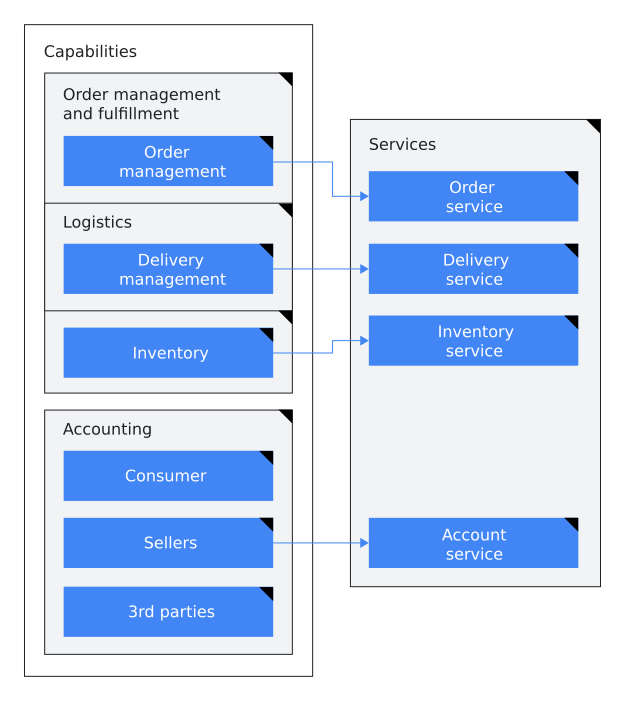 **Figure 1**. Application capabilities are separated into bounded contexts that migrate to services. In figure 1, the ecommerce application's capabilities are separated into
bounded contexts and migrated to services as follows:
- Order management and fulfillment capabilities are bound into the following categories:
- The order management capability migrates to the order service.
- The logistics delivery management capability migrates to the delivery service.
- The inventory capability migrates to the inventory service.
- Accounting capabilities are bound into a single category:
- The consumer, sellers, and third-party capabilities are bound together and migrate to the account service.
### HTML
```
<p>The following diagram shows how you can apply bounded contexts to an existing ecommerce application:</p>
<figure id="bounded">
<img src="https://cloud.google.com/architecture/images/microservices-architecture-refactoring-monoliths-bounded-contexts.svg"
alt="Bounded contexts are applied to an application.">
<figcaption><b>Figure 1.</b> Application capabilities are separated into bounded
contexts that migrate to services.</figcaption>
</figure>
<div id="descr-1">
<p>In figure 1, the ecommerce application's capabilities are separated into
bounded contexts and migrated to services as follows:</p>
<ul>
<li>Order management and fulfillment capabilities are bound into the
following categories:
<ul>
<li>The order management capability migrates to the order service.</li>
<li>The logistics delivery management capability migrates to the
delivery service.</li>
<li>The inventory capability migrates to the inventory service.</li>
</ul>
</li>
<li>Accounting capabilities are bound into a single category:
<ul>
<li>The consumer, sellers, and third-party capabilities are bound
together and migrate to the account service.</li>
</ul>
</li>
</ul>
</div>
```
### Markdown
```
The following diagram shows how you can apply bounded contexts to an existing ecommerce application:

**Figure 1.** Application capabilities are separated into bounded contexts that migrate to services.
In figure 1, the ecommerce application's capabilities are separated into bounded contexts and
migrated to services as follows:
- Order management and fulfillment capabilities are bound into the following categories:
- The order management capability migrates to the order service.
- The logistics delivery management capability migrates to the delivery service.
- The inventory capability migrates to the inventory service.
- Accounting capabilities are bound into a single category:
- The consumer, sellers, and third-party capabilities are bound together and migrate to the
account service.
```
### Alt text
*Alt text* is a concise description of the image that can replace the image in
situations where the image isn't visible, such as people using screen
readers, people using text-only browsers, or people who have a low-bandwidth
internet connection. Alt text should consider the context of the image, not just its content.
The presence of `alt` attributes helps support
[navigability](https://web.dev/labels-and-text-alternatives/#include-text-alternatives-for-images-and-objects)
in screen readers, [markup validation](https://validator.w3.org/docs/help.html#validation_basics),
and [search engine optimization](https://support.google.com/webmasters/answer/7451184#usealtattribute).
For more information, see [alt attribute](https://wikipedia.org/wiki/Alt_attribute).
However, if the image is decorative (not informative) or it's
provided only as a visual aid for information that is already expressed in text,
then provide empty alternative text (`alt=""`) so it's ignored
by assistive technologies. Examples of decorative images include the following:
- A screenshot of the UI showing a user how to fill out fields.
- Icons in the UI.
- Images whose purpose is to make the page more visually appealing.
When using the `img` element, the `alt` attribute is required,
even if its assigned value is an empty string (`alt=""`). If you exclude the `alt`
attribute completely, then screen readers might instead read the filename aloud.
As per the [HTML
specification](https://html.spec.whatwg.org/dev/images.html#general-guidelines), "the most general rule to consider when writing alternative
text is the following: the intent is that replacing every image with the text of
its `alt` attribute does not change the meaning of the page." So if the
alternative text is redundant with surrounding text or it's not useful to
visually impaired readers, use the empty tag.
Consider the following when writing alt text:
- Don't include phrases like *Image of* or *Photo of*.
- Include punctuation. When screen readers encounter punctuation, they pause before continuing.
- Use consistent alt text for repeated instances of an image, such as controls, status indicators, or icons that appear multiple times in your document.
- When possible, avoid using all-caps in alt text. Some screen readers read capital letters as each letter individually.
- Introduce diagrams in the text, not in the alt text.
- Don't use figure captions to replace alt text.
- Use full sentences or a noun phrase.
Recommended: `alt="Architecture of
an app that's built with Apps Script."`
Recommended: `alt="A card
message."`
- Write short, descriptive alt text in 155 characters or less.
- If the image presents more useful information than you can fit in the 155 character limit, include a brief summary of the image in the `alt`attribute and also include a more extensive description of the image in the text.
- Alt text should consider the context of the image, not just its content.
### Figure captions
*Figure captions* are concise and comprehensive summaries of a figure or image. Figure
captions (and figure numbers) are optional. When using the [`figcaption`
element](https://html.spec.whatwg.org/multipage/semantics.html#the-figcaption-element), you must wrap both the `figcaption` and `img`
elements in the [`figure`
element](https://html.spec.whatwg.org/multipage/semantics.html#the-figure-element) to ensure that the figure caption is properly associated with the image.
Consider the
following when writing figure captions:
- Figure numbers are optional. If you use figure numbers, use the form "\<b\>Figure
<var translate="no">NUMBER</var>.\</b\> <var translate="no">DESCRIPTION</var>."
Recommended: **Figure 1**. Application
capabilities are separated into bounded contexts that migrate to services.
Recommended: Application
capabilities are separated into bounded contexts that migrate to services.
Not recommended: Bounded contexts
- We recommend using complete sentences in figure captions.
- Always use end punctuation for captions.
- When you refer to a figure, don't use spatial descriptions such as "the image above."
- If you used figure numbers, consistently refer to the figure by number. For example: "... as shown in figure 1." Don't capitalize the word *figure* in a reference to a figure, except at the start of a sentence.
- If you can't use figure numbers, show the figure again, for accessibility and user experience reasons.
- Don't include the figure caption in a sentence referencing the figure.
### Figure descriptions
A *figure description* is text that provides a more detailed explanation of information
represented by a figure. In other words, the information that is conveyed in the image is captured
in the text. Any new information should be conveyed through text and not introduced in
a figure or image.
Consider the following when writing figure descriptions:
- Create text that conveys the same information as the figure.
- Use when a figure caption doesn't convey the purpose or complete information of the figure.
- Use punctuation in figure descriptions.
### Text in figures
In most cases, avoid embedding explanatory text in screenshot graphics; text
that's incorporated into a graphic hurts accessibility and searchability, and
increases localization costs if figures are localized. If you must embed text in
an image, then be sure to also provide the same information in a form that
people with visual disabilities can use, such as a figure description.
When you must include text in figures and images, use the following
guidelines:
- Keep text brief. Avoid complete sentences and punctuation when possible.
- Don't embed figure descriptions or captions in the figure or image. Instead, put figure descriptions and captions in text following the figure.
- Don't create new abbreviations to condense text.
- Use sentence case. Follow guidelines for [capitalization
for titles and headings](https://developers.google.com/style/capitalization#capitalization-in-titles-and-headings_1).
- Use numbered callouts in figures to help you write a figure description, but don't use callouts for detailed annotations in the image.
- Use full trademarked product names.
### Accessibility resources
For more information about the accessibility of diagrams and screenshots, see the following
resources:
- [Web Content Accessibility Guidelines (WCAG)](https://www.w3.org/WAI/standards-guidelines/wcag/glance/)
- [General text alternative guidelines from WCAG](https://www.w3.org/WAI/WCAG21/quickref/?showtechniques=111#text-alternatives)
- [Using `alt` attributes for `img` elements](https://www.w3.org/WAI/WCAG21/Techniques/html/H37.html)
- [Providing a long description in text near the non-text content](https://www.w3.org/WAI/WCAG21/Techniques/general/G74.html)
- [Complex images](https://www.w3.org/WAI/tutorials/images/complex/)
## High-resolution images
Modern browsers can use high-resolution images if they are available; this
makes the images look better on high-resolution displays.
To provide a high-resolution image, use the `img`
element's `srcset` attribute in addition to the standard
`src` attribute. The `srcset` attribute lets you specify
different image assets for different screen resolutions. It accepts a
comma-delimited set of image URLs, with the target screen resolution specified
by a size qualifier: `1x` meaning the "standard" resolution,
`2x` meaning "double" the resolution, and so on.
If a web browser supports the `srcset` attribute, it selects an
image from the specified images that's an appropriate resolution for the current
display. If the browser doesn't support the `srcset` attribute, it
uses the image in the `src` attribute. Consequently, you must always
still include the `src` attribute.
For example, to provide both a standard resolution image and a
double-resolution image, add a `srcset` attribute and specify both
`1x` and `2x` image assets:
```
<img src="/assets/images/skateboard.png"
srcset="/assets/images/skateboard.png 1x,
/assets/images/skateboard_2x.png 2x"
width="375" alt="" />
```
- The `width` attribute matches the CSS pixel size used for the page dimensions. (The height is automatically calculated based on the width and the image's proportions; *don't* state it explicitly.)
- Set the `src` attribute to point to the standard-resolution (`1x`) image, *not* the `2x` version. (Almost everyone who has a high-resolution screen also has a modern browser that can recognize the `srcset` attribute. The `src` attribute is mainly used by older browsers on low-resolution devices, which should download the smaller, low-resolution image.) Even if your original image is the higher-resolution image, set the `src` attribute to use the standard-resolution version; don't force a reader using a low-resolution screen to download a graphic that's higher-resolution than they can view.
- The filename for the double-resolution image (in this case, `skateboard_2x.png`) can be anything---it's the "` 2x`" value following the filename that informs the browser which resolution the file is. But it's a good idea to use a filename of the form `BASENAME_2x.EXTENSION` to make clear to human readers that it's a double-resolution version of `BASENAME.EXTENSION`.
- The double-resolution image must be exactly twice the width and height of the standard image, give or take a pixel. (For example, it's okay for the double-resolution image to be 875x500 and the standard size to be 438x250.)
- Don't scale up an existing `1x` image to make the `2x` version. If all you have is the `1x` version, then use it alone. But if you're starting with a high-resolution image (at `2x` resolution or better), then you can scale it down to appropriate dimensions for `1x` and `2x`.
- Currently, only an additional `2x` image is necessary, but someday screen may increase further. So the `srcset` attribute supports further alternative sizes, each specified by the appropriate multiplier, such as `3x` or `4x`.
- A browser that supports the `srcset` attribute uses only the images provided in that attribute---it ignores the `src` attribute. So specify all available image resolutions in the `srcset` attribute.
> [!NOTE]
> **Note** : If you frequently revise an image, then you can use the `2x` image for both the `src` and `srcset` attributes, rather than maintaining multiple sizes of the image. If things stabilize and you no longer need to revise the image, then you can add a `1x` version.
For more information, see the HTML specification for the `https://html.spec.whatwg.org/multipage/embedded-content.html#the-img-element`
element.
## Layout of images on a page
Consider the following guidelines for adding images to pages:
- Don't try to place an image manually; for example, don't use a `style` attribute or other workarounds to control the image's left/right justification or the margins around the image. Instead, use your site's standard CSS image styles.
- Don't make your image too small. It's fine for an image to take up the full width of a page.
- Consider how the image will look when printed out.
- In general, don't use an image that's wider than the column it appears
in. On [developer.android.com](https://d.android.com), for
example, the main-body column is 856px wide, so use images that are no wider
than that. In that context, the high-resolution 2x version of the image should
be no wider than 1712px.
- Screenshots at full resolution often take up too much space on the page, so you may have to resize them.
- If the graphics were created by someone else (for example, a designer on the team you're supporting), it may be fairly trivial for them to provide you with images at the appropriate size. If the images they provide are wider than 856px, ask the designer if they can provide the relevant graphics as 856px/1712px pairs.
- Don't link to the figure from within the same page unless it's a very long page and you're linking to it from quite far away on the page.
- Don't center the image on the page.
- Don't put an `img` element inside a `p` element.
*[PPI]: pixels per inch
---
# Footnotes
Source: <https://developers.google.com/style/footnotes>
A footnote is an annotation with additional information usually provided at the end of a page,
chapter, or book. We recommend avoiding footnotes because they aren't accessible and can present
challenges for localization efforts.
Instead of a footnote, consider using the following formats to convey information:
- [Add a cross-reference](https://developers.google.com/style/cross-references).
- [Use a note](https://developers.google.com/style/notices).
- [Put it in a parenthetical](https://developers.google.com/style/parentheses).
If the only way to convey this information is to use a footnote, then use a superscript
number---for example, `<sup>1</sup>`.
Recommended: You want to add a footnote to this sentence.^1^
^1^ Put this footnote at the bottom of the page.
---
# Headings and titles
Source: <https://developers.google.com/style/headings>
Use sentence case for headings and titles. Use descriptive headings and titles because they help
a reader navigate their browser and the page. It's easier to jump between pages and sections of a
page if the headings and titles are unique.
## Heading and title text
Write document titles based on the primary purpose of the document. If a
document is primarily a tutorial, but it has a conceptual introduction, write a
task-based title. Write section headings based on the type of content that's in
the section.
| Guidance | Recommended | Not recommended |
|---|---|---|
| For a task-based heading, start with a [*bare infinitive*](https://wikipedia.org/wiki/Infinitive#English), also known as a *plain form* or [*base form*](https://wikipedia.org/wiki/English_verbs#Base_form) verb. In English, the *imperative mood* also uses the base form verb, so it looks the same as the bare infinitive. Task-based headings are frequently used in quickstarts, how-to documents, and tutorials. | Create an instance | Creating an instance |
| For a conceptual or non-task-based heading, use a [*noun phrase*](https://wikipedia.org/wiki/Noun_phrase) that doesn't start with an *-ing* verb. Noun-phrase headings are frequently used in concept documentation. | Migration to Google Cloud | Migrating to Google Cloud |
| If a section is not required for all users or scenarios, use the *Optional:* prefix in the heading. This prefix signals when the section information applies only to a specific configuration or use case. For information about optional steps in a procedure, see [Optional steps](https://developers.google.com/style/procedures#optional-steps). | Optional: Customize your alias | Customize your alias (optional) |
### Title phrasing
Use a unique level-1 heading (`h1`) for each page in a set of documents and only use
a level-1 heading once on a page.
Avoid repeating the exact page title in a heading on the page. For example, if you document
how to create a virtual machine and how to start a virtual machine on the same task-based
page, the page title might be *Create and start VM instances*, with section headings
*Create a VM* and *Start a VM*.
### Mixed heading styles
It's OK to use task-based and conceptual heading styles in the same document.
If a single document includes both task-based and conceptual sections, then use
the appropriate phrasing for each section's heading.
### Use of *-ing* verb forms
When possible, avoid using *-ing* verb forms as the first word in any heading or
title.
Recommended:
Transfer data sets
Not recommended:
Transferring data sets
An *-ing* verb form is a present participle or gerund. These verb forms
are inconsistently translated when they're used as the first word in a title,
and they increase character count in limited spaces.
Sometimes, there might not be a better alternative to using a gerund, such as the following
examples:
- Billing
- Pricing
It's OK to use a gerund in these cases.
It's OK to use an *-ing* verb form later in a heading or title, such as
*Introduction to BigQuery monitoring*.
### Example headings
The following example is a task-based document that includes a conceptual
heading and a task-based heading.
Recommended:
### HTML
```
<h1>Log serving requests by using AI Platform Prediction</h1>
<p>This task-based document shows how to monitor machine learning models. The
document title starts with a bare infinitive.</p>
<h2>ML model monitoring overview</h2>
<p>This section provides a conceptual overview of ML model monitoring. Its title is
a noun phrase.</p>
<h2>Configure notebook settings<h2>
<p>This task-based section provides a series of steps to set variables in a
notebook. Its title starts with a bare infinitive.</p>
```
### Markdown
```
# Log serving requests by using AI Platform Prediction
This task-based document shows how to monitor machine learning models. The
document title starts with a bare infinitive.
## ML model monitoring overview
This section provides a conceptual overview of ML model monitoring. Its title is
a noun phrase.
## Configure notebook settings
This task-based section provides a series of steps to set variables in a
notebook. Its title starts with a bare infinitive.
```
## Heading and title format
The following sections list and define our writing standards for capitalization,
abbreviations, and technical elements in headings. In general, guidance
that applies to standard text also applies to headings---for example,
[contractions](https://developers.google.com/style/contractions) and [articles](https://developers.google.com/style/articles).
### Syntax and capitalization
- **Use sentence case** for all headings and titles. For more information, see [Capitalization in titles and
headings](https://developers.google.com/style/capitalization#capitalization-in-titles-and-headings).
- **Keep punctuation simple**. Punctuation can be a sign that your heading is too complicated. Consider rewriting.
- **Limit abbreviations** . Only use an abbreviation of a word in a page title or heading if it's the more commonly known version of the word. If you do so, define the abbreviation in the first instance of the word in a paragraph. You can define the abbreviation in the page title or heading, but consider if the additional length adds value. For SEO, use the more prominent version of a term in headings. For more information, see [Abbreviations](https://developers.google.com/style/abbreviations).
### Formatting and code
- **Don't use numbers in headings** to indicate a sequence of sections. Instead, rely on heading hierarchy and order to indicate sequence.
- **Avoid code items in headings** . If you must mention a code item in a heading, add a descriptive noun to the item in code font. For more information, see [Grammatical treatment of code elements](https://developers.google.com/style/code-in-text#grammatical-treatment-of-code-elements).
- **Don't put links in headings**. A link can easily be confused as a style applied to the heading instead of a link.
### Hierarchy and structure
- **Don't use heading tags to change visual formatting**. Use CSS rather than a heading level that doesn't fit the hierarchy. Don't make up your own formatting for headings.
- **Apply proper heading tags** . Use heading tags to structure your content hierarchically---for example, `<h1>`, `<h2>`, and `<h3>` in HTML, or `#`, `##`, and `###` in Markdown.
- **Maintain logical order** . Don't skip levels of the heading hierarchy. For example, put an `<h3>` tag only under an `<h2>` tag.
<br />
Recommended:
### HTML
```
<h1>Transfer data sets</h1>
<p>This document provides a high-level overview of ways to transfer your data to Google
Cloud.</p>
<h2>Estimate costs</h2>
```
### Markdown
```
# Transfer data sets
This document provides a high-level overview of ways to transfer your data to Google Cloud.
## Estimate costs
```
Not recommended:
### HTML
```
<h1>Transfer data sets</h1>
<p>This document provides a high-level overview of ways to transfer your data to Google
Cloud.</p>
<h3>Estimate costs</h3>
```
### Markdown
```
# Transfer data sets
This document provides a high-level overview of ways to transfer your data to Google Cloud.
### Estimate costs
```
- **Don't use empty headings**. Make sure headings are followed by content.
Recommended:
### HTML
```
<h2>Migrate VMs to Compute Engine</h2>
<p>Migration is not just a single step. The following sections describe the recommended
steps.</p>
<h3>Design the migration</h3>
```
### Markdown
```
## Migrate VMs to Compute Engine
Migration is not just a single step. The following sections describe the recommended steps.
### Design the migration
```
Not recommended:
### HTML
```
<h2>Migrate VMs to Compute Engine</h2>
<h3>Design the migration</h3>
```
### Markdown
```
## Migrate VMs to Compute Engine
### Design the migration
```
## Refer to a group of sections
If you introduce a group of related H3 or lower sections within a larger H2 section, use the
phrase *the following sections*. Don't refer to the group of sections using the phrases
*this section* or *these sections* because those phrases are ambiguous.
Recommended:
### HTML
```
<h2>Views in the data preparation editor</h2>
<p>The following sections describe the views in the data preparation editor.</p>
<h3>Data view</h3>
<p>...</p>
<h3>Graph view</h3>
<p>...</p>
<h3>Schema view</h3>
<p>...</p>
```
### Markdown
```
## Views in the data preparation editor
The following sections describe the views in the data preparation editor.
### Data view
...
### Graph view
...
### Schema view
...
```
---
# Use italics to discuss terms
Source: <https://developers.google.com/style/italics-terms>
<br />
This page describes two circumstances when we italicize terms that we're
introducing or discussing.
For more information about italics and other formatting, including HTML and
Markdown formatting for italics, see
[Text-formatting summary](https://developers.google.com/style/text-formatting).
## New terms
When you introduce a new term that you're defining immediately, use italics on
the first mention of the term. Don't use bold or quotation marks.
Recommended: A
*Clos network* is a kind of multistage circuit switching network.
## Words as words
When you refer to a word, phrase, or letter in reference to the word, phrase,
or letter itself (sometimes called *words as words*) use italics. Don't use bold
or quotation marks.
Recommended: Don't use
*\&* (ampersand) as a conjunction. Use the word *and* instead.
Recommended: To form a
possessive of a singular noun, add *'s* to the end of the word.
---
# Lists
Source: <https://developers.google.com/style/lists>
## List or table?
Tables and lists are both ways to present a set of similarly structured
items. Sometimes it's not obvious when to choose one presentation over the
other. To decide which presentation to use, see
[List or table?](https://developers.google.com/style/tables#list-or-table)
**Note**: Don't use a list to show only one item; a single
item isn't really a list. If you want to set a single item off from surrounding
text, then use some other formatting.
## Types of lists
Choose one of the following list styles. The following table includes common ways to present
lists in our documentation:
| List type | Used for | HTML elements |
|---|---|---|
| Numbered list | A set of items where the sequence is significant, such as ordered steps, phases, or priorities. The following is an example of a numbered list: > Here's a sequence of steps to follow: > 1. Open the box. > 2. Remove the bobcat from the box. > 3. Feed the bobcat. Nested sequential lists are labeled with lowercase letters or lowercase Roman numerals. The following is an example of a nested sequential list: > Here's a list of things to do after breakfast, in order: > 1. Go shopping. > 1. Buy groceries: > - Flour > - Eggs > - Sugar > - Butter > 2. Go to mall: > 1. Buy dress. > 2. Buy shoes. > 2. Make cake. > 3. Build birthday present out of spare parts. > 4. Clean house. See also [Sub-steps in numbered procedures](https://developers.google.com/style/procedures#sublists). | `ol`, `li` |
| Bulleted list | A set of items that's not a sequence, such as a set of nonsequential options or examples. Make sure it's clear whether or not every item is required. The following is an example of a bulleted list: > Here's a list of things that can go wrong, in no particular order: > - Your bicycle might explode. > - The sun might go out. > - An ant might break its leg and require a tiny splint. | `ul`, `li` |
| Description list | A set of terms, each with a description, definition, or explanation. Use this type of list if you want to draw attention to two or more terms (such as a glossary). The following is an example of a description list: > Here are some descriptions of types of birds: > Emu > : The best kind of bird. > Crow > : The other best kind of bird. > Peacock > : Also the best kind of bird. > Phoenix > : An even better kind of bird. | `dl`, `dt`, `dd` |
| Description list that uses bulleted run-in headings | A set of introductory terms or phrases, each followed by a description, definition, or explanation. Use this type of list if you want to highlight and explain several concepts or save space. For information about how to format and punctuate run-in headings and their descriptions, see [Description lists that use run-in headings](https://developers.google.com/style/lists#description-lists-that-use-run-in-headings) in this document. The following is an example of a description list that uses bulleted run-in headings: > Here are some descriptions of types of birds: > - **Emu**: the best kind of bird > - **Crow**: the other best kind of bird > - **Peacock**: also the best kind of bird > - **Phoenix**: an even better kind of bird | `ul`, `li` |
## Multiple paragraph list items
Any list item can contain more than one paragraph.
To create multiple paragraphs, use the `p` element rather
than using the `br` element. (The HTML specification describes which uses of the
[`br`
element](https://html.spec.whatwg.org/multipage/semantics.html#the-br-element) are legitimate and which aren't.)
Example of a list item that contains more than one paragraph:
- This list item is a single paragraph.
- This list item contains multiple paragraphs.
As you can see!
- This is another list item that's only one paragraph long.
## Introductory sentences for lists
Introduce a list with the appropriate context. In most cases, precede a list
with an introductory sentence. The sentence can end with a colon or a period; usually a colon if it
immediately precedes the list, usually a period if there's more material (such as a note
paragraph) between the introduction and the list.
If the list doesn't need any additional context other than the heading that immediately precedes
the list, it's OK to not introduce a list with an introductory sentence.
Introduce a list with a complete sentence, not a partial one that's
completed by the list items. You can also use *the following* as a noun phrase (see
[following](https://developers.google.com/style/word-list#following) in the word list).
| Recommended | Not recommended |
|---|---|
| Use the **Submit** button for any of the following purposes: - To submit the form. - To indicate that you're done. - To allow the next person to enter their data. | Use the **Submit** button to: - Submit the form. - Indicate that you're done. - Allow the next person to enter their data. |
| To get the USB driver, follow these steps: 1. Click **Tools \> Android \> SDK Manager**. 2. Select **Google USB Driver** , and then click **OK**. | To get the USB driver: 1. Click **Tools \> Android \> SDK Manager**. 2. Select **Google USB Driver** , and then click **OK**. |
| If you need to add an instance manually, do the following: 1. Click **Create instance**. 2. For **Name**, enter a name. | If you need to add an instance manually: 1. Click **Create instance**. 2. For **Name**, enter a name. |
| #### Objectives - Create an instance - Snapshot an instance - Delete an instance | #### Objectives In the following tutorial, you will complete the following tasks: - Create an instance - Snapshot an instance - Delete an instance |
For information about introducing sub-steps, see [Sub-steps in numbered procedures](https://developers.google.com/style/procedures#sublists).
For information about punctuation and capitalization of lists, see
[Capitalization and end punctuation](https://developers.google.com/style/lists#capitalization).
## Unusual list numbering
Use nonstandard numbering in the following situations:
- To present a list in reverse-numerical order, use an `ol` element with a `reversed` attribute.
- To set a value manually, use the `value` attribute. In some cases, setting a value manually can be convenient. However, in most cases, it isn't a good idea to manually number a list item in a numbered list, because if the number of items changes later, you'll have to manually change the value.
## Sub-steps in a numbered procedure
For information about sub-steps in a numbered procedure, see
[Procedures](https://developers.google.com/style/procedures#sublists).
## Parallel syntax
Use the same syntax/structure for all list items in a given list, if
possible.
## Capitalization and end punctuation
Capitalization and end punctuation depend on the type of list and the
contents of the list.
### Numbered, lettered, and bulleted lists
Start each list item with a capital letter, unless case is an important part of
the information conveyed by the list---such as in a list of glossary terms.
End each list item with a period or other appropriate sentence-ending
punctuation, except in the following cases:
- If the item consists of a single word, don't add end punctuation.
- If the item doesn't include a verb, don't add end punctuation.
- If the item is entirely in code font, don't add end punctuation.
- If the item is entirely link text or a document title, don't add end punctuation.
If you end up with inconsistent punctuation in your list, then either rewrite your list to use
[parallel construction](https://developers.google.com/style/lists#parallel) or add end punctuation to every list item
for consistency.
Recommended:
The following words are adjectives:
- Big
- Small
- Gratuitous
Recommended:
The SDK supports the following UI elements:
- Text box
- Bulleted list
- Button
Recommended:
The API supports the following actions:
- Create
- Replace
- Update
- Delete
Recommended:
You can do any of the following by using the API:
- Create an item.
- Replace one item with another.
- Update an item.
- Delete an item.
### Description lists
Sometimes it's useful to add an explanatory phrase to a list item, which can
affect the punctuation. In general, don't add an explanatory phrase to only a
single list item; instead, use a description list, and provide explanatory
phrases for all items.
In most contexts, start each term (`dt` element) with a capital letter.
Don't end the term with a period. Do generally put a period at the end of
each `dd` ("description") element.
| Recommended | Not recommended |
|---|---|
| The following words are adjectives: Big : A short word. Relevant : A fancy word. Gratuitous : A long word. Purple : A vibrant color. | The following words are adjectives: - Big - Relevant - Gratuitous - Purple---this is a color. |
### Description lists that use run-in headings
In most contexts, format run-in headings as follows:
- Start the run-in heading with a capital letter.
- End the run-in heading with a period or a colon, but be consistent within the list.
- You can decide whether to bold the punctuation that ends the heading based on factors such as on-page consistency.
For the descriptions that follow the punctuation, capitalize the first letter as follows:
- If the text follows a period, start the text with a capital letter.
- If the text follows a colon, start the text with a lowercase letter.
To end the descriptive text, punctuate as follows:
- If the description follows a period, end the description with a period.
- If the description follows a colon, do one of the following:
- If the description is a list of items or short phrases without verbs, don't include a period.
- If the description includes a verb or expresses a standalone thought, end the description with a period.
Don't use a dash to set off a description from an item in a description list. For more
information, see
[Colons instead of dashes in
lists](https://developers.google.com/style/dashes#colons-instead-of-dashes-in-description-lists).
Recommended:
The following words are adjectives:
- **Big**: a short word
- **Relevant**: a fancy word
- **Gratuitous**: a long word
- **Purple**: a vibrant color
Recommended:
The coffee shop has several great choices:
- **Coffee**: latte, mocha, cappuccino, espresso, macchiato
- **Tea**: chai tea, chai latte, black tea, green tea, herbal tea
Recommended:
Budget Airlines reduces your ticket cost in several ways:
- **It increases fuel economy by reducing baggage weight**. By charging astronomical prices for anything larger than a wallet....
- **It carries more passengers per flight**. By reducing leg room to industry and medical minimums, it fits more seats....
> [!NOTE]
> **Note** : The guidelines here about list punctuation differ from the [Material
> Design guidelines](https://material.io/guidelines/style/writing.html#writing-capitalization-punctuation). If you're writing UI text rather than prose documentation, then follow the Material Design guidelines.
## Comma-separated lists
When you write a list in a paragraph, use
[serial commas](https://developers.google.com/style/commas#serial-commas) to separate the items.
Avoid ending a list with *etc.* or phrases like *and so on*.
Instead, introduce the list in a way that makes it clear that the list isn't
all-inclusive.
Recommended: The service processes data
like event logs, clickstream data, social network interactions, and e-commerce
transactions.
Not recommended: The service processes
event logs, clickstream data, social network interactions, e-commerce
transactions, etc.
For more information, see [etc.](https://developers.google.com/style/word-list#etc)
---
# Mathematical notation
Source: <https://developers.google.com/style/mathematical-notation>
This page describes how to format common mathematical notation such as
exponents, expressions, equations, operators, and variables in
documentation. Formatting best practices can help ensure that your
documentation is compatible with assistive technologies and
renders accurately.
For general information about using and formatting numbers, see
[Numbers](https://developers.google.com/style/numbers).
**Note:** This page includes examples of formatting in HTML
and Markdown in standard text. If you're using a third-party tool to display
complex math, follow that tool's formatting guidance to ensure that your
mathematical markup displays correct.
## Use HTML entities for mathematical symbols
In general, use HTML entities for mathematical symbols instead of keyboard
symbols. The following table lists entities for symbols that are common in
arithmetic and algebra. For the plus sign (`+`), equals sign
(`=`), and division sign (`/`), you can use
their keyboard equivalents.
| Symbol | Markup | Description |
|---|---|---|
| + | Use the keyboard symbol. | Plus sign |
| − | `−` | Minus sign |
| × | `×` | Multiplication sign Alternatively, you can use the dot operator `∙` (`∙`) or asterisk operator `*` (`*`) to match the UI. Don't use an asterisk (`*`) to indicate multiplication in text. You can indicate multiplication by omitting the multiplication symbol if doing so doesn't create ambiguity---for example, instead of *a* × *b*, you can write *ab*. |
| / | Use the keyboard symbol. | Division sign |
| = | Use the keyboard symbol. | Equals sign |
| ≠ | `≠` | Not equal to |
| ± | `±` | Plus-minus sign |
| ∓ | `∓` | Minus-plus sign |
| \< | `<` | Less than sign |
| \> | `>` | Greater than sign |
| ≈ | `≈` | Approximately equal to |
| ≉ | `≉` | Not approximately equal to |
| ≅ | `≅` | Congruent to |
| ≤ | `≤` | Less than or equal to |
| ≥ | `≥` | Greater than or equal to |
| ≡ | `≡` | Identical to |
| ≢ | `≢` | Not identical to |
| √ | `√` | Square root |
| ∑ | `∑` | N-ary summation |
## Format mathematical notation
The following sections provide formatting for common math-related notation.
### Operators
To ensure accessibility and accurate HTML syntax, use
[HTML entities](https://developers.google.com/style/mathematical-notation#html-entities)
instead of keyboard symbols for operators. For example, use
`−` instead of a hyphen (`-`).
Include a non-breaking space (` `) on both sides
of operators within a single expression, equation, or
statement.
Don't italicize operators.
Recommended: *a* − *b*
To render *a* − *b*, use the following markup:
- **HTML:** `<i>a</i> − <i>b</i>`
- **Markdown:** `_a_ − _b_`
### Variables
Italicize variables.
Recommended: *x* ≠ *y*
Recommended: *x*^*y*^
Recommended: *y*~*i*~
To render *x* ≠ *y*, use the following markup:
- **HTML:** `<i>x</i> ≠ <i>y</i>`
- **Markdown:** `_x_ ≠ _y_`
### Expressions and equations
Include short expressions and equations inline with your text.
Include a non-breaking space (` `) between components
such as operators and variables so that the expression or equation renders on
the same line.
When an expression or equation creates an awkward line break, consider
placing it on its own line.
Recommended: The equation
that describes a linear trend line is
*y* = *a* + *bx*.
Recommended: The equation
that describes a polynomial trend line, where the order is *o*, is the
following:
*y* = *a* + *b* × *x* + ... + *k* × *x*^*o*^
To render *y* = *a* + *bx*, use the
following markup:
- **HTML:** `<i>y</i> &= <i>a</i> + <i>bx</i>`
- **Markdown:** `_y_ &= _a_ + _bx_`
### Fractions
<br />
Express fractions as decimal numbers, when possible.
If you must express fractions as words, connect the numerator and
denominator with a hyphen unless one of them is already hyphenated.
<br />
Recommended: 0.02
Recommended: one and one-half
Recommended: three-sevenths
Recommended: three seventy-fourths
### Exponents and subscripts
Use
[standard mathematical notation](https://wikipedia.org/wiki/Exponentiation).
Don't put a space between the base and the exponent.
To render exponents, use the HTML `<sup>` tag. Don't use the
keyboard caret symbol (`^`) to indicate an exponent.
To render subscripts, use the HTML `<sub>` tag.
Recommended: 2^3^
Recommended: *x*^*y*^
Recommended: *y*~*i*~
Not recommended: 2\^3
To render 2^3^, use the following markup in HTML and Markdown:
`2<sup>3</sup>`
## Notation as words
In general, you can use mathematical notation in place of words in running
text. For example, in a sentence, you might use the statement
*x* ≠ *y* instead of writing "*x* is not equal to
*y*." If the use of notation instead of words creates ambiguous, grammatically
incorrect, or difficult-to-read text, then use words to convey the
mathematical concept.
Recommended: Check
whether *a* \> *b*.
Recommended: The area
is calculated by multiplying the length by the width.
Not recommended: Check
whether *a* is greater than *b*.
Not recommended: The
area is calculated by multiplying *l* × *w*.
## Tools for complex or multiline equations
The methods described on this page that use HTML entities and tags are suitable for most common
mathematical notation. However, for more complex, multiline equations, or formulas that are
difficult to represent clearly with standard HTML, consider using [diagrams,
other images](https://developers.google.com/style/images), or a dedicated math rendering tool to support comprehension. Images and diagrams
like pie charts or bar graphs, in particular, are especially helpful for comparing statistics and
illustrating percentages.
## More resources
- [Numbers](https://developers.google.com/style/numbers)
- [Units of measure](https://developers.google.com/style/units-of-measure)
- [Text-formatting summary](https://developers.google.com/style/text-formatting)
---
# Notes, cautions, warnings, and other notices
Source: <https://developers.google.com/style/notices>
To give the reader important or useful information that isn't part of the flow of the text, you
can offset the information with a notice. However, there's
[evidence](https://www.nngroup.com/articles/tunnel-vision-and-selective-attention/)
that readers skip elements on the page, including notices, that are outside their focus of
interest. If you're not sure whether something should be a notice, write it first in regular text
and then decide if a notice is needed.
Don't use too many notices. When you use multiple notices on a page, they begin to lose their
visual distinctiveness. See if you can convey the information in a different way. This is
especially true if you have two (or more) notices in a row.
Where possible, avoid grouping two or more notices together. If you find it
necessary to do so (for example, a *note* with a *caution* inside it, or several
*warnings* one after another), consider reorganizing the content.
## Pick a notice type
The following is a list of commonly used notices.
Note
: An ordinary aside or tip. Provides information that is useful but not critical to the reader.
For example, "Generating excessive amounts of traffic to external systems can resemble a
denial-of-service attack." For more information, see
[when to use](https://developers.google.com/style/notices#when-to-use-a-note-notice-type)
and [when not to use](https://developers.google.com/style/notices#when-not-to-use-a-note-notice-type) a note notice type.
Caution
: Tells the reader to proceed carefully. For example, "We don't recommend using a
broad `0.0.0.0/0` range that would allow all traffic."
Warning
: Stronger than a *caution* notice; it means "Don't do this" or that this step might be
irreversible, such as leading to permanent data loss. If a reader doesn't heed the warning, they
can lose money, lose work, or open themselves to a security breach. For example, "Don't put a
password on the command line; doing so is a security risk."
Success
: Describes a successful action or an error-free status. Used only in interactive or dynamic
content; don't use this notice type in ordinary static pages. For example, "You've successfully
deployed an application to GKE."
## When to use a *note* notice type
Create a *note* when all of the following are true:
- The information you're sharing is *relevant* but not *necessary* to what the reader is doing right now. If the reader skips the information, they'll still succeed.
- Interrupting the reader at this point is not an obstacle to the reader. For example, your *note* isn't suggesting an alternative that leads the reader down a different path.
- The information is not part of the flow of what you're writing---it's not just a continuation, a result, or a pointer to additional information.
## When not to use a *note* notice type
- Don't use *notes* for [cross-references](https://developers.google.com/style/cross-references).
- Don't use *notes* to tell the reader about prerequisites or about steps they should have taken earlier. Information like this should precede the step.
- Don't make a full procedural step into a *note*.
- Don't use *notes* to provide information that's necessary for the reader to succeed.
- Don't use *notes* for information that's in flow with the preceding text. For example, don't use a *note* to state expected results or to include information that simply describes what precedes.
## Examples
Use whatever visual presentation for notices is standard for your site.
If you're writing in HTML and your site doesn't specify what HTML to use for
notices, we recommend using HTML code similar to the following example:
```
<aside class="note"><b>Note:</b> All VPC networks include firewall
rules.</aside>
```
> [!NOTE]
> **Note**: All VPC networks include firewall rules.
> [!CAUTION]
> **Caution**: We don't recommend using a subnet that's part of a dynamic route.
> [!WARNING]
> **Warning**: Do not manually edit or delete generated table entries.
> [!TIP]
> **Success**: You've successfully created a Compute Engine instance.
---
# Numbers
Source: <https://developers.google.com/style/numbers>
> [!NOTE]
> For information about formatting quantities like 10 MB, see [Units of measurement](https://developers.google.com/style/units-of-measure).
## Ordinal numbers
Spell out all ordinal numbers in text.
Recommended: first, fifth, twelfth,
forty-third
Not recommended: 1st, 5th, 12th, 43rd
## Numbers as words
This section covers when to spell out numbers as words.
If it's important to have the number and associated noun together on the same line, use
a nonbreaking space between the number and the noun.
In general, spell out the following:
- Numbers from zero through nine, except as noted in
[Numbers as numerals](https://developers.google.com/style/numbers#numbers-as-numerals).
Recommended:
two-day total
Recommended: four options
Recommended: five minutes
Recommended: nine developers
- A number that starts a sentence.
Recommended: Fifteen
directories are created.
In some cases it's better to rearrange the sentence so that the number
appears later.
Recommended: In
general, avoid sending files larger than 164 MB as attachments.
Not recommended: 164 MB
is generally considered too large a file to send as an attachment.
**Exception**: It's okay, but non-optimal, to begin a
sentence with a four-digit year.
- A number that is followed by a numeral.
Recommended: This
procedure creates fifteen 100,000-byte files.
*But*
Recommended: This
procedure creates 15 of the 100,000-byte files.
- Indefinite and casual numbers.
Using words like *millions* or *billions* is fine for approximate numbers. For
precise numbers, use numerals.
Recommended: You
can specify thousands of combinations.
Recommended: The
API might return a list of a million songs.
## Numbers as numerals
This section covers when to use numerals to write numbers.
If it's important to have the number and associated noun together on the same line, use
a nonbreaking space between the number and the noun.
In general, use numerals for the following:
- Numbers 10 and greater.
Recommended: The link expires in 24
hours.
Recommended: 18 years old
Recommended: 27 minutes
Recommended: 728 shipments
Recommended: 18,000,000 users
Recommended: 10 chapters
Recommended: 102 degrees
**Exceptions**: Always use numerals for the following items, even if
they're less than 10:
- Version numbers. Recommended:
version 3
- Technical quantities, such as amounts of memory, amounts of disk
space, numbers of queries, or usage limits.
Recommended: 6 queries per second
Recommended: 50 Mbps
Recommended: 128 bits
- Page numbers.
- Chapter numbers, sections, pages, and so on.
- Step numbers. Avoid referring to step numbers whenever possible, but in edge cases where you have no choice or it makes the most sense, use the numeral.
- Prices.
- Numbers without units, such as numbers used in mathematical expressions.
- Numbers less than 10 when they appear in the same sentence with
numbers greater than 9.
Recommended: The
menu contains 15 options but 6 of them are deselected.
- Negative numbers.
- Most [fractions](https://developers.google.com/style/numbers#fractions).
- [Percentages](https://developers.google.com/style/numbers#percentages).
- [Dimensions](https://developers.google.com/style/numbers#dimensions).
- Numbers containing decimal points.
- Treat decimal numbers as plural even when less than or equal to 1.0.
Recommended: 1.0 inches
- For decimal numbers less than one, place a zero in front of the decimal point.
Recommended: 0.3 inches
- Measurements.
Recommended: 8 pixels
- [Numbers in a range](https://developers.google.com/style/numbers#ranges-of-numbers).
## Numbers as Roman numerals
In general, avoid using Roman numerals when possible. Instead, use Arabic numerals because they
are easier to scan.
You can use Roman numerals for
[sub-steps in numbered procedures](https://developers.google.com/style/procedures#sub-steps-in-numbered-procedures).
## Fractions
Express fractions as decimal numbers, when possible.
If you must express fractions as words, connect the numerator and
denominator with a hyphen unless one of them is already hyphenated.
Recommended: 0.75
Recommended: one and one-half
Recommended: two-fifths
Recommended: five sixty-fourths
## Percentages
In general, use numerals and the percent sign (%), without a space between them.
Recommended: 40%
**Exception** : If the percentage starts the sentence, then spell out both
the number and the word *percent*.
Recommended: Forty
percent of the files
## Ranges of numbers
Use a hyphen with no space on either side of it. Do not use an
en dash (`–`).
Recommended:
2012-2016
For more information, see the following:
- [Ranges of numbers with units](https://developers.google.com/style/units-of-measure#ranges)
- [Range of numbers](https://developers.google.com/style/hyphens#number-range)
## Suspended hyphens
When two or more hyphenated compounds that start with numbers modify the same
word, use [suspended hyphens](https://developers.google.com/style/hyphens#suspended-hyphens).
Recommended: You can set up the system to
scan for new files at one-, two-, or three-hour intervals.
## Currency
Make sure that it's clear what country's currency you are describing. For more information, see
the [currency](https://developers.google.com/style/units-of-measure#currency) section in Units of measurement.
For US dollars, use a comma to delineate the thousands place of whole
currency. Use a period to delineate whole currency and fractions of currency.
Always include the dollar sign ($) at the beginning of the currency. Do
not use any punctuation or spaces to the right of the decimal.
Recommended: The price is $0.006653 per
vCPU hour.
Not recommended: The price is $0.006,653
per vCPU hour.
Recommended: $10,000 in fees is out of
reach for many developers.
Not recommended: $10 000 in fees is out
of reach for many developers.
## Commas and decimal points in numbers
Use commas and decimal points in accordance with standard American number-formatting.
Specifically: in numbers four or more digits long, use commas to set off
groups of three digits, counting leftward from the decimal point, in the
standard American style. For long decimal numbers, do not use any digit-group separators to the
right of the decimal point.
> [!NOTE]
> **Note** : Even though the [International
> System of Units](https://www.nist.gov/pml/weights-and-measures/metric-si/si-units) (SI) uses a thin space as a digit group separator, we use a comma, which is the most common digit group separator used in the US.
Use a period for a decimal point, also in the standard American style.
| Recommended | Not recommended |
|---|---|
| The limit is 1,532,784 bytes per day. | The limit is 1532784 bytes per day. |
| The API supports up to 2,000 vertices. | The API supports up to 2000 vertices. |
| $0.031611/vCPU hour | $0.031 611/vCPU hour |
> [!NOTE]
> **Note**: Even though in some scientific writing, four-digit numbers don't use commas, our style is to use a comma for a four-digit number.
For more information about decimal points and digit group separators, see Wikipedia's [decimal mark](http://wikipedia.org/wiki/Decimal_mark) entry.
## Dimensions
Use numerals for dimensions.
Use a lowercase *x* between the numerals in the dimensions, with no space between
the numerals and the *x*.
Recommended: 192x192
Not recommended: 192 x 192
## Exponents
Use
[standard mathematical notation](https://wikipedia.org/wiki/Exponentiation).
Don't put a space between the base and the exponent.
Recommended: 2^3^
## Accompany numerical concepts with real-world practical implications
Accompany numerical concepts with real-world practical implications to provide tangible meaning.
For example, if using a feature incurs additional fees, add a link to pricing calculator.
## Mathematical notation and visuals
For general guidance on formatting mathematical notation, such as equations and variables, see
[Mathematical notation](https://developers.google.com/style/mathematical-notation).
---
# Paragraph structure
Source: <https://developers.google.com/style/paragraph-structure>
Break up your paragraphs to aid in the scannability of the page and to avoid
walls of text. Readers scan for information and read on different devices with
different screen sizes. Each paragraph should address a single idea in the
fewest words and in the fewest sentences possible.
Don't make sentences longer in order to limit the number of sentences in a
paragraph. Use shorter sentences and paragraphs.
A paragraph longer than 5 or 6 sentences is often an indication that the
paragraph is trying to convey too much information. If so, break the paragraph
into smaller paragraphs or remove some content. However, don't break paragraphs
up if they contain a single idea. It's OK to have a paragraph with one sentence,
and it can be OK if it's longer than 6 sentences as long as it's still about one
idea.
## Put critical information first
Similarly to putting the most important information first in a sentence, put
the most important information first in a paragraph. Don't hide the key point of
a paragraph at the end of the paragraph. Readers don't read every word.
## Format paragraphs
Left-align text for readability. Don't center, full-justify, or right-align
text.
Don't force line breaks (hard returns) within sentences and paragraphs. Line
breaks might not work well in resized windows, across different devices, or with
enlarged text.
---
# Format phone numbers in text
Source: <https://developers.google.com/style/phone-numbers>
This page describes how to use and format phone numbers in technical documentation. This page
doesn't provide guidance on how to enter or use phone numbers in Google or third-party products.
If you need information about entering phone numbers in a specific product, consult the
product documentation or contact product support.
## Use example phone numbers
Most phone numbers in our documentation are examples. To show an example phone number, use a US
number in the range 800‑555‑0100 through 800‑555‑0199. That range is
reserved for use in examples and in fiction.
Never use a real phone number in examples.
<br />
## Format phone numbers in HTML or Markdown
To ensure that a phone number is displayed on the same line, use a nonbreaking hyphen
(`‑`) where appropriate in HTML or Markdown.
### Example
415‑555‑0132
### HTML
`415‑555‑0132`
### Markdown
`415‑555‑0132`
## Format North American phone numbers
To format a real phone number in the US, Canada, and other [NANP](https://wikipedia.org/wiki/North_American_Numbering_Plan)
(North American Numbering Plan) countries, use a nonbreaking hyphen to separate the area code,
three-digit exchange code, and four-digit number.
Recommended: 415‑555‑0132
## Format international phone numbers
To format a real phone number in non-NANP countries, include the country and area
codes. Insert a plus sign
immediately before the country code (no space); the plus sign stands in for a
prefix known as an *exit code*, which lets you dial out of a country. Each
country has a different exit code.
For more information, see the [ITU document about
standardized formatting for phone numbers](https://www.itu.int/rec/T-REC-E.123-200102-I/en).
Recommended: +1‑415‑555‑0132
## Format phone numbers that include an extension
To specify a phone extension, follow the phone number with the word *extension*, and then
specify the extension number.
Recommended: 415‑555‑0132, extension 987
---
# Procedures
Source: <https://developers.google.com/style/procedures>
A procedure is a sequence of numbered steps for accomplishing a task. For information about
lists of items that aren't part of a procedure, see the
[Lists](https://developers.google.com/style/lists) page.
## Introductory sentences
In most cases, introduce a procedure with an introductory sentence. This
introductory sentence should provide context to the reader that isn't part of
the section heading. Don't simply repeat the heading: if the heading explains
what the procedure is, and no additional context is needed, then don't
include an introductory statement.
The sentence can end with a colon or a period. Use a colon if it immediately
precedes the procedure. Use a period if there's more material (such as a
note paragraph) between the introduction and the procedure.
You can introduce a procedure with an imperative statement. Don't introduce a procedure with
a partial sentence that's completed by the numbered steps.
Recommended: To customize the buttons,
follow these steps:
Also recommended: Customize the buttons:
Also recommended: To customize the buttons, do the following:
Not recommended: To customize the
buttons:
For more information about introducing lists, see [Lists](https://developers.google.com/style/lists#introductory-sentences-for-lists).
## Single-step procedures
When a procedure consists of only one step, write the step in one sentence and format it as a
[bulleted list](https://developers.google.com/style/lists#numbered-lettered-bulleted-lists).
Recommended:
- To clear (flush) the entire log, click **Clear logcat**.
Not recommended:
To clear (flush) the entire log, follow this step:
1. Click **Clear logcat**.
Also not recommended:
To clear (flush) the entire log, follow this step:
- Click **Clear logcat**.
## Sub-steps in numbered procedures
In a numbered procedure, sub-steps are labeled with lowercase letters, and
sub-sub-steps get lowercase Roman numerals.
When a step has sub-steps, treat the step like an [introductory sentence](https://developers.google.com/style/procedures#introductory-sentences): put a colon or a
period at the end of the step, as appropriate.
For more information about lists, see [Lists](https://developers.google.com/style/lists#introductory-sentences-for-lists).
Recommended:
1. To add a VM instance, do the following:
1. Click **Create instance**.
2. For **Name** , enter a name for the VM instance, and then do the following:
1. For **Region**, specify where you want to deploy the VM instance.
2. For **Machine type**, select an option.
3. Click **Create**.
2. To connect to the VM instance by using SSH, click **SSH**.
## Order of multiple components in a step
To document a complex procedural step, use the following order:
1. Describe the action to take.
2. List a command, if necessary.
3. Explain any placeholders that are used in the command.
For more information, see
[Formatting placeholders](https://developers.google.com/style/placeholders).
4. Explain the command in more detail, if necessary.
5. List the output of the command, if necessary.
For more information, see
[Output from commands](https://developers.google.com/style/code-syntax#output).
6. In a separate paragraph, explain [the result of an
action](https://developers.google.com/style/procedures#steps-with-results-or-justifications), or any output, if necessary.
The following example demonstrates the preceding order:
1. Plan the Terraform deployment:
```
terraform plan -out=NAME
```
Replace `NAME` with the name of your Terraform plan.
The `terraform plan` command does the following:
1. Parses the Terraform configuration, building a list of resources to provision.
2. Refreshes the current state of resources already provisioned in Google Cloud.
3. Creates a plan to make the currently provisioned resources match the parsed configuration.
The output is similar to the following:
```
Plan: 26 to add, 0 to change, 0 to destroy.
---
This plan was saved to: NAME
```
The output shows what resources to add, change, or destroy.
## Multi-action procedures
In general, use one step for each action. However, you can combine small actions
into one step [by using
angle brackets](https://developers.google.com/style/ui-elements#term-menus) (`>`) for sequential menu selections.
Recommended:
1. Click **Next \> Finish**.
Also recommended:
1. Click **File \> New \> Document**.
Don't make the steps too long. If they feel too long, consider splitting them
into multiple steps.
## Multiple procedures for the same task
In general, if there's more than one way to complete a task, then document
one procedure that's accessible for all readers. If all methods are accessible, pick the shortest
and simplest approach if possible. If you need to document multiple ways to complete a
task, then separate them in different pages, headings, or tabs.
The following guidelines can help you choose which procedure to document:
- Choose a procedure that lets readers do all the steps by using only a keyboard.
- Choose the shortest procedure.
- Choose a procedure that uses a programming language that most of your audience is familiar with.
## Repetitive procedures
Avoid repeating procedures. Instead, reference those procedures and link to
them.
Recommended:
1. Create a user as you did in the previous step.
Also recommended:
1. [Create a user as you did in the previous step.](https://developers.google.com/style/procedures#)
## Optional steps
For an optional step, at the beginning of the step, type *Optional*
followed by a colon.
Recommended:
1. Optional: Type an arbitrary string ...
Not recommended:
1. (Optional) Type an arbitrary string ...
For information about optional sections, see [Heading and title text](https://developers.google.com/style/headings#heading-and-title-text).
## Steps that say where to complete a task
Tell the reader where to complete an action---for example, in a
particular tool or UI field---before you state the action.
Recommended:
1. In Google Docs, click **File \> New \> Document**.
2. In the Google Cloud console, go to the **Monitoring** page.
Not recommended:
1. Click **File \>
New \> Document** in Google Docs.
2. Go to the **Monitoring** page in the Google Cloud console.
If a set of procedures is split across multiple headings, then in each
procedure, restate where the reader completes the action. For example, if two
procedures in a document take place in the console, then start both
procedures with "In the console ..."
## Steps with goals
For some steps, it's useful to state the goal
that the step accomplishes.
When a step includes a goal, state the goal before the action. This
structure helps readers understand and complete the step more easily.
Recommended:
1. To start a new document, click **File \>
New \> Document**.
Not recommended:
1. Click **File \>
New \> Document** to start a new document.
Sometimes, the preceding format can imply that the required step is
optional. In such cases, use the following format:
Recommended:
1. Start a new document: click **File \>
New \> Document**.
It's usually clear within the context of a procedure whether a step is
required. In such cases, the "To ..." format is more natural than the colon
format.
To determine whether you need to use the colon format, consider how the
goal of the step relates to the goal of the procedure. For example, in a
procedure for creating a bar chart, a step with the goal "To create the
chart" is clearly required. A step with the goal "To enhance the chart" is
also unlikely to create confusion. But a step with the goal "To sort the
data by date" might or might not be necessary. To clarify that the step
isn't optional, use "Sort the data by date:" instead.
## Steps with results or justifications
Some steps consist of an action along with a resulting reaction that helps
the reader navigate to the next step. State the action first and the result
second. Keep the result in the same paragraph as the action. But also consider whether you
can avoid repetitiveness and overwhelming the reader with too much bolding of UI elements.
Recommended:
1. Click **Run**. The query results appear after the query runs.
Recommended:
1. Click **Enter**.
2. In the **New file** dialog that appears, click **Next**.
Not recommended:
1. Click **Enter** . The **New file** dialog appears.
2. In the **New file** dialog, click **Next**.
For information about describing output, see
[Output from commands](https://developers.google.com/style/code-syntax#output).
Other steps benefit from including a justification for why the step is
important. State the action first and the justification second.
Recommended:
1. Store the private key in a secure location. You need it later.
## Summary of guidelines for writing procedures
| Guidance | Recommended | Not recommended |
|---|---|---|
| Make sure that the first sentence in a procedural step includes an imperative verb. | Clone the repository that contains the sample data. | You need the project ID later in this document. Retrieve the project ID. |
| Use complete sentences. | | |
| Use parallel structure and consistent verb form. | Download the service account key to your local machine. Click **More** , and then click **Download**. | Download the service account key to your local machine by clicking **More** and then clicking **Download** file. |
| For an optional step, type *Optional:* as the first word of the step. | Optional: Type an arbitrary string... | (Optional) Type an arbitrary string... |
| Set the context (such as a tool or an environment) in which the reader performs a procedure. If there are multiple headings associated with a set of procedures, restate the context of the procedure in the first step, even if the context is the same as in the previous procedure. | In Cloud Shell, connect to the development cluster. In the Google Cloud console, go to the **BigQuery** page. | |
| Write in the order that the reader needs to follow. State the location of the action before stating the action. | In Google Docs, click **File \> New \> Document**. In the Google Cloud console, go to the **Monitoring** page. | Click **File \> New \> Document** in Google Docs. Go to the **Monitoring** page in the Google Cloud console. |
| State the purpose or goal of the action before stating the action. | To start a new document, click **File \> New \> Document**. | Click **File \> New \> Document** to start a new document. |
| Don't use directional language to orient the reader, such as *above*, *below*, or *right-hand side*. This type of language doesn't work well for accessibility or for localization. If a UI element is hard to find, provide a screenshot. For information about documenting icons, see [Buttons and icons](https://developers.google.com/style/ui-elements#buttons). | Click **Menu**. In the preceding diagram,... In the following diagram,... | Click the button with three lines. In the above diagram, ... In the diagram below, ... |
| Don't use *please*. | To open a document, click **File \> Open**. | To open a document, please click **File \> Open**. |
| Avoid using *run the following command* to introduce code. Instead, focus on what the command does. | In Cloud Shell, deploy the load generator:... Define a firewall rule to allow internal traffic:... | In Cloud Shell, deploy the load generator by running the following command:... Run the following command:... |
| If the reader must press **Enter** after a step, then include that instruction as part of the step. | Click the search box, type `custom function`, and then press **Enter**. | 1. Click the search box and type `custom function`. 2. Press **Enter**. |
| Don't include keyboard shortcuts. | Copy the command, and then paste it... | Press Ctrl+C, and then press Ctrl+V... |
| When there's more than one way to do something, give only the best way. Giving alternate ways can confuse readers. | | |
| If your procedure includes code samples, see how to format [code samples](https://developers.google.com/style/code-samples). | | |
| If your procedure includes commands, see how to format [commands](https://developers.google.com/style/code-syntax#formatting-a-command). | | |
| Ensure that the reader has the information that they need in order to prepare for the task ahead of time. Having information in advance supports task management, executive functioning, memory, and emotional regulation. | The following hardware and software are required:... | |
| Include as few steps as possible to complete the task. Limit interruptions in the path. | | |
| Focus on one reader decision at a time. Separate each instruction by making each instruction a separate list item. | | |
---
# Tables
Source: <https://developers.google.com/style/tables>
In many contexts, tables are the best way to represent sets of related pieces of data. However,
in some contexts, other approaches are better choices.
## List or table?
Tables and lists are both ways to present a set of similarly structured
items; sometimes it's not obvious when to choose one presentation over the
other. To decide which presentation to use, consult the following table:
| Item type | Example | How to present |
|---|---|---|
| Each item is a single unit. | A list of programming language names, or a list of steps to follow. | Use a [numbered list, lettered list, or bulleted list](https://developers.google.com/style/lists#numbered-lettered-bulleted-lists). |
| Each item is a pair of pieces of related data. | A list of term/definition pairs. | Use a [description list](https://developers.google.com/style/lists#description-lists) (or, in some contexts, a table). |
| Each item is three or more pieces of related data. | A set of parameters, where each parameter has a name, a data type, and a description. | Use a table. |
### Places not to use tables
- Don't use tables to lay out a page; use your site's standard CSS instead.
- Usually if you have only one row of material, a table isn't the best choice for how to present it. But in some contexts (especially for consistency of layout in reference documentation), it might be.
- If you have only one column in your table, turn the table into a list.
- Don't use tables to lay out code snippets.
- Don't use tables to lay out long one-dimensional lists in multiple columns. For example, if you have a long list of function names, don't try to save space by splitting the list in half and presenting the two halves as a two-column table. Use tables only to present two-dimensional data---that is, material that semantically makes sense to display in rows and columns.
- Avoid tables in the middle of a numbered procedure.
## Multi-paragraph table cells
Any table cell can contain more than one paragraph.
To create multiple paragraphs, use the `p` element rather
than using the `br` element. (The HTML specification
describes which uses of the [`br`
element](https://html.spec.whatwg.org/multipage/semantics.html#the-br-element) are legitimate and which aren't.)
Example of a table with some cells that contain more than one paragraph:
| Attribute name | Type | Description |
|---|---|---|
| `href` | HTML | Defines the URL for a link. For example, go to the `<a href="https://www.google.com">Google Search</a>` page. |
| `src` | HTML | Defines the path of the image to be displayed. For example, `<img src="kitten.jpg">`. |
## Introductory sentences for tables
Introduce tables with a complete sentence that describes the purpose of the table because not all
screen readers preannounce tables. The introductory sentence can end with a colon or a period;
usually a colon if it immediately precedes the table, and usually a period if there's more material
(such as a note paragraph) between the introduction and the table.
Recommended: Change the environment variables
to values for your deployment, as listed in the following table:
For more information, see the
[Tables](https://developers.google.com/style/accessibility#tables) section of the "Accessibility" page.
## Table placement
- When introducing a table, use a complete sentence and try to refer to the table's position, using a phrase like *the following table* or *the preceding table*.
- Don't put a table in the middle of a sentence.
- Avoid using footnotes when possible. If your table does refer to footnotes, place them immediately following the table. For more information, see [Footnotes](https://developers.google.com/style/footnotes).
## Table captions
If your document contains only one table, the table doesn't need a caption.
However, be sure to place the table adjacent to the text that refers to it.
If your document contains more than one table in fairly close proximity to
each other, include a caption for each one, using a [`caption`
element](https://html.spec.whatwg.org/multipage/tables.html#the-caption-element) as the first child of the `table` element. Start the
caption with a number, in the form "\<b\>Table <var translate="no">NUMBER</var>.\</b\>
<var translate="no">DESCRIPTION</var>". Use sentence case for the caption, but don't place a
period at the end.
When referring to the table from text, refer to it by its number---for example,
*... as shown in table 2*. Do not capitalize *table* unless it starts a sentence.
Your site's CSS determines the styling and placement of the caption.
Recommended:
```
<table>
<caption><b>Table 1.</b> Prehistoric birds</caption>
...
</table>
```
## Table formatting
- Don't add styling to the table element.
- Don't apply a visual style such as a different font, font color, or background color to convey a header row or column by itself. Use the `th` element to semantically mark up headers in tables.
- Don't merge cells. Don't use `colspan` or `rowspan` attributes.
- Sort rows in a logical order, or alphabetically if there is no logical order.
- If the table is long or complicated---for example, with multiple header rows or columns---consider splitting it into multiple tables.
- Don't present new information in tables through images or symbols alone; always provide a descriptive `alt` attribute for the image or symbol. For more information, see [Alt text](https://developers.google.com/style/images#alt-text).
## Table column heads
- Use sentence case.
- Write concise headings.
- Don't end with punctuation, including a period, an ellipsis, or a colon.
- Use table headings for the first column and the first row only. Use the [`th` element](https://www.w3.org/TR/2014/REC-html5-20141028/tabular-data.html#the-th-element).
- Include the [`scope` attribute](https://www.w3.org/TR/WCAG20-TECHS/H63.html) as appropriate for accessibility.
## Responsive tables
Where possible, use table CSS that adapts to different viewport sizes.
## Link to tables
Where possible, avoid linking to tables; instead, refer to them by table number.
---
# Units of measurement
Source: <https://developers.google.com/style/units-of-measure>
Put a nonbreaking space (` `) between the number and the unit.
## Spaces in units of measurement
For most units of measurement, when you specify a number with the unit, use a
nonbreaking space between the number and the unit. This guidance applies in both
HTML and Markdown.
For guidance about when to spell out units, see the
[Abbreviations](https://developers.google.com/style/abbreviations#spelling-out) page.
For guidance about whether to hyphenate, see the [Hyphens](https://developers.google.com/style/hyphens#compounds)
page.
Recommended: `64 GB` (64 GB)
Recommended: `25 mm` (25 mm)
Recommended: a 128-bit system
Not recommended: `64 GB`
Not recommended: 64GB
For more information about making abbreviations plural, see [Plural abbreviations](https://developers.google.com/style/pluralization#making-abbreviations-plural).
However, when the unit of measure is money or percent or degrees of an angle,
don't use a space. For more information, see [Currency](https://developers.google.com/style/units-of-measure#currency).
Recommended: $10
Recommended: £25
Recommended: 65%
Recommended: 180°
For degrees of temperature, include a nonbreaking space between the number and the degree symbol.
Don't use a space between the degree symbol (`°`) and the temperature scale
(*F* or *C*).
### Example
50 °C
### HTML
`50 °C`
### Markdown
`50 °C`
For Kelvin temperatures, leave out the degree symbol but use a nonbreaking space before the
*K*.
### Example
300 K
### HTML
`300 K`
### Markdown
`300 K`
When a number and unit of measurement combine to modify a noun, don't hyphenate unless
the hyphen is needed for clarity.
Recommended:
`200 GB disk` (200 GB disk)
## Ranges of numbers with units
In a range of numbers, repeat the unit for each number. *Unit* includes both symbols (like
the degree symbol (º)) and abbreviations (like *MB* for megabytes) but not nouns
(like *file*). For more information, see
[Range of numbers](https://developers.google.com/style/hyphens#number-range).
Use the word *to* between the numbers, rather than a hyphen. A hyphen
can be misinterpreted as a subtraction sign.
Recommended: -40 °C to 85 °C
Not recommended: -40-85 °C
## Hyphens with multiplied units
When the components of a unit of measurement are multiplied by each other,
hyphenate them.
Recommended: 5 vCPU-hours
Recommended: 40 person-hours
## Use *k* to indicate thousands
In some contexts, it might be appropriate to indicate thousands of something by
following a number with a lowercase *k*. If you do that, then follow these
guidelines:
- Don't put a space between the number and *k*.
- Add a noun to indicate what the number measures, and to make clear that you're not using *k* as an abbreviation for *kilobytes*.
Recommended: On this plan, you are
limited to 55k download operations and 20k upload operations per day.
## Currency
If you're writing about monetary amounts, make sure that the reader knows what
currency you're referring to. For example, the dollar sign---the *$*
symbol---can refer to US dollars, Canadian dollars, Mexican pesos, and several
other currencies.
If there's any possibility of ambiguity, use a currency indicator before
the amount. For details, see section 9.20 and following in the Chicago Manual of Style, 17th edition.
Recommended: US$10
## Rates
Use *per* instead of the division slash (/) when space permits.
It's OK to use the division slash when space is limited,
such as in a table with small cells.
Shorten *per* to *p* only for well-established abbreviations for
rate units, such as *Gbps* for *gigabits per second* or
*MBps* for *megabytes per second*.
Recommended: requests per day
Not recommended: requests/day
Recommended: Gbps
Not recommended: Gb/s
## Decimal and binary units
Use the same system to measure bytes as the technology that you're documenting.
Don't use *MB* if you mean *MiB*, or *GB* if you mean *GiB*. The following
table lists common types of
[decimal and binary units](https://en.wikipedia.org/wiki/Byte#Multiple-byte_units):
| Decimal units | Binary units |
|---|---|
| kB (kilobyte, or 1000 bytes) | KiB (kibibyte, or 1024 bytes) |
| MB (megabyte, or 1000^2^ bytes) | MiB (mebibyte, or 1024^2^ bytes) |
| GB (gigabyte, or 1000^3^ bytes) | GiB (gibibyte, or 1024^3^ bytes) |
For more information about abbreviating measurement terms, see
[When to spell out a term](https://developers.google.com/style/abbreviations#spelling-out).
## More resources
- [Mathematical notation](https://developers.google.com/style/mathematical-notation)
- [Numbers](https://developers.google.com/style/numbers)
---
# Cross-references and linking
Source: <https://developers.google.com/style/cross-references>
In general, cross-references link to nonessential information that adds to
the reader's understanding.
When used well, cross-references help readers navigate and understand
documentation. But cross-references can easily become disruptive. The guidelines
on this page help you to minimize disruption while providing cross-references
that help your readers.
## Choose links selectively
Be selective about which links you include on a page. Each link creates a
decision for the reader, adding cognitive load. Each link is also a chance for
the reader to leave the page and lose their place. When you include links,
choose the most relevant destination.
### Provide context on the page
When possible, provide help in context rather than linking elsewhere. For
example, in the following situations, consider providing information on the
page instead of linking:
- Define a term.
- Briefly explain a concept.
- Provide a couple of steps.
As a specific example, if you need readers to understand another product's
software or standards, it's better to link to good documentation elsewhere
than to try to thoroughly document another product's standards in our
documentation. But if a few sentences of basic information is all your readers
need, then it's better to provide that context and save your readers the trip
outside of our documentation.
### Avoid duplicate links
Generally, within a given page, don't provide duplicate links to the same
destination. Provide the link once in the location where it's most useful to
the reader.
It's OK to add a secondary link in situations such as the following:
- You're linking to a particular section of another page.
- Your page is very long and the duplicate links are far apart.
- There are multiple entry points to the document that you're linking from. For example, if a page contains a procedure section and a troubleshooting section, then you might need to provide the same link in both of those sections.
### Provide the most relevant link
When you link, link to the most relevant page on a site. Link to the most
relevant heading on a page. Avoid providing multiple links that do the same
job.
### Link to third-party sites
Our documentation often relies on the reader knowing something about
third-party standards or software. In such cases, it's better to provide a
link rather than attempt to thoroughly document someone else's standards. But
as with all links, when possible, provide brief information on the page
instead of linking.
## Write descriptive link text
For the link text itself, use short, unique, descriptive phrases that provide
context for the material that you're linking to.
Effective link text helps to improve accessibility and scannability. Different
readers experience links differently. For example, users of screen reader
software often jump from one link to the next without reading the words in
between. Other readers visually scan a document to find relevant links.
Sometimes you have to rework a sentence to include a phrase that makes good
link text.
### Two options for effective link text
For your link text, use either the exact page title or a descriptive phrase, as
described in the following sections.
#### Page titles as link text
One option for effective link text is to match the link text to the page
title or heading that you're referencing.
For more information about how to capitalize the page title in a
cross-reference, see
[Capitalization in references to titles and headings](https://developers.google.com/style/capitalization#capitalization-in-references-to-titles-and-headings).
Recommended: For more
information, see
[Load balancing and scaling](https://cloud.google.com/compute/docs/load-balancing-and-autoscaling).
#### Descriptive phrases as link text
Another option for effective link text is to use a description of the
destination page, capitalized as if it's part of the sentence.
When you write a descriptive phrase as link text, help readers quickly
determine whether the link is relevant to them:
- Place important words at the beginning of the link text.
- Don't use the same link text in the same document for different target pages.
- Keep link text short where possible. Don't write lengthy link text such as a sentence or short paragraph.
Recommended: You can use
Cloud Scheduler and Cloud Functions to manage
[task scheduling on Compute Engine](https://cloud.google.com/blog/products/gcp/reliable-task-scheduling-on-google-compute-engine).
Not recommended: See
[this blog post](https://www.blog.google/products/pixel/pixel-4/).
### Avoid vague link text
Write link text that makes sense without the surrounding text.
Don't use phrases such as *this document*, *this article*, or *click here*.
Recommended:
For more information, see
[Make headings into link targets](https://developers.google.com/style/headings-targets).
Not recommended:
Want more? [Click here!](https://developers.google.com/style/headings-targets)
Not recommended:
For more information,
see [this document](https://developers.google.com/style/headings-targets).
### Avoid URLs as link text
In general, don't use a URL as link text. Instead, use the page title or a
description of the page.
Recommended:
```
For more information about protocols, see <a href="http://www.w3.org/Protocols/rfc2616/rfc2616.html">HTTP/1.1 RFC</a>.
```
Not recommended:
```
See the HTTP/1.1 RFC at <a href="http://www.w3.org/Protocols/rfc2616/rfc2616.html">http://www.w3.org/Protocols/rfc2616/rfc2616.html</a>.
```
**Exception**: In some legal documents (such as some Terms of Service documents), it's
okay to use URLs as link text.
### Include abbreviations in link text
If the text includes an abbreviation in parentheses, include the long form
and the abbreviation in the link text.
Recommended: [Google Kubernetes Engine (GKE)](https://cloud.google.com/kubernetes-engine/docs)
Not recommended: [Google Kubernetes Engine](https://cloud.google.com/kubernetes-engine/docs) (GKE)
### Link to commands
If the text includes a command or another element usually conveyed with
code font, include the description of the code element with the link text,
unless doing so is awkward or redundant. For more information about elements
that appear in code font, see [Code in text](https://developers.google.com/style/code-in-text).
Recommended: To create an
instance with a custom hostname, run the `gcloud instances create`
command with the
[`--hostname` flag](https://cloud.google.com/compute/docs/instances/custom-hostname-vm#gcloud).
Not recommended: To create
an instance with a custom hostname, run the `gcloud instances create`
command with the
[`--hostname`](https://cloud.google.com/compute/docs/instances/custom-hostname-vm#gcloud)
flag.
Recommended: This service
supports the [`GET`](), [`HEAD`](),
and [`OPTIONS`]() methods.
Not recommended: This
service supports the [`GET` method](),
[`HEAD` method](), and
[`OPTIONS` method]().
## Write link introductions ("For more information")
When you dedicate a separate sentence to a cross-reference, introduce the
cross-reference using consistent language---specifically, use the phrase "For more
information, see..." or "For more information about..., see... ."
Include the "about..." clause when the link text or surrounding context
doesn't clearly indicate why you're referring the reader to this information.
For more information, see the
[Clarify the purpose of a link](https://developers.google.com/style/cross-references#clarify-purpose)
section of this document.
Don't use *on* instead of *about*.
Use *see* to refer to links and cross-references. For more information, see
[see](https://developers.google.com/style/word-list#see).
Recommended: For more information, see
[Load balancing and scaling](https://cloud.google.com/compute/docs/load-balancing-and-autoscaling).
Recommended: For more information about
task scheduling, see
[Reliable task scheduling on Google Compute Engine](https://cloud.google.com/blog/products/gcp/reliable-task-scheduling-on-google-compute-engine).
Not recommended: For more information on
indexes, see [Manage indexes](https://cloud.google.com/firestore/docs/query-data/indexing).
## Clarify the purpose of a link
Make sure that the surrounding context or the link text itself clearly
indicates why you're referring the reader to this information. Make the
explanation specific, but don't repeat the link text.
If you're introducing a cross-reference with "For more information..."
phrasing, then you can do this by adding an "about..." phrase. For more
information, see the
[Write link introductions](https://developers.google.com/style/cross-references#link-introductions) section
of this document.
Recommended: For more
information about authentication and authorization, see
[Using OAuth 2.0 to access Google APIs](https://developers.google.com/identity/protocols/OAuth2).
Recommended: If your
sample dump file is in a CSV, Avro, or Parquet file format, then
[load the file to BigQuery and copy to Spanner](https://cloud.google.com/spanner/docs/load-sample-data) using reverse ETL.
## Explain unexpected link behavior
If a link goes to an unexpected destination or behaves in an unexpected way,
then provide that context. The following are a few such situations:
- **Links that download files and open emails.** If a link
downloads a file or opens an email, then make that clear in the link text, and
mention the file type.
Recommended: For more
information,
[download the security features PDF](https://www.example.com/security.pdf).
Recommended:
```
<a href="mailto:support@example.com">send email to Technical Support</a>
```
- **Links to sections on the same page.** When you're
linking to another section on the same page, let the reader know that the link
takes you to a different section of the same page. Use a standard phrase to clue
readers in if you use an on-page link.
Recommended: For more
information, see the
[Write descriptive link text](https://developers.google.com/style/cross-references#descriptive-link-text)
section of this document.
- **Links to sections on another page.** When you're linking
to a section heading on another page, use the same wording and formatting as you
do in a regular cross-reference.
If the title of the section that you're linking to is identical to a
title on the source page, add context to the cross-reference.
Recommended: For more information, see
[Create a table](https://cloud.google.com/bigtable/docs/managing-tables#create-table).
Recommended: For more information, see
[Install libraries](https://developers.google.com/style/cross-references#different-page)
in "Building new audiences based on existing customer lifetime value."
- **Links that open in a new tab.** For more information, see the [Open links in the current tab](https://developers.google.com/style/cross-references#current-tab) section of this document.
- **Links that go to a different domain or server.** For more information, see the [Don't use external link icons](https://developers.google.com/style/cross-references#external-link-icons) section of this document.
## Open links in the current tab
Don't force links to open in a new tab or window. Let the reader decide how
to open links.
In the rare situation that a link needs to open in a new tab or window, let
the reader know that the link opens differently than expected.
Recommended:
```
<a href="/style/accessibility">Accessible content</a>
```
Recommended:
```
<a href="/style/accessibility" target="_blank">Accessible content (opens in a new tab)</a>
```
Not recommended:
```
<a href="/style/accessibility" target="_blank">Accessible content</a>
```
## Don't use external link icons
Don't use an external link icon to indicate that the link goes to a different
domain or server. If you think it's important to inform the reader that they're
leaving a Google domain, mention it in the text and don't rely on an icon.
Recommended: For
more information, see
[OS-level virtualization](https://en.wikipedia.org/wiki/Operating-system-level_virtualization).
Sometimes OK:
For more information, see the Wikipedia page about
[OS-level virtualization](https://en.wikipedia.org/wiki/Operating-system-level_virtualization).
Not recommended:
For more information, see
[OS-level virtualization](https://en.wikipedia.org/wiki/Operating-system-level_virtualization).
## Punctuation around link text
If you have punctuation immediately before or after a link, put the
punctuation outside of the link tags where possible.
Recommended:
```
For more information, see <a href="#Test">Test your code</a>.
```
Not recommended:
```
For more information, see <a href="#Test">Test your code.</a>
```
## Quotation marks and italics
When a cross-reference is a link, don't put the link text in quotation marks.
Recommended: For more
information, see
[Meet Android Studio](https://developer.android.com/studio/intro/index.html).
Recommended: Learn
about
[what's new in Android Wear 2.0](https://android-developers.googleblog.com/2017/02/AndroidWear2.html).
Not recommended: For
more information, see
["Meet Android Studio"](https://developer.android.com/studio/intro/index.html).
In the rare case when a cross-reference isn't a link, use italics or
quotation marks as appropriate.
- For an unlinked reference to a document section, short work, or part
of a series---such as an episode in a web series---use quotation marks.
- Recommended: For more information, see "Describing system versions" in the following section.
- For an unlinked reference to the title of a full-length work---such as a
book, movie, or web series---use italics.
Recommended: ...see
*The Chicago Manual of Style*.
## Avoid external links in your documentation navigation
In a documentation set's navigation, such as a table of contents, we
recommend against linking outside of the documentation set. Instead, include the
link in a page within the documentation.
If you need to link outside of your documentation set from your navigation,
then make sure it's clear to the reader that they'll be leaving that document
set.
## Style link text
If you write sitewide CSS for your website, apply standard styling to link
text. This helps readers find links in your content.
- **Contrast link text color and regular text color.** To help readers see links, link text should be distinguishable from the rest of the text on the page.
- **Underline link text, and don't underline non-link text.** When readers scan a page, a horizontal line cuts through the vertical line of scanning and helps readers find links.
- **Make visited links change color.** Use color-blind-friendly color changes to help readers differentiate links that they've followed against links that they haven't followed. This helps readers navigate your site effectively without revisiting content that they've already read.
---
# Headings as link targets
Source: <https://developers.google.com/style/headings-targets>
This page discusses how to turn a heading into a link target by using an
`id` attribute. For more information about how to format headings, see
[Headings and titles](https://developers.google.com/style/headings).
In some content management systems, anchors are automatically created for headings. However, you
might want to add a *custom* anchor to a heading for several reasons:
- You want to use an anchor that's shorter than the automatically generated anchor.
- You want to use an anchor for content that might be frequently linked to. Adding a custom anchor reduces the likelihood of breaking existing links if the heading text changes later.
- You want to [revise a heading](https://developers.google.com/style/headings-targets#changing-an-anchor). If the anchor for the heading is generated automatically, then the anchor changes when you revise the heading, breaking existing links.
## Add a custom anchor
### HTML
To add an anchor to a heading in HTML, add a `section` element
with an `id` attribute, or use an `a` element with
a `name` attribute. For anchor text, use lowercase letters, and
put hyphens between words. In the following, replace
`ID_OF_ANCHOR` with your anchor text---for example,
`introduction-to-everything`.
```
<section id="ID_OF_ANCHOR"></section>
```
Recommended:
```
<section id="introduction-to-everything">
<h2>Introduction to everything</h2>
...
</section>
```
Recommended:
```
<h2><a name="introduction-to-everything">Introduction to everything</a></h2>
```
Recommended:
```
<a name="introduction-to-everything"></a>
<h2>Introduction to everything</h2>
```
Acceptable:
```
<h2 id="introduction-to-everything">Introduction to everything</h2>
```
### Markdown
To add an anchor to a heading in Markdown, add the following code to the
end of the line that the heading is on. For anchor text, use lowercase
letters, and put hyphens between words. In the following, replace
`ID_OF_ANCHOR` with your anchor text---for example,
`conserve-habitat`.
```
{: #ID_OF_ANCHOR }
```
Recommended:
```
## Help conserve habitat for pollinators {: #help-conserve-habitat-for-pollinators }
```
Also recommended:
```
## Help conserve habitat for pollinators {: #conserve-habitat }
```
Acceptable:
```
## Help conserve habitat for pollinators {: id='conserve-habitat' }
```
Acceptable:
```
## Help conserve habitat for pollinators {: id="conserve-habitat" }
```
## Revise a heading
If you revise a heading in a content management system where anchors are automatically created,
you can create a custom anchor to avoid breaking existing links. If the heading already has a
custom anchor, don't change the anchor unless it contains a term that you want to remove (such as
a disrespectful term).
To create the custom anchor, use the older ID string for the heading. You can find the ID
string by inspecting the heading on the published page. For example, if you change a heading from
*Introduction to some things* to *Introduction to everything*, then add a custom anchor
that uses the older ID string and formatting.
### HTML
```
<section id="introduction-to-some-things">
<h2>Introduction to everything</h2>
...
</section>
```
### Markdown
```
## Introduction to everything {: #introduction-to-some-things }
```
If you need to change an existing custom anchor, you should check your content management
system to update any links that use the old anchor. Inbound links that use the old anchor still
reach the page but not the specific section or heading.
---
# API reference code comments
Source: <https://developers.google.com/style/api-reference-comments>
<br />
When you're documenting an API, provide a complete API reference, typically
generated from source code using document comments that describe all public
classes, methods, constants, and other members.
Use the basic guidelines in this document as appropriate for a given programming
language. This document doesn't specify how to mark up document comments.
For more information, see the following resources:
- [AIP-192: Documentation](https://google.aip.dev/192) in Google's API standards
- [Inline API documentation](https://cloud.google.com/apis/design/documentation) in the Google Cloud API design guide
- The specific style guide for each programming language
## Documentation basics
The API reference **must** provide a description for each of the following:
- Every class, interface, struct, and any other similar member of the API (such
as union types in C++).
- Every constant, field, enum, and typedef.
- Every method, with a description for each parameter, the return value, and any
exceptions thrown.
The following are **extremely strong suggestions**. In some cases, they don't
make sense for a particular API or in a specific language, but in general,
follow these guidelines:
- On each unique page (for a class, interface, etc.), include a code sample
(\~5-20 lines) at the top.
- Put all API names, classes, methods, constants, and parameters in code font,
and link each name to the corresponding reference page. Most document
generators do this automatically for you.
- Put string literals in code font, and enclose them in double quotation marks.
For example, XML attribute values might be `"wrap_content"` or `"true"`.
- Make sure that the spelling of a class name in documentation matches the
spelling in code, with capital letters and no spaces (for example,
`ActionBar`).
- Don't make class names plural (`Intents`, `Activities`); instead, add a
plural noun (`Intent` objects, `Activity` instances). For more
information, see [Plural product and feature
names](https://developers.google.com/style/pluralization#plural-product-and-feature-names).
- However, if a class has a name that's a common term, you can refer to it
with the corresponding English word, in lowercase and *not* in code font
(activities, action bar).
## Classes, interfaces, structs
In the first sentence of a class description, briefly state the intended purpose
or function of the class or interface with information that can't be deduced
from the class name and signature. In additional documentation, elaborate on how
to use the API, including how to invoke or instantiate it, what some of the key
features are, and any best practices or pitfalls.
Many documentation tools automatically extract the first sentence of each class
description for use in a list of all classes, so make the first sentence unique
and descriptive, yet short. Additionally:
- Don't repeat the class name in the first sentence.
- Don't say "this class will/does ..."
- Don't use a period before the actual end of the sentence, because some
document generators naively terminate the "short description" at the first
period. For example, some generators terminate the sentence if they see
*e.g.* , so use *for example* instead.
The following example is the first sentence of the description for Android's
[`ActionBar` class](http://developer.android.com/reference/android/app/ActionBar.html):
> *A primary toolbar within the activity that may display the activity title,
> application-level navigation affordances, and other interactive items.*
## Members
Make descriptions for members (constants and fields) as brief as possible. Be
sure to link to relevant methods that use the constant or field.
For example, here's the description for the `ActionBar` class's
[`DISPLAY_SHOW_HOME`](http://developer.android.com/reference/android/app/ActionBar.html#DISPLAY_SHOW_HOME)
constant:
> *Show 'home' elements in this action bar, leaving more space for other
> navigation elements. This includes logo and icon.*
> *See also: `setDisplayOptions(int)`, `setDisplayOptions(int, int)`*
## Methods
In the first sentence for a method description, briefly state what action the
method performs. In subsequent sentences, explain why and how to use the method,
state any prerequisites that must be met before calling it, give details about
exceptions that may occur, and specify any related APIs.
Document any dependencies (such as
[Android permissions](http://developer.android.com/guide/topics/security/permissions.html))
that are needed to call the method, and how the method behaves if such a
dependency is missing (for example, "the method throws a
[SecurityException](http://developer.android.com/reference/java/lang/SecurityException.html)"
or "the method returns null").
For example, here's the description for Android's
[`Activity.isChangingConfigurations` method](http://developer.android.com/reference/android/app/Activity.html#isChangingConfigurations()):
> *Checks whether this activity is in the process of being destroyed in order to
> be recreated with a new configuration. This is often used in `onStop` to
> determine whether the state needs to be cleaned up or if it's passed on to the
> next instance of the activity using `onRetainNonConfigurationInstance`.*
Use present tense for all descriptions---for example:
- *Adds a new bird to the ornithology list.*
- *Returns a bird.*
### Description
- If a method performs an operation and returns some data, start the description
with a verb describing the operation---for example:
- *Adds a new bird to the ornithology list and returns the ID of the new
entry.*
- If it's a "getter" method and it returns a boolean, start with "Checks
whether ...."
- If it's a "getter" method and it returns something other than a boolean,
start with "Gets the ...."
- If it has no return value, start with a verb like one of the following:
- Turning on an ability or setting: "Sets the ...."
- Updating a property: "Updates the ...."
- Deleting something: "Deletes the ...."
- Registering a callback or other element for later reference:
"Registers ...."
- For a callback: "Called by ...." (Usually for a method that's named
starting with "on", such as `onBufferingUpdate`.) For example, "Called by
Android when ...." Then, later in the description: "Subclasses implement this
method to ...."
- If it's a convenience method that constructs the class object, start with
"Creates a ...."
### Parameters
For parameter descriptions, follow these guidelines:
- Capitalize the first word, and end the sentence or phrase with a period.
- Begin descriptions of non-boolean parameters with "The" or "A" if possible:
- *The ID of the bird you want to get.*
- *A description of the bird.*
- For boolean parameters that tell the API to do or not do something, state
what the API does if the parameter is true and if it's false. For example:
- *`enableCertificateValidation`: If true, validates the SSL certificate
before proceeding. If false, trusts the certificate without validating it.*
- For boolean parameters that declare the already-established state of something
(rather than telling the API to do something), use the format "True if ...;
false otherwise." For example:
- *True if the zoom is set; false otherwise.*
- In this context, don't put the words "true" and "false" in code font or
quotation marks.
- For parameters with default behavior, explain what the behavior is for each
value or range of values, and then say what the default value is. Use the
format *Default:* to explain the default value.
### Return values
Be as brief as possible in the return value's description; put any detailed
information in the class description.
- If the return value is anything other than a boolean, start with "The ..."---for
example:
- *The bird specified by the given ID.*
- If the return value is a boolean, use the format "True if ...; false
otherwise."---for example:
- *True if the bird is in the sanctuary; false otherwise.*
### Exceptions
In languages where the reference generator automatically inserts the word
"Throws", begin your description with "If ...":
- *If no key is assigned.*
Otherwise, begin with "Thrown when ...":
- *Thrown when no key is assigned.*
### Deprecations
When something is deprecated, tell the user what to use as a replacement. (If
you track your API with version numbers, mention which version it was first
deprecated in.)
Only the first sentence of a description appears in the summary section and
index, so put the most important information there. Subsequent sentences can
explain why something is deprecated, along with any other information that's
useful for a developer using your API.
If a method is deprecated, tell the reader what to do to make their code work.
#### Examples
> *Deprecated. Use #CameraPose instead.*
> *Deprecated. Access this field using the `getField` method.*
---
# Code in text
Source: <https://developers.google.com/style/code-in-text>
In ordinary text sentences (as opposed to, say, [code samples](https://developers.google.com/style/code-samples)),
use code font to mark up most things that have anything to do with code. Code
font helps to clarify for your reader which text refers to an entity in these
ways:
- Signals to your reader that the text is meant to be entered verbatim.
- Shows where the boundaries of the text to enter are.
- Clearly separates the entity from surrounding text.
To mark text as code font, use the following:
- In HTML, use the `code` element.
- In Markdown, use backticks (`` ` ``).
For information about choosing HTML or Markdown, see
[Markdown versus HTML](https://developers.google.com/style/markdown).
This page explains how to format code in ordinary text sentences. For more information about
formatting and explaining placeholders, command-line syntax, and code samples, see the following
resources:
- [Formatting placeholders](https://developers.google.com/style/placeholders)
- [Documenting command-line syntax](https://developers.google.com/style/code-syntax)
- [Code samples](https://developers.google.com/style/code-samples)
- [Code style guides](https://developers.google.com/style/code-samples#coding)
- [Formatting a heading or title](https://developers.google.com/style/headings#formatting-a-heading-or-title)
## Some specific items to put in code font
The following table includes items that should be in code font, but it's not an exhaustive
list:
| Item | Recommended |
|---|---|
| Attribute names and values | The `imageURL` attribute contains the path for the image file that you can open in a browser---for example, `https://www.example.com/images/product.jpg`. You can create a VM instance using the `e2-highcpu-16` machine type in the `us-central1-a` region. |
| Class names | The `SnapshotDiskOperator` class includes the `generate_snapshot_name` method. |
| Command output | The output is similar to the following: ``` Found sysprep-specialize-script-ps1 in metadata. ... Finished running specialize scripts. ``` |
| [Command-line utility names](https://developers.google.com/style/code-in-text#tool-names), such as `gcloud`, `gsutil`, `kubectl`, and `bq` | You can use the `kubectl` tool to define a network policy. |
| Data types | Nested data is represented as a `STRUCT` type. |
| Database elements (such as row and column names) | The query extracts the `month`, `julianday`, and `dayofweek` values from the `datetime` and `timestamp` columns. |
| Defined (constant) values for an element or attribute | The constant `city` has the value `"San Francisco"`. |
| [DNS record types](https://wikipedia.org/wiki/List_of_DNS_record_types) | Create a DNS `AAAA` record in your public DNS zone that points to the IP address of the load balancer. |
| Element names (HTML and XML) | The `script` and `df-messenger` HTML elements should be in the `body` element of your page. A C-CDA document contains a header and a body enclosed within a `ClinicalDocument` XML element. When you refer to an element name, don't put angle brackets (`<>`) around the element name. |
| Enum (enumerator) names | Generated from the protobuf enum `BOOL = 1;`. |
| Environment variable names | Set the `CHROME_REMOTE_DESKTOP_DEFAULT_DESKTOP_SIZES` environment variable to include the resolution of your monitor. |
| Filenames, [filename extensions](https://developers.google.com/style/filenames#file-type-names) (if used), and paths | Open the `pg_hba.conf` file, which is typically in the `/etc/postgresql/13/main` directory. |
| Folders and directories | The configuration information for the reader deployment is in the `opentsdb-read.yaml.tpl` file in the `deployments` folder of the guide repository. |
| [HTTP content-type](https://www.w3.org/Protocols/rfc1341/4_Content-Type.html) values | The value of the `Content-Type` header value is required and must be set to `application/fhir+json` as defined in the FHIR specification. |
| [HTTP status codes](https://developers.google.com/style/code-in-text#statuscodes) | The HTTP `500 Internal Server Error` status code indicates that the server encountered an unexpected condition that prevented it from fulfilling the request. <br /> |
| HTTP verbs | To specify image content directly using a local image file, you can use a `POST` request. |
| IAM role names | Grant the new service account the `roles/cloudfunctions.invoker` IAM role for the `trace` function. |
| IP addresses | The other nodes of the cluster should contact this host on IP address `10.10.10.10.` |
| Language keywords | The SQL statement contains the dataset table name after the `FROM` keyword in the format of `PROJECT_NAME.DATASET.TABLE_NAME`. |
| [Method and function names](https://developers.google.com/style/code-in-text#methods) | The `ST_GEOPOINT` function uses the longitude and latitude of the Colosseum in Rome. To fetch the status of the job, call the `get_job_status` method. |
| Namespace aliases | Use Config Sync to apply the package only to the `default` namespace. |
| [Placeholder variables](https://developers.google.com/style/placeholders) | Replace `SUBNETWORK_NAME` with the resource ID of the private subnet that you want the blueprint to use. |
| Package names | The Beautiful Soup library for parsing web pages is distributed as the `beautifulsoup4` package. |
| Port numbers | Each member Pod must have a container that's listening on TCP port `50000`. |
| Query parameter names and values | If you want to return all contents under a directory, use the `recursive=true` query parameter with your request. |
| Strings (such as URLs or domain names) that are used in commands and code | In IAM, a condition can specify a page that only Human Resources admins can access---for example, `https://hr.example.com`. The `logID` field includes the domain `corpaudits.example.com`. |
| Text input | In the **Key name** field, enter `config-management`. |
| [UI elements](https://developers.google.com/style/ui-elements) that are rendered based on previously entered text (such as a server or instance name) | From the **Server name** list, select **`my-sql-cluster1`**. Click **`my-instance`**. If a code-formatted element appears in UI, add bold as well. For more information, see [Code in UI elements](https://developers.google.com/style/code-in-text#code-in-ui). |
Generally, don't put quotation marks around code unless the quotation marks
are part of the code.
## Items to put in ordinary (non-code) font
The following table includes items that should not be in code font, but it's
not an exhaustive list. If you're referring to any of these items as computer input or output,
or as a code entity like an attribute or value, then use code font.
| Item | Recommended |
|---|---|
| Domain names | The test environment is designed only for standard application offerings from example.com. |
| Names of products, services, and organizations | Example Organization has current and former employees who use Google products such as Google Docs and Google Sheets. |
| URLs that the reader is supposed to follow in a browser | You can find support at https://support.example.com. It's usually best to format a URL as a link and use descriptive link text instead of exposing the URL itself. For more information, see [Avoid URLs as link text](https://developers.google.com/style/cross-references#urls). |
## Code in UI elements
If a
[UI element](https://developers.google.com/style/ui-elements#formatting)
meets the
[requirements for code font](https://developers.google.com/style/code-in-text#code),
then use both code font and bold for that element.
Recommended: In the **Network** list, select
**`my-net-2`**.
Recommended: In the **Query results** pane,
the **`Store`** column is displayed.
## Items that are sometimes in code font
The following list includes items that are sometimes in code font, but it's not an exhaustive
list.
- **Boolean values** . If you refer directly to a Boolean data type value (such
as `true` or `false`, or `1` or `0`), then format
the value as code. If you refer to the evaluation of a Boolean condition as true or
false, then refer to the evaluation in non-code font.
Recommended:
- If the update succeeds, returns `true`.
- `enableCertificateValidation`: If true, validates the SSL certificate before proceeding. If false, trusts the certificate without validating it.
- **Command-line utility names**. Often, command-line utility names are spelled the same
as the software project or product with which they are associated, with only differences in
capitalization. In such cases, use code font for the command and ordinary font for the name of
the project or product.
Recommended:
- Invoke the GCC 8.3 compiler using `gcc` for C programs or `g++` for C++ programs.
- To send the file over FTP with IPv6, use `ftp -6`.
- The options for the `curl` command are explained on the curl project website.
- The `apt` program includes commands from the `apt-get` and `apt-cache` programs for working with APT packages.
- **Email addresses as input or output**. If you want the reader to use the email address
as computer input or output, use code font. If you want the reader to treat the email address as
a way to contact someone or a reference to someone, use non-code font and hyperlink the email
address.
Recommended:
- Enter the username, not the full email address. For example, enter `alex`, not `alex@example.com`.
- For help, contact [support@example.com](mailto:support@example.com).
## Method names
When you refer to a method name in text, omit the class name except where
including it would prevent ambiguity.
Recommended: To retrieve the zebra's
metadata, call its `get` method.
Not recommended: To retrieve the zebra's
metadata, call its `animal.get` method.
## HTTP status codes
To refer to a single status code, use the following formatting and
phrasing:
an HTTP `400 Bad Request` status code
In particular, call it a *status code* instead of a *response code* or *error code*, and put the number and the name in code font.
If the *HTTP* is implicit from context, you can leave it out.
To refer to a range of codes, use the following form:
an HTTP `2xx` or `400` status code
In particular, use *<var translate="no">N</var>xx* (with a specific digit in place of
<var translate="no">N</var>) to indicate *anything in the <var translate="no">N</var>00-<var translate="no">N</var>99 range*, and put the status code number in code font even if you're leaving
out the code's name.
If you prefer to specify an exact range, you can do so:
an HTTP status code in the `200`-`299`
range
Here, too, put the numbers in code font.
## Grammatical treatment of code elements
In general, don't use code elements such as keywords and filenames as if they were
English verbs or nouns. Don't inflect the name of a code element, such as to make it
plural or possessive. Instead, include a noun after the name of the code element, and
inflect that noun.
| Recommended | Not recommended |
|---|---|
| The `ADDRESS` constant's value is defined in the `settings.h` file. | `ADDRESS`'s value is defined in `settings.h`. |
| To add the data, send a `POST` request. | `POST` the data. |
| To retrieve the data, send a `GET` request. | Retrieve information by `GET`ting the data. |
| You can't close the file before opening it. You can't call the `close` method for a file before you call `open`. | `Close`ing the file requires you to have `open`ed it first. |
| Takes an array of extended ASCII code points (an array of `INT64` values) and returns `BYTES` values. For `STRING` arguments, returns the original string with all alphabetic characters in uppercase. | Takes an array of extended ASCII code points (ARRAY of INT64) and returns BYTES. |
<br />
## Linking API terms in Android
When you're writing code comments that you'll turn into generated reference
documentation, link to the first instance of each element of Android APIs, such as classes, methods,
constants, and XML attributes. Use code font and regular HTML
`a` elements to link to this reference material.
For later uses of the same API element in the same section, use code font
but do not link to the reference documentation.
Link `AndroidManifest.xml` elements and attributes to the API
guide pages. Link the attribute for a particular widget or layout to its Javadoc
in the widget or layout's API reference entry.
Recommended:
```
<a href="/guide/topics/manifest/data-element.html">data</a>
```
Very common classes such as `Activity` and `Intent`
don't need to be linked every time. If you use a term as a concept rather than a
class, then don't put it in code font and don't capitalize it. Here are some
objects that do not always require Javadoc links or capitalization:
- activity, activities
- service
- fragment
- view
- loader
- action bar
- intent
- content provider
- broadcast receiver
- app widget
If you use one of these terms in the context of referring to an actual
instance, use the formal class name and link to its reference page. Here are two
examples:
Recommended: The [`Activity`
class](https://developer.android.com/reference/android/app/Activity.html) is an important part of an application's overall lifecycle...
Recommended: The user interface for an
activity is provided by a hierarchy of views---objects derived from the
[`View` class](https://developer.android.com/reference/android/view/View.html).
To link to a class or method:
- To link to a class, use the class name as link text---for example:
```
<a href="/reference/android/widget/TextView">TextView</a>
```
- To link to a method, use the method name as a fragment identifier. If
you're linking to a static method, also include the class name in the link
text. If you need to distinguish between overloaded versions of a particular
method, consider showing the full signature---for example:
```
<a href="/reference/android/app/Activity.html#onCreate(android.os.Bundle)">onCreate(Bundle)</a>
```
- To link the attribute for a particular widget or layout to its Javadoc
in the widget or layout's API reference entry, use the URL for the page, and
then add the fragment identifier
`#attr_android:ATTRIBUTE_NAME`. For example, to link to
the XML attribute `android:inputType` for the `TextView`
widget, add the following:
```
<a href="/reference/android/widget/TextView.html#attr_android:inputType>inputType</a>
```
---
# Code samples
Source: <https://developers.google.com/style/code-samples>
This page explains how to format code samples. For more information about formatting and
explaining code that appears in text, command-line syntax, and placeholders, see the following
resources:
- [Code in text](https://developers.google.com/style/code-in-text)
- [Documenting command-line syntax](https://developers.google.com/style/code-syntax)
- [Formatting placeholders](https://developers.google.com/style/placeholders)
## Basic guidelines
Follow these guidelines when formatting code samples:
- **Follow the indentation guidelines in the relevant
[code style guide](https://developers.google.com/style/code-samples#coding)** . For most programming languages, this means using
spaces instead of tabs and using two spaces for each indentation level. However, some contexts
use four spaces for each indentation level, and some contexts use tabs. This guidance applies to
formatting code samples, not to [formatting commands](https://developers.google.com/style/code-syntax#formatting-a-command).
- **Wrap lines** at 80 characters. If you expect readers to have a relatively narrow
browser window or to print out your document, consider wrapping at a smaller number of
characters for readability.
- **Mark code blocks as preformatted text** . In HTML, use a `pre` element; in Markdown, indent every line of the code block by four spaces.
- **Indicate omitted code by using a comment** in the syntax of the language of your code sample. Don't use three dots or the ellipsis character (`...`). If a code block contains an omission, don't format the block as click-to-copy.
Recommended:
```
<pre>
function helloWorld() {
alert('Hello, world! This sentence is so long that it wraps onto a second
line.');
}
</pre>
```
This renders the following code block:
```
function helloWorld() {
alert('Hello, world! This sentence is so long that it wraps onto a second
line.');
}
```
Recommended:
```yaml
apiVersion: serving.knative.dev/v1
kind: Service
# Several lines of code are omitted here.
spec:
template:
spec:
containers:
- image: IMAGE_URL
ports:
- name: h2c
containerPort: 8080
```
## Introductory statements
In most cases, precede a code sample with an introductory sentence or
paragraph. The introduction can end with a colon or a period; usually a colon if it
immediately precedes the sample, usually a period if there's more material (such
as a note paragraph) between the introduction and the sample, or if the
introduction paragraph ends in a sentence that isn't directly related to the
sample.
Recommended (ending with a period): The
following code sample shows how to use the `get` method. For
information about other methods, see \[link\]. \[sample\]
Also recommended: The following code
sample shows how to use the `get` method: \[sample\] For information about
other methods, see \[link\].
Not recommended (ending with a colon): The
following code sample shows how to use the `get` method. For
information about other methods, see \[link\]: \[sample\]
For more information about how to introduce code samples, see
[Document command-line syntax](https://developers.google.com/style/code-syntax).
## Code style guides
The following public Google coding-style guides are available on GitHub:
- [C++ style guide](https://google.github.io/styleguide/cppguide.html).
- [HTML/CSS style guide](https://google.github.io/styleguide/htmlcssguide.html).
- [Java style guide](https://google.github.io/styleguide/javaguide.html).
- [JavaScript style guide](https://google.github.io/styleguide/javascriptguide.xml).
- [Python style guide](https://google.github.io/styleguide/pyguide)
- [Full list of Google's programming style guides](https://google.github.io/styleguide/)
Some open source projects have their own overriding style guides. For
example, Java code in the Android Open Source Project follows the [AOSP Java Code
Style for Contributors](https://source.android.com/setup/contribute/code-style) guide.
---
# Document command-line syntax
Source: <https://developers.google.com/style/code-syntax>
This page shows how to document command-line commands and their arguments. For more
information about formatting code that appears in text, placeholders, and code samples, see the
following links:
- [Code in text](https://developers.google.com/style/code-in-text)
- [Formatting placeholders](https://developers.google.com/style/placeholders)
- [Code samples](https://developers.google.com/style/code-samples)
## Best practices
When you write procedural or conceptual documentation for a command-line command, apply the
following best practices:
- **Provide an inline link to the command reference**. A good place for that link is in
the text that introduces the command or a series of steps.
Recommended:
To connect to the instance, use the
[`gcloud compute ssh` command](https://cloud.google.com/sdk/gcloud/reference/compute/ssh):
```
gcloud compute ssh
```
- **Determine which arguments are needed to complete each task in the recommended way**. To minimize the number of options that you need to document in non-reference content, use as few optional arguments as possible. Rely on the command reference for the complete list of arguments.
- **Provide a click-to-copy command example that the reader doesn't need to edit after they
copy it**. If possible, include only runnable code and placeholder variables in the
click-to-copy example.
Some command examples contain
[optional arguments](https://developers.google.com/style/code-syntax#optional-arguments),
[mutually exclusive arguments](https://developers.google.com/style/code-syntax#set-of-two-arguments), or
[repeated arguments](https://developers.google.com/style/code-syntax#arguments-that-can-repeat)
that are indicated by square brackets (`[]`), pipes (`|`),
braces (`{}`), and ellipses (`...`). These characters can break
commands if they're not first removed. For that reason, avoid using these
arguments in click-to-copy examples.
For more information, see the
[Optional arguments in click-to-copy commands](https://developers.google.com/style/code-syntax#click-to-copy-commands)
section of this document.
## Format a command
To mark a block of code such as a lengthy command or a code sample, use the
following formatting:
- In HTML, use the `pre` element.
- In Markdown, use a code fence (```` ``` ````).
To format a command with multiple elements, do the following:
- When a line exceeds 80 characters, you can safely add a line break before some characters, such as a single hyphen, double hyphen, underscore, or quotation marks. After the first line, indent each line by four spaces to vertically align each line that follows a line break.
- When you split a command line with a line break, each line except the
last line must end with the command-continuation character. Commands that don't
have the command-continuation character don't work.
- Linux or Cloud Shell: A backslash typically preceded with a space (` \`)
- Windows: A caret preceded with a space (` ^`)
- Format placeholder text with [placeholders](https://developers.google.com/style/placeholders).
- Follow the command line with a descriptive list of the placeholders used in the command line. For more information, see [Explaining placeholders](https://developers.google.com/style/placeholders#explain-placeholders).
- When documenting a command-line option or argument, use end puctuation for complete sentences. Don't use end punctuation for single words or noun phrases, unless there is a mix of sentences and noun phrases. This guidance is similar to [end punctuation in lists](https://developers.google.com/style/lists#capitalization-and-end-punctuation). For more information, see [Google AIP guidelines for documentation](https://google.aip.dev/192#style).
When you're documenting a `bash` or `sh` command, follow the
[quotation mark style](https://google.github.io/styleguide/shellguide.html#s5.7-quoting)
in Google's shell style guide.
## Command prompt
If your command-line instructions show multiple lines of input in one block, then start each line
of input with the prompt symbol. If you don't want users to copy the prompt symbol when they copy
the command, you might be able to turn off text selection for the symbol---for example, by using
CSS.
Don't show the current directory path before the prompt, even if
part of the instruction includes changing directories. However, if the overall
context of the command interface changes---such as from the local machine
to a remote machine---then add an additional prompt indicator, as appropriate, for
the new context.
Recommended:
Enter the following code into the terminal:
```
$ adb devices
```
The output is the following:
```
List of devices attached
emulator-5554 device
emulator-5556 device
```
Recommended:
```
$ adb shell
shell@ $ screencap /sdcard/screen.png
shell@ $ exit
$ adb pull /sdcard/screen.png
```
When you're showing a one-line command, the command prompt
(the `$` symbol) is optional. However, if your document includes both
multi-line and one-line commands, then we recommend using the command prompt
for all of the commands in the document for consistency.
If your command-line instructions include a combination of input and output
lines, we recommend using separate code blocks for input and output.
Recommended:
```
$ cat ~/.ssh/my-ssh-key.pub
```
The output is similar to the following:
```
ssh-rsa KEY_VALUE USERNAME
```
## Optional arguments
Use square brackets around an argument to indicate that it's optional. If there's more than one
optional argument, enclose each item in its own set of square brackets.
Avoid using optional arguments in click-to-copy code examples. For best practices on documenting
optional arguments with click-to-copy commands, see the
[Best practices](https://developers.google.com/style/code-syntax#best-practices) and
[Optional arguments in click-to-copy commands](https://developers.google.com/style/code-syntax#click-to-copy-commands)
sections of this document.
In the following example, `GROUP` is required, but
`GLOBAL_FLAG` and `FILENAME` are optional:
```
gcloud dns GROUP [GLOBAL_FLAG] [FILENAME]
```
## Mutually exclusive arguments
Use curly braces to indicate that the reader must choose one---and only one---of the
items inside the braces. There can be more than two mutually exclusive choices. To separate each
choice, use a pipe (`|`).
Avoid using mutually exclusive arguments in click-to-copy code examples. For best practices on
documenting mutually exclusive arguments with click-to-copy commands, see the
[Best practices](https://developers.google.com/style/code-syntax#best-practices) and
[Optional arguments in click-to-copy commands](https://developers.google.com/style/code-syntax#click-to-copy-commands)
sections of this document.
In the following example, choose either `FILE_1` or `FILE_2`:
```
{FILE_1|FILE_2}
```
In the following example, there are also two options:
- Left side of pipe: If the source code is deployed from a cloud repository, the following is required:
`--source=CLOUD_SOURCE --source-url=SOURCE_URL`
- Right side of pipe: If the source code is in a local directory:
- `--bucket=BUCKET` is required.
- `--source=LOCAL_SOURCE` is optional, as specified by the square brackets.
```
{--source=CLOUD_SOURCE --source-url=SOURCE_URL | --bucket=BUCKET [--source=LOCAL_SOURCE]}
```
## Arguments that can repeat
Use three dots and no spaces (`...`) to indicate that the reader can specify multiple
values for the argument.
Avoid using an ellipsis in click-to-copy code examples. For best practices on documenting optional
arguments with click-to-copy commands, see the
[Best practices](https://developers.google.com/style/code-syntax#best-practices) and
[Optional arguments in click-to-copy commands](https://developers.google.com/style/code-syntax#click-to-copy-commands)
sections of this document.
In this example, the reader can specify multiple instances of the optional
parameter `GLOBAL_FLAG`:
```
gcloud dns GROUP [GLOBAL_FLAG ...]
```
## Optional arguments in click-to-copy commands
[Optional arguments](https://developers.google.com/style/code-syntax#optional-arguments),
[mutually exclusive arguments](https://developers.google.com/style/code-syntax#set-of-two-arguments), and
[repeated arguments](https://developers.google.com/style/code-syntax#arguments-that-can-repeat)
contain characters (such as square brackets, curly braces, pipes, and ellipses) that can break
commands if the reader doesn't remove them. Avoid using these types of arguments in click-to-copy
commands. Instead, choose one of the following approaches:
- **Remove the optional arguments** . As a best practice,
[use only the necessary arguments](https://developers.google.com/style/code-syntax#best-practices)
to complete the task for the most common use case. If possible, remove optional arguments from
the command; always provide a link to the command reference for the command, where readers can
find the full list of options. For more information, check with product management or a
technical support specialist for the most relevant arguments.
Recommended:
To get an aggregate list of all virtual machine (VM) instances in all zones for a project,
use the
[`gcloud compute instances list` command](https://cloud.google.com/sdk/gcloud/reference/compute/instances/list):
```
gcloud compute instances list
```
If you want to narrow the list of VMs to a specific zone, use the previous command with the
`--zones` flag.
- **Use separate code blocks for each option**. In some cases, it might be ideal to
provide more than one click-to-copy code block within the same section.
Recommended:
To create a bootable Compute Engine image, use the
[`gcloud compute images import` command](https://cloud.google.com/sdk/gcloud/reference/compute/images/import):
```
gcloud compute images import IMAGE_NAME \
--source-file=SOURCE_FILE
```
If you're importing an image with an existing license, specify the
`--byol` flag:
```
gcloud compute images import IMAGE_NAME \
--source-file=SOURCE_FILE \
--byol
```
- **Document optional arguments in separate tasks**. In some cases, it might be best to
treat different options in separate sections.
Recommended:
To create a bootable or non-bootable Compute Engine image based on an existing virtual
disk, use the
[`gcloud compute images import` command](https://cloud.google.com/sdk/gcloud/reference/compute/images/import).
### Import a bootable virtual disk
If your virtual disk has a bootable operating system installed on it, run the following
command:
```
gcloud compute images import IMAGE_NAME \
--source-file=SOURCE_FILE
```
### Import a non-bootable virtual disk
If your virtual disk doesn't have a bootable operating system installed on it, include the
`--data-disk` flag:
```
gcloud compute images import IMAGE_NAME \
--source-file=SOURCE_FILE \
--data-disk
```
- **Let the reader know that the command contains optional arguments**. If you must
include special characters to indicate optional arguments, indicate that fact when you
introduce the command.
Recommended:
To create a VM with a custom name and attach one or more existing stateful disks to that VM,
use the
[`gcloud compute instance-groups managed create-instance` command](https://cloud.google.com/sdk/gcloud/reference/compute/instance-groups/managed/create-instance)
with one or multiple `--stateful-disk` flags. In the following example, you
optionally specify the `auto-delete` subflag to keep or discard each disk when the
VM is permanently deleted:
```
gcloud compute instance-groups managed create-instance NAME \
--instance=VM_NAME \
--stateful-disk=device-name=DEVICE_NAME,source=DISK[,auto-delete=DELETE_RULE]
```
For example, the following command creates a managed instance that's named
`db-instance` and attaches the persistent disk `db-data-disk-1` as a
stateful disk that is detached and preserved if its VM is deleted:
```
gcloud compute instance-groups managed create-instance example-database-mig \
--instance=db-instance \
--stateful-disk=device-name=data-disk,source=projects/example-project/zones/us-east1-c/disks/db-data-disk-1,auto-delete=never
```
## Output from commands
You don't have to show output for every command. Add output only if it adds value---for
example, if the reader needs to copy a value from the output or if they need to verify a value
in the output.
If you are showing output, use one of the following introductory phrases to separate the command
from the output.
Recommended: The output is similar to the following:
Recommended: The output is the following:
If you want to explicitly call out something about the output, you can customize the introductory
phrase.
Recommended: The output is similar to the
following, in which the `IP` column shows the IP address for each resource:
To indicate that one or more lines of output are omitted from sample output, use three dots and
no spaces (`...`) on a separate line. Do not use the ellipsis character (`...`).
For example:
```
Reading file status
Upload done, resetting board...
...
Wakeup reason: 0
```
For more information about presenting output, also see the following:
- For more information about how to present output in procedures, see [Order of multiple
components in a step](https://developers.google.com/style/procedures#order-of-multiple-components-in-a-step).
- For more information about using placeholders in output, see [Placeholders in output](https://developers.google.com/style/placeholders#placeholders-in-output).
- For more information about using examples such as domain names and IP addresses in output, see [Example domains and names](https://developers.google.com/style/examples).
## Command-line terminology
When discussing commands and their constituent parts in the `gcloud` CLI
and in Linux commands, follow this guidance:
- Avoid mapping nomenclature of the `gcloud` CLI's commands to Linux commands.
- Linux commands can be complicated. It's wise to describe what the entire command does rather than what its individual elements are called.
- For Linux commands or commands in the `gcloud` CLI, ask yourself if the reader must know the name of the command-line element or if explaining the command is sufficient.
### gcloud commands
```
gcloud GROUP | COMMAND [--account=ACCOUNT] [--configuration=CONFIGURATION] \
[--flatten=[KEY,...]][--format=FORMAT] [--help] [--project=PROJECT_ID] \
[--quiet, -q][--verbosity=VERBOSITY; default="warning"] [--version, -v] \
[-h] [--log-http][--trace-token=TRACE_TOKEN] [--no-user-output-enabled]
```
For the sake of accurate classification, the `gcloud` CLI's
syntax distinguishes between a *command* and a *command group*. In
docs, however, command-line contents are generally referred to as commands.
You can use commands (and groups) alone or with one or more flags. A
*flag* is a Google Cloud-specific term for any element
other than the command or group name itself. A command or flag might also
take an *argument*, for example, a region value.
#### Example command
```
gcloud init
```
#### Example command with a flag
```
gcloud init --skip-diagnostics
```
#### Example command with multiple elements
```
gcloud ml-engine jobs submit training ${JOB_NAME} \
--package-path=trainer \
--module-name=trainer.task \
--staging-bucket=gs://${BUCKET} \
--job-dir=gs://${BUCKET}/${JOB_NAME} \
--runtime-version=1.2 \
--region=us-central1 \
--config=config/config.yaml \
-- \
--data_dir=gs://${BUCKET}/data \
--output_dir=gs://${BUCKET}/${JOB_NAME} \
--train_steps=10000
```
The preceding command consists of the following elements:
- `ml-engine` is a `gcloud` command group.
- `jobs` is an `ml-engine` command group.
- `submit` is a `jobs` command group.
- `training` is a `submit` command.
- `${JOB_NAME}` is an argument that refers to an environment variable called `JOB_NAME` that was set earlier.
- `--package-path` is a flag set to a path to a Python package to build.
- `--` in isolation separates the `gcloud` arguments that precede it from the [user arguments](https://cloud.google.com/sdk/gcloud/reference/ml-engine/jobs/submit/training#USER_ARGS) that follow it.
In addition to the term flag, *option* is often used as a
catchall term when you don't want to mire the reader in specialized
nomenclature.
For more information, see the
[Cloud SDK: gcloud](https://cloud.google.com/sdk/gcloud/reference/)
topic.
### Linux commands
> [!CAUTION]
> **Caution** : Linux command syntax is notoriously complex. This section covers only the most common elements. For a more detailed reference, see [The Linux Command Line](http://wiki.lib.sun.ac.za/images/c/ca/TLCL-13.07.pdf).
Where the `gcloud` CLI uses the catchall terms
flag and option, Linux commands use *options*, *parameters*,
*arguments*, and a host of specialized syntax elements. The following is an
example:
```
find /usr/src/linux -follow -type f -name '*.[ch]' | xargs grep -iHn pcnet
```
The preceding command consists of the following elements:
- `find` is the command name.
- `/usr/src/linux` is an argument that specifies the path to look in. Easier to refer to as only a path.
- `-follow` is an option. The hyphen (`-`), often called a *dash* in this context, is part of the option.
- `-type` is an option with a value of `f`.
- `-name` is an option with a value of `'*.[ch]'`, where the asterisk (`*`) is a *metacharacter* signifying a wildcard. Metacharacters are used in Linux shell commands for *globbing*, or filename expansion. In addition to the asterisk, metacharacters include the question mark (`?`) and caret (`^`).
The results of the first command are redirected by using a *pipe*
(`|`) to the `xargs grep -iHn pcnet` command. Other
redirection symbols include the greater than symbol (`>`), less than symbol
(`<`), left double angle quotation mark (`<<`), and right double
angle quotation mark (`>>`). Redirection means capturing
output from a file, command, program, script, or even code block within a script
and sending it as input to another file, command, program, or script.
### Linux signals
Linux signals require vocabulary choices that
are generally discouraged elsewhere in documentation. We recommend using the terms in the
following table *only* in the context of process control:
| Signal | Description |
|---|---|
| `SIGKILL` | Signal sent to *kill* a specified process, all members of a specified process group, or all processes on the system. `SIGKILL` cannot be caught, blocked, or ignored. Do not substitute *cancel*, *end*, *exit*, *quit*, *stop*, or *terminate*. |
| `SIGTERM` | Signal sent as a request to *terminate* a process. Although similar to `SIGKILL`, this signal gives the process a chance to clean up any child processes that might be running. Do not substitute *cancel*, *end*, *exit*, *quit*, or *stop*. |
| `SIGQUIT` | Signal sent from a keyboard to *quit* a process. Some processes can catch, block, or ignore a quit signal. Do not substitute *cancel*, *end*, *exit*, *quit*, or *stop*. |
| `SIGINT` | Signal sent to *interrupt* a process immediately. The default action of this signal is to terminate a process gracefully. It can be handled, ignored, or caught. It can be sent from a terminal---for example, when a user presses <kbd>Control+C</kbd>. Do not substitute *suspend*, *end*, *exit*, *pause*, or *terminate*. |
| `SIGPAUSE` | Signal that tells a process to *pause*, or *sleep*, until any signal is delivered that either terminates the process or invokes a signal-catching function. Do not substitute *cancel* or *interrupt*. |
| `SIGSUSPEND` | Signal sent to temporarily *suspend* execution of a process. Used to prevent delivery of a particular signal during the execution of a critical code section. Do not substitute *pause* or *exit*. |
| `SIGSTOP` | Signal sent to *stop* execution of a process for later continuation (upon receiving a `SIGCONT` signal). `SIGSTOP` cannot be caught, blocked, or ignored. Do not substitute *cancel*, *end*, *exit*, *interrupt*, *quit*, or *terminate*. |
---
# Placeholder formatting
Source: <https://developers.google.com/style/placeholders>
This page explains how to format placeholders in commands, code samples, and text
strings. This page doesn't explain how to implement visual styling for placeholders, but it does
show examples of how Google developer documentation style renders placeholders as visually
distinct from other text.
For more information about formatting code, command-line syntax, and code samples, see the
following links:
- [Code in text](https://developers.google.com/style/code-in-text)
- [Documenting command-line syntax](https://developers.google.com/style/code-syntax)
- [Code samples](https://developers.google.com/style/code-samples)
Placeholders in sample code and commands represent values that the reader must replace when they use
the sample input. Placeholders in example output can also represent other values that vary. In
general, a placeholder has a descriptive name as a default value.
For example, the placeholder `PROJECT_ID` represents a project ID in sample
code, commands, and example output.
In example output, the placeholder `HTTP_RESPONSE_CODE` represents an
HTTP response code; the reader isn't expected to set this to a specific value.
## Placeholders
When you create placeholders follow this general guidance around using the letter
*x*:
- In general, don't use a single *x* or a series of *x*'s as placeholders; use a more informative placeholder.
- In some contexts (such as HTTP status codes), a series of *x*'s is the standard, so it's OK to use (for example) *xx* in those cases.
There are several ways to format placeholders, depending on whether you're
working in HTML or Markdown, or whether the placeholder is inline, in a code block, or in a
paragraph. For details, see the following sections.
### Placeholders in inline text
If your sample code and command placeholders occur in a sentence, use the following formatting:
- In HTML, wrap variable placeholders by using the `var`
element, like this:
```
<code><var>PLACEHOLDER_NAME</var></code>
```
- In Markdown, wrap inline placeholders in backticks (\`), and use an asterisk (\*) before the first backtick and after the second one (``*`PLACEHOLDER_NAME`*``).
If your placeholder does not represent a code sample or command, use the following formatting:
- In HTML, wrap placeholders by using the `var`
element, like this:
```
<var>PLACEHOLDER_NAME</var>
```
### Placeholders in code blocks
If your placeholders are in a block of code, use the following formatting:
- In HTML, wrap the code block in a `pre` element,
and tag placeholders with `var` elements:
```
<pre>
gcloud compute forwarding-rules create <var>FORWARDING_RULE_NAME</var> \
--global | --region=<var>REGION</var> \
--load-balancing-scheme=<var>LOAD_BALANCING_SCHEME</var> \
--network=<var>NETWORK</var> \
...
</pre>
```
- In Markdown, wrap the code block in a code fence (\`\`\`). Inside a code fence, you can't apply formatting like bold or italic.
````
```
PLACEHOLDER_NAME
```
````
### Placeholder text
**Use uppercase characters with underscore delimiters.**
For example, in HTML:
Recommended:
- `.../<var>API_NAME</var>`
- `.../<var>METHOD_NAME</var>`
Not recommended:
- `.../<var>API-name</var>`
- `.../<var>API_name</var>`
- `.../<var>API name</var>`
- `.../<var>api_name</var>`
- `.../<var>api-name</var>`
- `.../<var>apiName</var>`
In Markdown:
Recommended:
- `.../*API_NAME*`
- `.../*METHOD_NAME*`
If the context in which your placeholders appear makes using
uppercase characters with underscore delimiters a bad idea, use something else
that makes sense to you, but be internally consistent.
**Don't include possessive adjectives in placeholders.**
Not recommended:
- `.../<var>MY_API_NAME</var>`
- `.../<var>YOUR_API_NAME</var>`
> [!NOTE]
> **Note** : You can mark up command-line syntax with [brackets](https://developers.google.com/style/code-syntax#optional-arguments), [braces](https://developers.google.com/style/code-syntax#set-of-two-arguments), and [ellipses](https://developers.google.com/style/code-syntax#arguments-that-can-repeat). Don't put the brackets, braces, or ellipses in the `var` element.
## Explain placeholders
When you use a placeholder in text or code, explain the placeholder the first time you use it.
It's not necessary to repeat the explanation in the document unless doing so might benefit the
reader---for example, in circumstances such as the following:
- Your document is lengthy.
- You've introduced several other placeholders in a long procedure.
- Your document isn't intended to be read from beginning to end.
The following is an example of a command that uses a placeholder with an explanation of that
placeholder:
```
<pre class="devsite-click-to-copy">
gcloud compute instances create <var>INSTANCE_NAME</var> \
--metadata enable-guest-attributes=TRUE
</pre>
<p>Replace <code><var>INSTANCE_NAME</var></code> with the name that
you want your new VM instance to have.</p>
```
### Single placeholder
Use the following format for a single placeholder:
- Replace <var translate="no">PLACEHOLDER</var> with a description of what the placeholder represents.
Recommended:
1. Stream the build logs to the Google Cloud console:
```
gcloud builds log --stream=BUILD_ID
```
Replace `BUILD_ID` with the ID of the `WORKING` build that
you copied in the preceding step.
### Two or more placeholders
Use the following format for two or more placeholders:
- Follow the command line with a descriptive list of the placeholders used in the command line. Explain what each placeholder represents even if the placeholder value is intuitive to you.
- Introduce this list with *Replace the following:*
- List the placeholders in the order in which they appear in the command line.
- Tag each placeholder in a code sample or command with `code` and
`var` elements, followed by a
[colon and a description that starts with a lowercase letter](https://developers.google.com/style/colons).
For
non-code samples, remove the `code` elements---for example:
```
<li><code><var>INSTANCE_NAME</var></code>: description</li>
```
- If the description contains an example, introduce it with an *em dash* or *such as*---for example:
```
<li><code><var>INSTANCE_NAME</var></code>: description—for example,...</li>
```
```
<li><code><var>INSTANCE_NAME</var></code>: description, such as...</li>
```
- Each item in the list follows our [list style](https://developers.google.com/style/lists).
Recommended:
1. Set the maximum concurrency target for a new reservation:
```
bq mk \
--project_id=ADMIN_PROJECT_ID \
--location=LOCATION \
--target_job_concurrency=CONCURRENCY \
--reservation \
RESERVATION_NAME
```
Replace the following:
- `ADMIN_PROJECT_ID`: the project that owns the reservation
- `LOCATION`: the location of the reservation
- `CONCURRENCY`: the maximum concurrency target
- `RESERVATION_NAME`: the name of the reservation
Recommended:
1. In Cloud Shell, set the environment variables:
```
export ONPREM_PROJECT=ON_PREM_PROJECT_NAME \
export ONPREM_ZONE=ZONE
```
Replace the following:
- `ON_PREM_PROJECT_NAME`: the Google Cloud project name for your on-premises project. You can find your project number on the [Dashboard](https://console.cloud.google.com/home/dashboard) page of the Google Cloud console.
- `ZONE`: a [Google Cloud
zone](https://developers.google.com/compute/docs/regions-zones#identifying_a_region_or_zone) that's close to your location---for example, `us-east1`.
### Placeholders in output
If you provide a code output example, explain any placeholders that appear in
sample output:
- Use `var` elements to identify the placeholder text in the output.
- Follow the example output with a list of the placeholders used in the example.
- Introduce the list of placeholders with *This output includes the following values:*
- List the placeholders in the order in which they appear in the example.
- Tag each placeholder with a `var` element,
followed by a colon and a description that starts with a lowercase letter---for example:
```
<li><code><var>INSTANCE_NAME</var></code>: description</li>
```
- If the description contains an example, introduce it with an *em dash* or *such as*---for example:
```
<li><code><var>INSTANCE_NAME</var></code>: description—for example,...</li>
```
```
<li><code><var>INSTANCE_NAME</var></code>: description, such as...</li>
```
For more information, see [Output from commands](https://developers.google.com/style/code-syntax#output).
Recommended:
#### Response
The output is similar to the following:
```
{
"name": "operations/build/PROJECT_ID/OPERATION_ID",
"metadata": {
"@type": "type.googleapis.com/google.devtools.cloudbuild.v1.BuildOperationMetadata",
"build": {
"id": "BUILD_ID",
"status": "QUEUED",
"createTime": "2019-09-20T15:55:29.353258929Z",
"steps": [
{
"name": "gcr.io/compute-image-import/gce_vm_image_import:release",
"env": [
"BUILD_ID=BUILD_ID"
],
"args": [
"-timeout=7056s",
"-image_name=IMAGE_NAME",
"-client_id=api",
"-data-disk",
"-source_file=SOURCE_FILE"
]
}
],
"timeout": "7200s",
"projectId": "PROJECT_ID",
"logsBucket": "gs://PROJECT_NUMBER.cloudbuild-logs.googleusercontent.com",
"options": {
"logging": "LEGACY"
},
"logUrl": "https://console.cloud.google.com/gcr/builds/BUILD_ID?project=PROJECT_NUMBER"
}
}
}
```
This output includes the following values:
- `PROJECT_ID`: the project ID for the project that the image was imported into
- `OPERATION_ID`: the ID of the import operation
- `BUILD_ID`: the ID of the build for the import operation
- `IMAGE_NAME`: the name of the image to be imported
- `SOURCE_FILE`: the URI for the image in Cloud Storage---for example, `gs://my-bucket/my-image.vmdk`
- `PROJECT_NUMBER`: the number for the import project
---
# UI elements and interaction
Source: <https://developers.google.com/style/ui-elements>
## Focus on the task
When practical, state instructions in terms of what the reader
should accomplish, rather than focusing on the widgets and gestures.
By avoiding reference to UI elements, you help the reader understand
the purpose of an instruction, and it can help future-proof
procedures.
Recommended: Refresh the page.
Recommended: Expand the **Advanced options**
section.
However, know the audience and understand the context. In some cases, the point
of a procedure is to guide the reader through elements on the page. Or the UI might not be obvious,
and it's helpful to explain the gestures for completing a step. Provide the level of detail
that seems useful for the intended audience.
Recommended: Click **Refresh**.
Recommended: To expand the **Advanced
options** section, click the
expander arrow.
The rest of this page focuses on scenarios where you've decided it's
useful to explicitly discuss UI elements.
For information about writing procedures, see [Procedures](https://developers.google.com/style/procedures).
## Format names of UI elements
When referring to any UI element by name, put its name in bold, using the
`b` element in HTML or `**` in Markdown. This
includes names for buttons, menus, dialogs, windows, list items, or any other
feature on the page that has a visible name. Don't use code font for UI elements,
unless it's an element that meets the [requirements for code font](https://developers.google.com/style/code-in-text).
In that case, use both code font and bold.
> [!NOTE]
> **Note** : The reason for using the [`b`
> element](https://html.spec.whatwg.org/multipage/semantics.html#the-b-element) is that in modern HTML, `b` connotes text to which you want to draw visual attention, whereas the [`strong`
> element](https://html.spec.whatwg.org/multipage/semantics.html#the-strong-element) indicates strong importance.
Don't make an official feature name or product name bold, except when it
directly refers to an element on the page that uses the name (such as a window
title or button name).
Recommended:
In the **New project** window, select the **New activity**
checkbox, and then click **Next**.
Not recommended:
In the New Project window, select "New Activity", and then click the
"Next" button.
If you document a UI element outside the context of a procedure, try to provide context for the
element.
Recommended: The service lets you check the status of all
jobs in the **Current jobs** section of the service console.
Not recommended: The service lets you check the status of
all jobs in the **Current jobs** section.
## Use appropriate capitalization
In most cases, follow the capitalization as it appears on the page. However,
if labels are inconsistent or they're all uppercase, use sentence case.
| Guidance | Recommended | Not recommended |
|---|---|---|
| When a label is all uppercase, use sentence case. | Click **Refresh**. | Click **REFRESH**. |
| When referring to multiple labels that are inconsistently cased, use sentence case for all of the labels. | Click **New project** , and then click **New activity**. | Click **NEW PROJECT** , and then click **New Activity**. |
## Refer to UI elements
Don't use UI elements as if they were English verbs or nouns.
| Recommended | Not recommended |
|---|---|
| In the **Name** field, enter an account name. | **Name** the account. |
| To save the settings, click **Save**. | **Save** the settings. |
| In the **Service account ID** field, enter a name. For **Service account ID**, enter a name. | Specify a **Service account ID**. |
## Terminology and usage
A user interface can contain a variety of UI elements. In general, focus on
the feature and its functionality, not the UI element. If you think it adds
clarity for the reader, use the name of the UI element. For example, both of the
following sentences are valid:
Recommended:
Go to **File \> Tools**.
Recommended:
In the **File** menu, click **Tools**.
Don't use slang terms for UI elements---for example,
*hamburger icon* or *zippy*. For more information, see
[Buttons and icons](https://developers.google.com/style/ui-elements#buttons).
Recommended:
To expand the **Advanced options** section, click the
expander arrow.
Recommended:
Expand **Advanced options**.
Not recommended:
To expand the **Advanced options** section, click the zippy.
The following sections define some terms to use when referring to UI
elements.
For prepositions to use with these elements, see the
[Prepositions](https://developers.google.com/style/ui-elements#prepositions) table.
### Windows, pages, dialogs, panes, and sections
Most often, a *window* is the entire application window in a desktop
environment. However, it can also refer to modular application elements that you
can open and close. For example, in Android Studio, several windows are
available in the **View \> Tool Windows** menu.
Recommended:
In the **MyApp** window, click **Edit**.
Not recommended:
In the **MyApp** page, click **Edit**.
*Page* is the preferred term when referring to a web page in general and to a subpage
of a console in particular. For more information, see
[console](https://developers.google.com/style/word-list#console).
Recommended:
In the Google Cloud console, go to the **Deployments** page.
Not recommended:
In the Google Cloud console, go to the **Deployments** window.
A *dialog* is a smaller window that is usually detached from the
main application window and appears in front of the window.
Recommended:
In the **Welcome** dialog, click **OK**.
Not recommended:
In the **Welcome** pop-up window, click **OK**.
A *pane* (or *panel*) is typically a distinct rectangular region within a larger
browser or application window. A pane or panel can often be tightly coupled to surrounding UI
regions, whereas a window is distinctly separate and can be hidden. Do not use terms such as
*window*, *section*, *area*, or *column* to refer to a pane or panel.
Recommended:
In the **Create service account** pane, click **New**.
Not recommended:
In the **Create service account** section, click **New**.
A *section* is a labeled grouping of options and controls, usually within a window, pane, or panel. Do not use terms such as *area* or *column* to refer to a section. Recommended: In the **Create metric** pane, do the
following:
- In the **Metric type** section, select **Counter**.
- In the **Labels** section, click **Add label**.
### Menus and menu bars
In a desktop application, the *menu bar* appears at the top of the
window or at the top of the screen; it's a set of *menus* (such as
**File** or **Edit** ), each of which is a set of related
*commands* and/or nested submenus.
To refer to an item in a menu, use the term *command*, not *choice*, *menu item*,
or *option*. Exception: if you're documenting how to build an interface,
you can use *menu item*.
To refer to a menu, use the form *the **<var translate="no">LABEL_NAME</var>** menu.*
To tell the reader where to find a command in a menu or submenu, use a phrase like
*In the **File** menu, select **Open**.*
Don't use *drop-down* as a synonym for *menu*. See
[drop-down](https://developers.google.com/style/word-list#drop-down).
#### Use angle brackets
Another option is to use angle brackets (\>). If you use angle brackets, follow these
guidelines:
- Put a nonbreaking space (` `) before each angle bracket.
- Don't bold each menu name separately; instead, enclose the entire sequence in a single bold tag (`<b>...</b>` or `**...**`).
- Wrap the angle bracket with a span tag and add an `aria-label` attribute with *and then* text (for example, `<span aria-label="and then">></span>`). Otherwise, some screen readers might read `>` as "greater than."
In the following example, the text renders as *Select **View \>
Tools \> Developer Tools***. A screen reader
interprets this as *Select View and then Tools and then Developer Tools*.
### HTML
```
Select <b>View&nbsp;<span aria-label="and then">></span> Tools&nbsp;<span aria-label="and then">></span> Developer Tools</b>.
```
### Markdown
```
Select **View&nbsp;<span aria-label="and then">></span> Tools <span aria-label="and then">></span> Developer Tools**.
```
This notation is useful for abbreviating a longer phrase like *In the **File** menu, select **Open**.* However, this notation applies only to
menu items. Don't use it to describe a combination of different UI elements.
Recommended: Select
**MyApp \> Preferences** , and then select the
**Languages** preference pane.
Not recommended:
Select **MyApp** \> **Preferences** \> **Languages** \>
**+** \> **CSS**.
### Navigation menu
A *navigation menu* is a control---usually a pane or window---that contains a list of items
that the user can click to go to pages in an application or website. Don't use the terms
*navigation bar*, *navigation pane*, *navigation panel*, or
*navigation window* for such a control.
Recommended:
In the BigQuery navigation menu, click **Scheduled queries**.
### Toolbar
A *toolbar* is a set of buttons for common user actions. A toolbar
button that includes a menu is called a *menu button*. Refer to the
toolbar by name if you think that the user needs help finding a button.
Recommended:
On the Google Cloud console toolbar, click
**Notifications**.
Recommended: Click
**Notifications**.
### Buttons and icons
A *button* initiates an action when clicked (or tapped, in the case
of a touchscreen). To refer to a button, use the button's label.
Recommended: Click **OK**.
Not recommended: Click the "OK"
button.
An icon is a symbol or image that represents an object or a function. An icon
can be a button as well. If the button includes an icon, write the name of the
button as shown in the tooltip, and add the button icon before the
name. If you need to use a space between the icon and the name for readability,
use a nonbreaking space.
Recommended: Click
**Settings and utilities**.
Not recommended: Click
.
If the icon tooltip is identical to the name of the icon, use an
[empty `alt` attribute](https://developers.google.com/style/images#alt-text).
If you're unsure of the name of the icon, inspect the element using browser
tools. In many cases, a visual element like an icon has an ARIA attribute
that provides a textual description of the element for use by screen readers.
To inspect an element, right-click the element and select
**Inspect** or **Inspect element** , depending on your browser. Look for one of the following
types of labels: `aria-labelledby`, `aria-label`,
`aria-describedby`, `label`, `placeholder`, or `title`.
For more information, see
[Using aria-label](https://www.w3.org/TR/WCAG20-TECHS/ARIA14.html)
and
[Accessible Name and Description calculation](https://www.w3.org/TR/html-aapi/#accessible-name-and-description-calculation).
If a button with an icon doesn't include a tooltip, submit a bug report
requesting that a tooltip be added. Tooltips are crucial for accessibility, and
for documentation and discoverability in general.
Recommended: Click  **Add**.
Not recommended: Click the  icon.
If a UI element name ends with an ellipsis (...), leave out the ellipsis.
Recommended: Click **Browse**.
Not recommended: Click
**Browse ...**.
Don't use directional language to orient the reader, such as *above*,
*below*, or *right-hand side*. Phrases like those don't work well for
accessibility or for localization. If a UI element is hard to find, provide a
screenshot.
Recommended: Click **Menu**.
Not recommended: In the left-side panel,
click the button with three lines.
#### Difficult-to-find UI elements
If you have UI elements that are difficult to find, consider one of the following options
as an alternative to using directional language, which can be problematic for
accessibility and localization reasons.
- Use the button icon along with its name as shown in the button tooltip. Recommended: Click
**Refresh**.
- Add context to help the user find the element. Recommended: On the Cloud Run toolbar, click
**Refresh**.
- Use a screenshot.
Recommended: In the list of services, click
**Column display options**.

For more information about when and how to use screenshots, see
[Diagrams, figures, and other images](https://developers.google.com/style/images).
### Tab
A *tab* is a navigation element that looks like a file tab. To refer
to a tab, use the form *the **<var translate="no">LABEL_NAME</var>** tab*.
Recommended: Select
**Tools \> Options** , and then click the **Edit**
tab.
### Text box
A *text box* is a box that the user can type in. Use
*box* and the form *the **<var translate="no">LABEL_NAME</var>** box*. Format the text
that the user types by using the `code` element in HTML, or by using code
formatting (monospace) in other markup.
Recommended: In the **Owner** box,
enter your name.
Recommended: In the **Name** box,
enter `wsfc-1`.
In Google Cloud, use
*field* instead of *box*.
In Google Workspace documentation, use
*field* instead of *box*.
Recommended: In the **Instance** field,
specify a value less than 64 characters long.
### List box, combo box, and spin box
A *list box* is a box that offers the user a list of items. To refer to a list box, use
the form *the **<var translate="no">LABEL_NAME</var>** list* or
*the **<var translate="no">LABEL_NAME</var>** box*, whichever is clearer.
Recommended: In the **Item** list, select
**Desktop**.
A *combo box* is a combination of a text box and a list box. To
refer to a combo box, use the form *the **<var translate="no">LABEL_NAME</var>** box*. To refer to
entering a value into a combo box, use the verbs *type or select* or *enter*.
Recommended: In the **Font** box, type
or select the font that you want to use.
A *spin box* is a box that lets the user choose a value by clicking
arrows or by typing. To refer to a spin box, use the form *the **<var translate="no">LABEL_NAME</var>** box*. To refer to entering a value into a spin
box, use the verb *enter*.
Recommended: In the **Font Size** box,
enter a font size.
### Checkbox
A *checkbox* is a small box that indicates whether an option is
on or off. To refer to a checkbox, use the form *the **<var translate="no">LABEL_NAME</var>** checkbox*.
Be wary of using the verbs *check* and *uncheck*, which can be ambiguous; it's often
best to use *select* and *clear* instead.
Recommended: Select the **Automatically
check for updates** checkbox.
Recommended: Clear the
**Bookmarks** checkbox.
If you need to refer to the state of the checkbox, it's often best to refer to it as
*selected* or *not selected*.
Recommended: Make sure that the
**Bookmarks** checkbox is selected.
Recommended: Make sure that the
**Bookmarks** checkbox isn't selected.
### Radio button
A *radio button* is a small button used to choose one item from a
group of mutually exclusive options. To refer to a radio button, use the radio
button's label, or refer to the group of buttons by its label.
Recommended: Select **Do not remember
passwords**.
Recommended: For **Startup mode**,
select an option.
### Expander arrow
An *expander arrow* is the UI element used to expand or collapse a section of
navigation or content. Avoid referring to these explicitly in documentation, but when you do, use
the terms *expander arrow* and *expandable section* rather than terms like
*expando* or *zippy*.
Recommended: To expand the
**Advanced options** section, click the
expander arrow.
Not recommended: To expand
the **Advanced options** section, click the zippy.
### Toggle
A *toggle* is the UI element that switches back and forth between on and off
states. Don't use the word *toggle* as a verb. Describe the action that you want the
user to take.
Recommended: To turn on the setting, click
the **Wi-Fi** toggle.
In some cases, you might not know what state the toggle is in before the user interacts with it
so be clear what position the toggle should be in.
Recommended: In **Settings** , click
the **Magic mode** toggle to the on position.
## Press and type keyboard keys
To indicate that the user should press a given keyboard key or
combination, use the `kbd` element.
The following is an example of a `<kbd>` tag:
Recommended:
`Press <kbd>Control+C</kbd>.`
When rendered, the text appears as follows:
Recommended: Press <kbd>Control+C</kbd>.
If you're working with non-HTML markup, use monospace formatting, which is how the
`kbd` element renders.
To refer to a letter key, use uppercase instead of lowercase.
Recommended: To save, press
<kbd>Control+S</kbd>.
Not recommended: To save, press
<kbd>Control+s</kbd>.
To refer to a key that the user types to enter that key's value as text input,
use the `code` element, not the `kbd` element.
For more information, see [Code font](https://developers.google.com/style/text-formatting#code-font).
To refer to a keyboard key, use the key's name. If that's ambiguous, use the
form *the <kbd><var translate="no">KEY_NAME</var></kbd> key*.
Recommended: Press <kbd>Esc</kbd>.
Recommended: Press the <kbd>Esc</kbd> key.
Spell out the names of modifier keys such as Command, Control, Option, and
Shift. Don't use symbols for those keys. To refer to a key combination, use the
form *<kbd><var translate="no">MODIFIER</var>+<var translate="no">KEY_NAME</var></kbd>*.
Recommended: Press
<kbd>Control+V</kbd>.
When you provide shortcuts for multiple operating systems, put the macOS shortcut in
parentheses after the Windows and Linux shortcut.
Recommended: To copy, press
<kbd>Control+C</kbd> (or <kbd>Command+C</kbd> on macOS).
Not recommended: To copy, press
<kbd>Ctrl+C</kbd> (<kbd>⌘+C</kbd>).
To refer to a key or combination that uses the Shift key, use the form
*<kbd><var translate="no">MODIFIER</var>+Shift+<var translate="no">KEY_NAME</var></kbd>*.
Recommended: Press
<kbd>Control+Shift+?</kbd>.
Spell out the names of characters that could be confusing in a keyboard
shortcut, such as comma, hyphen, period, and plus.
To refer to a keyboard shortcut, use either *keyboard shortcut* or *key combination*.
To refer to pressing a key or combination to cause an action to occur, use
the verb *press*. To refer to typing a key or combination as part of text, use
the verbs *enter* or *type*.
## Prepositions
When documenting the UI, use the following prepositions.
| Preposition | UI element | Recommended |
|---|---|---|
| in | dialogs fields lists menus panes windows | In the **Alert** dialog, click **OK**. In the **Name** field, enter `wsfc-1`. In the **Item** list, select **Desktop**. In the **File** menu, click **Tools**. In the **Metrics** pane, click **New**. In the **Task** window, click **Start**. |
| on | pages tabs toolbars | On the **Create an instance** page, click **Add**. On the **Edit** tab, click **Save**. On the **Dashboard** toolbar, click **Edit**. |
## Verbs in procedures
To describe an action on the page, use the following verbs. For more
information about each verb, see its corresponding entry on the
[word list](https://developers.google.com/style/word-list).
- [Click](https://developers.google.com/style/word-list#click)
- [Choose](https://developers.google.com/style/word-list#choose)
- [Drag](https://developers.google.com/style/word-list#drag)
- [Enable](https://developers.google.com/style/word-list#enable)
- [Enter, type](https://developers.google.com/style/word-list#enter)
- Go to (see [scroll](https://developers.google.com/style/word-list#scroll))
- [Hold the pointer over](https://developers.google.com/style/word-list#hold-the-pointer-over)
- [Press](https://developers.google.com/style/word-list#press)
- [Select](https://developers.google.com/style/word-list#select)
- [Tap](https://developers.google.com/style/word-list#tap)
- [Turn on, turn off](https://developers.google.com/style/word-list#turn-on)
For information about writing procedures, see [Procedures](https://developers.google.com/style/procedures).
---
# HTML and semantic tagging
Source: <https://developers.google.com/style/semantic-tagging>
Use HTML elements for the purposes that they were designed for. For example, when
you give the title of a standalone work (such as a book or a movie), mark it
with a [`cite`
element](https://html.spec.whatwg.org/multipage/text-level-semantics.html#the-cite-element). For more information about semantic tagging, see [Semantics in HTML](https://developer.mozilla.org/en-US/docs/Glossary/Semantics#Semantics_in_HTML)
on the MDN web documents site.
In situations where there are no semantically relevant HTML elements, use CSS
or the few HTML elements that convey visual style without semantics.
## Visual formatting
If you want to achieve specific visual results, don't use HTML elements that
convey different semantics.
In particular, follow these guidelines:
- Don't use frames or tables for layout; instead, use your site's CSS to lay out the page.
- Don't use the heading elements (such as `h1` and `h2`) to visually style text; instead, use those elements only for hierarchically structured headings, and use CSS for visual style.
- The [`em`
element](https://html.spec.whatwg.org/multipage/text-level-semantics.html#the-em-element) indicates emphasis, not italics as such. Don't use it to italicize
something that isn't meant to be emphasized; instead, use the [`i`
element](https://html.spec.whatwg.org/multipage/text-level-semantics.html#the-i-element) for non-emphasis italics.
- The [`strong`
element](https://html.spec.whatwg.org/multipage/semantics.html#the-strong-element) indicates strong importance, not bold as such. To bold a word that doesn't merit strong importance, use the [`b`
element](https://html.spec.whatwg.org/multipage/text-level-semantics.html#the-b-element).
- The [`br`
element](https://html.spec.whatwg.org/multipage/text-level-semantics.html#the-br-element) is intended "only for line breaks that are actually part of the content, as in poems or addresses." Don't use it to adjust the spacing between lines. Instead, use elements like `p` to semantically mark the text, and use CSS to adjust line spacing.
---
# HTML formatting
Source: <https://developers.google.com/style/html-formatting>
Follow Google's [HTML/CSS
Style Guide](https://google.github.io/styleguide/htmlcssguide.html). Exception: don't leave out optional elements.
In particular, following are some basic guidelines from that style guide,
which generally apply to other documentation source files, too (such as YAML and Markdown):
- **Don't use tabs** to indent text; use spaces only. Different text editors interpret tabs differently, and some Markdown features expect spaces and not tabs.
- **Indent by two spaces** per indentation level.
- **Use all-lowercase** for elements and attributes.
- **Don't leave trailing spaces** at the end of a line (except as needed for Markdown).
## Line length
Break lines at 80 characters except in the following cases:
- Information in a `meta` element at the beginning of a file must be on a single line, so those lines can be as long as needed.
- If a URL in a link has a line break, the link won't work. If a URL is longer than 80 characters (quite common), you're stuck with it. In that case, put the URL on its own line with the `href` attribute to make it easier to review the text before and after, as the following example shows:
```
You can find more information in
<a href="https://example.com/long-url/johan-gambolputty-de-von-ausfern-…-von-hautkopf-of-ulm.html"
>his biography.</a>
```
Break code snippets (in `<pre>` blocks) at 80 characters:
- Older files might use different line lengths. If you're making small changes to a file that has a consistent line length other than 80 characters, then make your changes conform to that file's line length rather than reformatting the whole file.
- When adding line breaks, make sure that you don't change the meaning of the code! If you're not familiar with the programming language, ask for help from someone who is. But sometimes you just can't avoid a long line.
---
# Markdown versus HTML
Source: <https://developers.google.com/style/markdown>
Use either HTML or Markdown. Some of this style guide assumes that you're using HTML. If you're
using Markdown, details like what HTML elements to use in various contexts might be
irrelevant to you.
Markdown is easier to write than HTML, and it's easier for most humans to
read Markdown source than HTML source. However, HTML is more expressive
(particularly regarding [semantic tagging](https://developers.google.com/style/semantic-tagging))
and can achieve some specific effects that might be difficult or impossible in
Markdown. For example, you might have to switch to using the HTML `code` element
for special characters in code such as nonbreaking spaces.
In the end, which one to use is primarily a matter of personal preference;
however, if your team or your document template already uses one or the other,
it may be best to use whatever they use.
---
# Example domains and names
Source: <https://developers.google.com/style/examples>
Don't use real domain names, email addresses, or people's names in your examples. Don't reveal
personally identifiable information (PII), such as domain names, email addresses,
phone numbers, people's names, project names, or credit card numbers. You can
provide imaginary (fictitious) examples or use
[placeholders](https://developers.google.com/style/placeholders), like
`USER_ID` or `EMAIL_ADDRESS`.
## Example domain names
When you need a generic domain name in an example, use example.com,
example.org, or example.net. These domains are reserved by the
[Internet Assigned Numbers Authority](https://www.iana.org/domains/reserved)
for use in documentation.
Alternatively, you can use any of the following domain names, which Google
owns specifically for use in documentation:
- altostrat.com
- examplepetstore.com
- example-pet-store.com
- myownpersonaldomain.com
- my-own-personal-domain.com
- cymbalgroup.com
If you need an example domain name for an internationalized domain name, use one of the
[IDN Test TLDs](https://en.wikipedia.org/wiki/IDN_Test_TLDs) and copy from the
"URL of the test site" column.
Recommended: Hostnames that include non-ASCII characters
are encoded using Punycode. For example, `http://مثال.إختبار` is encoded as
`xn--kgbechtv`.
## Example email addresses
If you need a generic email address, use one of the domains listed
in
[Example domain names](https://developers.google.com/style/examples#example-domain-names)
and one of the names listed in [Example person names](https://developers.google.com/style/examples#example-person-names)---for
example, dana@example.com. It's OK to use generic addresses like support@example.net. Don't use
person names, product names, or made-up names in email addresses.
## Example person names
When you need to include example given names in your documentation,
draw from the following list:
- Alex
- Amal
- Ariel
- Bola
- Charlie
- Cruz
- Dana
- Dani
- Hao
- Ira
- Izumi
- Jie
- Kai
- Kalani
- Kim
- Kiran
- Lee
- Lucian
- Luka
- Mahan
- Noam
- Nur
- Quinn
- Raha
- Rosario
- Sasha
- Tal
- Taylor
- Tristan
- Yuri
### Example person surnames
When you need to include example surnames in your documentation, use an initial
after the given first name---for example, Quinn N. or Dana A.
### Further notes about example people
When you are writing about people, even fictitious or hypothetical people, it's important to
remember that your work will be read by real people whom we want to feel respected, valued, and
welcomed.
Your audience includes different kinds of people, including people with different jobs,
cultural contexts, and backgrounds, so strive to include a variety of people in your examples
as well.
Use the [gender-neutral singular pronouns](https://developers.google.com/style/pronouns#gender-neutral-pronouns)
*they*, *their*, and *theirs*
whenever possible, and avoid specifying gender unless it is integral to the information you
are communicating. Avoid examples that depend on a gender binary. However, if you do write an
example that requires specifying gender, consider that some of the names on this list may imply
a particular gender in a given language or culture, and check to ensure that any names you have
chosen do not carry a conflicting gender connotation.
Be mindful of assumptions and stereotypes that might be reinforced through hypothetical
examples, such as:
- Job roles and levels, such as executive, that might be disproportionately assigned particular gendered personas.
- Job roles, such as developer or engineer, that might be disproportionately assigned particular ethnic personas.
We recommend using names from the preceding list in most documentation. Some security
documentation uses the
[Alice and Bob](https://wikipedia.org/wiki/Alice_and_Bob#Cast_of_characters)
cast of characters. Don't use the Alice and Bob characters unless you're writing documentation that
refers to a technical specification that uses those characters. If you use the Alice and Bob
characters in a document, use only names from that cast of characters.
For further guidance, see the section of this guide on
[writing inclusive documentation](https://developers.google.com/style/inclusive-documentation).
## Example company names
When you need a company name in an example, use Example Organization. If you need to
differentiate between two different fictional companies, you can add a description to the company
names. For example, you can use Enterprise Example Organization and Startup Example
Organization.
## Example phone numbers
Most phone numbers in our documentation are examples. To show an example phone number, use a US
number in the range 800‑555‑0100 through 800‑555‑0199. That range is
reserved for use in examples and in fiction.
Never use a real phone number in examples.
<br />
For information about formatting, see
[Format phone numbers in HTML or Markdown](https://developers.google.com/style/phone-numbers#format-phone-numbers).
## Example IP addresses
When you need an IPv4 address in an example, such as in a log, use one of the
[RFC 5737](https://tools.ietf.org/html/rfc5737) addresses that are
reserved for use in documentation:
- `192.0.2.0` through `192.0.2.255`
- `198.51.100.0` through `198.51.100.255`
- `203.0.113.0` through `203.0.113.255`
For IPv4 address ranges, use the following examples:
- `192.0.2.0/24`
- `198.51.100.0/24`
- `203.0.113.0/24`
When you need an IPv6 address, use values from the
[RFC 3849](https://tools.ietf.org/html/rfc3849) range. Example IPv6 addresses include
the following:
- `2001:db8::`
- `2001:db8:ffff:ffff:ffff:ffff:ffff:ffff`
- `2001:db8:1:1:1:1:1:1`
- `2001:db8:2:2:2:2:2:2`
- `2001:db8:3:3:3:3:3:3`
- `2001:db8:4:4:4:4:4:4`
For IPv6 address ranges, use the following example:
- `2001:db8::/32`
## Example street addresses
Avoid using real street addresses in examples. Instead, use one of the following fictional
street addresses:
- 1800 Amphibious Blvd.
Mountain View, CA 94045
- Avenida da Pastelaria, 1903
Lisbon, 1229-076
- 8 Rue du Nom Fictif
341 Paris
## Example project names
When you need an example project name, create a name that's meaningful or descriptive.
Ensure that the name is applicable to the reader's environment. Don't use unclear components like
`foo`, `bar`, and `baz` in names.
When necessary, use an appended numbering scheme. For example, `staging`,
`frontend-development`, `backend-development`, `production-1`,
`production-2`.
## Example service account IDs
When you need a unique ID for a service account in an example, use the numeric ID
`123456789012345678901`.
Recommended: The allow policy shows the
identifier `deleted:serviceAccount:my-service-account@my-project.iam.gserviceaccount.com?uid=123456789012345678901`.
---
# Filenames and file types
Source: <https://developers.google.com/style/filenames>
## Guidelines for names
Make file and directory names lowercase, with the occasional exception for consistency, to make file searches easier and search results more useful. For example, because most Unix-style operating systems are case sensitive, they can't find a file named `Impersonate-Service-Accounts.html` if you search for `impersonate-service-accounts.html`. Linux and macOS interpret these as two distinct files.
Use hyphens, not underscores, to separate words---for example,
`query-data.html`. Search engines interpret hyphens in file and directory names as spaces between words. Underscores are generally not recognized, meaning that their presence can negatively affect SEO.
Use only standard ASCII
alphanumeric characters in file and directory names.
Don't use generic page names such as `document1.html`.
### Exceptions for consistency
If you're adding to a directory where everything else already uses
underscores, and it's not feasible to change everything to hyphens, it's okay to
use underscores to stay consistent.
For example, if the directory already has `lesson_1.jd`,
`lesson_2.jd`, and `lesson_3.jd`, it's okay to add your
new file as `lesson_4.jd` instead of `lesson-4.jd`.
However, in all other situations, use hyphens.
Recommended: `avoiding-cliches.jd`
Sometimes OK: `avoiding_cliches.jd`
Not recommended: `avoidingcliches.jd`
Not recommended: `avoidingCliches.jd`
Not recommended: `avoiding-clichés.jd`
### Other exceptions
It's okay to have some inconsistency in filenames if it can't otherwise be
avoided. For example, sometimes tools that generate reference documentation
produce filenames based on different style requirements or based on the design
and naming conventions of the product or API itself. In those cases, it's okay
to make exceptions for those files.
## Refer to files
The following sections discuss how to reference files.
### Refer to filenames
When referring to a specific file, do the following:
- Use [code font](https://developers.google.com/style/code-in-text).
- Include the word *file* after the filename. For more information, see [Grammatical treatment of code elements](https://developers.google.com/style/code-in-text#grammatical-treatment-of-code-elements).
- Use the exact spelling of the filename even if it doesn't follow [naming guidelines](https://developers.google.com/style/filenames#naming-guidelines).
- If a sample of the file is included on the page, follow the [code sample](https://developers.google.com/style/code-samples) guidelines and precede a code sample with an introductory sentence or paragraph that includes the filename.
Recommended: In the following
`build.sh` file, modify the default values for all parameters:
### Refer to file interactions
When interacting with files and file types, don't use the file types as a verb.
Recommended: Extract a zip file.
Not recommended: Unzip a zip file.
### Refer to file types
When you're discussing a file type, use the formal name of the type, not the filename extension.
(The file type name is often in all caps because many file type names are acronyms
or initialisms.) Do not use the filename extension to refer generically to the
file type.
Recommended: a PNG file
Not recommended: a `.png`
file
Recommended: a Bash file
Not recommended: an `.sh`
file
The following table lists some examples of filename extensions and the
corresponding file type names to use.
| Extension | File type name |
|---|---|
| `.adoc` | AsciiDoc file |
| `.csv` | CSV file |
| `.exe` | executable file |
| `.gif` | GIF file |
| `.img` | disk image file |
| `.ipynb` | IPYNB file |
| `.jar` | JAR file |
| `.jpg`, `.jpeg` | JPEG file |
| `.json` | JSON file |
| `.md` | Markdown file |
| `.pdf` | PDF file |
| `.png` | PNG file |
| `.ps` | PowerShell file |
| `.py` | Python file |
| `.sh` | Bash file |
| `.sql` | SQL file |
| `.svg` | SVG file |
| `.tar` | tar file |
| `.tf` | Terraform file |
| `.tiff` | TIFF file |
| `.txt` | text file |
| `.wasm` | Wasm file |
| `.yaml` | YAML file |
| `.zip` | zip file |
---
# Trademarks
Source: <https://developers.google.com/style/trademarks>
Follow any usage guidelines that trademark owners provide.
## Label trademarked terms
For trademark marking or attribution in documentation, follow any usage
guidelines provided by the owners of the respective marks.
For more about Google trademarks in particular, see [About our trademarks and
how to use them](https://www.google.com/permissions/trademark/).
## Use trademarks only as modifiers
When you use a trademarked term, always use it to modify a noun, not as a noun
by itself. Don't use a trademark as a verb.
Never form a possessive or a plural from a trademark or change it in any way. For more
information, see [Possessives](https://developers.google.com/style/possessives).
Recommended: Another option is to use a Chromebook notebook computer.
Not recommended: Another option is to use a Chromebook.
Not recommended: Chromebook's features rely on an internet connection.
Not recommended: For information about Chromebook computers, google "notebook computers"
For more information about using Google trademarks, see [Rules for proper
usage](https://www.google.com/permissions/trademark/rules.html).