AGENTS.md · diff
git:20261028.b509bb4 to git:20261028.3741c9b
13 added, 0 removed. Audit A to A.
# Agent Instructions
**This file is the single source of truth for agent rules in this repository** — Codex, Claude
Code, and anything else editing this repo. They are requirements, not suggestions.
Codex reads `AGENTS.md` directly; Claude Code reads [`CLAUDE.md`](CLAUDE.md), which is a thin
pointer that imports this file with `@AGENTS.md`. Add or change a rule **here**, never in a
tool-specific copy — two copies drift, and then the two agents work from different rulebooks.
# Design System
All Web UI work — layout, color, typography, spacing, component selection, UX behavior — must
follow the [Roami UI design specification](docs/development/ui-design-system.md). Read it before
designing or changing a screen: it defines dark/light colors, layout, dimensions, responsive
classes, desktop workspace behavior, and phone navigation and input rules. Use the
tokens it defines (`--fs-*` type, `--r-*` radius, `--sp-*` spacing, `--accent*` / `--ok*` accents)
and the existing antd/component patterns in `frontend/src/`. Don't invent a new color value, font
size, radius, or spacing step when a documented one already covers the role. Frontend structure
follows [`docs/design/web/04-frontend.md`](docs/design/web/04-frontend.md) unless a newer pattern
already exists in code.
## Keep UI Minimal
Page shells and adjacent layout modules use `--bg-base`, square edges, and no enclosing border,
shadow, or outer card margin. Separate adjacent modules with one `1px solid var(--border-subtle)`
line, owned by one side. This applies to every route, including Home, Files, Browser, Phone,
Projects, Plugins, and Settings. Reserve `--bg-container` and `--r-card` for independent content
cards and composers; controls use `--r-xs` / `--r-sm`, popups use the documented surface tokens.
Never wrap a whole page in a rounded card or use a different background to distinguish sibling
panes. Remote images, documents, and terminal canvases keep their content-specific colors.
UI must be concise. Show the content, current state, and actions needed for the next decision.
Use short, familiar wording: brief action verbs for buttons, direct labels, and one sentence for
routine hints. Keep implementation terms and logs in details; explain errors with a clear next
step. Preserve user input and choices instead of making users repeat work.
Remove repeated titles, obvious instructions, generic introductions, and redundant empty-state
explanations. Use one short empty-state message; hide zero-result counters and pagination when
there is only one page. Lists show identity and essential status; put full errors, revision
history, and technical details in the detail view or an explicit disclosure. Keep necessary
warnings, recovery actions, field labels, and accessible names. Do not replace visible clutter
with tooltip-only instructions on touch devices. Keep primary destinations such as Home tasks
visible and directly reachable; overflow menus hold secondary actions such as debug and memory.
Desktop Home actions belong in the right workspace header when it is open; avoid duplicate task
entries beside the workspace tabs. Phone top-bar task entries are icon buttons with accessible names.
Task lists show a short topic; keep full instructions in details. Task details show descriptions in three expandable lines,
with agent instructions collapsed by default. Put the verified outcome and usable deliverables before execution records. Executor claims never
override task or verification state. Main chat shows task progress and actionable blockers; tool
steps, routing explanations and internal IDs belong in execution records. Ended task details do
not poll; refresh them through events, navigation or explicit recovery actions.
Use existing automatic updates and mobile pull-to-refresh instead of a permanent refresh button
or a toolbar devoted to it. Desktop pages use browser refresh/F5; keep explicit recovery actions
where an error requires them.
## Mobile Material UI
All compact Web pages follow [`docs/development/mobile-material-ui.md`](docs/development/mobile-material-ui.md).
Open content-heavy views such as memories, background tasks, and notifications as full-screen
secondary pages on phones, using `MobileSubPage` or a dedicated route with one return bar and
one scroll container. Reserve dialogs for short confirmations and focused actions.
Keep the top app bar and bottom navigation consistent across routes; put Home, Projects, Tools,
and Settings in the bottom bar. Open messages from the top bar; Home's pending-work summary
opens Projects. A page must not repeat its
route title below the top bar. Secondary pages use one equal-height return bar and one scroll container; URL-backed pages must not also push overlay history. Use the existing design tokens for Material surfaces, type, space,
and state. Verify both bars, safe areas, page scrolling, and a real touch navigation pass on an
Android phone before calling mobile UI done.
## Tokens Only: No Raw Values
The ladders are fixed: type `--fs-micro/meta/sm/body/lg/title`, radius `--r-xs/sm/card/pill`,
spacing `--sp-1`…`--sp-5`, accent `--accent` / `--accent-solid` / `--accent-soft` /
`--accent-border`, success `--ok` / `--ok-solid` / `--ok-soft` / `--ok-border`.
NEVER hardcode a design value that has a token. No `#58a6ff` / `#3fb950` in components — there is
exactly one blue and one green site-wide, and antd's `darkAlgorithm` derives its own shade from
the seed, so a copied hex is always a step off what antd draws next to it. No off-ramp font sizes
(10.5 / 11.5 / 12.5), and nothing below 12px outside eyebrow/badge text.
Top-level pages use `.tt-pagehead` for their header; eyebrow and description are optional and
must add information beyond the title. Don't hand-roll a title row per page.
## Clickable Things Are Buttons
An `<a onClick>` with no `href` is not keyboard-focusable and looks like text — it fails both
discoverability and a11y. Row-end actions use the quiet ghost button `.tt-act` (bare border at
rest, brightens on hover, `.danger` / `.ok` modifiers for destructive and confirming actions).
Reach for `<button type="button">` by default; `<a>` only when it really navigates.
## Breakpoints: One Entry Point
`useLayout()` is the only way to read layout size. NEVER read `window.innerWidth` and never call
`matchMedia` yourself. Pure style differences key off `data-size` / `data-pointer` on `<html>`.
Under a coarse pointer, hit targets are ≥44px — grow the hit area with a pseudo-element, not the
visual size, and overshoot the gap between neighbouring icon buttons by 4px (3px still misses at
dpr 2.75).
## Hover Belongs to the Mouse
Every `:hover` rule is written `:where(html[data-pointer="fine"]) X:hover`. Touch has no
`mouseleave`, so a bare `:hover` sticks to the last thing a finger touched: the previously tapped
button stays lit and a row of buttons flickers as you work down it. `:where()` adds no
specificity, so the gate changes nothing about the cascade. Anything hidden until hover
(`opacity: 0` copy/close/download buttons) needs a coarse rule that keeps it visible, or the phone
can never reach it. `npm run hover:check` (`frontend/scripts/hover-scope-audit.mjs`) enforces both
halves and runs inside `npm run build`.
Tooltips are mouse furniture too: under a coarse pointer `.ant-tooltip` is hidden site-wide,
because a tooltip opened by a long press never gets a `mouseleave` and its overlay then eats the
next tap. An icon-only button therefore carries its name in `aria-label`, not only in a Tooltip.
## The Document Never Scrolls
`html, body { overflow: hidden }` — the app is a fixed-height shell and every page scrolls inside
its own container. One pixel of document overflow summons a 10px document scrollbar, which takes
10px off the workspace and slides the canvas and the terminal dock sideways; on a 150%-scaled
display the fractional rounding flips it back and forth with every burst of terminal output, and
buttons move out from under the cursor between mousedown and mouseup.
## Icons: SVG Only
NEVER add an emoji (🔄 📎 🤖 …), NEVER use a text symbol as an icon
(`✕ × ✓ ▾ ▸ ← → ↑ ↓ ⏎ ■ ● ◆ ⚠ ⎇ ⧉ + …`), and NEVER draw a one-off inline SVG in a component.
- Icons come from `frontend/src/icons.tsx` (24×24 viewBox, `currentColor`, 1.8 stroke, round
caps). `file-icons.tsx` and `git/parts.tsx` hold the file-type and Git sets in the same style;
new icons default to `icons.tsx`.
- The same action uses the same icon everywhere. A close button that is `✕` in one place and `×`
in another is worse than an ugly icon.
- Icons are NEVER baked into i18n strings (`'+ Add task'`). Copy holds words only; the call site
passes `icon={<PlusIcon />}`.
- Status dots and swatches are drawn (`border-radius:50%`, `<Swatch />`), not typed (`●`, `■`).
- Brand marks (`AgentLogo`: the Claude and OpenAI/Codex logos) are the one place our icon rules
step aside. Use the official path data and the official color — `--brand-claude` /
`--brand-codex` — never redraw a logo and never re-tint one to our accent. A brand mark also
gets no chrome: render it bare (`.tt-agentmark`), not boxed in an `ant-tag`.
- Exactly two exceptions: keyboard-shortcut modifier glyphs (`⌘ ⇧ ⌃`), and the swarm office
view's deliberate role-avatar emoji in `Swarm.tsx`.
Self-check: grep `frontend/src` for emoji and the symbol list above before finishing (comments and
TUI-output regexes don't count). A hit is something to fix.
## Internationalization
All new user-facing product text goes through the project i18n layer:
[`docs/development/i18n.md`](docs/development/i18n.md) is the standard. This covers labels,
buttons, placeholders, tooltips, empty states, validation messages, toast/message/notification
text, modal titles, table columns, navigation labels, status labels, browser page text, and
fallback HTML. Allowed exceptions are listed in the standard; if a change intentionally leaves
user-facing text untranslated, say why in the PR or task summary.
# Style
## Concise, Non-obvious Comments Only
- DO NOT be verbose, explain the obvious, or narrate the code. Comments say WHY, not HOW.
- BE CONCISE. One line where one line does.
## File and Module Naming
Never name a file, folder, or module `helpers`, `utils`, `common`, `misc`, or `shared`. Name it
after what it actually contains — the concrete domain concept (`session-identity.ts`,
`terminal-orphan-cleanup.ts`) over the generic role (`session-helpers.ts`, `term-utils.ts`). If
`helpers` feels right, the file probably has more than one responsibility.
## Design Documentation
Keep design proposals in `docs/design/YYYYMMDD-topic/`, with a `README.md` entry point and HTML
proposals, assets, and revision snapshots alongside it. Update the same directory as the design evolves.
Include Product Design, User Stories, and Technical Design, including code and module architecture.
Record acceptance evidence in the matching design directory.
`AGENTS.md` contains durable repository rules only. Do not append design proposals, prototypes,
acceptance logs, task status, or command output here. Link to the relevant document instead.
Keep historical designs and acceptance records in the matching topic directory.
See the [design index](docs/design/README.md).
# Considerations
## The Phone Is a First-Class Client
Every UI change ships to a phone over LAN, not just a desktop browser. Typecheck is not
acceptance: run the real-device pass in
[`docs/development/web-ui-checklist.md`](docs/development/web-ui-checklist.md) before calling a
frontend change done. Touch behavior, coarse-pointer hit areas, and the compact `data-size` layout
are part of the change, not a follow-up.
Serving over LAN also means a secure context: `start.sh` turns on self-signed HTTPS by default
because microphone and clipboard access need it. Don't add a feature that silently degrades on
plain HTTP without saying so.
## tmux Is the Substrate
Sessions are real tmux sessions, and tmux has sharp edges the Go CLI already works around — match
the existing helpers instead of shelling out fresh:
- **Target names are prefix-matched.** Always pass `-t "=" + name`. Without the `=`, a session
named `dev-review` keeps `dev` looking alive forever.
- **Sending to a TUI agent is not `send-keys text C-m`.** That types without submitting. Use
`rt.SendPromptSubmit` (paste-buffer, then a separate Enter), which is also the only reliable
path for multi-line prompts and bracketed-paste apps.
- **`send-keys` has a length limit.** Large prompts go to a file and in over stdin; if the send
fails, kill the session you just created rather than leaking an empty one.
## Session CLI and Test Isolation
Use `roami session` for session operations and `roami chrome` for browser automation. The old
`ttmux` entry is retired. Public session commands do not forward native tmux commands or expose
global shutdown. Close only the explicitly identified session or task resources.
Run development instances through `scripts/dev/isolated-roami.sh <test-directory> <command...>`
and clean up their tmux server through the same entry with `--stop`. The launcher records a private
socket and verifies its server identity before cleanup. Setting only `TMUX_TMPDIR` does not isolate
an inherited `TMUX` target. Never use the user's live tmux server as a test fixture or cleanup target.
The session-isolation regression uses two disposable servers and proves the other server survives.
## Agent Panes Are Not Ours
Claude Code and Codex render their own alternate-screen TUIs inside our panes. Anything that
scrolls, resizes, or replays those panes has to account for alternate-screen mode (mouse-wheel
synthesis, not copy-mode) and for redraw quirks on narrow widths.
## Preferences Arrive Late
`usePreferences()` serves defaults until the `/preferences` GET lands, so the first render of any
component that seeds local state from a preference gets the *default*, not the stored value. Two
rules follow. Gate the one-shot hydration on `preferencesLoaded()`, never on "the effect has run
once" — that flag gets set on mount, before the real values exist, and the stored value is then
silently discarded forever (a dragged splitter kept writing `dockWidth` to disk and kept snapping
back to the default on every refresh). And for anything **visible** — widths, collapsed state —
mirror it to `localStorage` so the first paint is already correct; the server value stays the
authority, it just no longer moves the layout under the user a beat after load.
# Gates
+ <section id="go-model-gateway-delegation-20261028" lang="zh-CN">
+ <h2>复用 Go LLM Gateway · 2026-10-28</h2>
+ <h3>Product Design</h3>
+ <p>直接复用 ~/codes/llm-gateway 的 Go 网关及现有模型连接。Agent 只处理对话和任务,主、后台、记忆及评测的 HTTP 模型连接直接请求网关,由 Go 网关统一定价、计费及额度拦截。模型设置只保留连接和模型选项,并提供网关入口;原本地价格、限额和统计入口撤下。外部专业 CLI 保持各自现有连接和登录配置。</p>
+ <h3>User Stories</h3>
+ <ul><li>旧的本地未知费用不会阻止新对话;真实额度不足由 Go 网关返回,界面显示恢复方向。</li><li>价格、消费和额度在同一 Go 网关管理,无需在 Agent 中重复配置。</li><li>失败事件立即显示,历史刷新失败也不会让回复状态消失。</li></ul>
+ <h3>Technical Design</h3>
+ <p>app.py 与 providers/factory.py 移除 ModelProxy 及其传输包装,工作流移除本地费用预检查和计费上下文。现有连接地址、密钥与模型路由继续由 ModelSettings 管理;旧 proxy 字段原样保留作历史材料,不参与配置验证和模型准入,新的设置写入不再接受该字段。原 model-usage 接口只读旧账并标为 archived,模型执行不再读写该账表。</p>
+ <p>费用与额度复用 llm-gateway/internal/observe/pricing.go 与 internal/billing/middleware.go 的实现,无单价按网关既有零默认值处理,402 作为普通模型 HTTP 错误传回。前端复用现有错误活动组件,turn.failed/turn.interrupted 在 SSE 投影时立即显示;首条回复创建前的失败同样保留终态;晚到的 POST 回执只补入对应用户消息,保留 SSE 已确认的轮次状态,不能重新排队。保留用户输入和局部输出,所有新文案进入中英文语言包,不新增配置或监听端口。</p>
+ <h3>验收记录</h3>
+ <p>full 门禁通过:Go 全量、Python 1769 项、前端 typecheck/i18n/hover/生产构建;前端独立全量 142 文件、1032 项通过。Go 网关源版本 1f1ffc1 的 observe/billing 包测试通过,未改动该仓库源码。隔离 HTTPS 实例实际经过此源码构建的 Go 网关,保留一笔旧本地未知账目,后续失败与成功请求均不写旧账;桌面 1920px 和 Redmi Note 8 真机 392px 验证历史 GET 失败仍显示错误、继续发送恢复回复、模型配置无计费 Tab、网关入口及无文档横向溢出。真机完成触摸输入、软键盘收起与底部导航返回。网关夹具关闭计费认证,额度拦截由 Go 包测试验证,不冒称真实扣款验收;无付费模型调用,未部署现用服务。证据入口 /tmp/chat-gateway-recovery-20261028/index.html。</p>
+ </section>
+
## Refresh Budgets
Session state consumers reuse `useAgentKinds` / `useSessionOverview` rather than polling each
session. New polls pause when hidden, share in-flight requests, and back off after errors; use
`pollWhileVisible` for page-owned polling. Stable data keeps its reference — a new list object
must not restart an immediate request loop. Expensive repository counts refresh separately from
fast session state. Measure production builds before and after; request reduction is not a CPU
or memory reduction claim. Evidence and the next steps live in
[`docs/design/20261020-会话刷新负载/README.md`](docs/design/20261020-会话刷新负载/README.md).
## Quality
- Run `scripts/dev/quality/check.sh quick` before committing local changes.
- Run `scripts/dev/quality/check.sh full` before opening or updating a PR with runtime behavior
changes.
- Scope checks to the affected code. Run Python dependency sync, lint, formatting, and tests only
when Python code, runtime resources, dependencies, or Python test configuration changes; skip
them for frontend-only and other unrelated changes. Local hooks inspect staged changes, and CI
inspects the complete PR or push diff, including deleted files. If the comparison cannot be
determined reliably, run the Python checks instead of silently skipping them.
- Frontend changes must additionally pass
`npm run typecheck && npm run i18n:check && npm run hover:check && npx vitest run && npm run build`.
- Install the tracked Git hooks with `bash scripts/dev/install-git-hooks.sh`; it sets
`core.hooksPath=.githooks` and `commit.template=.gitmessage`.
- Never commit `.env`, generated dependency folders, coverage output, or hard-coded secrets.
## Commit Convention
- Commit messages follow [Conventional Commits](docs/development/commit-convention.md):
`<type>(<scope>): <描述>`.
- The `commit-msg` hook enforces the format locally. PR titles must follow it too — squash merges
turn the title into the final commit.
## Pull Request 必须带截图
每个 PR 都要能**看**出来改了什么,不能只读得出来。文字描述由写的人挑角度,截图不会。
- **界面改动**:至少一张改后的截图;动的是既有界面就给改前 / 改后两张。手机档也受影响的,
桌面与手机各一张——`data-size` 与粗指针那套差别恰恰是最容易漏的一类。
- **没有界面的改动**(后端 / CLI / 插件 / 脚本):截能证明它真跑起来的那一屏——命令输出、
日志、测试结果。
- **文档与规则类改动**:截「这条规则落地之后长什么样」。
放法:仓库是公开的,截图走 `pr-shots` 这条**孤儿分支**(只存图,永不并入 `main`),
正文里引 raw 链接。有脚本,别手搓:
```bash
scripts/dev/pr-shot.sh 253 menu-after.png # 推图,并打印可直接粘的 markdown
```
```markdown
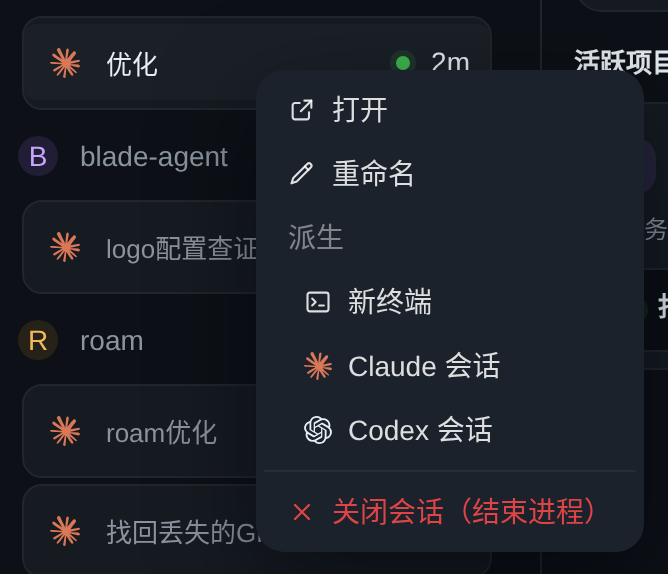
```
脚本用 git plumbing 写(独立索引 + `commit-tree`),不切分支、不碰工作区——截图不该逼你
把手里的活停下来;拉不到 `pr-shots` 时它宁可报错也不从空树重建(那样一推就把之前所有
PR 的图抹了)。
截图不要提交进 `main`:仓库里不留 PR 的一次性产物。
## Code Review
- PRs are reviewed by the **Codex GitHub App** (`chatgpt-codex-connector` bot). See
[docs/development/codex-review.md](docs/development/codex-review.md) for how it is enabled and
how to respond.
- The `babysit-pr` skill (`skills/babysit-pr/`) automates polling, deciding fix-vs-skip, replying,
and resolving Codex review threads.
<section id="mcp-independent-daemon-20261028" lang="zh-CN">
<h2>MCP 独立后台守护 · 2026-10-28</h2>
<h3>Product Design</h3>
<p>MCP 连接交给节点上的独立后台服务持有,Web 与 Agent 只作为客户端。停止或重启这两者不会主动关闭上游连接;后台服务继续心跳、断线重连及读取新增配置。MCP 后台服务自身异常退出时由系统服务管理器自动恢复。保留中文名称、描述、工具引用和开关。</p>
<h3>User Stories</h3>
<ul><li>开启 MCP 后自动后台守护,关闭能力页面或停止 Web、Agent 后仍继续维护连接。</li><li>Agent 恢复后读取同一工具目录并立即调用,独立守护不可用时明确显示重连,不另起上游连接冒充独立运行。</li><li>服务重启不重放已经发出的工具调用;显式取消仍可发送取消请求,已有未知结果保留。请求开始发送后,即使响应头尚未到达,超时也保留为结果未知。</li></ul>
<h3>Technical Design</h3>
<p>server/mcp_daemon.py 独立运行既有 MCPConnections,读取节点配置及托管登记,通过单实例锁和 0600 Unix socket 提供目录、状态事件与一次调用流。tools/mcp_broker.py 在 Agent 中维护目录投影,以长轮询读取状态变化,进度和原始 MCP 结果通过本机流回传,由 Agent 原有产物及权限层处理。连接循环同时检查显式关闭状态,避免协议层消化取消后继续循环。后台入口不依赖模型、Agent 数据库或 Web 网关;停用、移除及改配通过原子文件同步,已接收的调用结束前不截断上游。写入请求不作网络重试,重复调用 ID 在守护进程中拒绝。</p>
<p>roami agent mcp install/serve/status 提供节点级管理,Linux install 写入按实例命名的独立用户 systemd 单元和私有环境快照,启用后写入 MCP 客户端描述。单元不依赖、绑定或归属于 Web/Agent 单元,自动重启只作用于 MCP 自身。未安装独立服务的节点保持原运行方式;其他服务管理器可运行 serve,安装命令不伪报支持。Agent 关闭前标记生命周期结束,断开客户端时不发送远端取消;用户主动停止与调用超时仍沿用取消和未知结果语义。</p>
<h3>验收记录</h3>
<p>full 质量门禁通过:Go 全量、Python 1,698 项、静态与格式检查、前端 typecheck/i18n/hover/生产构建及秘密扫描;前端 142 文件/1,038 项通过,收尾 MCP/目录/产物定向 83 项通过。收尾 MCP 42 项回归通过,包含响应头延迟后的未知写入结果和协议心跳消化取消后的关闭完成;最终门禁结果随 PR 提供。新增回归包含两个真实 Agent 进程先后接入同一守护、客户端关闭不取消已接收调用、显式取消、工具权限、图片与大文本产物及所有者隔离、配置损坏后拒绝调用、跨节点拒绝、私有文件和单实例保护。</p>
<p>真实独立用户 systemd 单元、Go Web/Agent 与 stdio 夹具完成验收:Web 和 Agent 同时停止后,上游进程及连接标识不变;无客户端时杀掉上游约 31.33 秒自动恢复并成功调用;客户端返回后别名保留。杀掉守护后系统自动重启,Agent 自动重新接入,已发出的写入没有重放。含空格及百分号的实例路径验证通过;服务命令显式固定实例根目录和 socket,就绪与客户端请求再校验节点身份。测试单元及私有 tmux 已按身份清理,零付费模型调用。证据入口 /tmp/mcp-daemon-20261028/index.html。</p>
<p>本轮未修改页面结构;新增产品错误提示均含中英文,终端命令与诊断文字按 i18n 标准的 CLI 例外保留英文。未重复宣称手机真机验收;Linux 安装依赖可用的用户 systemd,其他管理器使用 serve 配置独立监督服务。</p>
</section>